
SNAKOL SK216
SNAKOL SK216 Pen Type Digital Multimeter Instruction Manual
Model: SK216 | Brand: SNAKOL
Your comprehensive guide to operating and maintaining your SNAKOL SK216 Pen Type Digital Multimeter.
1. Кіріспе
The SNAKOL SK216 is a versatile 2-in-1 pen-type digital multimeter designed for electrical equipment testing and maintenance. It features True RMS measurement capabilities for AC voltage, resistance, diodes, and continuity. Additionally, it includes functions such as Non-Contact Voltage (NCV) detection, live/null wire identification, and a clear LCD backlit screen for easy readings in various lighting conditions. Its compact and portable design makes it an essential tool for both professional electricians and home users.
2. Қауіпсіздік туралы ақпарат
Always observe safety precautions when using electrical testing equipment. Failure to do so may result in injury or damage to the device. Read all instructions carefully before use.
- Do not exceed the maximum input values specified for each measurement function.
- Ensure the test leads are in good condition and properly connected before making any measurements.
- Құрылғы зақымдалған болып көрінсе немесе дұрыс жұмыс істемесе, оны пайдаланбаңыз.
- Тік тізбектермен жұмыс істегенде өте сақ болыңыз.
- Always disconnect power to the circuit before measuring resistance, continuity, or diodes.
- Өлшеу кезінде қолдарыңыз бен саусақтарыңызды зонд тосқауылдарының артында ұстаңыз.
- Replace batteries promptly when the low-battery indicator appears to ensure accurate readings.
3. Пакет мазмұны
Пакетте барлық элементтердің бар екенін тексеріңіз:
- 1 x SNAKOL SK216 Pen-type Multimeter
- 1 x Probe (removable multimeter lead)
- 1 x Пайдаланушы нұсқаулығы (осы құжат)
- 2 x 1.5 В AAA батареялары
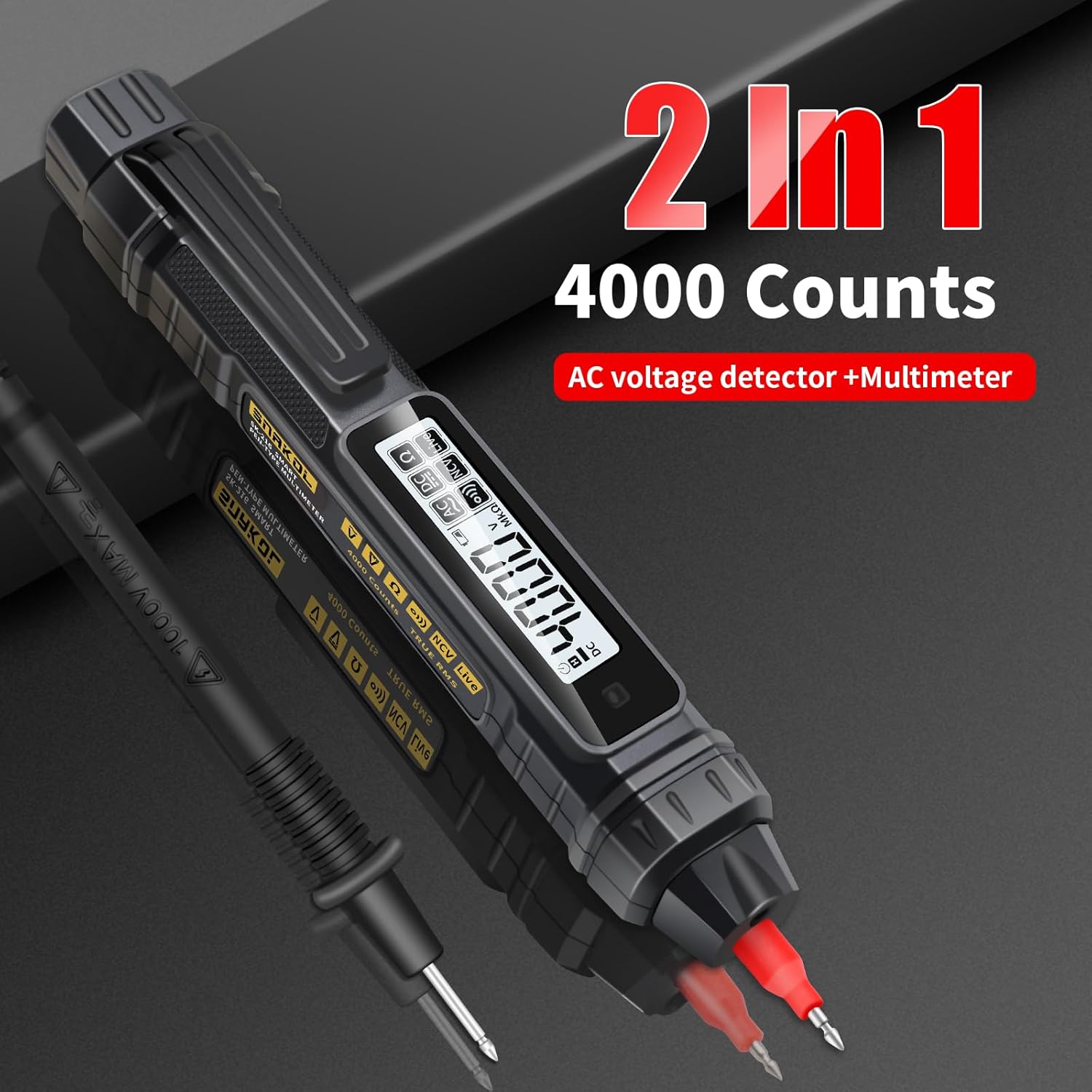
Image: Contents of the SNAKOL SK216 package, including the multimeter, probe, and batteries.
4. Орнату
4.1 Батареяны орнату
The SNAKOL SK216 requires two 1.5V AAA batteries. These are included in the package.
- Мультиметрдің артқы жағындағы батарея бөлімінің қақпағын табыңыз.
- Бөлімді ашу үшін қақпақты сырғытыңыз немесе ашыңыз.
- Дұрыс полярлықты (+ және -) қамтамасыз ете отырып, екі AAA батареясын салыңыз.
- Батарея бөлігінің қақпағын мықтап жабыңыз.
Video: Demonstrates the battery installation process for the SNAKOL SK216 multimeter.

Image: Close-up of the SNAKOL SK216 multimeter with the battery compartment open, showing two AAA batteries inserted.
4.2 Зондты қосу
The included probe can be connected to the multimeter for various measurements.
- Identify the input jack on the top of the multimeter.
- Insert the plug end of the probe cable firmly into the input jack.
- The probe tip can be removed or attached as needed for different measurement scenarios.
Video: Demonstrates how to connect the removable multimeter leads and probes to the device.
5. Пайдалану нұсқаулары
The SNAKOL SK216 features automatic ranging and function switching for ease of use. Press the power button to turn the device on or off. The device will typically start in auto-ranging mode.
5.1 Function Switching and Auto-Range
The multimeter automatically detects the measurement type (AC/DC voltage, resistance, continuity) when powered on. You can cycle through different measurement modes by pressing the function button (often labeled 'FUNC' or similar, or indicated by a specific icon).
Video: Shows the function switching and auto-ranging capabilities of the multimeter.

Image: Illustrates the one-touch measurement capabilities for resistance, AC voltage, тұрақты токtage, and continuity (on-off test).
5.2 Тұрақты ток көлеміtage Өлшем
Тұрақты ток көлемін өлшеу үшінtage:
- Ensure the multimeter is powered on and in DC voltage mode (often auto-detected).
- Connect the black probe to the negative terminal and the red probe to the positive terminal of the DC source.
- томды оқыңызtage мәні СКД экранында көрсетіледі.
Video: Shows the process of measuring DC voltage using the multimeter on a battery.
5.3 Айнымалы ток көлеміtage Өлшем
Айнымалы ток көлемін өлшеу үшінtage:
- Ensure the multimeter is powered on and in AC voltage mode (often auto-detected).
- Carefully touch the probes to the live and neutral terminals of the AC source.
- томды оқыңызtage мәні СКД экранында көрсетіледі.
Video: Demonstrates measuring AC voltage on a circuit breaker.
5.4 Қарсылықты өлшеу
Қарсылықты өлшеу үшін:
- Кедергіні өлшемес бұрын тізбектің немесе компоненттің қуаттан ажыратылғанына көз жеткізіңіз.
- Select resistance mode (Ω) or allow auto-detection.
- Connect the probes across the component to be measured.
- Дисплейдегі қарсылық мәнін оқыңыз.
Video: Illustrates how to measure resistance on a circuit board component.
5.5 Үздіксіздік сынағы
The continuity test checks for an unbroken path in a circuit. A buzzer will sound if resistance is below approximately 50Ω.
- Тізбектің қуаттан ажыратылғанына көз жеткізіңіз.
- Select continuity mode (often indicated by a speaker icon) or allow auto-detection.
- Touch the probes to the two points you want to test for continuity.
- A beep indicates continuity.
Video: Demonstrates the continuity test with an audible beep.
5.6 Байланыссыз томtage (NCV) анықтау
NCV функциясы айнымалы ток көлемін анықтауға мүмкіндік бередіtage without direct contact, enhancing safety.
- Select NCV mode (often indicated by a wave icon).
- Bring the tip of the multimeter close to the conductor or electrical outlet.
- An analog bar on the LCD screen, accompanied by beeps of varying rhythms, indicates the presence and strength of the electric field.

Image: Shows the multimeter performing NCV detection, with the screen displaying an analog bar and an indicator light.
Video: Demonstrates NCV AC Voltage Test in an electrical panel.
5.7 Live/Null Wire Identification (Firewire/Zero Line)
This function helps distinguish between live (fire) and neutral (zero) wires.
- Touch the multimeter's tip to the wire.
- For a live wire (firewire), the indicator light will illuminate, the screen will display "----", and a "beep beep beep" sound will be emitted.
- For a neutral wire (zero line), the indicator light will not illuminate, the screen will display "L iUE", and no sound will be emitted.
Image: Illustrates the multimeter detecting a live (firewire) and neutral (zero line) wire, showing distinct screen indicators and sounds.
Video: Demonstrates Zero Fire Wire Identification in an electrical panel.
5.8 Breakpoint Finder
The breakpoint finder function helps locate breaks in a cable.
- Apply the multimeter tip along the length of the cable.
- Құрылғы көлемнің бар екенін көрсетедіtage up to the point of the break. The signal will cease or change significantly past the break.
Video: Shows the breakpoint finder function being used on a cable.
5.9 Деректерді ұстау функциясы
Дисплейдегі ағымдағы көрсеткішті қатыру үшін «Ұстап тұру» түймесін басыңыз. Ұстап тұру функциясын босату үшін оны қайтадан басыңыз.
5.10 Фонар
The built-in flashlight can be activated to illuminate dimly lit work areas. Refer to the device's buttons for flashlight activation (often a long press on a specific button or a dedicated button).
Video: Demonstrates the flashlight lighting feature of the multimeter.
6. Техникалық қызмет көрсету
6.1 Жалпы күтім
- Құрылғыны таза және құрғақ ұстаңыз. Жұмсақ сүртіңіз, damp қажет болса, шүберекпен сүртіңіз. Абразивті тазалағыштарды немесе еріткіштерді пайдаланбаңыз.
- Мультиметрді салқын, құрғақ жерде, тікелей күн сәулесінен және төтенше температурадан алыс жерде сақтаңыз.
- Құрылғыны түсіріп алмаңыз немесе қатты соққыларға ұшырамаңыз.
6.2 Батареяны ауыстыру
When the low-battery indicator appears on the display, replace the batteries immediately to ensure accurate measurements and proper device function. Follow the steps outlined in Section 4.1 Battery Installation.
7. Ақаулықтарды жою
| Мәселе | Ықтимал себебі | Шешім |
|---|---|---|
| Құрылғы қосылмайды. | Өлген немесе дұрыс орнатылмаған батареялар. | Батареяның полярлығын тексеріңіз және қажет болса батареяларды ауыстырыңыз. |
| Дәл емес оқулар. | Low battery, incorrect mode selection, or damaged probes. | Replace batteries, ensure correct measurement mode, inspect and replace probes if damaged. |
| NCV function gives false positives/negatives. | Environmental interference or proximity to other electrical fields. | Test in a different location or use direct contact measurement for verification. |
| Continuity buzzer does not sound. | Open circuit or resistance too high. | Verify the circuit path; the resistance might be above the continuity threshold. |
8. Техникалық сипаттамалар
| Ерекшелік | Мәлімет |
|---|---|
| Үлгі | SK216 |
| Өндіруші | SNAKOL |
| Элемент салмағы | 109 г |
| Өнім өлшемдері | 18.49 x 2.54 x 3.05 см |
| Батареялар | 2 AAA батареясы қажет (жинаққа кіреді) |
| Өлшеу дәлдігі | +/-1.2% |
| Мин. Операциялық томtage | 2 вольт |
| Функциялар | Айнымалы ток/тұрақты токtage, Resistance, Diode, Continuity, NCV, Null/Live Wire Detection, Auto-Ranging, Backlit Display, Flashlight |
| Макс томыtage | 600В |
9. Кепілдік және қолдау
SNAKOL products are designed for reliability and performance. For warranty information or technical support, please refer to the contact details provided with your purchase or visit the official SNAKOL website. Customer services are always our top priority. If there are any concerns, please feel free to contact us for quick assistance.
Ask a question about this manual
Ask about setup, troubleshooting, compatibility, parts, safety, or missing instructions. Manuals+ will review the question and use this page’s manual context to help answer it.