
VEKOOTO Right
VEKOOTO AHD 10.36 дюймдік BSD бүйірі View Тік монитор және оң жақ көлік камерасы жүйесінің пайдаланушы нұсқаулығы
Model: Right
Кіріспе
Бұл нұсқаулықта VEKOOTO AHD 10.36 дюймдік BSD бүйіріне арналған егжей-тегжейлі нұсқаулар берілген. View Vertical Monitor and Right Car Camera System. This system is designed to enhance vehicle safety by offering a clear, wide-angle view of the right side of your truck or bus, featuring a touch screen display, loop recording capabilities, and a Blind Spot Detection (BSD) voice alarm. Please read this manual thoroughly before installation and operation to ensure proper use and optimal performance.
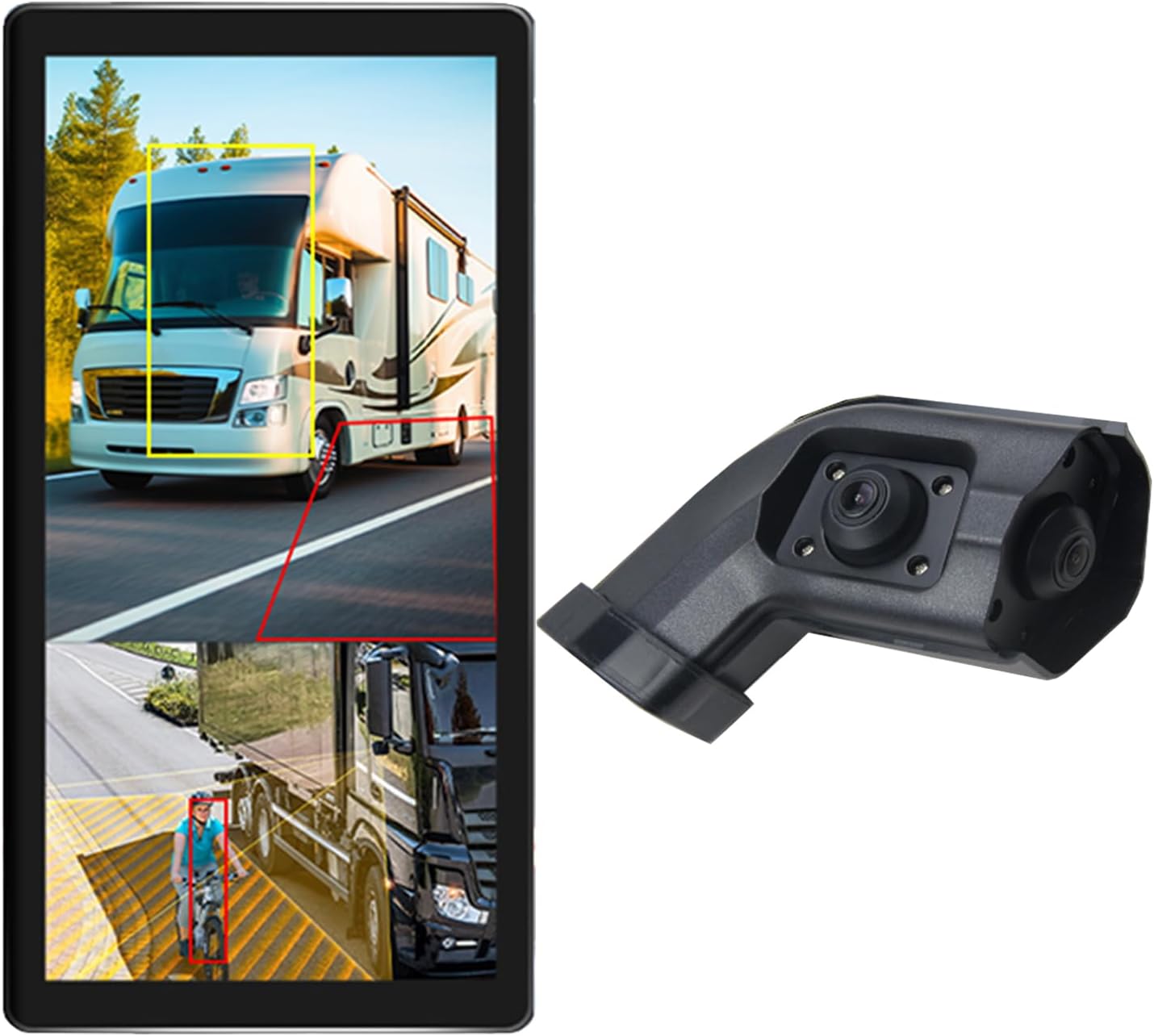
Image: The VEKOOTO 10.36-inch vertical monitor and the right side camera unit, illustrating the primary components of the system.
Қорапта не бар
Қаптаманы ашқан кезде барлық компоненттердің бар екенін және жақсы жағдайда екенін тексеріңіз:
- 10.36-inch Touch Screen Monitor
- Integrated dual camera (for right side view)
- Қуат кабелі
- Камера кабелі
- Кронштейн
Негізгі мүмкіндіктер
- Көрсеткіш: 10.36-inch IPS touch screen with 2-channel split screen display capability.
- Камераны қолдау: Compatible with AHD720P cameras, offering enhanced image clarity, advanced bright color separation, signal filtering, and 3D noise reduction technology.
- Соқыр нүктелерді анықтау (BSD): Features a voice alarm system. The alarm area, volume, and sensitivity are adjustable.
- Кескінді басқару: Supports camera image screen mirroring function for flexible viewing.
- Дисплейді теңшеу: Allows adjustment of display time, date, brightness, and screen color.
- Қуат үйлесімділігі: Кең көлемді қолдайдыtag9-36 В диапазоны.
- Көп тілді қолдау: Available in English, Korean, Japanese, and Chinese.
- Орнату: Designed for installation on the right side rearview көліктің айнасы.

Image: The monitor interface highlighting features such as image adjustment, BSD voice alarm, and customizable detection areas, shown with various driving scenarios including night, rain, and blind spots.
Орнату және орнату
Proper installation is crucial for the system's performance. It is recommended to have this system installed by a qualified professional.
1. Компоненттерді орналастыру
- Mount the 10.36-inch vertical monitor securely inside the vehicle, ensuring it does not obstruct the driver's view.
- Install the integrated dual camera unit on the right side rearview mirror of your vehicle. Ensure the camera has a clear, unobstructed view.

Image: The vertical monitor installed inside a vehicle, providing a clear view of the right side, simulating a truck's perspective.
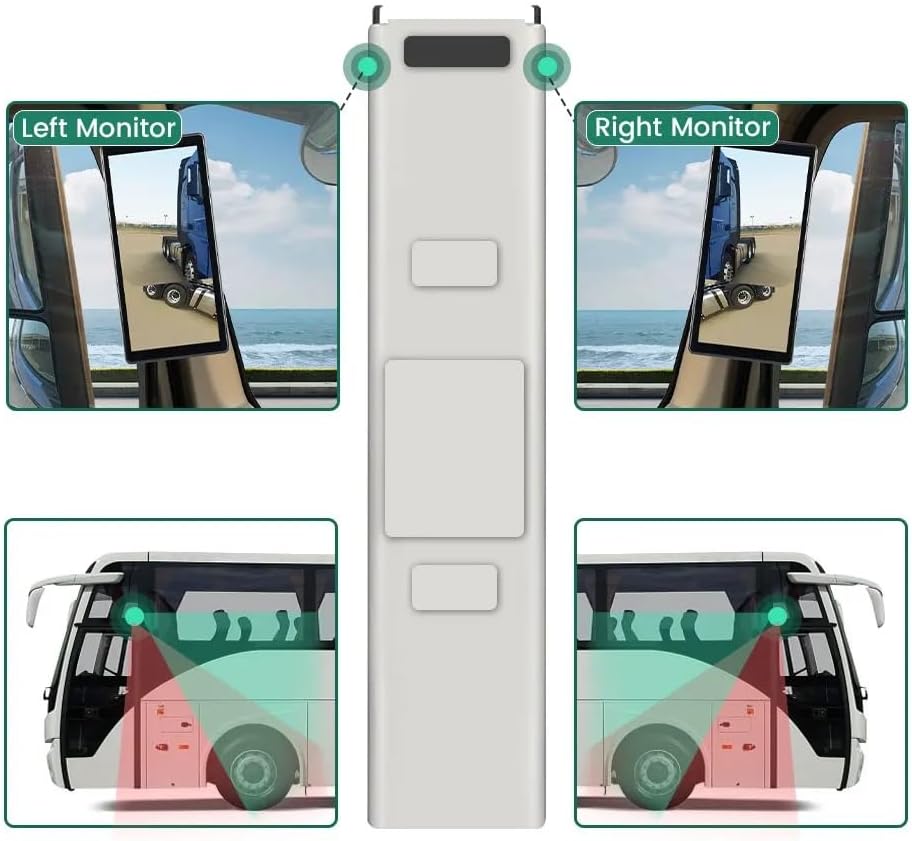
Image: A diagram illustrating the recommended placement of the right monitor and the camera's field of view for comprehensive side coverage on a bus.
2. Сымдарды қосу
Refer to the wiring diagram below for correct connections. The system supports 9V-36V wide voltage енгізу.

Image: Detailed wiring diagram showing connections for the monitor, integrated dual camera, ACC power supply (+), Ground (-), and Battery Power (+3A). Channel 1 (CH1) and Channel 2 (CH2) inputs are indicated for the camera cables.
- қосыңыз ACC Power Supply (+) wire (red) to a switched ignition source.
- қосыңыз Жер (-) wire (black) to a suitable chassis ground point.
- қосыңыз Battery Power (+) (3A) wire (yellow) to a constant 12V/24V power source.
- Connect the camera cable(s) to the corresponding CH1 and CH2 inputs on the monitor.
- Қысқа тұйықталуды болдырмау үшін барлық қосылымдардың қауіпсіз және дұрыс оқшауланғанын тексеріңіз.
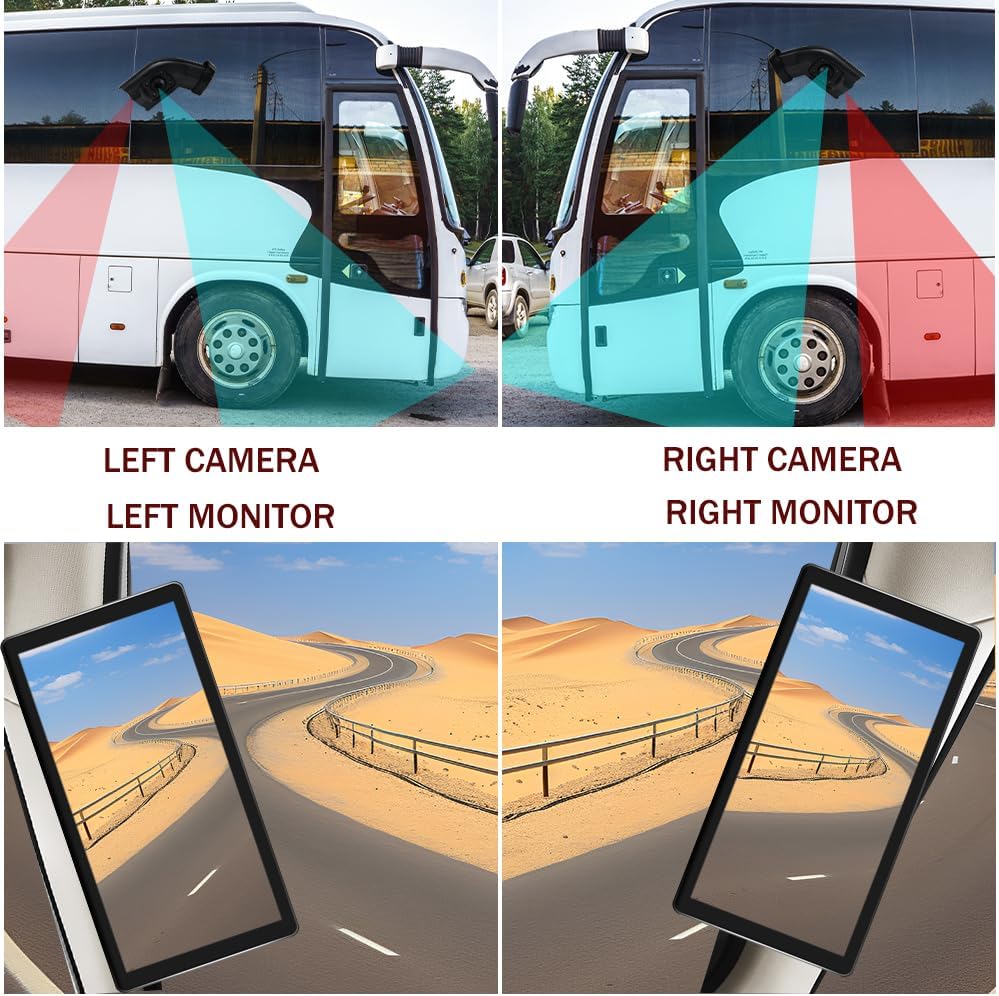
Image: A visual comparison demonstrating the coverage areas for left and right camera installations, along with the corresponding monitor views. This system is for the Right Camera/Monitor.
Пайдалану нұсқаулары
1. Қуатты қосу/өшіру
The monitor will power on automatically when the vehicle's ignition is turned on (if connected to ACC power) and power off when the ignition is turned off.
2. Сенсорлық экран шарлауы
Navigate through the monitor's menus and settings using the touch screen interface. Tap icons or options to select them.
3. Бөлінген экран дисплейі
The monitor supports a 2-channel split screen display. Access the display settings to configure how the camera feeds are shown on the screen.
4. BSD Voice Alarm
- Access the BSD settings menu on the touch screen.
- Adjust Alarm Area: Define the specific zones where the BSD system will detect objects and trigger an alarm.
- Control Alarm Volume: Set the desired volume level for the voice alerts.
- Сезімталдықты орнату: Adjust the sensitivity of the detection system to suit your driving conditions and preferences.
5. Image Mirroring
If needed, enable the camera image mirroring function through the display settings to flip the camera view көлденең.
6. Дисплей параметрлері
Customize the display by adjusting brightness, screen color, and setting the current time and date through the monitor's settings menu.
7. Циклді жазу
The system supports loop recording. Ensure a compatible memory card is inserted (if required, check product specifications for card type and capacity). The system will continuously record video, overwriting the oldest fileжад картасы толған кезде.

Image: The monitor screen showing a video playback interface, indicating support for video recording with a timeline illustrating different recording times throughout the day.
Техникалық қызмет көрсету
- Мониторды тазалау: Use a soft, dry cloth to clean the monitor screen. For stubborn smudges, lightly dampшүберекті сумен немесе экранға қауіпсіз тазалағышпен салыңыз. Қатты химиялық заттардан аулақ болыңыз.
- Камераны тазалау: Periodically check and clean the camera lens to ensure a clear view. Use a soft cloth and lens cleaner if necessary.
- Қосылымдарды тексеру: Regularly inspect all wiring connections to ensure they are secure and free from corrosion or damage.
- Бағдарламалық құрал жаңартулары: Өндірушіні тексеріңіз website for any available firmware or software updates for your system.
Ақаулықтарды жою
| Мәселе | Ықтимал себебі | Шешім |
|---|---|---|
| Мониторда сурет жоқ |
|
|
| Distorted or unclear image |
|
|
| BSD alarm not working |
|
|
| Loop recording not functioning |
|
|
Техникалық сипаттамалар
| Ерекшелік | Мәлімет |
|---|---|
| Өнім өлшемдері | 10.3"L x 2"W x 8"H (Monitor) |
| Элемент салмағы | 4.4 фунт |
| Үлгі нөмірі | Дұрыс |
| Көрсету технологиясы | СКД |
| Басқа дисплей мүмкіндіктері | Сымсыз |
| Өндіруші | VEKOOTO |
| Бренд | VEKOOTO |
| Экран өлшемі | 10.36 дюйм |
| Үйлесімді құрылғылар | Монитор |
| Орнату түрі | Беттік орнату |
| Тtage | 9-36 Volts (Wide Voltage Support) |
| Оптикалық сенсор технологиясы | CMOS |
| Объектив түрі | Кең бұрыш |
| Қосқыш түрі | Сымсыз |
| Оптикалық сенсор өлшемі | 1/3 дюйм |

Image: Diagram illustrating the physical dimensions of the 10.36-inch vertical monitor (27cm/10.63inch height, 13cm/5.12inch width) and the camera unit (14.6cm/5.75inch height, 7.8cm/3.07inch width, 6.4cm/2.52inch depth).
Кепілдік және қолдау
For warranty information, please refer to the documentation included with your purchase or contact VEKOOTO customer support directly. Support contact details can typically be found on the manufacturer's official webсайты немесе сатып алу нүктесі арқылы.
Always ensure you are using genuine VEKOOTO parts and accessories for optimal performance and to maintain warranty validity.
Ask a question about this manual
Ask about setup, troubleshooting, compatibility, parts, safety, or missing instructions. Manuals+ will review the question and use this page’s manual context to help answer it.