
1. Кіріспе
Thank you for choosing the Trueque Wireless RGB Backlit Keyboard and Mouse Combo. This full-size set is designed for comfort, efficiency, and style, featuring vibrant RGB backlighting, quiet typing, and broad compatibility. This manual provides essential information for setup, operation, and maintenance to ensure optimal performance of your new wireless peripherals.
2. Қорапта не бар
- Wireless RGB Backlit Keyboard
- Wireless RGB Backlit Mouse
- 2.4GHz USB Receiver (stored inside the mouse)
- USB-C зарядтау кабелі
- USB-A - Type-C адаптері
- Пайдаланушы нұсқаулығы

Image: The Trueque Wireless RGB Backlit Keyboard and Mouse Combo, showcasing the purple keyboard and mouse with vibrant backlighting.
3. Орнату
- Зарядтау құрылғылары: Before first use, fully charge both the keyboard and mouse using the provided USB-C charging cable. The charging port for the keyboard is on the side, and for the mouse, it's at the front.
- USB қабылдағышын табыңыз: The 2.4GHz USB receiver is conveniently stored in a compartment on the underside of the mouse. Gently slide open the cover to retrieve it.
- Қабылдағышты қосу: Plug the USB receiver into an available USB-A port on your computer. If your computer only has USB-C ports, use the included USB-A to Type-C adapter.
- Қуат қосулы: Turn on the keyboard using the ON/OFF switch located on its side. Turn on the mouse using the ON/OFF switch on its underside.
- System Layout (Optional): For Mac users, press the 'OS' key on the keyboard to activate the Mac layout. For Windows users, press the 'WIN' key. The corresponding indicator light (MAC/Caps or WIN/Num) will turn green.

Image: Illustration demonstrating how to connect the 2.4GHz USB receiver to a computer, showing both USB-A and USB-C (with adapter) port options.

Сурет: егжей-тегжейлі view of the wireless mouse's underside, highlighting the USB receiver compartment, ON/OFF switch, and the Type-C charging port.
Video: An official seller video demonstrating the Trueque Backlit Keyboard, including how to set it up and its features for easier typing in the dark.
4. Пайдалану нұсқаулары
4.1 RGB Backlight
- Пернетақта: The keyboard features a rainbow color backlight with 3 adjustable brightness levels. Press Fn + Shift to turn the backlight ON/OFF or adjust its brightness.
- Тінтуір: The mouse offers 15 switchable lighting effects, adding a dynamic visual element to your setup.
Image: The keyboard displaying three different brightness levels of its RGB backlight, from dim to bright, with instructions for adjustment.
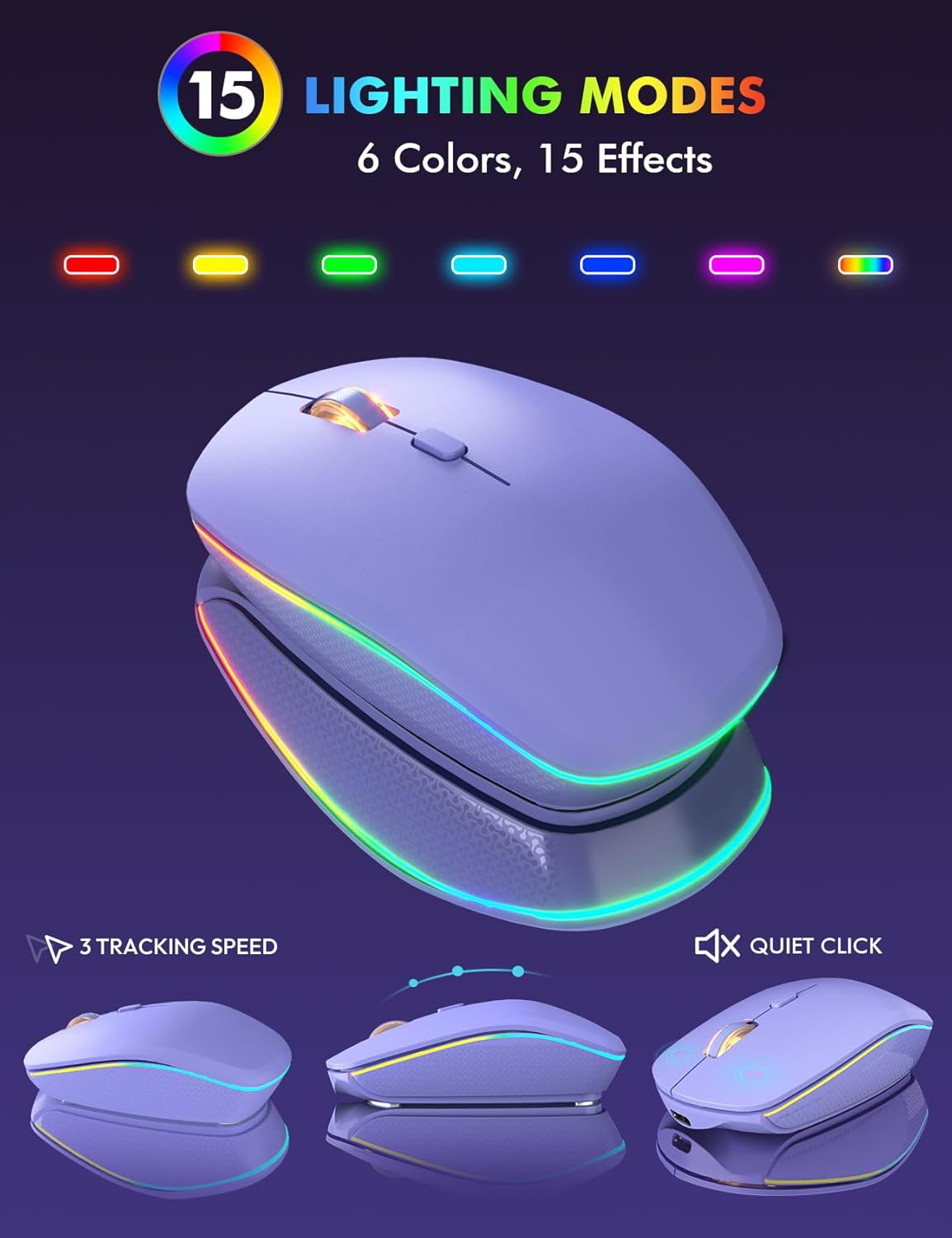
Image: The wireless mouse highlighting its 15 distinct lighting modes, demonstrating the variety of RGB effects available.
4.2 Қуатты үнемдеу
Both the keyboard and mouse are designed with smart power-saving features to extend battery life:
- Автоматты ұйқы: The keyboard enters sleep mode after 30 minutes of inactivity. The mouse will sleep after 90 seconds of inactivity. Simply type or click any key to wake them up.
- ҚОСУ/ӨШІРУ қосқыштары: Utilize the dedicated ON/OFF switches on both devices to conserve power when not in use for extended periods.
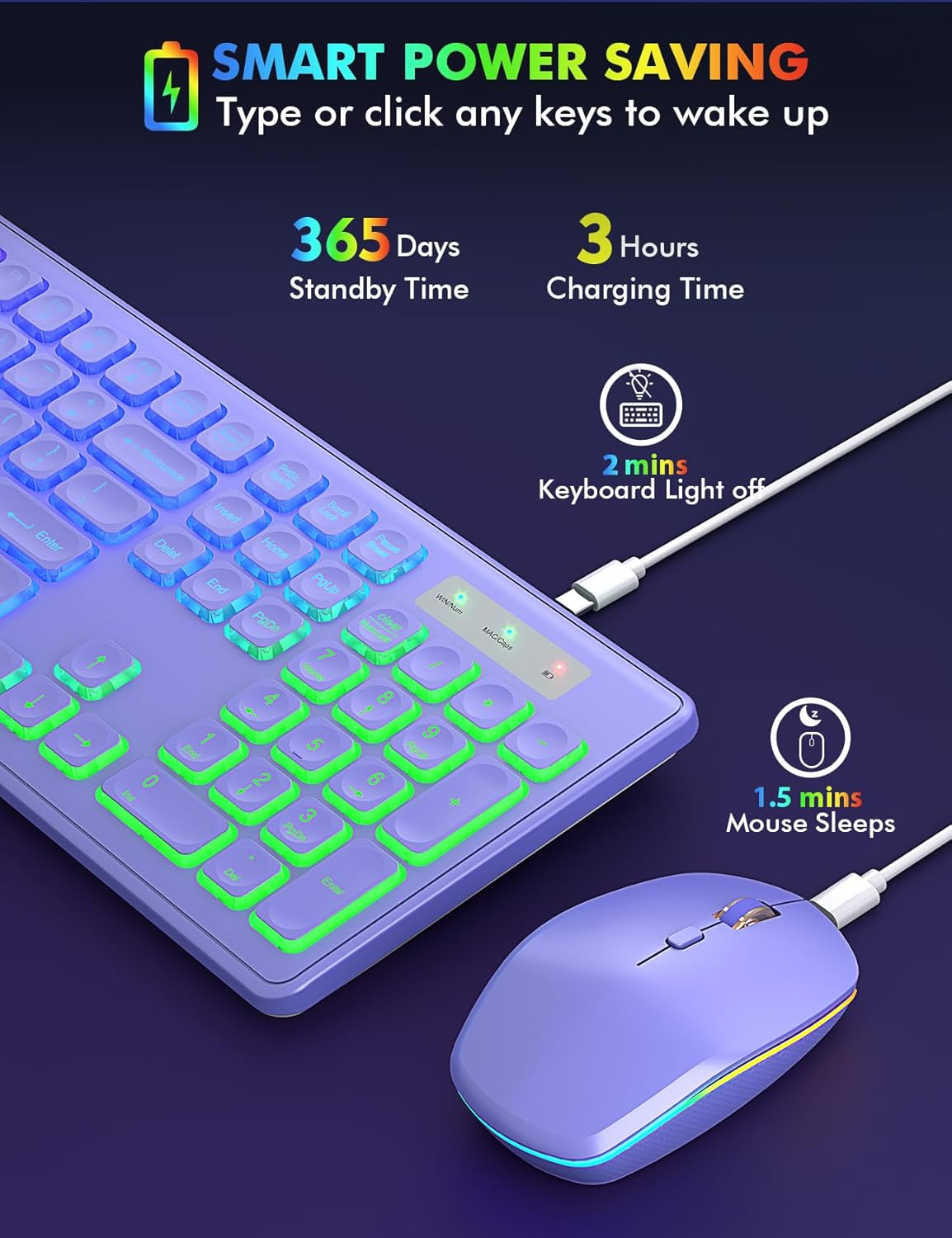
Image: The keyboard and mouse demonstrating their smart power-saving capabilities, including standby time and auto-sleep functions for both devices.
4.3 Сымсыз байланыс
The combo utilizes a stable 2.4GHz wireless connection, ensuring no delays or dropouts. The single USB receiver allows for a wireless connection range of up to 10 meters (33 ft) without requiring any additional drivers.
4.4 Жүйенің орналасуы
The keyboard supports dual-system layouts for Mac and Windows. Easily switch between layouts with a single touch:
- Windows: түймесін басыңыз ЖЕҢІЗ key. The WIN/Num indicator light will turn green.
- MacOS: түймесін басыңыз OS key. The MAC/Caps indicator light will turn green.

Image: The keyboard illustrating its dual-system layout, showing how to switch between Windows and Mac OS modes with dedicated keys and indicator lights.
4.5 Comfortable Typing & Silent Click
- Эргономикалық дизайн: The keyboard features foldable stands that offer a tilt angle for a more comfortable typing position.
- Бағдарламалық пернелер: The effortless crater mechanism under each key provides a soft and comfortable typing experience.
- Тыныш жұмыс: Both the mouse and keyboard are designed for quiet operation, minimizing disturbance to others.

Image: A close-up of the keyboard keys, highlighting the comfortable typing experience provided by their design and crater mechanism.
5. Техникалық қызмет көрсету
- Зарядтау: Recharge the keyboard and mouse using the supplied USB-C charging cable when their battery indicators show low power.
- Тазалау: Use a soft, dry cloth to clean the surfaces of the keyboard and mouse. Avoid using harsh chemicals or abrasive materials.
- Сақтау орны: When not in use for extended periods, turn off both devices using their ON/OFF switches and store them in a cool, dry place.
6. Ақаулықтарды жою
- Байланыс жоқ: Ensure the USB receiver is securely plugged into your computer and both the keyboard and mouse are turned on. Try plugging the receiver into a different USB port.
- Lagging/Disconnection: Check that the devices are within the 10-meter wireless range and there are no significant obstructions. Ensure both devices are sufficiently charged.
- Артқы жарық жұмыс істемейді: Recharge the device. For the keyboard, press Fn + Shift to toggle the backlight or adjust brightness.
- Multimedia Keys Not Functioning (Mac OS): Note that multimedia keys may not be fully compatible with all Mac OS systems.
7. Техникалық сипаттамалар
| Ерекшелік | Мәлімет |
|---|---|
| Бренд | Бартер |
| Үлгі | B0D4M41DXV |
| Түс | Күлгін |
| Қосылу технологиясы | 2.4 ГГц USB сымсыз |
| Арнайы мүмкіндік | Rechargeable, RGB Backlit, Dual-System Layout (Mac/Windows), Quiet Typing |
| Үйлесімді құрылғылар | Chromebook, Laptop, Macbook Pro, Macbook Air, iMac, Dell XPS 13/15, Inspiron, HP ENVY, Pavilion, Personal Computer, Television |
| Элемент салмағы | 1.91 фунт |
| Батареялар | 1 литий-ионды батарея қажет (жинаққа кіреді) |
| Өндіруші | Бартер |
8. Кепілдік және қолдау
Your Trueque Wireless RGB Backlit Keyboard and Mouse Combo is manufactured by Trueque. For any product-related inquiries, technical support, or warranty claims, please contact the manufacturer directly or reach out to the seller, Trueq Tech, through your purchase platform.
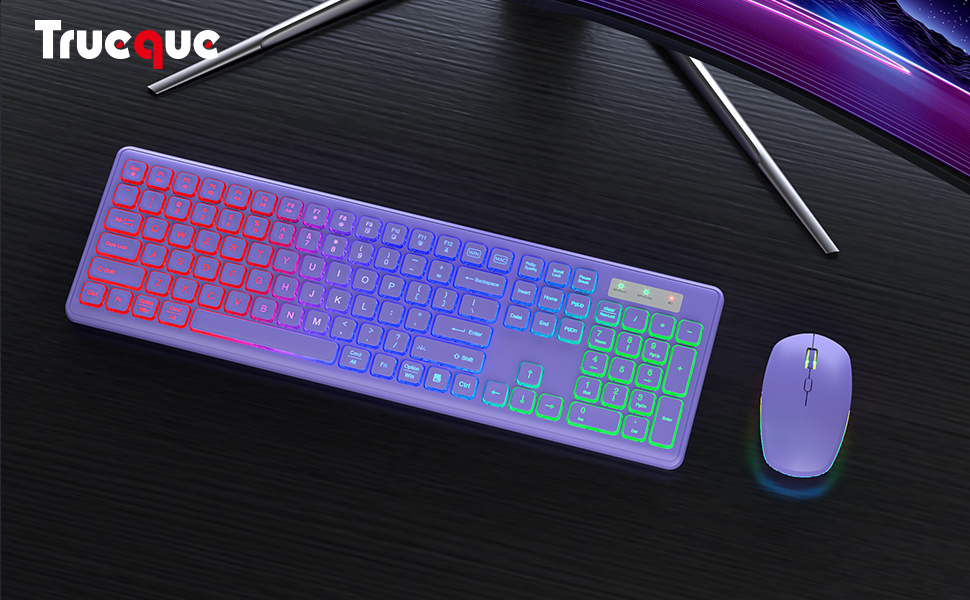
Image: Customer support contact information, indicating various support durations (24 hours, 30 days, 90 days, 360 days) and encouraging users to reach out for any problems.