
1. Кіріспе
The NIIMBOT D11H is a compact, portable, and inkless thermal label printer designed for various labeling needs. It connects wirelessly via Bluetooth to your smartphone, allowing for easy creation and printing of high-resolution labels. This manual provides essential information for setting up, operating, and maintaining your device.
2. Пакет мазмұны
Төменде тізімделген заттардың барлығы пакетіңізге қосылғанын тексеріңіз:
- 1x NIIMBOT D11H Label Printer
- 1x Label Roll (pre-installed or included)
- 1x USB Type-C зарядтау кабелі
- 1x User Manual (Japanese)

3. Орнату
3.1. Жапсырма қағазын жүктеу
- Slide the cover button on the side of the printer to open the paper compartment.
- Insert the label roll into the compartment with the labels facing upwards, ensuring it is correctly aligned.
- Pull a small portion of the label paper out through the printer's exit slot.
- Қақпақты мықтап жабыңыз.

3.2. Қосу
Press and hold the power button located on the front of the printer for 3 seconds until the indicator light turns green, indicating the device is powered on.
3.3. Қолданбаны жүктеп алу және Bluetooth қосылымы
- Download the "NIIMBOT" app from the App Store (iOS) or Google Play Store (Android).
- Смартфонда Bluetooth қосыңыз.
- Open the NIIMBOT app and tap on the "Connect" or "Printer Connection" option. The app will automatically scan for nearby devices.
- Select your NIIMBOT D11H printer from the list of available devices to establish a Bluetooth connection.

4. Пайдалану нұсқаулары
4.1. Белгілерді жасау
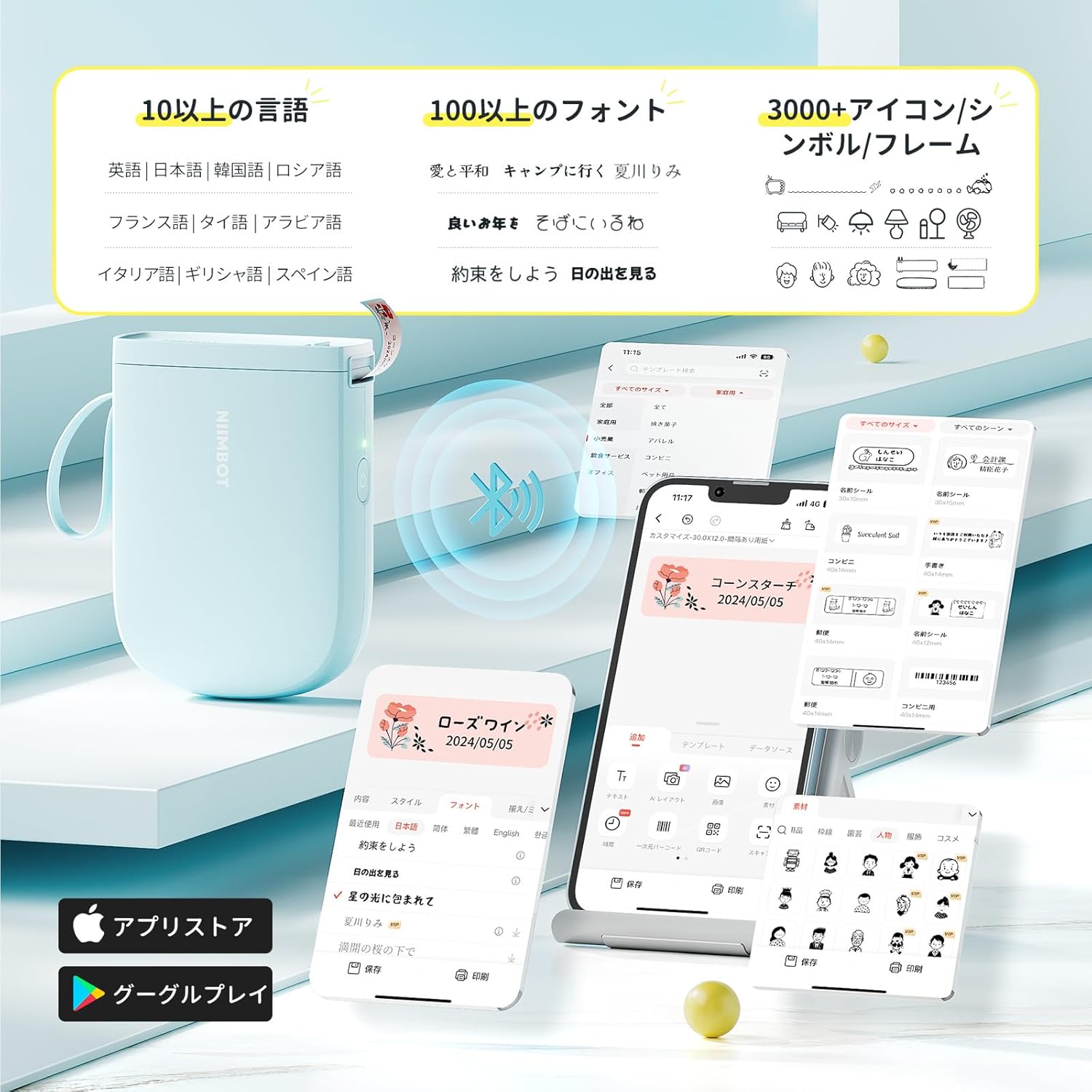
The NIIMBOT app offers a wide range of features for label creation:
- Мәтін енгізу: Easily type and customize text with over 20 fonts and various styles.
- Үлгілер: Utilize automatic template matching and thousands of image elements for quick design.
- Image Recognition: Import images for printing.
- Штрих-код/QR коды: Штрих-кодтар мен QR кодтарын жасаңыз және басып шығарыңыз.
- Пакеттік басып шығару: Print multiple labels efficiently.

4.2. Жапсырмаларды басып шығару
Once your label design is complete in the app, tap the "Print" button. You can adjust the number of copies and print density before confirming. The printer will automatically feed and cut the labels.
4.3. Жан-жақты қолданбалар
The NIIMBOT D11H is suitable for a wide range of uses, including organizing documents, creating name tags, price tags, date reminders for food, and labeling items in the kitchen, office, or warehouse.


5. Техникалық қызмет көрсету
To ensure optimal performance and longevity of your NIIMBOT D11H label printer, follow these maintenance guidelines:
- Тазалау: Regularly clean the print head with a soft, lint-free cloth moistened with alcohol. Ensure the printer is off before cleaning.
- Сақтау орны: Принтерді салқын, құрғақ жерде, тікелей күн сәулесінен және төтенше температурадан алыс жерде сақтаңыз.
- Батарея: Charge the printer regularly, even if not in frequent use, to maintain battery health.
6. Ақаулықтарды жою
If you encounter issues with your NIIMBOT D11H, refer to the following common troubleshooting steps:
- Принтер қосылмайды: Ensure Bluetooth is enabled on your smartphone and the printer is powered on. Try restarting both devices and reconnecting through the app.
- Нашар басып шығару сапасы: Check if the label paper is loaded correctly and is a genuine NIIMBOT thermal label. Clean the print head if necessary. Adjust print density in the app settings.
- Қағаз кептелісі: Open the paper compartment, carefully remove any jammed paper, and reload the label roll correctly.
- Принтер жауап бермейді: Ensure the battery is charged. If the device is unresponsive, try resetting it by holding the power button for an extended period (e.g., 10-15 seconds).
7. Техникалық сипаттамалар
| Ерекшелік | Техникалық сипаттама |
|---|---|
| Бренд | NIIMBOT |
| Модель атауы | D11H |
| Қосылу технологиясы | Блютез |
| Баспа технологиясы | Жылулық |
| Максималды басып шығару ажыратымдылығы (монохромды) | 300н/д |
| Максималды басып шығару жылдамдығы (монохромды) | 40.0 мм/с |
| Max Media (Paper) Size | 15 мм (ені) |
| Өнім өлшемдері | 11 x 3 x 7 см |
| Элемент салмағы | 360 г |
| Үйлесімді құрылғылар | Смартфондар (Android және iOS) |
| Түс | Көк |
8. Кепілдік және қолдау
For warranty information or technical support, please refer to the official NIIMBOT webсайтына немесе сатушыға хабарласыңыз. Сатып алуды растау ретінде сатып алу түбіртегіңізді сақтаңыз.