
Кіріспе
Thank you for choosing the Digitek DWM-107 2-in-1 Wireless Microphone System. This manual provides essential information for the proper setup, operation, and maintenance of your device. Please read it thoroughly before use to ensure optimal performance and longevity of the product.
The Digitek DWM-107 is a versatile wireless microphone system designed for high-quality audio capture across various platforms, including smartphones, cameras, and computers. It features dual transmitters, a receiver, TFT card recording, 360-degree sound capture, and advanced noise cancellation.
Қорапта не бар
Carefully unpack your Digitek DWM-107 system and ensure all components are present:
- 2 x Microphone Transmitters (Tx)
- 1 x Receiver (Rx)
- 1 x Battery Compartment (Charging Box)
- 1 x TRRS to TRRS Audio Cable (for smartphones/tablets)
- 1 x TRRS to TRS Audio Cable (for cameras/laptops)
- 1 x USB-C зарядтау кабелі
- 1 x USB-C - USB-C кабелі
- 1 x USB-C - Lightning кабелі
- 1 x Жел әйнегі
- 1 x Пайдаланушы нұсқаулығы

Image: All components included in the Digitek DWM-107 package.
Өнім аяқталдыview
Таратқыш (Tx)
- Микрофон: Built-in omnidirectional microphone.
- Қуат түймесі: Қосу/өшіру үшін басып тұрыңыз. Дыбысты өшіру/қосу үшін қысқа басыңыз.
- Шуды болдырмау түймесі: Шуды азайтуды қосады/өшіреді.
- TFT Card Slot: For direct audio recording.
- Зарядтау порты: Зарядтауға арналған USB-C.
- Күй көрсеткіші: LED lights indicating power, pairing, and recording status.
Қабылдағыш (Rx)
- Шығыс порты: 3.5mm jack for connecting to recording devices.
- Monitoring Port: 3.5mm jack for real-time audio monitoring.
- Қуат түймесі: Қуатты қосу/өшіру үшін басып тұрыңыз.
- Зарядтау порты: Зарядтауға арналған USB-C.
- Дисплей экраны: Shows battery levels, signal strength, and recording status.
Зарядтау қорабы
- Зарядтау слоттары: For two transmitters and one receiver.
- Батарея индикаторы: LED display showing the charging box's battery level.
- USB-C порты: For charging the box itself.
Орнату нұсқаулары
- Құрылғыларды зарядтау: Before first use, fully charge the transmitters and receiver using the provided charging box and USB-C cable. The charging box itself should also be charged.
- Қуат қосулы: Press and hold the power button on both the transmitter(s) and the receiver until their screens or indicator lights turn on.
- Автоматты жұптастыру: The transmitters and receiver are designed to pair automatically upon power-on. A successful connection will be indicated on the receiver's display. If pairing fails, power cycle both devices.
- Жазу құрылғысына қосылу:
- For Smartphones/Tablets (Android/iOS): Use the TRRS to TRRS Audio Cable or the USB-C to Lightning/USB-C cable to connect the receiver's output port to your device's audio input.
- For Cameras/Laptops: Use the TRRS to TRS Audio Cable to connect the receiver's output port to your camera's microphone input or laptop's audio input.
- Таратқышты бекіту: Clip the transmitter to the speaker's clothing, ensuring the microphone is facing towards the mouth for optimal sound capture. Use the included windscreen to reduce wind noise if recording outdoors.

Image: Seamless plug-and-play connectivity with automatic pairing.
Пайдалану нұсқаулары
Аудио жазу
- Once connected, open your recording application on your smartphone, camera, or computer.
- Start recording. The audio from the transmitter(s) will be captured by your device.
- Monitor audio in real-time by plugging headphones into the receiver's monitoring port.

Image: Real-time audio monitoring for optimal sound adjustment.
TFT Card Recording
The DWM-107 transmitters support direct recording to a TFT (microSD) card, providing a backup or standalone recording option.
- Insert a formatted TFT card (up to 32GB, Class 10 recommended) into the TFT card slot on the transmitter.
- Press the dedicated record button on the transmitter to start/stop recording. The transmitter's display will indicate recording status.
- Жазылғанға қол жеткізу үшін files, connect the transmitter to a computer via USB-C or insert the TFT card into a card reader.

Image: Transmitter with TFT card recording function.
Шуды жою
Activate the built-in noise cancellation feature to reduce ambient background noise for clearer audio.
- Press the noise cancellation button on the transmitter to toggle the feature on or off.
- An indicator on the transmitter's display will confirm the status of noise cancellation.

Image: Noise cancellation technology for crystal-clear audio.
360-Degree Sound Capture
The omnidirectional microphone captures sound from all directions, ensuring comprehensive audio coverage.

Image: 360-degree sound capture for comprehensive audio recording.
Жан-жақты қолданбалар
The DWM-107 is suitable for various recording scenarios:
- Интерviews
- Оқулықтар
- Подкасттар
- Vlogs and Travel Videos
- Тікелей трансляция

Сурет: Мысamples of versatile uses for the Digitek DWM-107 wireless microphone.
Батарея және зарядтау
The DWM-107 system is designed for extended use with efficient charging.
- Таратқыш/қабылдағыш батареясының қызмет ету мерзімі: 9 сағатқа дейін үздіксіз пайдалану.
- Зарядтау қорабының сыйымдылығы: 850mAh, capable of recharging the units multiple times.
- Зарядтау уақыты: Approximately 1.2 to 1.5 hours for a full charge of the units within the charging box.
- Зарядтау әдісі: Use the provided USB-C cable to charge the charging box. The units charge automatically when placed inside the powered charging box.

Image: Battery and charging specifications for the DWM-107 system.
Үйлесімділік
The Digitek DWM-107 offers wide compatibility with various devices:
- Android Smartphones and Tablets
- iOS Smartphones and Tablets (iPhone, iPad)
- DSLR камералары
- Бейнекамералар
- PCs and Laptops
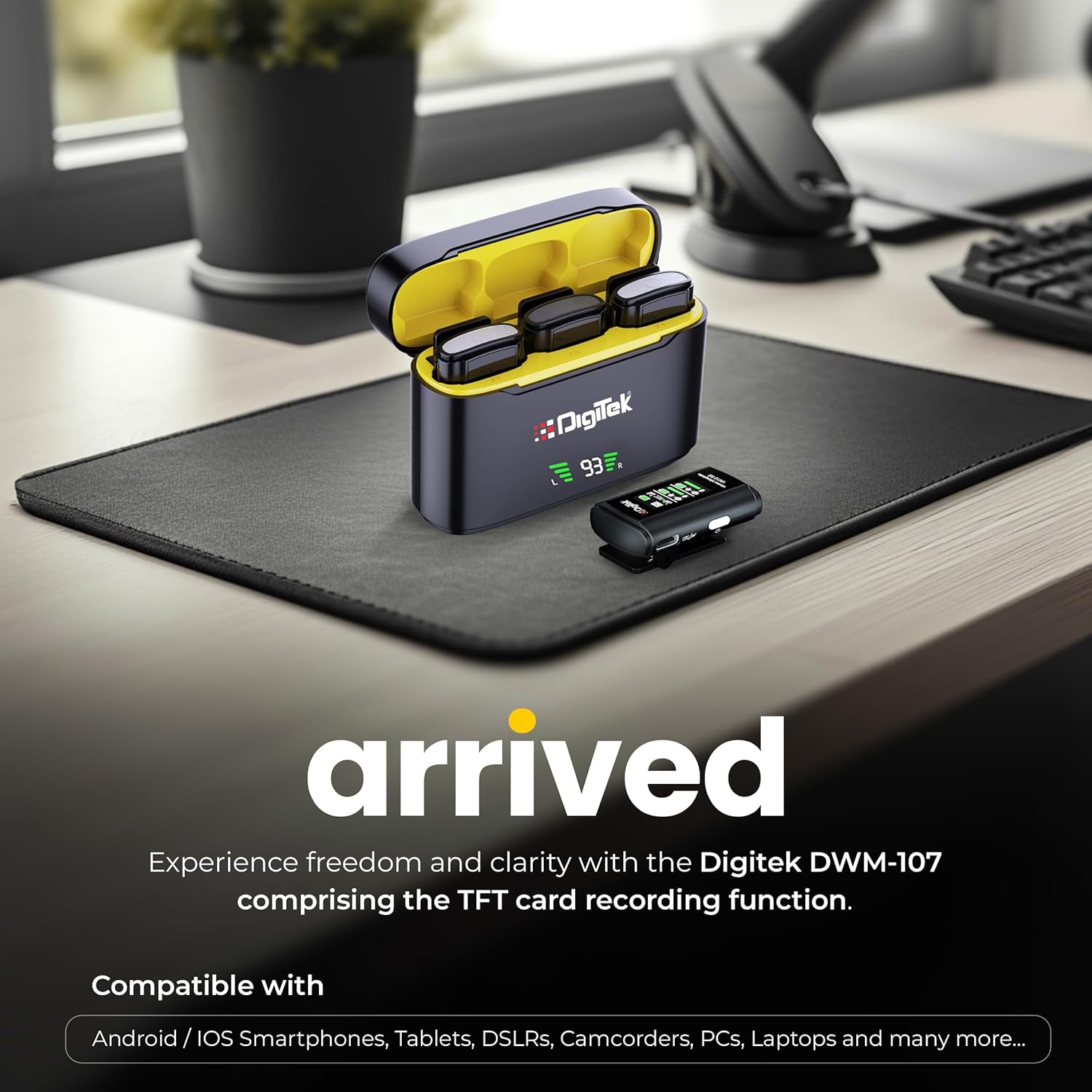
Image: Digitek DWM-107 compatibility with Android, iOS, DSLR, and PC devices.
Техникалық қызмет көрсету
- Тазалау: Use a soft, dry cloth to clean the devices. Avoid using harsh chemicals or abrasive materials.
- Сақтау орны: Микрофон жүйесін салқын, құрғақ жерде, тікелей күн сәулесінен және жоғары температурадан алыс сақтаңыз.
- Батареяға күтім жасау: For long-term storage, ensure the batteries are partially charged (around 50%) to preserve battery health. Recharge periodically if stored for extended periods.
- Кабельге күтім жасау: Handle cables gently. Avoid sharp bends or excessive pulling to prevent damage.
Ақаулықтарды жою
| Мәселе | Ықтимал себебі | Шешім |
|---|---|---|
| Аудио шығысы жоқ |
|
|
| Дыбыс сапасының нашарлығы / бұрмалану |
|
|
| TFT card recording not working |
|
|
| Қысқа батареяның қызмет ету мерзімі |
|
|
Техникалық сипаттамалар
| Ерекшелік | Мәлімет |
|---|---|
| Үлгі нөмірі | DWM-107 |
| Қосылу технологиясы | 2.4G Wireless (UHF) |
| Сымсыз Range | 60 метрге дейін (ашық алаң) |
| Жиілік реакциясы | 16 KHz (Full frequency audio quality) |
| Сигналдардың шуылға қатынасы | 78 дБ |
| Полярлық үлгі | Жан-жақты |
| Кедергі | 32 Ом |
| Battery Life (Tx/Rx) | 9 сағатқа дейін |
| Зарядтау қорабының сыйымдылығы | 850 мАч |
| Зарядтау уақыты | Шамамен 1.2 - 1.5 сағат |
| TFT Card Support | Yes (up to 32GB, Class 10 recommended) |
| Шуды жою | Кірістірілген |
| Өлшемдері (L x W x H) | 15 x 8 x 6 см |
| Элемент салмағы | 450 г |
| Материал | Пластмасса |
| Түс | Қара |
Кепілдік және қолдау
For warranty information and customer support, please refer to the warranty card included in your product packaging or visit the official Digitek website. You may also contact the manufacturer directly:
- Өндіруші: IMS Mercantiles Pvt. Ltd.
- Мекен-жайы: 704, 7-қабат, Ring Road сауда орталығы, 3-бөлім, Рохини, Дели 110085
- Тегін қолдау: 1800-123-544-444
Кез келген кепілдік шағымдары үшін сатып алуды растайтын құжатты сақтаңыз.