
1. Өнім аяқталдыview
The Amkette Hush Pro Astra is a wireless mouse designed for comfort and efficiency. It features 2.4 GHz wireless connectivity, silent switches for quiet operation, an ergonomic design, and adjustable DPI settings for precise control. The mouse also includes an On/Off switch and a smart auto-sleep function to conserve battery life.
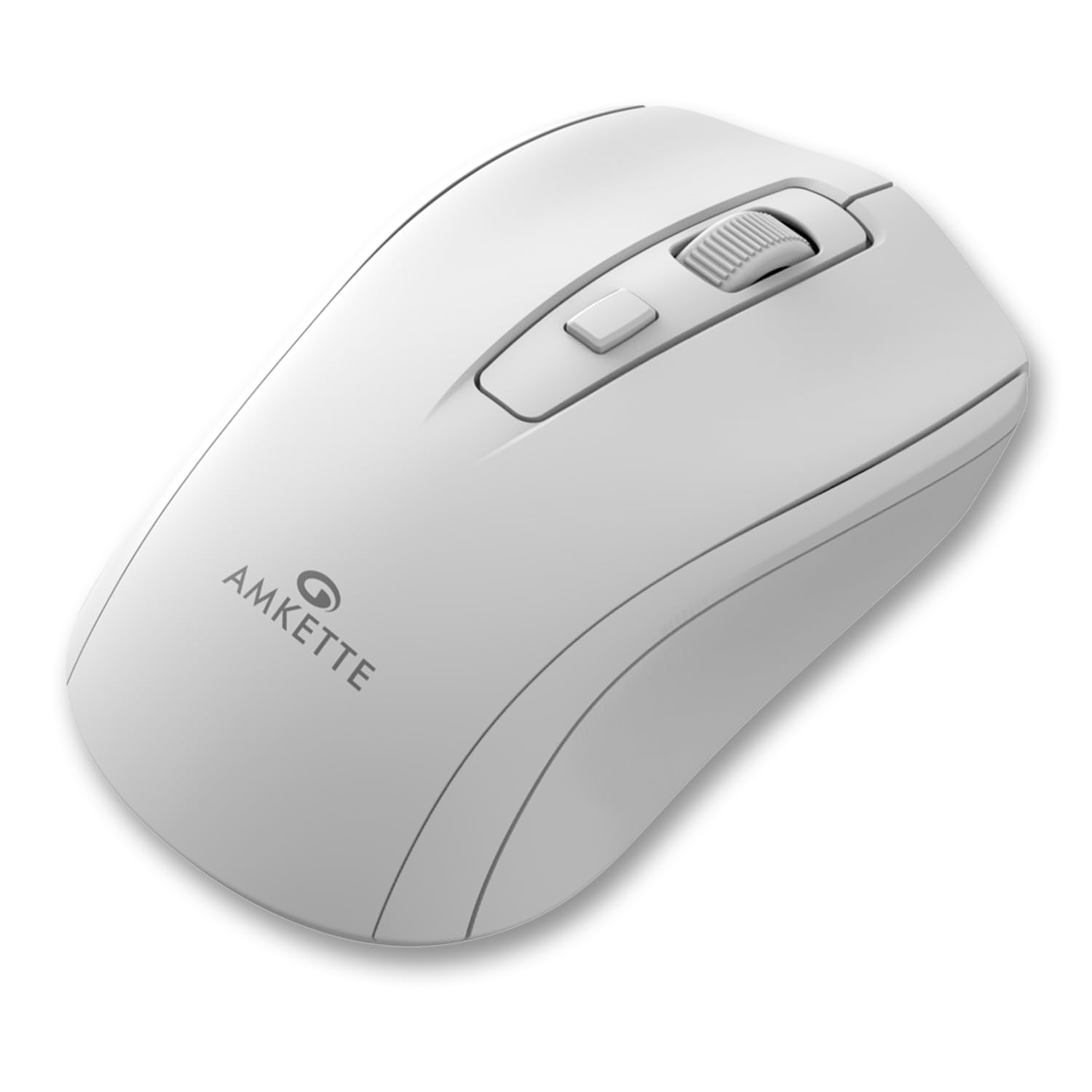
Figure 1: Amkette Hush Pro Astra Wireless Mouse (White)
Негізгі ерекшеліктері:
- Кеңейтілген 2.4 ГГц сымсыз байланыс: Ensures a stable, lag-free connection.
- Дыбыссыз қосқыштар: Provides noiseless clicks for an undisturbed work environment.
- Эргономикалық дизайн: Shaped for comfortable long-term use.
- Реттелетін DPI параметрлері: Three levels (800-1000-1200 DPI) for customizable cursor sensitivity.
- Қосу/өшіру қосқышы: For manual power control.
- Smart Auto Sleep Function: Қолданбаған кезде батареяны автоматты түрде үнемдейді.
- Ықшам және портативті: Easy to carry in a laptop bag.

Figure 2: Ergonomic grip design with matte finish for enhanced comfort.

Figure 3: Silent click switches for quiet operation.

Figure 4: Universal compatibility with Windows, Mac OS, Chrome OS, and Linux.
2. Орнату нұсқаулары
2.1 Пакет мазмұны
Before you begin, ensure your package contains the following:
- Amkette Hush Pro Astra Wireless Mouse
- USB нано қабылдағышы
Note: 1 AA battery is required and not included in the box.
2.2 Батареяны орнату
- Тінтуірдің астыңғы жағындағы батарея бөлімін табыңыз.
- Батарея қақпағын ақырын сырғытып ашыңыз.
- Оң (+) және теріс (-) терминалдардың бөлік ішіндегі белгілермен дұрыс туралануын қамтамасыз етіп, бір AA батареясын салыңыз.
- Батарея қақпағын орнына мықтап бекітілгенше жабыңыз.

Figure 5: Battery compartment and On/Off switch location.
2.3 Тінтуірді қосу
- Remove the USB Nano receiver from its storage slot, usually located within the battery compartment or on the underside of the mouse.
- Plug the USB Nano receiver into an available USB port on your computer (PC, Mac, Laptop, etc.).
- Тінтуірді төменгі жағында орналасқан қосу/өшіру қосқышын пайдаланып қосыңыз.
- Компьютеріңіз қажетті драйверлерді автоматты түрде анықтап, орнатуы керек. Тінтуір бірнеше секунд ішінде пайдалануға дайын болады.

Figure 6: Connecting the USB Nano receiver to a laptop.
3. Пайдалану нұсқаулары
3.1 Қуатты қосу/өшіру
To turn the mouse on or off, use the slide switch located on the underside of the mouse. Slide it to the 'ON' position for use and 'OFF' to conserve battery when not in use.
3.2 DPI реттеуі
The mouse features a dedicated DPI button, usually located behind the scroll wheel. Press this button to cycle through three different DPI (Dots Per Inch) settings: 800, 1000, and 1200. A higher DPI setting results in faster cursor movement, while a lower DPI setting provides more precise control.

Figure 7: DPI button and available sensitivity levels.
3.3 Үнсіз басу мүмкіндігі
The Amkette Hush Pro Astra is equipped with silent switches, significantly reducing the clicking noise. This feature is ideal for quiet environments, ensuring minimal disturbance during use.
3.4 Smart Auto Sleep Function
To extend battery life, the mouse will automatically enter a sleep mode after a period of inactivity. To wake the mouse, simply move it or click any button.
4. Техникалық қызмет көрсету
4.1 Тазалау
- Тінтуірдің бетін сүрту үшін жұмсақ, құрғақ шүберекті пайдаланыңыз.
- Қатты кір үшін, аздап dampшүберекті сумен немесе жұмсақ тазалау ерітіндісімен жағыңыз. Қатты химиялық заттардан аулақ болыңыз.
- Тышқанды суға немесе кез келген сұйықтыққа батырмаңыз.
- Clean the optical sensor on the underside periodically with a cotton swab to ensure smooth tracking.
4.2 Сақтау
- When not in use for extended periods, turn off the mouse using the On/Off switch.
- Store the USB Nano receiver inside the mouse's designated slot to prevent loss.
- Keep the mouse in a cool, dry place away from direct sunlight and extreme temperatures.
5. Ақаулықтарды жою
5.1 Тінтуір жауап бермейді
- Батареяны тексеру: AA батареясының дұрыс орнатылғанына және заряды жеткілікті екеніне көз жеткізіңіз. Қажет болса ауыстырыңыз.
- Қуат қосқышы: Verify that the On/Off switch on the underside of the mouse is in the 'ON' position.
- Қабылдағыш қосылымы: Ensure the USB Nano receiver is securely plugged into a working USB port on your computer. Try a different USB port.
- Қайта жұптау: In rare cases, the mouse and receiver might lose connection. Try unplugging and re-plugging the receiver, then turn the mouse off and on again.
5.2 Курсордың тұрақсыз қозғалысы
- Таза сенсор: Тінтуірдің астыңғы жағындағы оптикалық сенсорды тазалаңыз.
- Беті: Тінтуірді таза, шағылыспайтын және біркелкі бетке пайдаланыңыз. Шыныдан немесе қатты шағылысатын беттерден аулақ болыңыз.
- Интерференция: Move the mouse closer to the USB receiver. Other wireless devices or large metal objects might cause interference.
5.3 Батареяның қысқа мерзімі
- Қолданбаған кезде өшіру: Always turn off the mouse using the On/Off switch when not in use for extended periods.
- Батарея сапасы: Use high-quality AA alkaline batteries.
- Автоматты ұйқы: The mouse has an auto-sleep function, but manual power-off provides maximum battery conservation.
6. Техникалық сипаттамалар
| Ерекшелік | Техникалық сипаттама |
|---|---|
| Бренд | Амкет |
| Үлгі нөмірі | 516 |
| Сериялар | Hush Pro Astra |
| Қосылу технологиясы | 2.4 ГГц сымсыз (USB Nano қабылдағышы) |
| Қозғалысты анықтау технологиясы | Оптикалық |
| DPI параметрлері | 800-1000-1200н/д (реттелетін) |
| Арнайы мүмкіндік | Silent Clicks, Ergonomic Design, On/Off Switch, Smart Auto Sleep Function |
| Қуат көзі | Батареямен жұмыс істейді (1 AA батарея қажет, жинаққа кірмейді) |
| Операциялық жүйенің үйлесімділігі | Linux, Windows 7, Windows XP, Mac OS, Chrome OS |
| Өнім өлшемдері | 11 x 6 x 0.1 см |
| Элемент салмағы | 30 г |
| Түс | Ақ |
7. Кепілдік және қолдау
7.1 Кепілдік туралы ақпарат
The Amkette Hush Pro Astra Wireless Mouse comes with a hassle-free 1 жылдық өндіріс кепілдігі сатып алған күннен бастап. Бұл кепілдік қалыпты пайдалану жағдайында өндірістік ақауларды қамтиды.
7.2 Тұтынушыларды қолдау қызметі
For any assistance, queries, or warranty claims, please contact our support team. You can reach them via call or WhatsApp for prompt assistance with any issues.
Please refer to the product packaging or the official Amkette webең соңғы байланыс мәліметтері үшін сайт.
8. Өнім бейнелері
Video 1: Amkette Hush Pro Astra Wireless Mouse Overview. This video highlights the ergonomic design, adjustable DPI settings, and silent click features of the mouse.
Video 2: Amkette Hush Pro Astra Wireless Mouse Features. This video demonstrates the advanced 2.4 GHz connectivity, silent operation, and portability of the mouse.


