
VTech VG131-11
VTech VG131-11 DECT 6.0 Cordless Phone User Manual
Model: VG131-11
1. Кіріспе
The VTech VG131-11 DECT 6.0 Cordless Phone offers reliable and clear communication with advanced features. Enjoy hands-free conversations with Bluetooth connectivity, superior range with DECT 6.0 technology, and enhanced visibility with its backlit display and large buttons. This manual provides comprehensive instructions for setting up, operating, and maintaining your new cordless phone.

Image: The VTech VG131-11 DECT 6.0 Cordless Phone handset resting in its black base unit. The handset features a blue-white display and large, green-backlit buttons.
2. Қорапта не бар
Пакетте барлық элементтер бар екеніне көз жеткізіңіз:
- Негізгі бірлік
- Сымсыз телефон тұтқасы
- Айнымалы ток адаптері
- Батарея жинағы
- Телефон сымы
3. Орнату
3.1. Алғашқы орнату
- Connect the AC adapter to the base unit and plug it into a power outlet.
- Connect the telephone line cord to the base unit and plug the other end into a telephone wall jack.
3.2. Батареяны орнату
- Телефон тұтқасының артқы жағындағы батарея бөлімінің қақпағын ашыңыз.
- Батарея блогының ашасын бөлімнің ішіндегі ұяға мықтап жалғаңыз.
- Батарея блогын жапсырмасы ЖОҒАРЫ деген жазумен салып, сымдарды бөлімнің ішіне ұқыпты түрде салыңыз.
- Батарея бөлігінің қақпағын жабыңыз.
3.3. Телефон тұтқасын зарядтау
Place the handset face forward in the base unit. The CHARGE light on the base unit will illuminate, indicating proper charging. Allow the handset to charge for at least 16 hours before initial use for optimal battery performance.
4. Пайдалану нұсқаулары
4.1. Қоңырау шалу және қабылдау
- To make a call: Press СӨЙЛЕУ, содан кейін телефон нөмірін теріңіз.
- To receive a call: Press СӨЙЛЕУ немесе кез келген нөмір теру пернесін (0-9, #, *) басыңыз.
- Қоңырауды аяқтау үшін: түймесін басыңыз ӨШІРУЛІ.
4.2. Спикерфонды пайдалану
The phone features a full-duplex speakerphone, allowing both parties to speak and be heard simultaneously for more natural conversations.
- Қоңырау кезінде түймесін басыңыз СПИКЕР динамикті іске қосу түймешігін басыңыз.
- түймесін басыңыз СПИКЕР тұтқа режиміне қайта ауысу үшін түймесін қайтадан басыңыз.
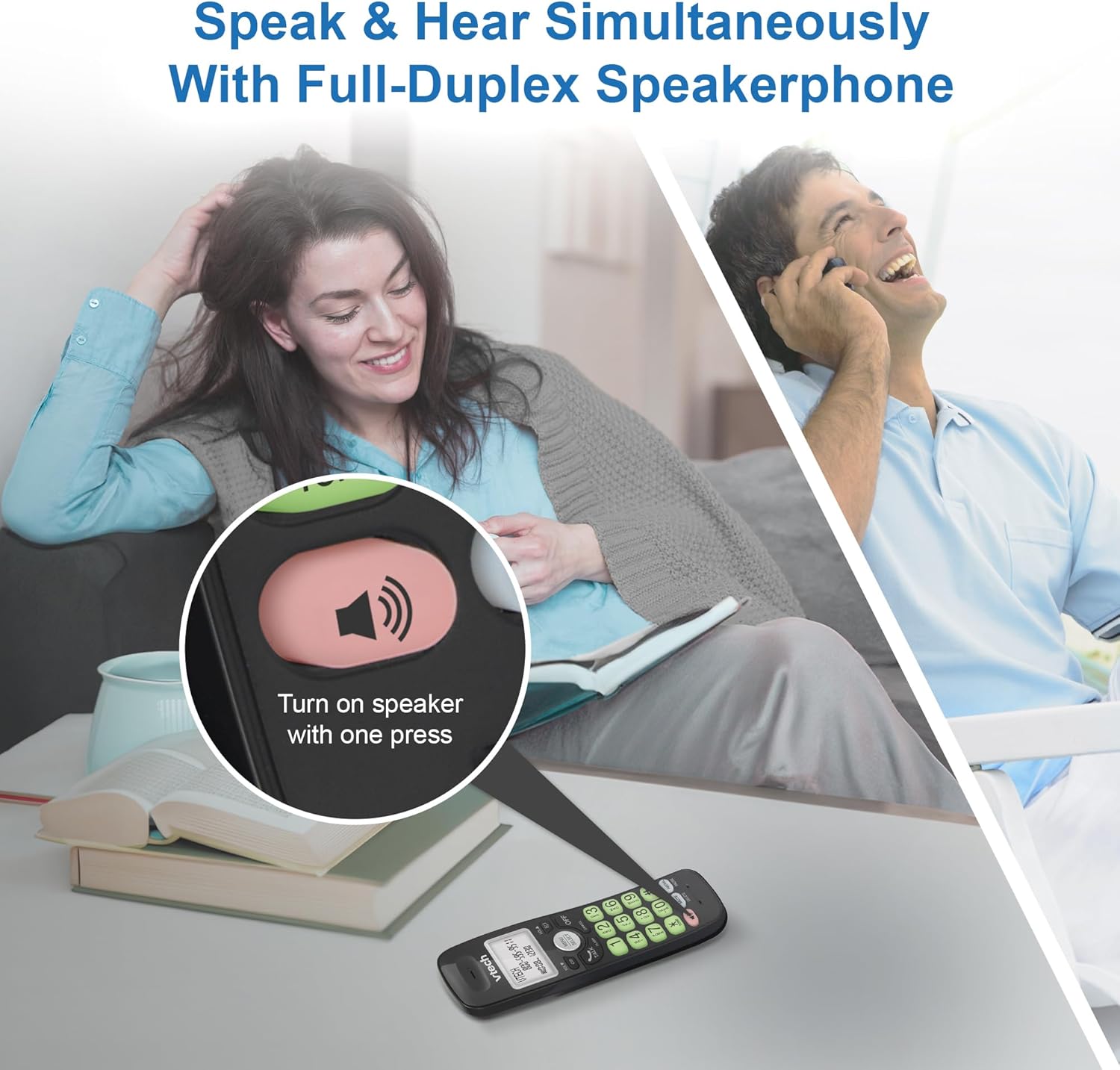
Image: A close-up of the VTech cordless phone handset showing the speakerphone button highlighted, with a person talking on the phone in the background, demonstrating the full-duplex speakerphone feature.
4.3. Volume Control and Mute
- To adjust earpiece or speakerphone volume during a call, press ТӨМ ▼ or VOL ▲.
- To mute the microphone during a call, press ДЫБЫС. The other party cannot hear you, but you can still hear them. Press ДЫБЫС қайта қосу үшін.

Сурет: егжей-тегжейлі view of the VTech cordless phone handset, highlighting the 'MUTE' button, indicating its function for silencing the microphone during a call.
4.4. Caller ID and Phonebook
The handset displays the name, number, time, and date of incoming calls. The phone also includes a 30-name and number phonebook directory.
- Қайтаview Caller ID history, press CID.
- To access the phonebook, press МӘЗІР/ТАҢДАУ, then navigate to the Phonebook option.

Image: A person smiling while holding the VTech cordless phone, with an overlay showing a digital phonebook display with contact names and icons, illustrating the Caller ID and phonebook features.
5. Ерекшеліктер
5.1. Bluetooth қосылымы
By pairing a Bluetooth headset, earbuds, or conference speakerphone to the system, you can enjoy a wireless calling experience. This feature is perfect for multitasking around your home or office.

Image: A woman in a kitchen pouring a drink while wearing wireless earbuds, with the VTech cordless phone and its base unit visible on the counter, demonstrating hands-free calling via Bluetooth connection.
Bluetooth құрылғысын жұптау:
- Ensure your Bluetooth headset/earbuds are in pairing mode (refer to your device's manual).
- On the VTech phone, navigate to the Bluetooth menu (usually via МӘЗІР/ТАҢДАУ).
- Select 'Pair Device' or similar option.
- The phone will search for available Bluetooth devices. Select your device from the list.
- Жұптастыру процесін аяқтау үшін кез келген экрандағы нұсқауларды орындаңыз.
5.2. DECT 6.0 технологиясы
Trusted by families worldwide for decades, VTech's cordless telephone transmits secure signals via the DECT 6.0 channel. This ensures crystal clear sounds, interference-free communication, and a stable operation range of up to 1000 ft outdoors, allowing you to move freely while on a call.

Image: A woman working on a laptop at a table, with the VTech cordless phone and its base unit nearby, and a graphic indicating DECT 6.0 digital technology, highlighting its superior range and clarity.
5.3. Backlit Display and Big Buttons
The phone features a blue-white backlit display and green backlit keypad for easier viewing and dialing in dim light conditions. The large buttons enhance usability, especially for those with visual impairments.

Сурет: жақыннан түсірілген view of the VTech cordless phone handset, emphasizing its backlit LCD screen and large, clearly visible buttons, designed for better visibility and ease of use.
5.4. Easy Wall Mount
The base unit is designed for easy wall mounting, fitting all standard wall mount plates without the need for additional brackets. Simply slide the base unit into the mounting plate using the built-in mounting holes for convenient placement.

Image: The VTech cordless phone base unit shown mounted on a wall, highlighting its built-in mounting holes on the back of the base for easy installation.
5.5. Hearing Aid Compatible
This phone is designed to be compatible with hearing aids, providing a clearer audio experience for users with hearing devices.

Image: A woman with a hearing aid talking on the VTech cordless phone, illustrating the phone's hearing aid compatibility feature.
5.6. Өнім аяқталдыview Бейне
Бейне: қысқаша өнім аяқталдыview of the VTech VG131-11 DECT 6.0 Cordless Phone, showcasing its key features and ease of use.
6. Техникалық қызмет көрсету
To ensure the longevity and optimal performance of your VTech cordless phone, follow these maintenance guidelines:
- Тазалау: Телефонды және негізгі бөлікті жұмсақ шүберекпен сүртіңіз, damp шүберек. Тазалағыш спрейлерді немесе қатты химиялық заттарды пайдаланбаңыз.
- Батареяға күтім жасау: Avoid exposing the battery to extreme temperatures. If the phone will not be used for an extended period, remove the battery from the handset.
- Орналастыру: Телефонды жылу көздерінен, тікелей күн сәулесінен және ылғалдан алыс ұстаңыз.
7. Ақаулықтарды жою
If you experience any issues with your VTech cordless phone, please refer to the following common problems and solutions:
| Мәселе | Шешім |
|---|---|
| Теру үні жоқ. | Ensure the telephone line cord is securely plugged into both the base unit and the wall jack. Check if the AC adapter is properly connected to the base unit and a working power outlet. |
| Телефон тұтқасы зарядталмайды. | Make sure the handset is correctly placed in the base unit. Clean the charging contacts on both the handset and the base unit with a dry cloth. Verify the AC adapter is plugged in. |
| Дыбыс сапасы нашар немесе статикалық. | Move closer to the base unit. Other electronic devices (Wi-Fi routers, microwaves) may cause interference; try relocating the base unit. Ensure the handset battery is fully charged. |
| Cannot connect to Bluetooth headset. | Ensure both the phone and the Bluetooth headset are in pairing mode. Make sure the headset is within range of the phone's base unit. Try restarting both devices and attempting the pairing process again. Confirm the headset is compatible with the phone's Bluetooth version. |
| Display is blank or unreadable. | Ensure the handset battery is charged. If the display is dim, check if the backlight setting is enabled or adjust the contrast if available. |
8. Техникалық сипаттамалар
| Ерекшелік | Мәлімет |
|---|---|
| Үлгі нөмірі | VG131-11 |
| Өнім өлшемдері | 3.8 x 4.09 x 7.17 дюйм |
| Элемент салмағы | 14.9 унция (0.42 килограмм) |
| Батареялар | 1 Өнімге арналған батарея (жинаққа кіреді) |
| Телефон түрі | Сымсыз |
| Материал | Пластмасса |
| Қуат көзі | Сымды электр |
| DECT технологиясы | DECT 6.0 |
| Блютез | Иә |
| Caller ID / Call Waiting | Иә |
| Full-Duplex Speakerphone | Иә |
| Backlit Display & Keypad | Yes (Blue-white display, green keypad) |
| Қабырғаға орнатылатын | Иә |
| Телефон кітапшасының сыйымдылығы | 30 есімдер мен сандар |
| Ауқым | Up to 1000 ft outdoor |
9. Кепілдік және қолдау
For warranty information, technical support, or to purchase accessories, please visit the official VTech webсайтына өтіңіз немесе тұтынушыларға қызмет көрсету бөліміне хабарласыңыз. Сатып алу түбіртегін кепілдік талаптары үшін сатып алудың дәлелі ретінде сақтаңыз.
VTech Customer Service: www.vtechphones.com/support
Ask a question about this manual
Ask about setup, troubleshooting, compatibility, parts, safety, or missing instructions. Manuals+ will review the question and use this page’s manual context to help answer it.