
CHAIRMAN BL-5018D-BLK-New
Ergonomic Mid-Back Premium Faux Leather Adjustable Drafting Chair
Model: BL-5018D-BLK-New
Кіріспе
This user manual provides detailed instructions for the assembly, operation, and maintenance of your CHAIRMAN Ergonomic Mid-Back Premium Faux Leather Adjustable Drafting Chair. Designed for comfort and versatility, this chair is suitable for various environments including office, home, school, laboratory, or dental clinic, especially when paired with standing desks or drafting tables.
Қауіпсіздік туралы маңызды ақпарат
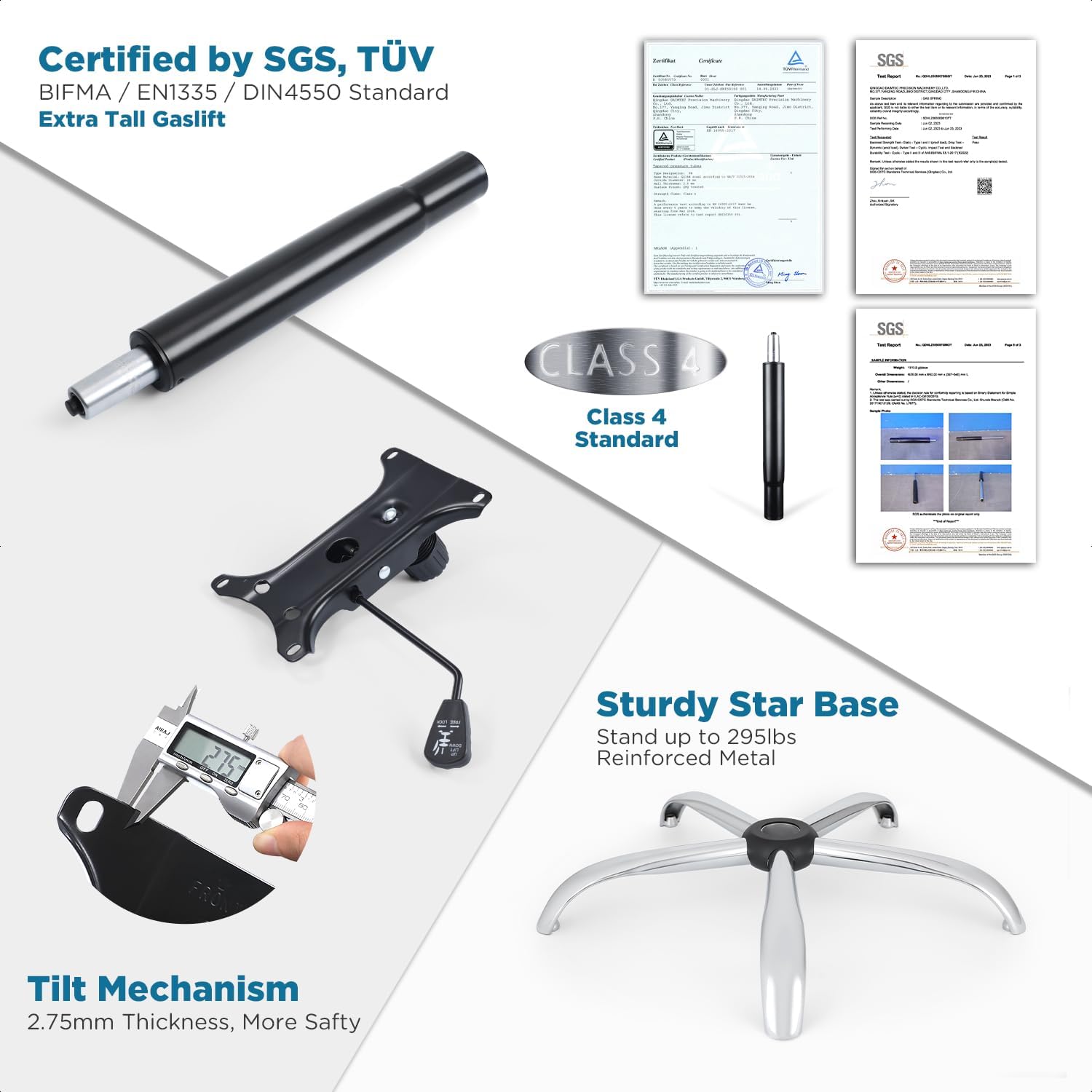
This chair has a maximum weight capacity of 295 pounds. To ensure safe use, assemble the chair according to the instructions provided. Do not exceed the maximum weight capacity, as it may lead to instability or damage to the chair. When adjusting the seat height or footrest ring, make sure the controls are properly engaged to avoid unexpected movement. Regularly inspect the chair for any signs of wear or damage and replace any worn or damaged parts immediately. This chair is for indoor use only. Keep it away from water and damp environments to prevent damage or injury.
Пакет мазмұны
Before assembly, please verify that all components are present and undamaged. Refer to the diagram below for a visual representation of the parts.

1-сурет: All parts included for assembly. This includes the backrest, seat, footrest, armrests, gas lift, mechanism, casters, base, and a screw kit.
- Арқалық (1)
- Орын (1)
- Аяқ тіреуіш (1)
- Armrest (2)
- Газ лифті (1)
- Механизм (1)
- Дөңгелектер (5)
- Негізгі (1)
- Screw Kit (1)
Орнату және құрастыру
Assembly of the CHAIRMAN Drafting Chair is designed to be straightforward, typically taking about 25 minutes. A quality tool (Allen wrench) is included, and no additional tools are required.
Құрастыру қадамдары:
- Дөңгелектерді негізге бекітіңіз: Бес доңғалақты орындық негізінің әр аяғының соңындағы тесіктерге салыңыз. Олар орнына түскенше қатты итеріңіз.
- Газ көтергішті орнату: Газ көтергіш цилиндрді жиналған негіздің орталық тесігіне салыңыз.
- Орынға бекіту механизмі: Secure the chair mechanism to the underside of the seat using the provided screws from the screw kit. Ensure the front of the mechanism aligns with the front of the seat.
- Орынды газ көтергішке қосу: Carefully place the assembled seat (with mechanism attached) onto the gas lift cylinder. Press down firmly to secure.
- Қолтықтарды бекітіңіз: Secure the armrests to the sides of the seat using the appropriate screws. Ensure they are oriented correctly for flip-up functionality.
- Артқы жағын бекіту: Connect the backrest to the seat assembly using the remaining screws.
- Аяқ тіреуіш сақинасын орнату: Slide the footrest ring onto the gas lift cylinder above the base. Adjust its height and secure it with the control knob.

2-сурет: Fully assembled CHAIRMAN Drafting Chair, ready for use.
Пайдалану нұсқаулары
Your CHAIRMAN Drafting Chair offers several adjustable features to customize your seating experience for optimal comfort and ergonomics.
Орындық биіктігін реттеу:
Орындық биіктігін реттеу үшін орындық астындағы оң жақтағы тұтқаны табыңыз. Отырған кезде орындықты түсіру үшін тұтқаны жоғары тартыңыз. Орындықты көтеру үшін сәл тұрып, тұтқаны жоғары тартыңыз. Тұтқаны қалаған биіктікте босатыңыз.
3-сурет: Demonstrating seat height adjustment and other features.
Қолды түзету:
The chair is equipped with flip-up and height-adjustable armrests. To flip them up, simply lift them upwards until they lock into a vertical position. To lower them, pull them down. For height adjustment, locate the button or lever on the side of each armrest, press it, and slide the armrest up or down to your preferred height.

4-сурет: Armrest functionality and other chair movements.
Footrest Ring Adjustment:
The 20-inch chrome footrest ring can be adjusted to match your height and preference. Loosen the control knob on the side of the footrest ring, slide the ring up or down the gas lift, and then tighten the knob to secure it in place.
Еңкейту функциясы және кернеуді басқару:
The chair features a tilt mechanism allowing for up to 15 degrees of seat tilt. To activate or lock the tilt, use the lever on the left side beneath the seat. To adjust the tilt tension, rotate the knob located at the front center beneath the seat. Turn clockwise to increase tension (making it harder to tilt) and counter-clockwise to decrease tension (making it easier to tilt).

5-сурет: The CHAIRMAN Drafting Chair in an upright position.
360° айналу:
The chair seat and footrest ring can swivel 360 degrees, providing flexibility and ease of movement around your workspace.
Техникалық қызмет көрсету
Regular maintenance will extend the life and performance of your CHAIRMAN Drafting Chair.
- Тазалау: For the premium faux leather upholstery, wipe with a soft, damp cloth. For tougher spots, use a mild soap solution and wipe dry immediately. Avoid harsh chemicals or abrasive cleaners.
- Кастерлер: Periodically check the casters for hair, dust, or debris that may impede smooth rolling. Clean them as needed.
- Аппараттық құрал: Every few months, check all screws and bolts to ensure they are tight. Re-tighten if necessary to maintain stability and prevent squeaks.
- Газ лифті: Ensure the gas lift operates smoothly. If it becomes stiff or fails to hold height, it may need replacement.
- Жалпы тексеру: Regularly inspect the chair for any signs of wear, cracks, or damage to any components. Address any issues promptly to prevent further damage or potential injury.
Ақаулықтарды жою
| Мәселе | Ықтимал себебі | Шешім |
|---|---|---|
| Chair does not hold height. | Gas lift failure or lever not fully engaged. | Ensure the height adjustment lever is fully released. If the problem persists, the gas lift may need to be replaced. |
| Орындық сықырлайды немесе тербеледі. | Бос бұрандалар немесе компоненттер. | Check and tighten all assembly screws, especially those connecting the seat, backrest, and mechanism. |
| Доңғалақтар біркелкі қозғалмайды. | Дөңгелектерге немесе зақымдалған дөңгелектерге түскен қоқыс. | Remove any hair or debris from the caster wheels. If damaged, replace the casters. |
| Tilt function is too loose or too stiff. | Tilt tension knob not adjusted correctly. | Rotate the tilt tension knob (located under the seat) to increase or decrease tension as desired. |
Техникалық сипаттамалар
| Ерекшелік | Мәлімет |
|---|---|
| Бренд | ТӨРАҒА |
| Модель атауы | BL-5018D-BLK-New |
| Түс | Қара |
| Өнім өлшемдері | 19.37"D x 25.83"W x 42.24"H |
| Артқы стиль | Mid-Back |
| Арнайы мүмкіндік | Adjustable Height, Flip-up Arms, Swivel, Tilting |
| Ұсынылатын пайдаланулар | Drafting, Office |
| Максималды салмақ бойынша ұсыныс | 295 фунт |
| Материал | Premium Faux Leather, Foam (Fill Material) |
| Элемент салмағы | 42.6 фунт |
| Сертификаттар | BIFMA Standard, SGS-tested Gaslift |

6-сурет: Detailed dimensions and material specifications.
Кепілдік және қолдау
The CHAIRMAN Drafting Chair comes with a 12 айлық кепілдік for your peace of mind, covering manufacturing defects and material flaws under normal use.
For warranty claims, missing parts, or any product support inquiries, please contact the seller, Chairman Furniture, directly through the platform where you purchased the product. Please have your order number and product model (BL-5018D-BLK-New) ready when contacting support.
For additional information or common questions, you may also refer to the product listing page or the manufacturer's official webсайт.
Ask a question about this manual
Ask about setup, troubleshooting, compatibility, parts, safety, or missing instructions. Manuals+ will review the question and use this page’s manual context to help answer it.