
1. Кіріспе
Thank you for choosing the Zeblaze Crystal 3 Smartwatch. This manual provides essential information for setting up, operating, maintaining, and troubleshooting your device. Please read it carefully to ensure proper use and optimal performance.
2. Өнім аяқталдыview
The Zeblaze Crystal 3 is a versatile smartwatch designed for fitness tracking and daily use. It features a vibrant HD color display and high-precision sensors to monitor various health metrics.
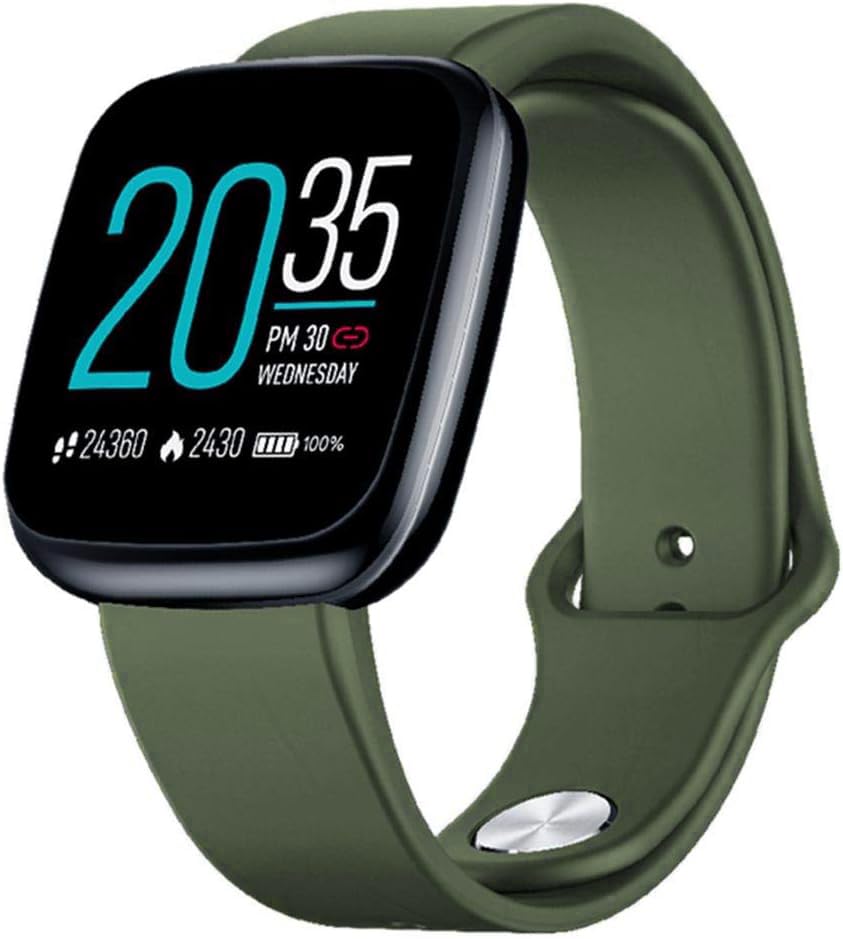
Image: Zeblaze Crystal 3 Smartwatch, showing the main display and green strap.
Негізгі ерекшеліктері:
- 1.3-inch HD Color Screen: A vibrant IPS display with 240x240 pixel resolution for clear visuals.
- Жоғары дәлдіктегі сенсорлар: Equipped with a heart rate sensor, proximity sensor, and accelerometer for accurate data collection.
- IP67 Суға төзімділік: Designed to withstand daily water exposure, such as splashes and rain.
- Батареяның ұзақ қызмет ету мерзімі: Up to 7 days of use on a single 2-hour charge, thanks to its 200 mAh battery.
- Әрекетті бақылау: Monitors steps, distance, calories burned, and supports various sports modes.
- Денсаулықты бақылау: Includes heart rate and sleep tracking.
- Смартфонның үйлесімділігі: Works with Android 4.4 or newer and iOS 8.0 or newer devices.
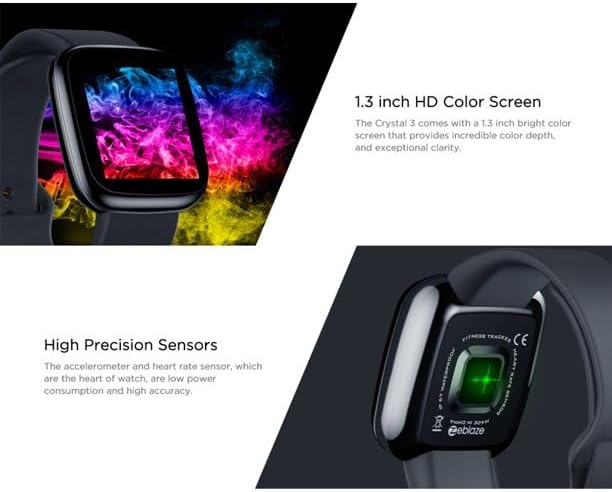
Image: Close-up of the 1.3-inch HD color screen and the high-precision heart rate sensor on the back of the watch.
3. Орнату
3.1 Смарт сағатты зарядтау
Before first use, fully charge your Zeblaze Crystal 3. Connect the charging cable to the watch's charging port and a USB power source (e.g., computer USB port or a 5V/1A USB adapter). A full charge typically takes about 2 hours.
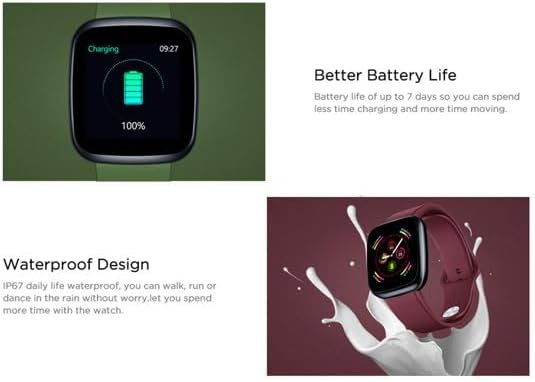
Image: Illustration showing how to connect the smartwatch to a USB port for charging.
3.2 Қолданбаны орнату және жұптастыру
- Қолданбаны жүктеп алыңыз: Іздеу the official Zeblaze companion app on your smartphone's app store (Google Play Store for Android or Apple App Store for iOS).
- Аккаунт ашу: Тіркелгі жасау немесе жүйеге кіру үшін қолданбаны ашып, экрандағы нұсқауларды орындаңыз.
- Құрылғыны жұптау: Ensure Bluetooth is enabled on your smartphone. In the app, navigate to the device pairing section and select "Zeblaze Crystal 3" from the list of available devices. Confirm the pairing request on both your phone and the smartwatch.
- Profile Орнату: Complete your personal profile within the app to ensure accurate tracking of health and fitness data.
4. Пайдалану нұсқаулары
4.1 Негізгі шарлау
- Экранды ояту: Экранды ояту үшін білегіңізді көтеріңіз немесе бүйірлік түймені басыңыз.
- Жоғары/төмен сырғытыңыз: Access notifications or quick settings.
- Солға/оңға сырғытыңыз: Navigate through different functions and widgets (e.g., heart rate, activity data, weather).
- Түртіңіз: Элементті таңдаңыз немесе әрекетті растаңыз.
- Ұзақ баспасөз: On the main watch face, long press to change watch faces.
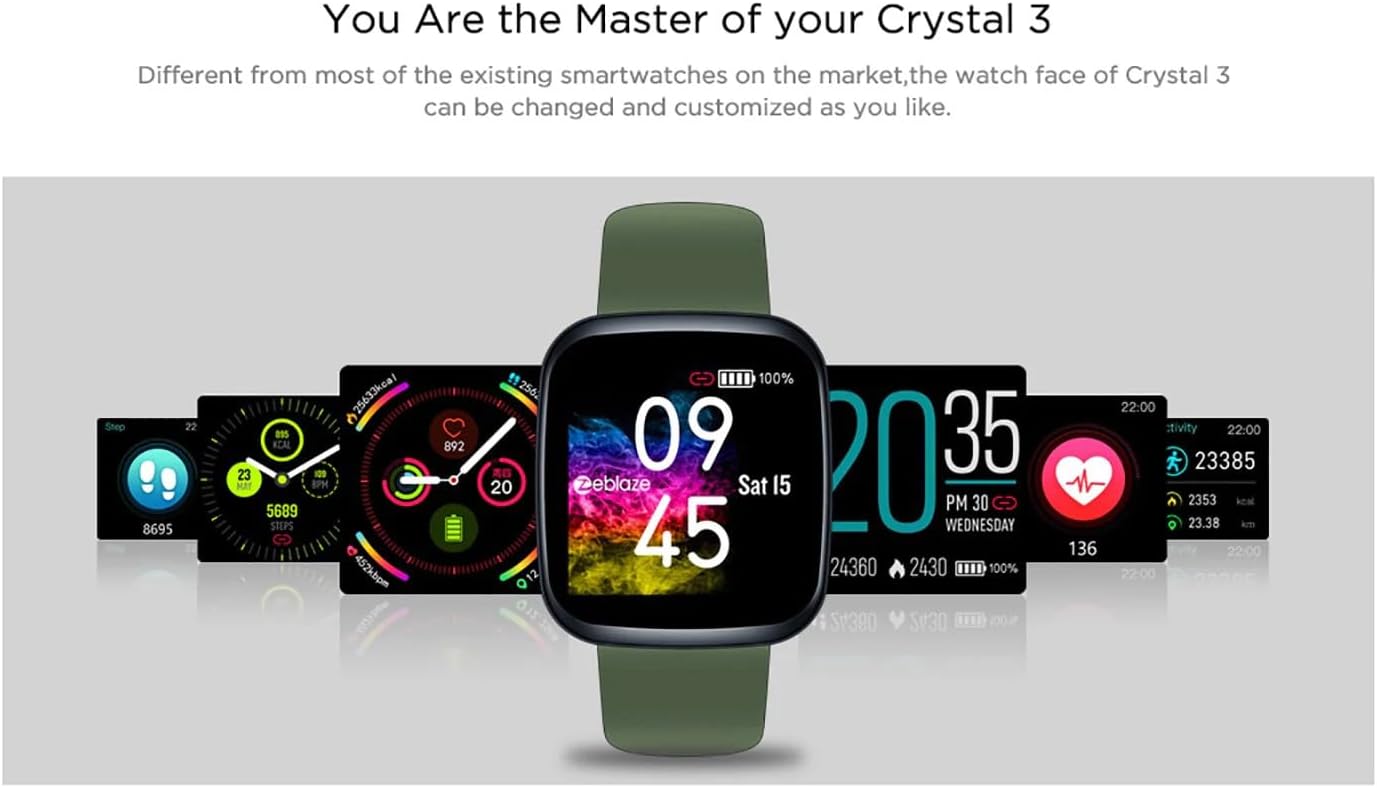
Image: The Zeblaze Crystal 3 displaying different customizable watch faces and data screens.
4.2 Әрекетті бақылау
The smartwatch automatically tracks your daily steps, distance, and calories burned. You can view this data directly on the watch or in more detail within the companion app.
4.3 Жүрек соғу жиілігін бақылау
The built-in heart rate sensor continuously monitors your heart rate. Ensure the watch is worn snugly on your wrist for accurate readings. View your current and historical heart rate data in the app.
4.4 Ұйқыны бақылау
Wear the smartwatch to bed to track your sleep patterns. The device records sleep duration and quality, which can be reviewed in the app to help you understand and improve your sleep habits.
5. Техникалық қызмет көрсету
5.1 Құрылғыны тазалау
Терінің тітіркенуін болдырмау және жұмысын сақтау үшін ақылды сағатыңыз бен бауыңызды үнемі тазалап отырыңыз. Жұмсақ, d пайдаланыңыз.amp cloth to wipe the screen and strap. Avoid using harsh chemicals or abrasive materials.
5.2 Суға төзімділік (IP67)
The Zeblaze Crystal 3 is IP67 water-resistant, meaning it is protected against dust and can withstand immersion in water up to 1 meter for up to 30 minutes. It is suitable for daily use, such as washing hands, rain, or light splashes. It is not recommended for swimming, showering with hot water, or diving.

Image: Illustration highlighting the waterproof design of the Zeblaze Crystal 3 Smartwatch.
5.3 Батареяға күтім жасау
- Батареяның қызмет ету мерзімін төмендететін төтенше температурадан аулақ болыңыз.
- Құрылғыны ұзақ уақыт бойы толығымен зарядсыз қалдырмаңыз.
- Тек берілген зарядтау кабелін немесе сертификатталған баламасын пайдаланыңыз.
6. Ақаулықтарды жою
6.1 Құрылғы қосылмайды
- Құрылғының толық зарядталғанына көз жеткізіңіз. Оны зарядтағышқа кемінде 30 минут қосыңыз.
- Қайта іске қосу үшін бүйірлік түймені 10-15 секунд басып тұрып көріңіз.
6.2 Смартфонмен жұптастыру мүмкін емес
- Make sure Bluetooth is enabled on your phone and the smartwatch is within range.
- Смартфоныңызды да, ақылды сағатыңызды да қайта іске қосыңыз.
- Қолданбаның соңғы нұсқаға жаңартылғанын тексеріңіз.
- Forget the device from your phone's Bluetooth settings and try pairing again through the app.
6.3 Inaccurate Heart Rate/Activity Data
- Сағаттың тым тығыз немесе тым бос емес, білегіңізге мықтап киілетініне көз жеткізіңіз.
- Сағаттың артындағы сенсорды тазалаңыз.
- Update the smartwatch firmware via the companion app if an update is available.
7. Техникалық сипаттамалар
| Ерекшелік | Мәлімет |
|---|---|
| Бренд | Зеблаз |
| Модель атауы | Кристалл 3 |
| Дисплей | 1.3 дюймдік IPS түрлі-түсті экраны |
| Ажыратымдылық | 240*240 пиксель |
| Сенсорлар | Heart Rate Sensor, Proximity Sensor, Accelerometer |
| Суға төзімділік | IP67 |
| Батарея сыйымдылығы | 200 мАч |
| Зарядтау уақыты | Шамамен 2 сағат |
| Батареяның қызмет ету мерзімі | 7 күнге дейін |
| Үйлесімділік | Android 4.4+ / iOS 8.0+ |
| Өлшемдері | 4.05 x 3.55 x 1.2 см (1.59 x 1.39 x 0.47 дюйм) |
| Салмағы | 27 грамм (0.95 унция) |
| Қосылу мүмкіндігі | Bluetooth (for app pairing), USB (for charging) |
| Арнайы мүмкіндіктер | Activity Tracker, Heart Rate Monitor, Sleep Monitor |
8. Кепілдік және қолдау
For warranty information and customer support, please refer to the documentation included with your purchase or visit the official Zeblaze website. If you encounter any issues not covered in this manual, please contact Zeblaze customer service for assistance.