
Кіріспе
The JLab Nightfall Wired Gaming Headset is designed to provide an immersive audio experience for gamers across multiple platforms. Featuring 50mm drivers, cloud foam cushions, and a sound-isolating inner shelf, this headset ensures clear communication and comfortable wear during extended gaming sessions.
Пакет мазмұны
- JLab Nightfall Wired Gaming Headset
- Нұсқаулық
Орнату және қосылу мүмкіндігі
The Nightfall headset offers universal compatibility through its wired 3.5mm connection cable, making it suitable for a wide range of gaming and multimedia devices.
Құлаққапты қосу
- Locate the 3.5mm audio jack on your device (PC/Mac, Xbox, PlayStation 4 & 5, Nintendo Switch).
- Insert the 3.5mm connector from the headset cable firmly into the device's audio jack.
- Adjust your device's audio settings to ensure the headset is selected as the input and output device.

Image: The JLab Nightfall Wired Gaming Headset in use, connected to a gaming setup, demonstrating its universal compatibility.
Пайдалану нұсқаулары
Audio Quality and Immersion
Equipped with 50mm drivers and a sound-isolating inner shelf, the Nightfall headset delivers immersive and powerful sound. This design enhances your gaming experience by providing rich audio with clarity and deep bass, allowing you to hear crucial in-game details.

Сурет: жарылған view diagram highlighting the 50mm audio driver and the sound-isolating inner shelf within the headset's ear cup.
Микрофонды пайдалану
The headset features a flip-to-mute rotating boom mic, ensuring clear team communications during gaming sessions. The TeamSpeak Certified near-field directional mic captures your voice while actively eliminating background noise, ensuring your teammates hear you clearly without distractions.
- Дыбысты өшіру үшін: Flip the microphone boom upwards.
- To Unmute: Flip the microphone boom downwards.
- The rotating design allows for optimal positioning of the mic for better voice pickup.
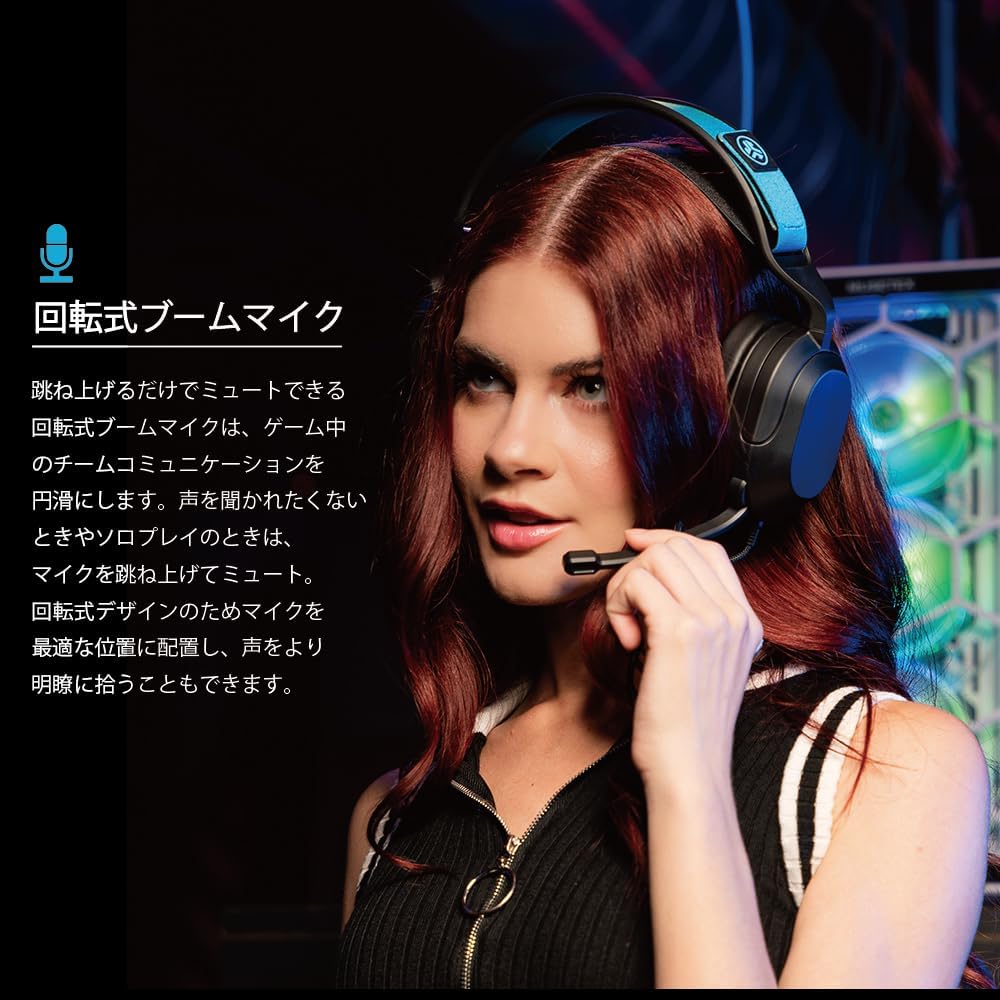
Image: A user wearing the JLab Nightfall headset, demonstrating the flexible and rotating boom microphone in an active position.

Image: A gamer wearing the JLab Nightfall headset, illustrating the effective noise elimination provided by the directional microphone for clear communication.
Ыңғайлылық және дизайн
The Nightfall headset is engineered for all-night comfort. It features super-wide stretchable and adjustable headbands that provide a customizable fit for various head sizes. The cloud foam cushions further enhance comfort, preventing discomfort during long gaming sessions.
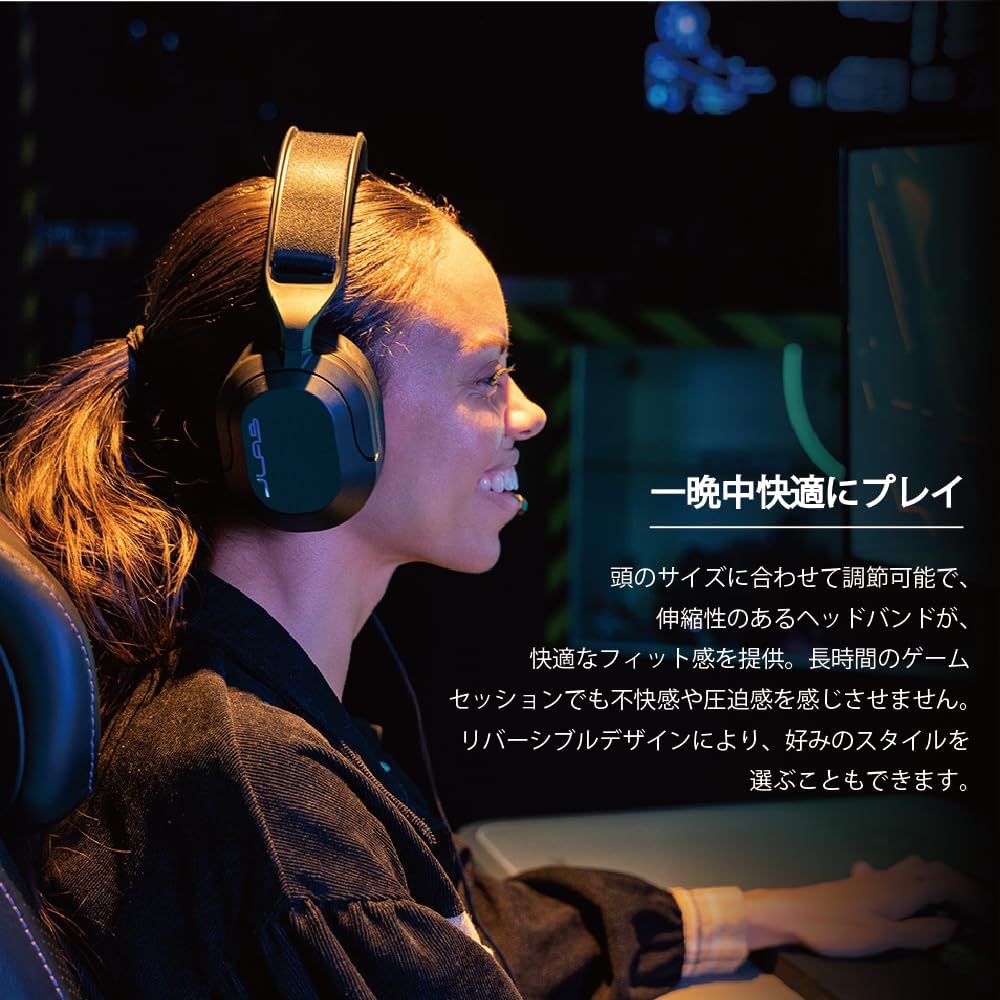
Image: A user wearing the JLab Nightfall headset, showcasing the comfortable over-ear design and adjustable headband for extended wear.

Сурет: егжей-тегжейлі view of the JLab Nightfall headset's cloud foam ear cushions, emphasizing their soft and comfortable design.
Техникалық сипаттамалар
| Ерекшелік | Мәлімет |
|---|---|
| Бренд | JLab |
| Модель атауы | Nightfall |
| Қосылу технологиясы | Сымды (3.5 мм ұяшық) |
| Құлақтың орналасуы | Құлақ үстінде |
| Аудио драйвер өлшемі | 50 миллиметр |
| Кедергі | 32 Ом |
| Сезімталдық | 102 дБ |
| Жиілік диапазоны | 20Гц - 20,000Гц |
| Шуды бақылау | Дыбыс оқшаулау |
| Микрофон | Flip-to-mute rotating boom mic, TeamSpeak Certified near-field directional |
| Үйлесімді құрылғылар | PC/Mac, Xbox, PlayStation 4, PlayStation 5, Nintendo Switch |
| Элемент салмағы | 0.39 келі |
| Материал | Plastic, Metal, Synthetic materials |
| Қосымша мүмкіндіктер | Adjustable Headband, Cloud Foam Cushions |
Техникалық қызмет көрсету
- Тазалау: Гарнитураны тазалау үшін жұмсақ, құрғақ шүберекті пайдаланыңыз. Сұйық тазартқыштарды немесе аэрозольдерді қолданбаңыз.
- Сақтау орны: Гарнитураны тікелей күн сәулесінен және төтенше температурадан алыс салқын, құрғақ жерде сақтаңыз.
- Кабельге күтім жасау: Зақымдану үшін кабельді қатты иілуден немесе шамадан тыс тартудан аулақ болыңыз.
Ақаулықтарды жою
- Дыбыс жоқ:
- 3.5 мм ұяшық құрылғыңызға толығымен салынғанына көз жеткізіңіз.
- Check your device's audio settings to confirm the headset is selected as the output device and volume is not muted.
- Құрылғыға қатысты мәселені болдырмау үшін гарнитураны басқа құрылғымен тексеріңіз.
- Микрофон жұмыс істемейді:
- Микрофонның дыбысы өшірілмеген, белсенді күйге оралғанына көз жеткізіңіз.
- Verify your device's audio settings have the headset microphone selected as the input device and input volume is not muted.
- Check for any in-game or application-specific microphone settings.
- Бұрмаланған дыбыс:
- Lower the volume on your device or the headset.
- 3.5 мм қосылымның қауіпсіз және қоқыссыз екеніне көз жеткізіңіз.
- Test with another audio source to determine if the issue is with the headset or the source device.
Кепілдік және қолдау
The JLab Nightfall Wired Gaming Headset comes with a 2-Year Warranty from the manufacturer, JLab Audio. For detailed warranty information, technical support, or service inquiries, please refer to the official JLab webсайтына немесе тұтынушыларға қолдау көрсетуге тікелей хабарласыңыз.
Manufacturer: JLab Audio