
1. Кіріспе
The LEAUDIO XDUOO XD05 Plus 2 is a high-performance portable Digital-to-Analog Converter (DAC) and headphone amplifier designed to deliver exceptional audio quality. It features advanced decoding capabilities, powerful output, and versatile connectivity options for various audio sources and headphones.
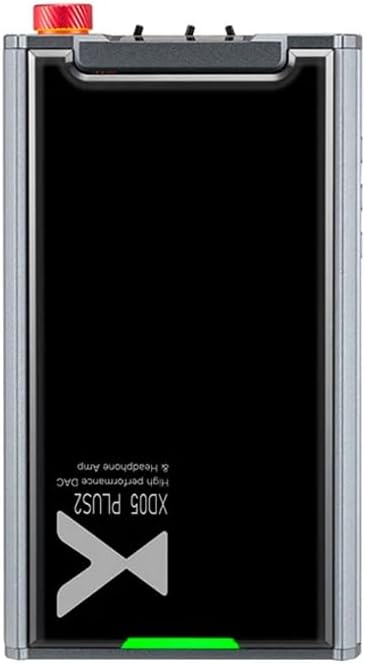
1-сурет: Жоғарғы view of the XDUOO XD05 Plus 2, highlighting its compact design and model branding.
2. Пакет мазмұны
Пакетте келесі элементтердің бар-жоғын тексеріңіз:
- XDUOO XD05 Plus 2 Portable DAC Headphone Ampқұтқарушы
- USB кабелі
- Пайдаланушы нұсқаулығы (бұл құжат)
3. Құрылғының орналасуы
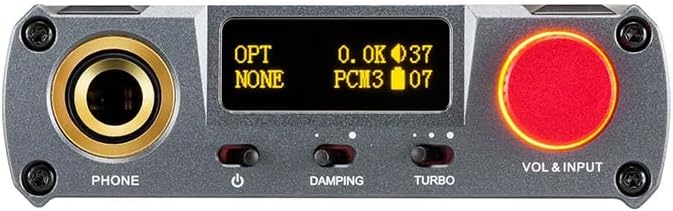
Figure 2: Front panel controls including the headphone output, OLED display, Damping switch, Turbo switch, and Volume/Input knob.

Figure 3: Rear panel connections featuring AUX In/Out, USB In, UAC 1.0/2.0 switch, Charge port, and Digital In (Optical/Coaxial).
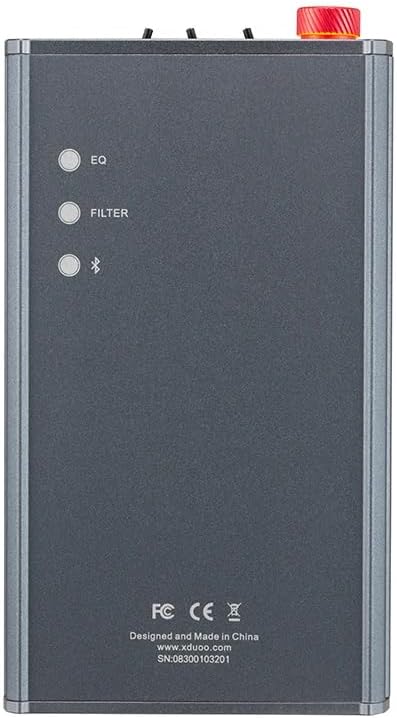
Figure 4: Side panel buttons for EQ, Filter, and Bluetooth functions.
4. Орнату және қосылымдар
4.1 Құрылғыны зарядтау
Connect the provided USB cable to the 'CHARGE' port on the rear panel (Figure 3) and plug the other end into a USB power adapter (not included) or a computer's USB port. The charging time is approximately 3 hours for fast charging and 5 hours for slow charging.
4.2 Дыбыс көздеріне қосылу
The XD05 Plus 2 offers multiple input options:
- USB кірісі: Connect to computers (Windows/Linux/Mac OSX), smartphones (iOS/Android), or other USB audio sources using the 'USB IN' port (Figure 3). Ensure the UAC switch is set to the appropriate mode (UAC 1.0 or UAC 2.0) for your device.
- Digital Input (Optical/Coaxial): Connect to desktop CDs, Hi-Fi players, or digital turntables via the 'DIGITAL IN' port (Figure 3).
- Bluetooth кірісі: For wireless audio streaming, refer to Section 5.4 for Bluetooth pairing instructions.
- AUX кіріс/шығыс: Use the 'AUX IN/OUT' port (Figure 3) for analog input or output connections.
4.3 Құлаққаптарды қосу
Plug your headphones into the 'PHONE' output jack on the front panel (Figure 2).
5. Пайдалану нұсқаулары
5.1 Қуатты қосу/өшіру және енгізуді таңдау
Press and hold the power button (located near the 'PHONE' jack, Figure 2) to turn the device on or off. Rotate the 'VOL & INPUT' knob (Figure 2) to adjust the volume. Press the 'VOL & INPUT' knob to cycle through available input sources (USB, Optical, Coaxial, Bluetooth, AUX).
5.2 Дыбыс деңгейін басқару
The device features a 99-level digital volume adjustment, ensuring balanced left and right channels at any volume setting. Rotate the 'VOL & INPUT' knob to precisely set your desired listening level.
5.3 Sound Adjustments (EQ, Filter, Damping, Turbo)
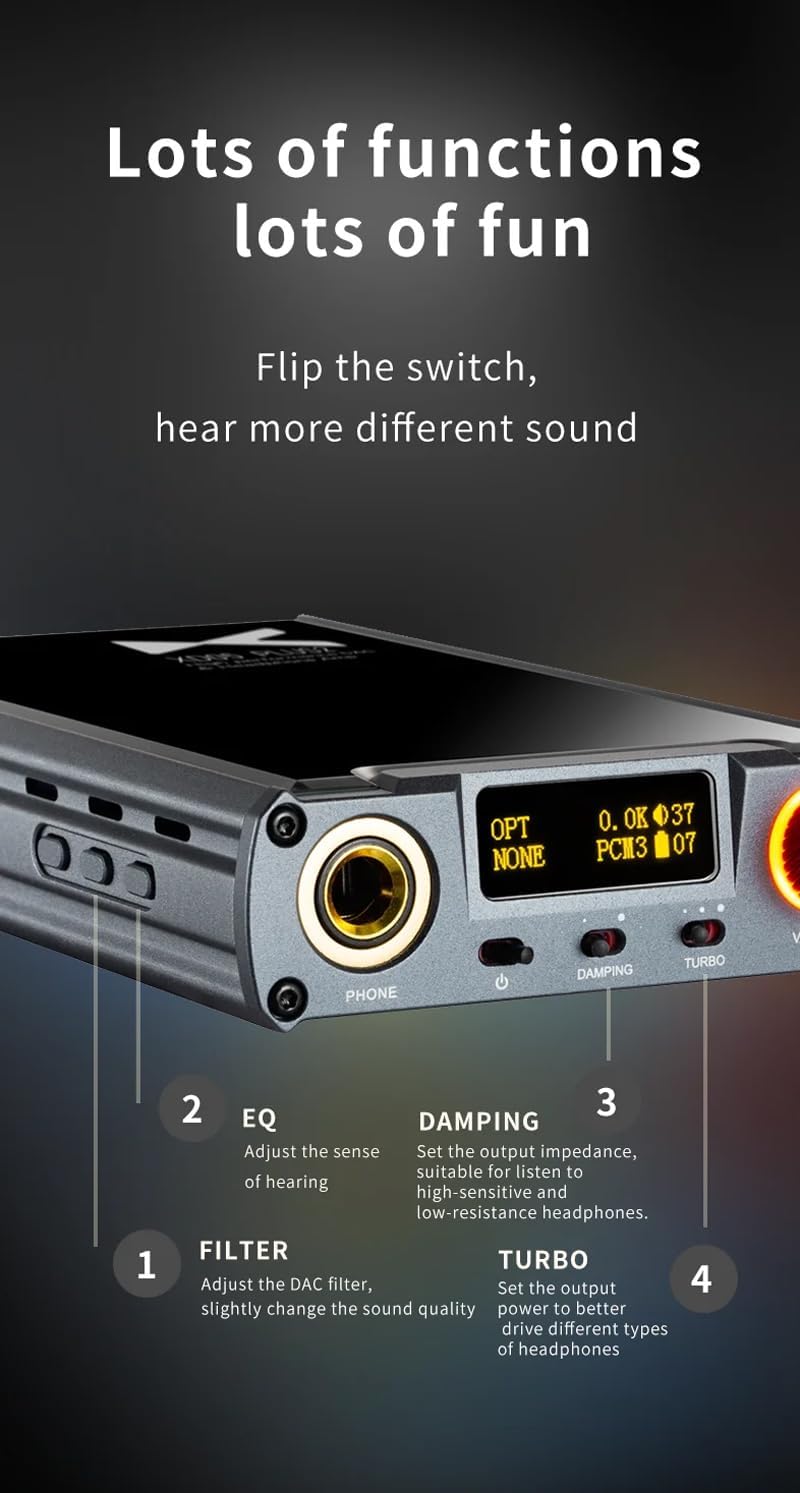
5-сурет: Егжей-тегжейлі view of sound adjustment controls and their functions.
- EQ (эквалайзер): Press the 'EQ' button (Figure 4) to adjust the sense of hearing and tailor the sound to your preference.
- Сүзгі: Press the 'FILTER' button (Figure 4) to slightly change the sound quality by adjusting the DAC filter settings.
- Damping: Use the 'DAMPING' switch (Figure 2) to set the output impedance, suitable for high-sensitivity and low-resistance headphones.
- Турбо: Use the 'TURBO' switch (Figure 2) to set the output power, allowing the device to better drive different types of headphones.
5.4 Bluetooth жұптастыру
To pair your device via Bluetooth 5.1:
- Ensure the XD05 Plus 2 is powered on and Bluetooth input is selected.
- Press the 'Bluetooth' button (Figure 4) to enter pairing mode. The Bluetooth indicator on the OLED screen will flash.
- On your source device (e.g., smartphone, tablet), search for available Bluetooth devices and select "XDUOO XD05 Plus 2".
- Once connected, the Bluetooth indicator will stop flashing.
Supported Bluetooth formats include AAC, SBC, aptX, aptX LL, aptX HD, and LDAC.
5.5 ауыстыру Ampкөтергіш чип
The amplifier chip is user-replaceable, allowing for customization of your audio experience. Refer to the manufacturer's guidelines or a qualified technician for instructions on safely replacing the op-amp чиптер.
6. Техникалық сипаттамалар
| Ерекшелік | Техникалық сипаттама |
|---|---|
| Батарея | 3.8 В/5000 мАч |
| Экран | 0.91 дюймдік OLED |
| Үйлесімді ОЖ | Windows/Linux/Mac OSX/iOS/Android |
| Frequency Response (USB/SPDIF) | 20Гц~20кГц (±0.5дБ) |
| Жиілікке жауапAMP) | 10Гц~80кГц (±0.5дБ) |
| USB Sampлинг жылдамдығы (PCM) | 16-32BIT/44.1-384KHZ |
| USB Sampлинг жылдамдығы (DSD) | DOP/NATIVE DSD64-256 |
| USB Sampling Rate (MQA) | OFS rendering layer decoding |
| OPT/COA Sampлинг жылдамдығы (PCM) | 16-24BIT/44.1-192KHZ |
| OPT/COA Sampлинг жылдамдығы (DSD) | DSD64 (DOP) |
| Bluetooth Formats | AAC/SBC/aptX/aptX LL/aptX HD/LDAC |
| Табыс | +0dB/3dB/6dB |
| Құлаққаптың шығыс қуаты | 1200 мВт (32Ω жүктеме) |
| Headphone THD+N | 0.0015%@1кГц |
| Headphone S/N | 121дБ |
| Headphone Crosstalk | >76дБ |
| AUX OUT Output Level | 2.0 айн |
| AUX OUT THD+N | 0.0009%@1кГц |
| AUX OUT S/N | 122дБ |
| AUX OUT Crosstalk | ≥109дБ |
| Battery Life (USB IN) | ≥9H |
| Battery Life (SPDIF IN) | ≥15H |
| Battery Life (BT IN) | ≥18H |
| Зарядтау уақыты (жылдам) | ≤3 сағат |
| Charging Time (Slow) | ≤5 сағат |
| Өлшем | 13.0 x 7.5 x 2.2 см |
| Салмағы | 0.29 кг |
7. Техникалық қызмет көрсету
To ensure the longevity and optimal performance of your XDUOO XD05 Plus 2, follow these maintenance guidelines:
- Құрылғыны жұмсақ, құрғақ шүберекпен сүртіп, таза ұстаңыз. Қатты химиялық заттарды немесе абразивті материалдарды пайдаланбаңыз.
- Құрылғыны жоғары температурадан, тікелей күн сәулесінен және ылғалдан қорғаңыз.
- Құрылғыны құлатып алмаңыз немесе қатты соққыларға ұшырамаңыз.
- Ұзақ уақыт бойы пайдаланбаған кезде, құрылғыны салқын, құрғақ жерде сақтаңыз.
8. Ақаулықтарды жою
If you encounter issues with your XDUOO XD05 Plus 2, please refer to the following common troubleshooting steps:
- Дыбыс жоқ:
- Құрылғының қосылғанын тексеріңіз.
- Құлаққаптардың дұрыс жалғанғанына көз жеткізіңіз.
- Дұрыс кіріс көзі таңдалғанын тексеріңіз.
- Дыбыс деңгейін реттеңіз.
- Check the audio source device for proper playback and volume settings.
- Дыбыс сапасы нашар:
- Барлық кабельдердің сенімді жалғанғанына көз жеткізіңіз.
- Try a different audio cable or source.
- Check EQ and Filter settings; reset them to default if necessary.
- Ensure the UAC switch is set correctly for your USB connection.
- Bluetooth қосылым мәселелері:
- Құрылғының Bluetooth жұптау режимінде екеніне көз жеткізіңіз.
- Move the source device closer to the ampқұтқарушы.
- Clear previous Bluetooth pairings on both devices and try pairing again.
- Құрылғы зарядталмай жатыр:
- Verify the USB cable is connected to the 'CHARGE' port.
- Басқа USB кабелін немесе қуат адаптерін қолданып көріңіз.
- Қуат көзінің жұмыс істеп тұрғанына көз жеткізіңіз.
9. Өнімнің ресми бейнесі
1-бейне: аяқталдыview of the LEAUDIO XDUOO XD05 Plus 2 DAC Amp, шоуcasing its features and design. This video provides a visual guide to the product's capabilities and physical aspects.
10. Кепілдік және қолдау
For warranty information and technical support, please refer to the documentation included with your product or contact LEAUDIO customer service directly. You may also visit the official LEAUDIO webең заманауи қолдау ресурстарына арналған сайт.