
Alienware AW920K
Alienware AW920K үш режимді сымсыз ойын пернетақтасы пайдаланушы нұсқаулығы
Model: AW920K
Кіріспе
The Alienware AW920K Tri-Mode Wireless Gaming Keyboard is designed to elevate your gaming and productivity performance with versatile connectivity options, customizable controls, and vibrant AlienFX per-key RGB lighting. This manual provides essential information for setting up, operating, and maintaining your keyboard.

Figure 1: Alienware AW920K Tri-Mode Wireless Gaming Keyboard with USB dongle and cable.
Қорапта не бар
- Alienware AW920K үш режимді сымсыз ойын пернетақтасы
- USB Cable (detachable paracord)
- Құжаттама (осы пайдаланушы нұсқаулығы)
Орнату
Қосылу опциялары
The Alienware AW920K keyboard offers three modes of connectivity:
2.4 ГГц сымсыз қосылым
For responsive wireless gaming performance on your PC, use the included 2.4GHz wireless USB-C dongle. For optimal reception, deploy the convenient dongle extender to position the receiver closer to the keyboard.
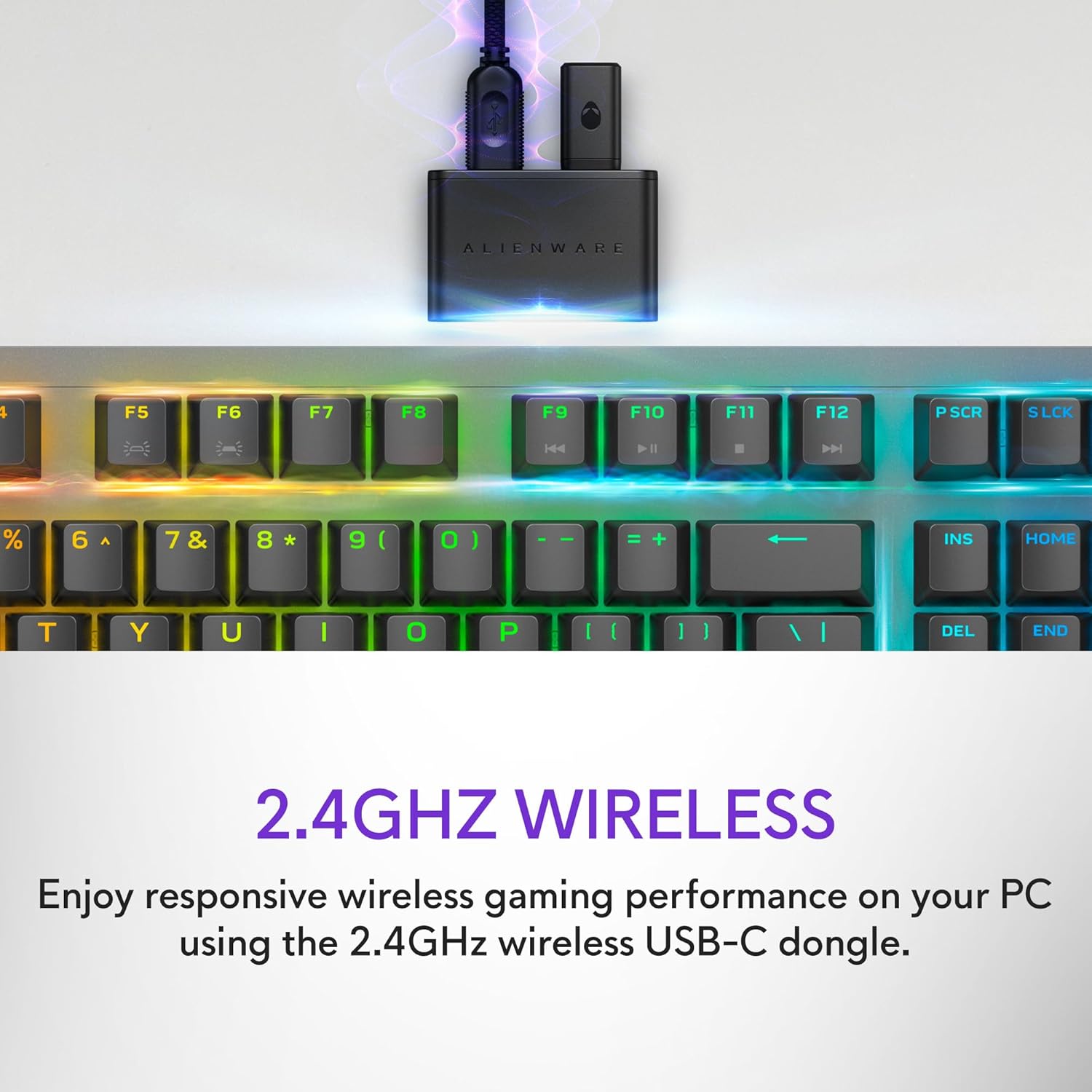
Figure 2: The 2.4GHz wireless USB-C dongle for PC connection.
Bluetooth 5.1 қосылымы
Connect up to three different compatible devices via Bluetooth 5.1. Use the selection button located on the back of the keyboard to choose the active paired device or switch to the 2.4GHz connection.

Figure 3: Connectivity toggle switch on the back of the keyboard.
Сымды USB қосылымы
For a direct and reliable connection, plug in and play on your PC using the detachable USB paracord cable.

Figure 4: Connecting the keyboard via the detachable USB cable.
Зарядталуда
The keyboard features magnetic snap-on charging for convenience. Easily connect and disconnect the charging cable to keep your keyboard powered without interrupting your game or compromising performance.

Figure 5: Magnetic snap-on charging port.
The keyboard offers robust battery life: up to 42 hours with 50% RGB lighting brightness on 2.4GHz dongle connection, or up to 46 hours on Bluetooth connection with 50% RGB lighting brightness.
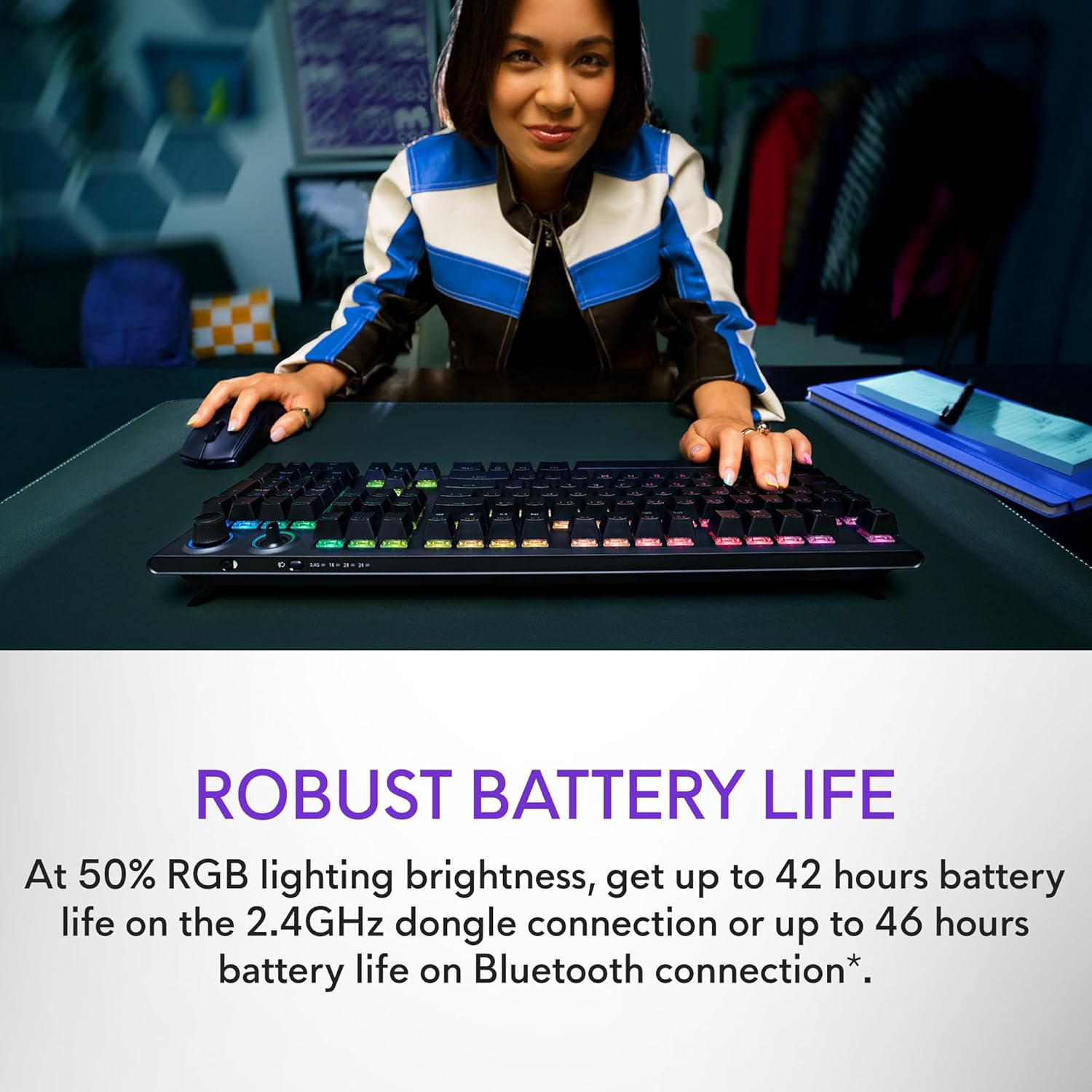
Figure 6: Illustration of the keyboard's extended battery life.
Пайдалану нұсқаулары
Key Switches and Performance
The AW920K features CHERRY MX Red switches, known for their consistent high performance, 100 million actuation lifecycle, responsive feel, and smooth linear operation, making them ideal for gaming.

7-сурет: Жақыннан view of the CHERRY MX Red switches.
Double-shot PBT keycaps provide reliable durability and exceptional wear resistance. The key legends are molded into the cap, not painted, ensuring dependable fade resistance.
Теңшелетін басқару элементтері
The programmable rocker switch and dial allow you to customize your experience. Map compatible Windows productivity controls via Alienware Command Center on your PC. This includes media controls and system volume, accessible directly from your fingertips.

Figure 8: The programmable rocker switch and dial for custom functions.
AlienFX RGB жарықтандыру
AlienFX per-key RGB lighting is configurable with Alienware Command Center, delivering an immersive gaming experience with up to 16.8 million colors. Utilize the Alienware Command Center on PC to create themes and customize the keyboard for a more personal gaming experience.

Figure 9: Keyboard displaying AlienFX RGB lighting effects.
Ойын мүмкіндіктері
The keyboard supports full anti-ghosting and N-key rollover, ensuring that all keystrokes register correctly and the keyboard remains responsive during intense gaming sessions and rapid typing.
Техникалық қызмет көрсету
To ensure the longevity and optimal performance of your Alienware AW920K keyboard, follow these maintenance guidelines:
- Тазалау: Аздап жұмсақ, түксіз матаны пайдаланыңыз dampened with water or a mild cleaning solution to wipe down the keycaps and chassis. Avoid harsh chemicals or abrasive materials.
- Шаңды кетіру: Перне қақпақтары арасындағы шаң мен қоқысты кетіру үшін сығылған ауаны пайдаланыңыз.
- Сақтау орны: Ұзақ уақыт бойы пайдаланбаған кезде, пернетақтаны құрғақ, салқын жерде тікелей күн сәулесі мен төтенше температурадан алыс жерде сақтаңыз.
- Кабельге күтім жасау: Алынбалы USB кабелін абайлап ұстаңыз. Зақым келтірмеу үшін өткір иілуден немесе шамадан тыс тартудан аулақ болыңыз.
Ақаулықтарды жою
Егер сіз Alienware AW920K пернетақтасында мәселелерге тап болсаңыз, келесі жалпы ақаулықтарды жою қадамдарын қараңыз:
| Мәселе | Ықтимал себеп/шешім |
|---|---|
| Пернетақта жауап бермейді (сымсыз) |
|
| RGB жарықтандыру жұмыс істемейді |
|
| Кілттер тіркелмейді немесе елес жоқ |
|
| Бағдарламаланатын мүмкіндіктер жұмыс істемейді |
|
Техникалық сипаттамалар
| Ерекшелік | Мәлімет |
|---|---|
| Үлгі нөмірі | AW920K |
| Қосылу мүмкіндігі | 2.4 ГГц сымсыз, Bluetooth 5.1, USB-C сымды |
| Кілт қосқыштар | ШИЕ MX қызыл |
| Пернетақталар | Екі рет ату PBT |
| Жарықтандыру | AlienFX per-key RGB |
| Battery Life (2.4GHz, 50% RGB) | 42 сағатқа дейін |
| Battery Life (Bluetooth, 50% RGB) | 46 сағатқа дейін |
| Елеске қарсы | Толық анти-елес |
| N пернесін айналдыру | Қолдау көрсетіледі |
| Өлшемдері (LxWxH) | 17.76 x 5.82 x 2.28 дюйм (45.1 x 14.8 x 5.8 см) |
| Салмағы | 2.35 фунт (1.06 кг) |
| Үйлесімді құрылғылар | Ноутбук, ДК, Смартфон, Планшет |

Figure 10: Keyboard dimensions (Length, Width, Height).
Кепілдік және қолдау
Alienware products are backed by a manufacturer's warranty. For detailed warranty information, technical support, or service inquiries, please visit the official Alienware support webсайтына немесе тұтынушыларға қызмет көрсетуге хабарласыңыз. Кепілдік шағымдары үшін сатып алу түбіртегін сақтаңыз.
For software updates and advanced customization, download the Alienware Command Center from the official Alienware support page.
You can visit the official Alienware store for more products and support: Alienware Store
Ask a question about this manual
Ask about setup, troubleshooting, compatibility, parts, safety, or missing instructions. Manuals+ will review the question and use this page’s manual context to help answer it.