
Кіріспе
The DieseRC EW-4CH is a versatile 4-channel WiFi smart switch relay module designed for remote control and automation of various electrical devices. It offers stable and reliable performance with high reception sensitivity via 2.4 GHz WiFi. This module allows you to control devices from anywhere using the eWelink APP and integrates with voice assistants like Amazon Alexa and Google Home. It supports both inching and self-locking operating modes, providing flexibility for different applications.
The module features four independent relays with potential-free (dry) contacts, each rated for 10A. It can be powered by DC 5V (via USB) or DC 7V-48V (via terminal block), making it compatible with a wide range of power sources and applications.
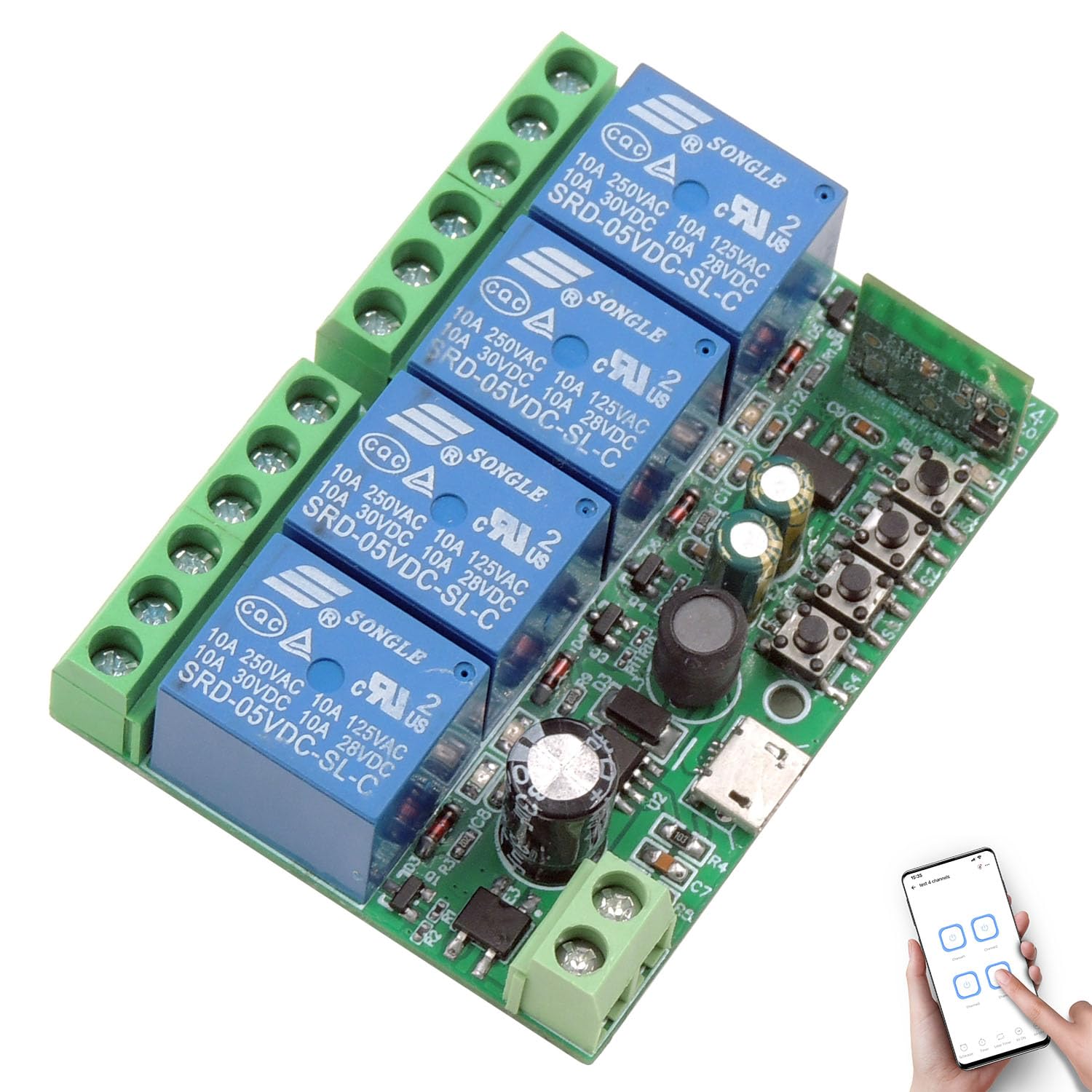
1 -сурет: Аяқталдыview of the DieseRC EW-4CH 4-Channel WiFi Smart Switch Module.
Қауіпсіздік туралы ақпарат
- Электр тогының соғуын болдырмау үшін орнату немесе сымдарды жалғамас бұрын барлық қуат көздерінің ажыратылғанына көз жеткізіңіз.
- This device operates with electrical currents. Improper installation or use can be dangerous.
- Do not exceed the maximum current rating of 10A per relay.
- Ensure proper insulation for all connections.
- Operate the device within its specified voltage range (DC 5V or DC 7V-48V).
- Құрылғыны судан, ылғалдан және төтенше температурадан алыс ұстаңыз.
- If you are unsure about any wiring procedures, consult a qualified electrician.
Орнату
1. Физикалық орнату және сымдарды тарту
The EW-4CH module is compact (65x48x17 mm) and can be easily hidden in most electrical boxes or junction boxes. It offers flexible power input options and passive output relays.

Figure 2: Module components including relay indicator lights, WiFi indicator, pairing button, USB input, and terminal definitions (NO, COM, NC).
- Қуат кірісі: The module can be powered in two ways:
- Via Micro USB: DC 5V/0.5A.
- Via Terminal Block: DC 7V-48V/0.5A.
- Релелік қосылымдар: Each of the four relays has three terminals:
- ЖОҚ (Әдетте ашық): The circuit is open when the relay is off, and closes when the relay is activated.
- COM (Жалпы): The common terminal for the relay.
- NC (қалыпты жабық): The circuit is closed when the relay is off, and opens when the relay is activated.

Figure 3: Power input options: DC 7V-48V via terminal or DC 5V via USB.

4 -сурет: Мысалыamples of wiring modes for DC devices (lamps, motors) and AC devices (lamps, motors) using the module's passive output relays.
2. eWelink APP Installation
The smart switch is controlled via the eWelink APP, available for Android and iOS devices.
- Download the eWelink APP from your device's app store or scan the QR code below.
- Тіркелгі жасаңыз немесе бұрыннан бар болса, жүйеге кіріңіз.

Figure 5: Scan this QR code to download the eWelink APP. Alternatively, visit http://app.coolkit.cc/dl.html.
3. Құрылғыны жұптастыру
- Power on the EW-4CH module.
- Open the eWelink APP and tap the '+' icon to add a device.
- Follow the in-app instructions to put the device into pairing mode (usually by pressing and holding the pairing button on the module until the WiFi indicator light blinks).
- Connect the device to your 2.4 GHz WiFi network.
Жұмыс режимдері
The EW-4CH supports two main operating modes: Inching (Momentary) and Self-locking (Toggle).
- Инч режимі: The relay activates for a set duration (e.g., 0.5 to 3600 seconds) and then automatically deactivates. This is suitable for applications like garage door openers or pulse-triggered devices.
- Өздігінен құлыптау режимі: The relay toggles its state with each activation. One press turns it on, another press turns it off. This is suitable for traditional on/off control of lights or appliances.
You can configure these modes within the eWelink APP for each relay independently.
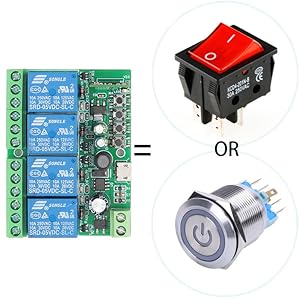
Figure 6: The smart switch module can function as a control interface similar to traditional switches or buttons.
APP басқару
Control your connected devices anytime, anywhere using the eWelink APP on your smartphone (Android and iOS).

Figure 7: Remote control of devices via the eWelink APP, demonstrating control of a garage door from a beach location.
Дауыспен басқару
The EW-4CH is compatible with Amazon Alexa and Google Home, allowing for hands-free control of your devices.
- Link your eWelink account to Amazon Alexa or Google Home through their respective apps.
- Use voice commands such as "Alexa, turn on the light" or "Hey Google, open the garage door."

Figure 8: Voice control integration with Amazon Alexa and Google Home for convenient device operation.
Scheduling and Timers
The eWelink APP allows you to set schedules, timers, and countdowns for automated operation of your devices.

9 -сурет: Мысалыample of setting a schedule to automatically open and close lights using the eWelink APP.
Қосымша қашықтан басқару
The smart switch is compatible with an optional RM2.4G Bluetooth remote control (not included) for additional control flexibility.

10 -сурет: Аяқталдыview of various control methods: APP, voice, and optional Bluetooth remote control.
Техникалық қызмет көрсету
- Құрылғыны таза және шаңсыз ұстаңыз. Тазалау үшін құрғақ, жұмсақ шүберекті пайдаланыңыз.
- Avoid exposing the device to direct sunlight, high humidity, or corrosive environments.
- Сымдар қосылымдарының сенімді екеніне көз жеткізу үшін оларды үнемі тексеріп отырыңыз.
- Ensure the device has adequate ventilation if installed in an enclosed space.
Ақаулықтарды жою
- Device not connecting to WiFi:
- Ensure your WiFi network is 2.4 GHz. The device does not support 5 GHz WiFi.
- Check if the WiFi signal strength is adequate at the device's location.
- Verify your WiFi password is entered correctly in the eWelink APP.
- Try resetting the device to factory settings (refer to the pairing instructions) and re-pairing.
- Device not responding to APP/Voice commands:
- Check if the device is connected to WiFi (WiFi indicator light should be solid).
- Смартфоныңызда белсенді интернет байланысы бар екеніне көз жеткізіңіз.
- Verify that the eWelink APP is updated to the latest version.
- For voice control, ensure your eWelink account is correctly linked to Alexa/Google Home.
- Relay not activating/deactivating:
- Модульге қуат көзін тексеріңіз.
- Verify the wiring connections to the load are correct (NO, COM, NC).
- Ensure the load's current draw does not exceed 10A.
- Check the operating mode settings (Inching/Self-locking) in the eWelink APP.
Техникалық сипаттамалар
| Бренд | DieseRC |
| Үлгі нөмірі | EW-4CH |
| Өнім өлшемдері | 65 x 48 x 17 мм (2.6 x 1.9 x 0.7 дюйм) |
| Салмағы | 60 г |
| Кіріс көлеміtage | DC 5V (USB) or DC 7V-48V (Terminal) |
| Шығару түрі | Passive Output (Dry Contacts) |
| Relay Current Rating | 10 Ampere per channel |
| Байланыс түрі | Normally Open (NO), Normally Closed (NC), Common (COM) |
| Қосылу мүмкіндігі | 2.4 ГГц WiFi |
| Басқару режимдері | APP Control (eWelink), Voice Control (Alexa/Google Home), Optional Bluetooth Remote Control |
| Жұмыс режимдері | Inching (Momentary), Self-locking (Toggle) |
Кепілдік
This product comes with a standard manufacturer's warranty. Please refer to the product packaging or contact DieseRC customer support for specific warranty terms and conditions.
Қолдау
For technical assistance, troubleshooting, or further inquiries, please contact DieseRC customer support through their official website or the contact information provided with your purchase. Ensure you have your product model number (EW-4CH) ready when seeking support.