
Кіріспе
Thank you for choosing the ADE Digital Alarm Clock, Model CK2310-1. This device is designed to provide accurate timekeeping, alarm functions, and environmental monitoring with its temperature and humidity display. It features a DCF radio signal for automatic time synchronization, two independent alarm times, a snooze function, and an automatic backlight. Please read this manual carefully to ensure proper use and optimal performance of your alarm clock.
Қауіпсіздік туралы ақпарат
- Құрылғыны судан және жоғары ылғалдылықтан алыс ұстаңыз.
- Құрылғыны шектен тыс температураға немесе тікелей күн сәулесінің әсеріне ұшыратпаңыз.
- Use only the specified battery type (2 x AA batteries).
- Батареяны орнатқан кезде оның полярлығының дұрыстығына көз жеткізіңіз.
- Құрылғы ұзақ уақыт бойы пайдаланылмайтын болса, батареяларды алып тастаңыз.
- Құрылғыны өзіңіз бөлшектеуге немесе жөндеуге әрекеттенбеңіз. Білікті қызмет көрсету қызметкерлеріне хабарласыңыз.
- Балалардың қолы жетпейтін жерде сақтаңыз.
Пакет мазмұны
Пакетке мыналар кіреді:
- 1 x ADE Digital Alarm Clock (Model CK2310-1)
- 2 x AA батареялары
- 1 x Пайдаланушы нұсқаулығы
Өнім аяқталдыview
The ADE Digital Alarm Clock features a clear display and intuitive controls. Key features include:
- Large digital time display
- Аптаның күні мен күнін көрсетеді
- Indoor temperature display (°C/°F)
- Үй ішіндегі ылғалдылықты көрсету
- DCF radio signal reception indicator
- Alarm 1 and Alarm 2 indicators
- Snooze/Light button (top)
- Function buttons (side/back) for setting time, alarms, and modes
- Auto-light sensor switch (back)
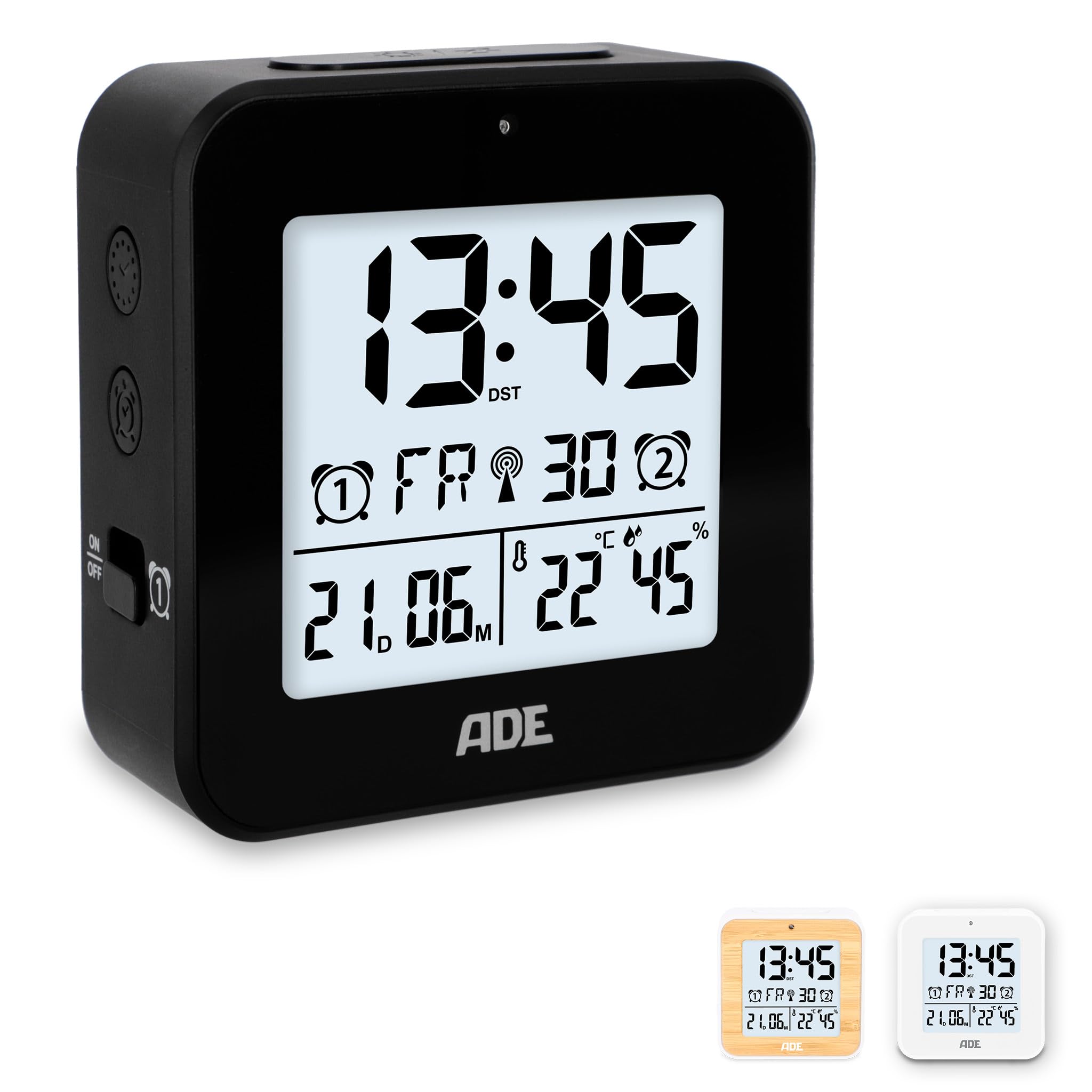
Сурет: Алдыңғы view of the ADE Digital Alarm Clock CK2310-1, showing the digital display with time, date, temperature, and humidity.

Сурет: Бүйір view of the ADE Digital Alarm Clock CK2310-1, highlighting the accessible buttons for intuitive operation and the two alarm ON/OFF switches.
Орнату
1. Батареяны орнату
- Оятқыш сағаттың артқы жағындағы батарея бөлімінің қақпағын ашыңыз.
- Insert the two AA batteries (included) according to the polarity markings (+ and -) inside the compartment.
- Батарея бөлігінің қақпағын мықтап жабыңыз.
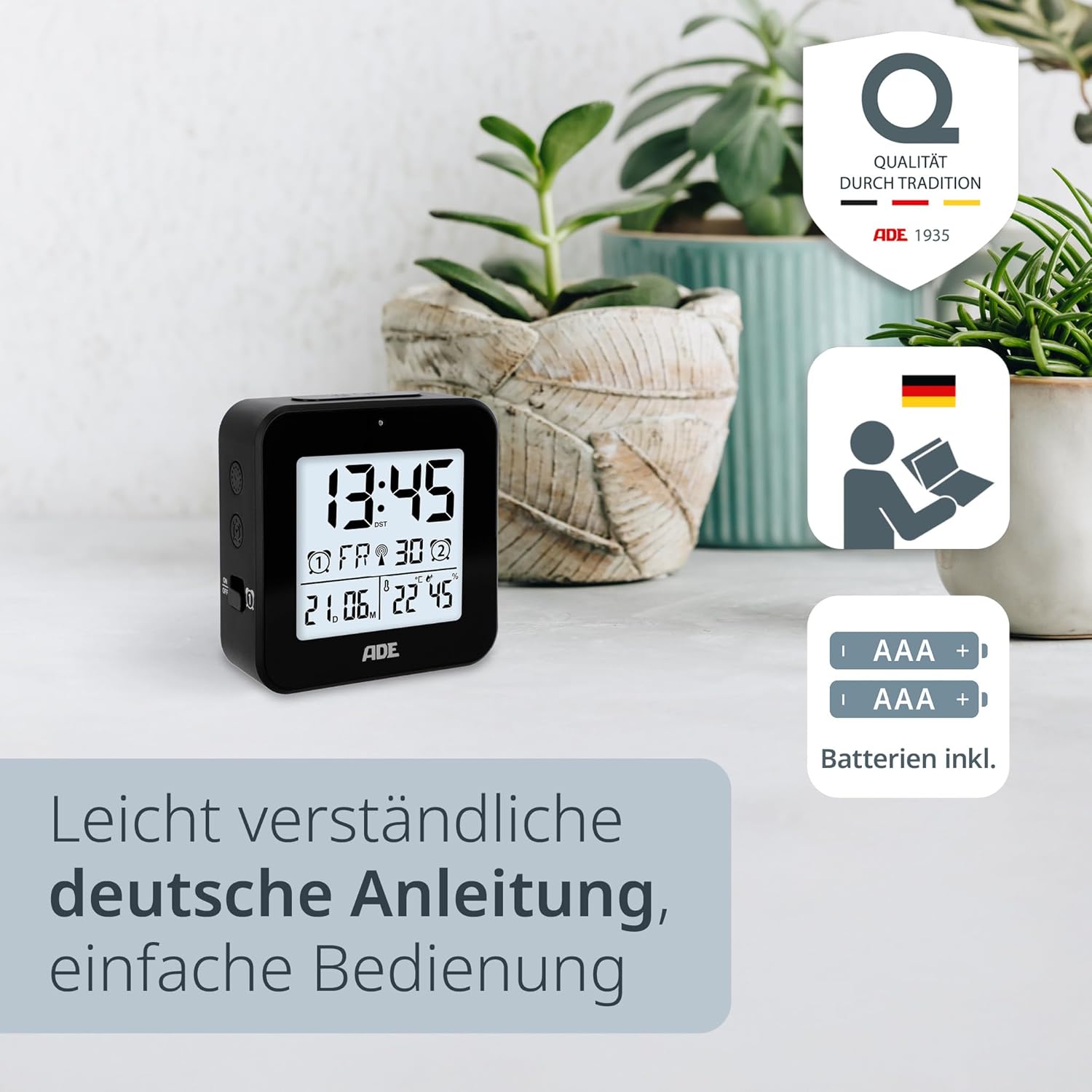
Сурет: The ADE Digital Alarm Clock CK2310-1 shown with two AA batteries, indicating that batteries are included for immediate use.
2. Бастапқы қуат қосу және DCF сигналын қабылдау
Upon inserting the batteries, the clock will power on and automatically begin searching for the DCF radio signal. This process can take several minutes. During this time, the DCF signal icon will flash on the display. Once the signal is successfully received, the time and date will be set automatically, and the DCF icon will appear steadily.
- For best reception, place the clock near a window and away from electronic devices that may cause interference.
- The clock automatically adjusts for daylight saving time (summer/winter time).
Пайдалану нұсқаулары
Manual Time and Date Setting (if DCF signal is unavailable)
If the DCF signal cannot be received, or if you prefer to set the time manually:
- Press and hold the "SET" button (usually on the back or side) for a few seconds until the time display starts flashing.
- Use the "+" or "-" buttons to adjust the hour. Press "SET" to confirm and move to the minutes.
- Adjust the minutes using "+" or "-" and press "SET" to confirm.
- Continue this process for setting the year, month, and day.
- After setting the date, you may be prompted to select the temperature unit (°C or °F) and day of the week language (e.g., English, German). Use "+" or "-" to select and "SET" to confirm.
- Press "SET" one last time to exit the setting mode.
Setting Alarm Times (Alarm 1 and Alarm 2)
The clock allows for two independent alarm times.
- To set Alarm 1: Slide the Alarm 1 switch (often labeled with a bell icon and 'ON/OFF') to the 'ON' position. The alarm time will start flashing.
- Use the "+" or "-" buttons to adjust the desired alarm hour. Press the "ALARM SET" button (or similar, refer to specific button labels on your device) to confirm and move to minutes.
- Adjust the alarm minutes using "+" or "-" and press "ALARM SET" to confirm.
- To set Alarm 2: Repeat the process using the Alarm 2 switch and corresponding buttons.
- To activate/deactivate an alarm: Simply slide the respective Alarm 1 or Alarm 2 switch to 'ON' or 'OFF'. An alarm icon will appear on the display when an alarm is active.

Сурет: The ADE Digital Alarm Clock CK2310-1 displaying smart alarm features, including automatic time adjustment, radio clock functionality, and snooze function.
Кейінге қалдыру функциясы
When an alarm sounds, press the large "SNOOZE/LIGHT" button on the top of the clock. The alarm will pause for approximately 5 minutes and then sound again. This can typically be repeated several times.
Backlight and Auto-Light Function
- Қолмен артқы жарық: Press the "SNOOZE/LIGHT" button on the top of the clock to briefly illuminate the display for approximately 8 seconds.
- Auto-Light Function: Locate the "AUTO LIGHT" switch on the back of the clock. Slide it to the 'ON' position. The display backlight will automatically adjust its brightness based on the ambient light conditions in the room, providing a softer glow in the dark. Slide to 'OFF' to disable this feature.

Сурет: The ADE Digital Alarm Clock CK2310-1 demonstrating its auto-light function, where the display illumination adapts to room brightness for optimal visibility.
Температура және ылғалдылық дисплейі
The clock continuously measures and displays the indoor temperature and humidity. The temperature can be displayed in Celsius (°C) or Fahrenheit (°F). This setting can usually be changed during manual time setup or by a dedicated button (e.g., a "°C/°F" button) on the device.
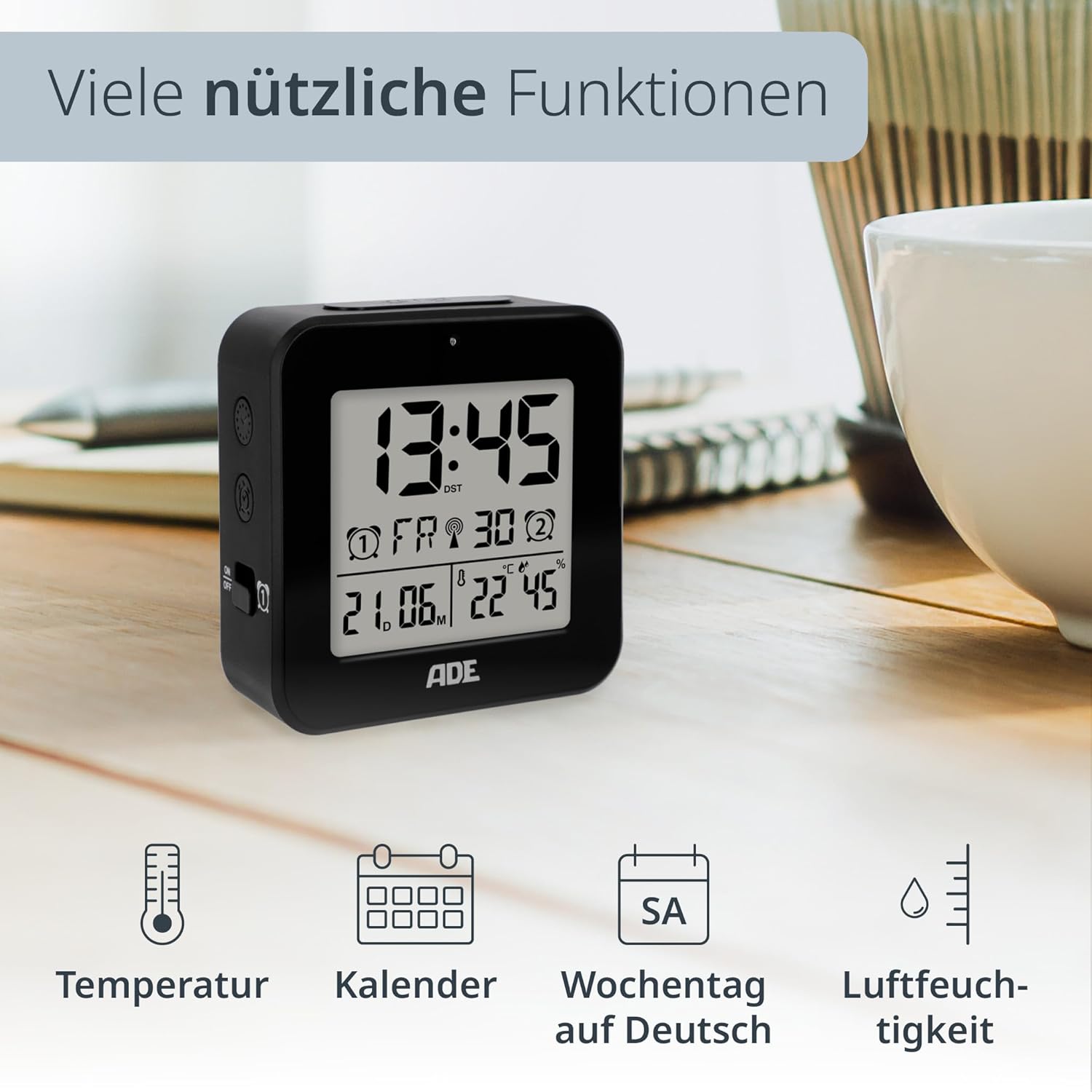
Сурет: The ADE Digital Alarm Clock CK2310-1 showcasing its various useful functions, including temperature, calendar, weekday, and humidity display.
DCF Radio Signal
The ADE Digital Alarm Clock features a DCF-77 radio signal receiver. This signal is broadcast from Mainflingen, Germany, and provides highly accurate time information. The clock automatically synchronizes with this signal, ensuring precise timekeeping and automatic adjustment for daylight saving time.
- The signal reception is typically stronger at night.
- Obstacles like concrete walls, mountains, or other electronic devices can interfere with reception.
- If reception is poor, try relocating the clock to a different position, preferably near a window.
Техникалық қызмет көрсету
- Сағатты жұмсақ, құрғақ шүберекпен тазалаңыз. Абразивті тазартқыштарды немесе еріткіштерді пайдаланбаңыз.
- Avoid exposing the device to excessive dust or dirt.
- If the display becomes dim or functions irregularly, replace the batteries.
Ақаулықтарды жою
| Мәселе | Ықтимал себебі | Шешім |
|---|---|---|
| Дисплей немесе күңгірт дисплей жоқ | Батареялар біткен немесе дұрыс салынбаған. | Дұрыс полярлықты қамтамасыз етіп, батареяларды жаңа AA батареяларымен ауыстырыңыз. |
| Уақыт/күн қате | Poor DCF signal reception or manual setting error. | Relocate the clock for better DCF reception. If signal is consistently poor, set time manually. |
| Дабыл естілмейді | Дабыл қосылмаған немесе дұрыс орнатылмаған. | Ensure the alarm switch is in the 'ON' position and the alarm time is correctly set. |
| Артқы жарық жұмыс істемейді | Auto-light function is off, or batteries are low. | Check the 'AUTO LIGHT' switch. Replace batteries if necessary. |
Техникалық сипаттамалар
- Модель нөмірі: CK2310-1
- Бренд: ADE
- Өнім өлшемдері: 8 x 3.81 x 8 см
- Элемент салмағы: 100 грамм
- Дисплей түрі: Сандық
- Қуат көзі: Battery (2 x AA, included)
- Арнайы мүмкіндіктер: DCF Radio Controlled Clock, Calendar Display, Multi-language Day of Week, Temperature Display (°C/°F), Illuminated Display, Humidity Display, Two Alarm Times, Snooze Function, Auto-Light Sensor.
- Түсі: Қара

Сурет: The ADE Digital Alarm Clock CK2310-1 held in a hand, illustrating its compact and portable design, ideal for travel.
Кепілдік және қолдау
ADE products are manufactured with quality and reliability in mind. This product comes with a standard manufacturer's warranty. For specific warranty details, please refer to the warranty card included in your package or visit the official ADE webсайт.
For technical support, troubleshooting assistance, or inquiries regarding your ADE Digital Alarm Clock, please contact ADE customer service through their official webсайты немесе сатып алумен бірге берілген байланыс ақпараты.