
1. Кіріспе
This manual provides detailed instructions for the setup, operation, and maintenance of your edaiser Swivel Keyboard Case. Please read this manual thoroughly before using the product to ensure proper function and longevity. This keyboard case is designed to enhance your iPad mini experience by providing a physical keyboard and trackpad, along with robust protection and versatile viewбұрыштар.
2. Пакет мазмұны
- edaiser Swivel Keyboard Case
- USB-C зарядтау кабелі
- Пайдаланушы нұсқаулығы
3. Үйлесімділік
This keyboard case is specifically designed for the following iPad models:
- 2021 iPad mini 6th Generation (8.3-inch): Model Numbers A2567, A2568, A2569
- 2024 iPad mini 7th Generation (8.3-inch): Model Numbers A2993, A2995, A2996
To verify your iPad model number, check the back of your iPad or go to Settings > General > About > Model Number.

Image: Compatible iPad models and their model numbers.
4. Өнімнің ерекшеліктері
4.1 Swivel and Rotation
The keyboard case features a 360-degree rotatable hinge and 180-degree fold, allowing for multiple viewing and typing modes:
- Ноутбук режимі: Standard laptop-like setup for typing.
- Күту режимі: Ideal for watching videos or presentations.
- Шатыр режимі: Suitable for touch-based interactions or drawing.
- Планшет режимі: Fold the keyboard back for a traditional tablet experience.

Image: iPad mini in laptop mode, demonstrating swivel and rotation.

Image: Different usage modes of the keyboard case.
4.2 RGB Backlit Keyboard and Trackpad
The integrated keyboard features RGB backlighting for comfortable typing in low-light conditions. The precision trackpad supports multi-touch gestures for enhanced navigation within iPadOS.
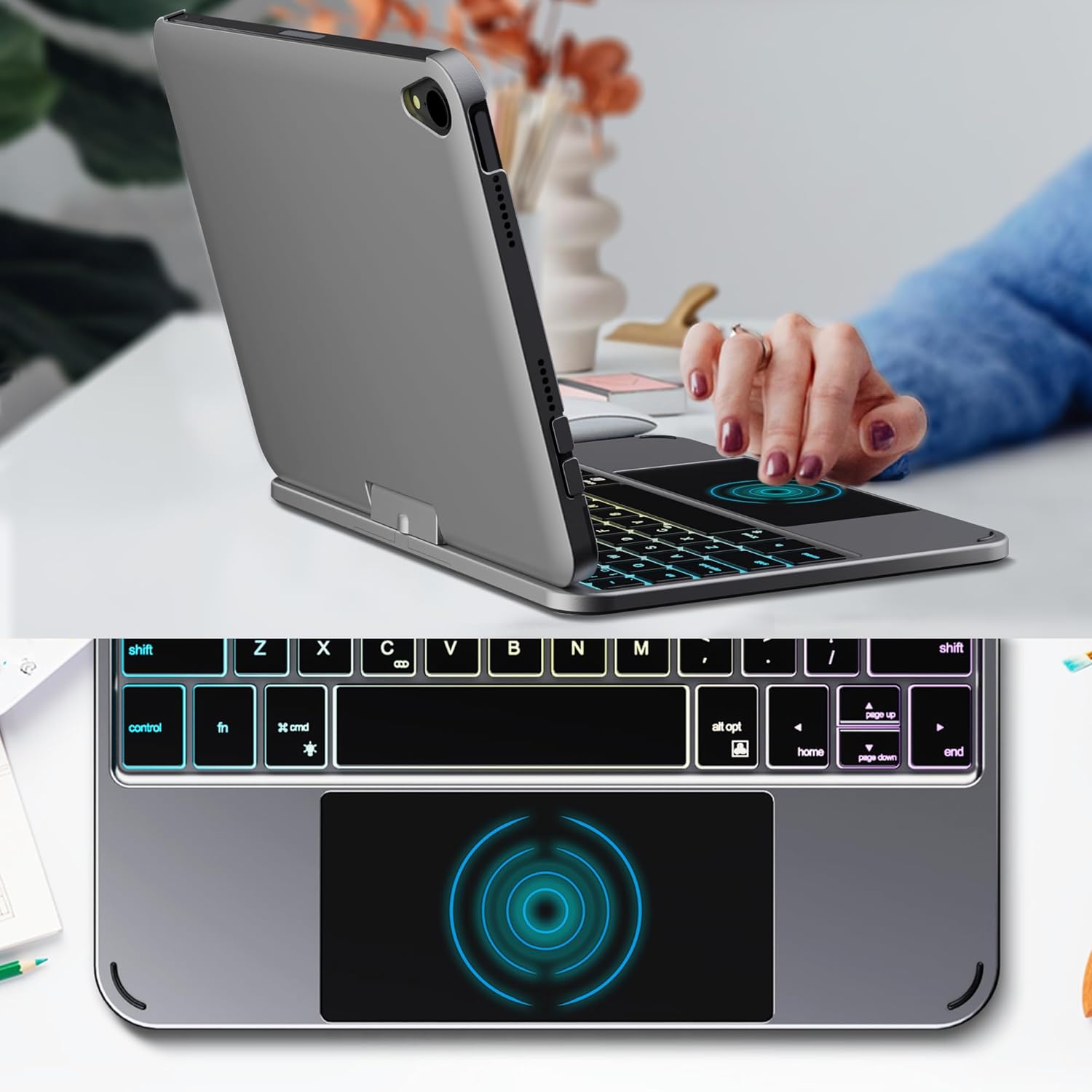
Image: Backlit keyboard and trackpad in use.

Image: Keycap and touchpad dimensions, and available colors.
4.3 Protection and Design
The case provides comprehensive protection for your iPad mini, safeguarding it from scratches and minor impacts. It features precise cutouts for the camera, charging port, and speakers.

Image: Case features and drop protection illustration.
5. Орнату нұсқаулары
5.1 Installing Your iPad mini
- Gently align your iPad mini with the case.
- Press the iPad firmly into the case until it is securely seated. Ensure all edges are properly covered and ports/buttons are accessible.
Video: Demonstrates the installation of the iPad mini into the keyboard case, followed by usage in laptop mode, trackpad interaction, and backlight activation.
5.2 Bluetooth жұптастыру
- Пернетақтаны қосыңыз: Locate the power button on the keyboard and press it to turn on the device.
- Activate Bluetooth on the keyboard: Press the "Fn" key and the "C" key simultaneously to activate Bluetooth pairing mode. The Bluetooth indicator light will flash.
- Open iPad Settings: iPad құрылғыңызда келесіге өтіңіз Параметрлер > Блютез.
- Қосылу: In the Bluetooth device list, find "iPad keyboard" and tap to connect. A pairing request may appear; confirm it.
- The Bluetooth indicator light on the keyboard will stop flashing once successfully paired.
Video: Demonstrates the rotation of the iPad within the case, various usage modes, and the Bluetooth pairing process for the keyboard.
6. Пайдалану нұсқаулары
6.1 Пернетақта функциялары
The keyboard includes standard keys and function keys specific to iPadOS:
- Fn + C: Activates Bluetooth pairing mode.
- Fn + Шам белгішесі: Toggles keyboard backlight on/off and cycles through brightness levels.
- Fn + RGB icon: Changes backlight color (if multiple colors are supported).
- Үй кілті: Returns to the iPad home screen.
- Іздеу кілті: Activates iPad search.
- Дыбыс пернелері: Adjusts iPad volume.
- Медиа басқару пернелері: Play/Pause, Previous Track, Next Track.
6.2 Trackpad Gestures
The trackpad supports various multi-touch gestures for efficient navigation:
- Бір саусақпен түрту: Left-click.
- Екі саусақты түрту: Right-click (context menu).
- Екі саусақпен айналдыру: Scroll up/down or left/right.
- Үш саусақпен жоғары қарай сырғытыңыз: Go to the home screen.
- Three-finger swipe up and hold: Open the App Switcher.
- Three-finger swipe left/right: Switch between open apps.
- Үлкейту үшін шымшыңыз: Zoom in/out on content.
7. Зарядтау және батарея
The keyboard case is powered by a built-in rechargeable battery. Use the provided USB-C cable to charge the keyboard.
- Батарея сыйымдылығы: 500 мАч
- Күту уақыты: 90 күнге дейін
- Жұмыс уақыты: Up to 180 hours (without backlight)
- Зарядтау көрсеткіші: The LED indicator will show charging status.
Connect the USB-C cable to the charging port on the keyboard and the other end to a USB power adapter (not included).

Image: Battery specifications and charging port location.
8. Техникалық қызмет көрсету
- Keep the keyboard case away from liquids and extreme temperatures.
- Clean the case and keyboard with a soft, damp шүберек. Қатты химиялық заттардан аулақ болыңыз.
- Өнімді бөлшектеуге тырыспаңыз.
9. Ақаулықтарды жою
9.1 Пернетақта Bluetooth арқылы қосылмайды
- Пернетақтаның қосулы және толық зарядталғанына көз жеткізіңіз.
- iPad құрылғысында Bluetooth қосылғанына көз жеткізіңіз.
- Press "Fn" + "C" on the keyboard to enter pairing mode.
- Құрылғыны iPad құрылғыңыздың Bluetooth параметрлерінде ұмытып, қайта жұптастыруға тырысыңыз.
- iPad пен пернетақтаны қайта іске қосыңыз.
9.2 Кілттер жауап бермейді
- Пернетақтаның батарея деңгейін тексеріңіз.
- Пернетақтаның Bluetooth арқылы дұрыс қосылғанына көз жеткізіңіз.
- Кез келген қоқысты кетіру үшін кілттердің айналасын тазалаңыз.
9.3 Trackpad Not Working
- Пернетақтаның Bluetooth арқылы қосылғанына көз жеткізіңіз.
- Check iPad settings: Параметрлер > Жалпы > Trackpad & Mouse to ensure it's enabled and sensitivity is adjusted.
- iPad пен пернетақтаны қайта іске қосыңыз.
10. Техникалық сипаттамалар
| Ерекшелік | Техникалық сипаттама |
|---|---|
| Бренд | едайзер |
| Үлгі нөмірі | edaiser Swivel 83ATS |
| Үйлесімді модельдер | Apple iPad mini 6th Gen (8.3-inch), iPad mini 7th Gen (A17 Pro) |
| Қосылу мүмкіндігі | Блютез |
| Пернетақта түрі | Compact with RGB Backlight |
| Бақылау тақтасы | Integrated, Multi-touch |
| Қуат көзі | Батареядан қуат алады |
| Батарея сыйымдылығы | 500 мАч |
| Күту уақыты | 90 күнге дейін |
| Жұмыс уақыты | 180 сағатқа дейін (артқы жарықсыз) |
| Зарядтау порты | USB-C |
| Кілттер саны | 64 |
| Keycap Size | 11.5 мм x 12.9 мм |
| Сенсорлық тақта өлшемі | 98.4 мм x 49.7 мм |
11. Кепілдік және қолдау
For warranty information and customer support, please refer to the official edaiser webсайтына өтіңіз немесе тұтынушыларға тікелей хабарласыңыз. Кепілдік шағымдары үшін сатып алу түбіртегін сақтаңыз.