
ROTAI ROTEB004-W
ROTAI Under Desk Elliptical User Manual
Model: ROTEB004-W
1. Кіріспе
Thank you for choosing the ROTAI Under Desk Elliptical. This electric seated pedal exerciser is designed to provide a convenient and low-impact workout experience for users of all ages, especially seniors, in both home and office environments. Its compact design and remote control functionality make it an ideal solution for maintaining activity and improving circulation while seated.

Image: The ROTAI Under Desk Elliptical, a compact white and black unit with a remote control shown beside it.
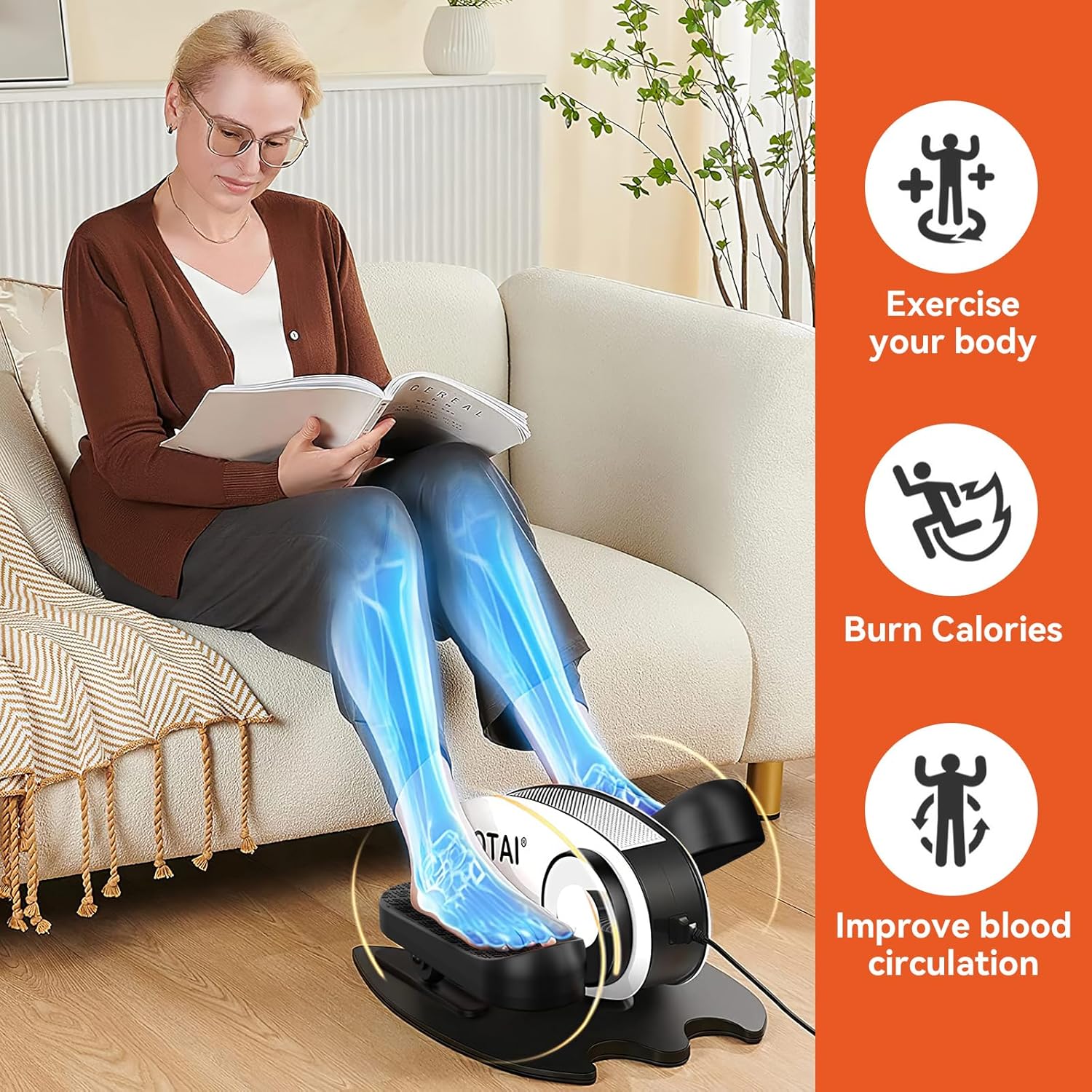
Image: A woman seated on a sofa, using the ROTAI elliptical. Overlays highlight benefits such as "Exercise your body," "Burn Calories," and "Improve blood circulation."
2. Қауіпсіздік туралы маңызды ақпарат
Please read all instructions carefully before using the ROTAI Under Desk Elliptical. Keep this manual for future reference.
- Consult your physician before starting any new exercise program, especially if you have pre-existing medical conditions.
- Құрылғыны тек осы нұсқаулықта сипатталғандай пайдаланыңыз.
- Ensure the elliptical is placed on a stable, flat surface during use.
- Жұмыс кезінде балалар мен үй жануарларын құрылғыдан алыс ұстаңыз.
- Do not insert any objects into the device openings.
- Құрылғыны пайдаланбаған кезде немесе тазалау алдында розеткадан ажыратыңыз.
- Қуат сымы немесе аша зақымдалған болса, қолданбаңыз.
- Құрылғыны тікелей күн сәулесі түсетін жерге немесе жылу көздеріне жақын қоймаңыз.
- This device is intended for seated use only. Do not stand on the pedals.
3. Пакет мазмұны
Барлық элементтер пакетте бар екенін тексеріңіз:
- ROTAI Under Desk Elliptical Unit
- Қашықтан басқару құралы
- Қуат адаптері
- Пайдаланушы нұсқаулығы (бұл құжат)
4. Орнату
The ROTAI Under Desk Elliptical comes largely pre-assembled for your convenience.
- Қаптамадан шығару: Қаптамадан барлық компоненттерді мұқият алып тастаңыз.
- Орналастыру: Place the elliptical on a flat, stable surface under your desk or in your desired exercise area. Ensure there is enough space for your legs to move freely without obstruction.
- Қуат қосылымы: Connect the power adapter to the elliptical's power input port and then plug it into a standard electrical outlet.
- Қашықтан басқару пультінің батареялары: Insert 2 AAA batteries (not included) into the remote control, observing the correct polarity.
5. Пайдалану нұсқаулары
The elliptical can be operated using the control panel on the unit or the included remote control.
5.1 Басқару тақтасы және дисплей

Сурет: жақыннан view of the elliptical's intelligent display unit, showing the LCD screen and control buttons.
The LCD display shows various exercise data. The buttons on the unit allow for manual control:
- SCAN: Cycles through display modes (Time, Distance, Speed, Calories, Count).
- УАҚЫТ: Displays elapsed exercise time.
- ҚАШЫҚ: Displays distance covered.
- ЖЫЛДАМДЫҚ: Ағымдағы жылдамдықты көрсетеді.
- CNT: Displays pedal count.
- КАЛ: Displays estimated calories burned.
- FN (Function): Changes between powered and manual pedaling modes.
- DIR (Бағыт): Changes pedaling direction (forward/backward).
- S (Speed): Adjusts the speed level.
- M (режим): Selects preset exercise modes.
- Қуат түймесі: Құрылғыны қосады/өшіреді.
5.2 Қашықтан басқару құралы

Image: A person's feet on the elliptical pedals, with hands holding the remote control, demonstrating its use for massage mode.
The remote control provides convenient access to all functions without bending down.
- БАСТАУ / ТОҚТАТУ: Begins or pauses the exercise.
- ФУНКЦИЯ: Toggles between powered and manual modes.
- БАҒЫТ: Reverses the pedaling direction.
- БАҒЫТТАРЫ: Cycles through the 5 powerful preset exercise modes.
- ЖЫЛДАМДЫҚ +/-: Increases or decreases the speed level (0-5).
- ҚУАТ: Құрылғыны қосады/өшіреді.
Note: For optimal remote control performance, point it directly at the elliptical's display unit.
5.3 Exercise Modes and Speed Levels

Image: A visual guide illustrating the 5 speed levels of the elliptical, correlating them with different exercise intensities: Stroll exercise (1-2), Jogging exercise (3-4), and Running exercise (5).
The elliptical offers 5 adjustable speed levels and 5 powerful preset modes to customize your workout intensity and style.
- Speed Levels (0-5): Adjust the motor's speed to match your comfort and fitness level. Lower speeds are ideal for gentle movement and circulation, while higher speeds provide a more vigorous workout.
- Алдын ала орнатылған режимдер: Utilize the 'MODE' button to cycle through pre-programmed exercise routines that vary speed and direction automatically.

Image: A collage showing diverse individuals, including seniors, comfortably using the ROTAI elliptical in various settings such as a living room, office, and next to a rocking chair, emphasizing its versatility.
6. Техникалық қызмет көрсету
Тұрақты техникалық қызмет көрсету эллиптикалық тренажердің ұзақ қызмет етуін және оңтайлы жұмыс істеуін қамтамасыз етеді.
- Тазалау: Құрылғыны жұмсақ, damp cloth. Do not use abrasive cleaners or solvents. Ensure the device is unplugged before cleaning.
- Сақтау орны: Store the elliptical in a cool, dry place away from direct sunlight and extreme temperatures when not in use for extended periods.
- Тексеру: Periodically check the power cord for any damage. Ensure all parts are securely attached.
7. Ақаулықтарды жою
If you encounter issues with your ROTAI Under Desk Elliptical, refer to the following common problems and solutions:
| Мәселе | Ықтимал себебі | Шешім |
|---|---|---|
| Құрылғы қосылмайды. | Not plugged in; Power outlet issue; Damaged power cord. | Ensure power cord is securely plugged into the unit and a working outlet. Try a different outlet. Inspect power cord for damage. |
| Қашықтан басқару пульті жұмыс істемейді. | Dead batteries; Incorrect battery polarity; Remote not pointed at sensor; Obstruction. | Replace batteries. Check battery orientation. Point remote directly at the display unit. Remove any obstructions between remote and unit. |
| Pedals are not moving smoothly. | Obstruction; Unit needs cleaning. | Check for any foreign objects obstructing the pedals. Clean the unit, especially around the pedal mechanisms. |
| Құрылғы әдеттен тыс шу шығарады. | Loose part; Internal issue. | Stop use immediately. Check for any loose parts. If noise persists, contact customer support. |
If the problem persists after trying these solutions, please contact ROTAI customer support.
8. Техникалық сипаттамалар

Image: Diagram showing the dimensions of the ROTAI Under Desk Elliptical: 18.43 inches (length), 15.36 inches (width), and 9.85 inches (height).
| Ерекшелік | Мәлімет |
|---|---|
| Бренд | ROTAI |
| Үлгі нөмірі | ROTEB004-W |
| Элемент салмағы | 19.25 фунт (шамамен 8.73 кг) |
| Элемент өлшемдері (LxWxH) | 18.43 x 15.36 x 9.85 дюйм (шамамен 46.8 x 39 x 25 см) |
| Дисплей түрі | СКД |
| Жылдамдық деңгейлері | 5 (0-5) |
| Жұмыс бағыттары | 2 (Forward & Backward) |
| Бақылау | Құрылғыдағы түймелер, қашықтан басқару пульті |
9. Кепілдік және қолдау
ROTAI offers an extended 18-month warranty in addition to Amazon's return policy of 30 days. For warranty registration, technical support, or any inquiries, please contact ROTAI customer service via the email provided in your product packaging or visit the official ROTAI webсайт.
Please have your model number (ROTEB004-W) and purchase date ready when contacting support.
Ask a question about this manual
Ask about setup, troubleshooting, compatibility, parts, safety, or missing instructions. Manuals+ will review the question and use this page’s manual context to help answer it.