
Zenwire E520h
Zenwire E520h Projector User Manual
Model: E520h | Brand: Zenwire
1. Кіріспе
This manual provides detailed instructions for the setup, operation, and maintenance of your Zenwire E520h projector. Please read this manual thoroughly before using the device to ensure proper functionality and to maximize your viewтәжірибесі.
The Zenwire E520h is a Full HD 1080p projector with 4K support, featuring Android 9.0, dual-band WiFi (2.4/5 GHz), and Bluetooth 5.0 for versatile home theater entertainment.
2. Пакет мазмұны
Барлық элементтер пакетте бар екенін тексеріңіз:
- Zenwire E520h Projector
- Қашықтан басқару пульті (батареялар кірмейді)
- Қуат кабелі
- HDMI кабелі
- AV Cable (stereo)
- Пайдаланушы нұсқаулығы

The image above displays the Zenwire E520h projector along with its standard accessories: a remote control, power cable, HDMI cable, and AV cable. These components are essential for setting up and operating your projector.
3. Өнім аяқталдыview
Familiarize yourself with the various parts and connections of your Zenwire E520h projector.

Бұл сурет жан-жақты қамтамасыз етеді view of the projector from different angles, highlighting the lens, control panel, ventilation grilles, and various input/output ports located on the sides and rear of the device.

The Zenwire E520h projector supports a wide range of multimedia devices, including streaming sticks (Roku, Fire TV, Chromecast), external audio systems, USB storage, gaming consoles (Xbox, PlayStation), mobile devices (phones, tablets), DVD players, and computers (laptops, desktops) via its various input ports.
4. Орнату
4.1 Орналастыру
Position the projector on a stable, flat surface. Ensure adequate ventilation around the device. The optimal projection distance ranges from 1.2 to 6 meters, allowing for screen sizes from 36 to 200 inches.

This image demonstrates how varying the distance between the projector and the screen affects the projected image size, showing examples for 45, 120, and 200-inch displays.
4.2 Қуат қосылымы
Connect the power cable to the projector's power input and then plug it into a suitable electrical outlet.
4.3 Бастапқы қуат қосу
Press the power button on the projector or the remote control to turn on the device. The projector will boot into the Android 9.0 operating system.
5. Пайдалану нұсқаулары
5.1 Фокус пен негізгі тасты түзету
Adjust the focus ring around the lens until the image is clear. Use the 4D keystone correction feature to adjust the image shape if the projector is not perfectly perpendicular to the screen. This can be done via the remote control or on-screen settings.

This image illustrates the process of adjusting the focus ring on the projector lens and demonstrates the effect of keystone correction on the projected image, ensuring a rectangular display even when the projector is angled.
5.2 Android 9.0 ақылды жүйесі
The projector runs on Android 9.0, allowing direct access to streaming applications like YouTube, Netflix, HBO, and Spotify. Navigate the interface using the remote control.

The image above shows the projector's smart interface, featuring a grid of popular streaming applications, demonstrating the integrated Android 9.0 system's capability to run apps directly.
5.3 Сымсыз байланыс (WiFi және Bluetooth)
Сымсыз дәлдiк: Connect to your home network using the integrated 2.4/5 GHz WiFi. This enables Miracast and Airplay for wireless screen mirroring from iOS, Android, and Windows devices.

This image illustrates the projector's wireless connectivity, showing it mirroring content from a smartphone and tablet, and highlighting its compatibility with iOS, Android, and Windows 10 devices for screen sharing.
Bluetooth 5.0: Pair with external Bluetooth speakers, soundbars, or headphones for enhanced audio. Go to the settings menu to manage Bluetooth devices.
5.4 Сымды қосылым
The projector features multiple ports for wired connections:
- HDMI (x2): Connect laptops, gaming consoles, Blu-ray players, or streaming devices.
- USB: USB дискілерінен тікелей медиа ойнатыңыз.
- OF: Ескі құрылғыларды берілген AV кабелін пайдаланып қосыңыз.
- Mini-Jack: For external audio output.
- Micro-SD/TF Card Reader: Жад карталарынан медиа файлдарды ойнату үшін.
6. Техникалық қызмет көрсету
6.1 Объективті тазалау
Проектор линзасын оптикалық беттерге арнайы жасалған жұмсақ, талшықсыз шүберекпен ақырын сүртіңіз. Абразивті тазалағыштарды немесе шамадан тыс күш қолданбаңыз.
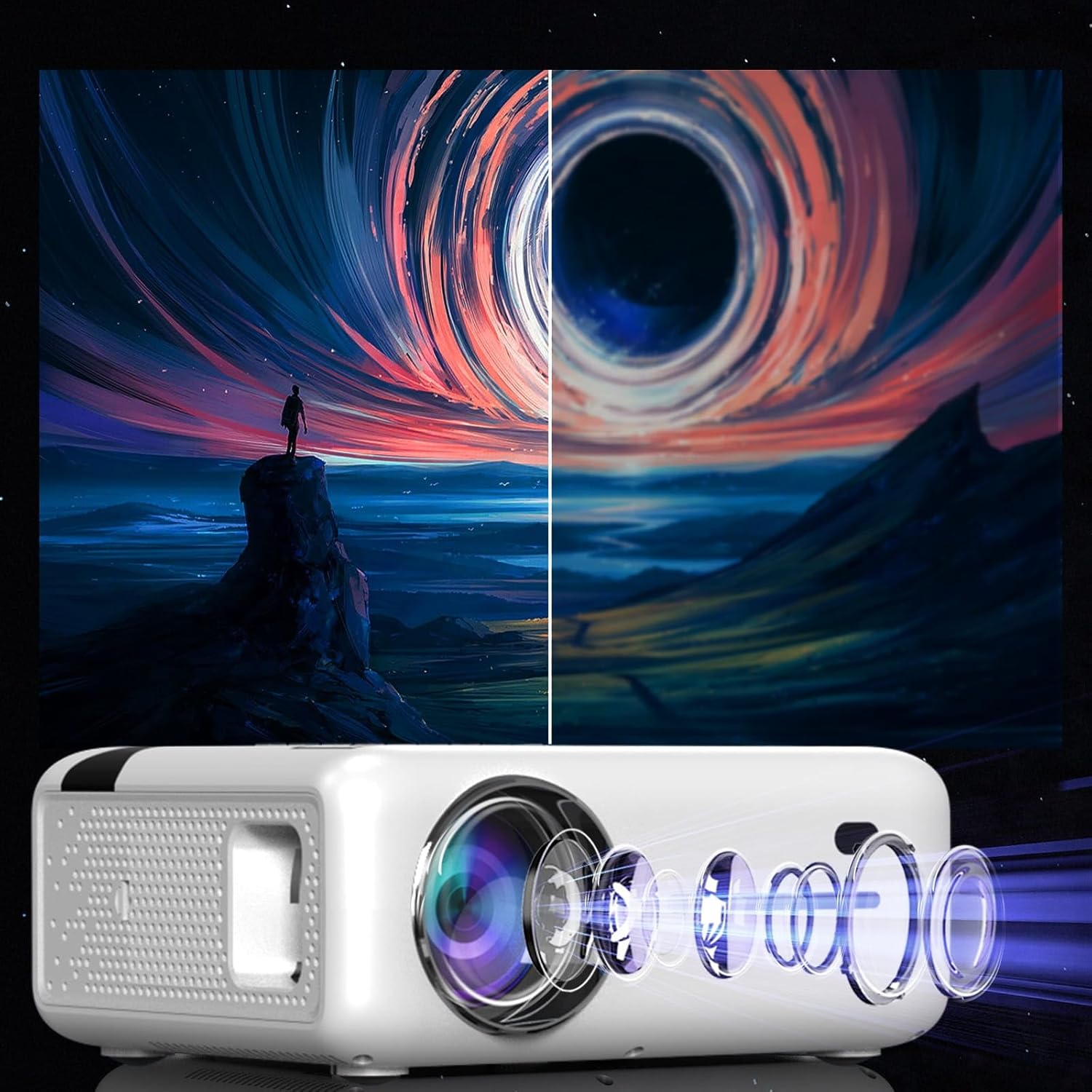
This diagram illustrates the multi-element lens system of the projector, highlighting the precision optics that require careful handling during cleaning to maintain image quality.
6.2 Желдету
Ensure that the projector's ventilation openings are not blocked to prevent overheating. Regularly check for dust accumulation and clean if necessary using compressed air.
6.3 Сақтау
When not in use for extended periods, store the projector in a cool, dry place, away from direct sunlight and excessive dust. Use the original packaging or a protective case.
7. Ақаулықтарды жою
| Мәселе | Ықтимал себебі | Шешім |
|---|---|---|
| Ешқандай сурет көрсетілмеді | Қуат кабелі ажыратылған, кіріс көзі дұрыс емес, линза қақпағы жабық. | Check power connection, select correct input source (HDMI, USB, etc.), remove lens cap. |
| Бұлыңғыр кескін | Focus not adjusted, keystone incorrect. | Adjust the focus ring, use keystone correction. |
| Дыбыс жоқ | Volume too low, incorrect audio output selected, external device muted. | Increase projector volume, check audio settings, ensure external device is not muted. |
| WiFi байланысы мәселелері | Incorrect password, router too far, interference. | Verify WiFi password, move projector closer to router, check for other wireless devices. |
8. Техникалық сипаттамалар
| Ерекшелік | Мәлімет |
|---|---|
| Үлгі | Zenwire E520h |
| Native Resolution | 1920 x 1080p (Толық HD) |
| Қолдау көрсетілетін ажыратымдылық | 4 мыңға дейін |
| Жарықтық | 9000 lumens (300 ANSI) |
| Контраст қатынасы | 2000:1 |
| Операциялық жүйе | Android 9.0 |
| Сымсыз дәлдiк | 2.4/5 GHz (Miracast, Airplay support) |
| Блютез | 5.0 |
| Қосылу мүмкіндігі | 2x HDMI, USB, AV, Mini-Jack, Micro-SD/TF |
| Проекция өлшемі | 36 - 200 дюйм |
| Проекция қашықтығы | 1.2 - 6 метр |
| Кілт тасты түзету | 4D (manual and auto) |
| Тtage | 230 вольт |
| Өлшемдері (пакет) | 23 x 18.5 x 10.5 см |
| Салмағы (пакет) | 1.2 кг |
9. Кепілдік және қолдау
For warranty information and technical support, please refer to the contact details provided with your purchase documentation or visit the official Zenwire webсайт. Кепілдік шағымдары үшін сатып алуды растайтын құжатты сақтаңыз.
Қатысты құжаттар - E520 сағ
 |
ProGaga PG610W проекторының нұсқаулығы ProGaga PG610W проекторы үшін орнату, пайдалану, параметрлер, қосылым, техникалық сипаттамалар және ақаулықтарды жою туралы толық нұсқаулық. |
 |
Үй кинотеатрының проекторының пайдаланушы нұсқаулығы Орнату, пайдалану, қосылым және ақауларды жоюды қамтитын үй кинотеатры проекторының пайдаланушы нұсқаулығы. |
 |
Сандық проектордың пайдаланушы нұсқаулығы: орнату, пайдалану және қауіпсіздік Маңызды қауіпсіздік шараларын, орнатуды, қашықтан басқару функцияларын, медиа ойнатуды (бейне, музыка, кескіндер, мәтін), проекция параметрлерін, уақыт параметрлерін, жүйені орнатуды және сымсыз қосылым әдістерін (iOS Cast және Android Miracast) қамтитын сандық проекторға арналған толық пайдаланушы нұсқаулығы. |
 |
TOWOND Mini Smart Home Theater Projector: Quick User Guide Comprehensive quick user guide for the TOWOND Mini Smart Home Theater Projector, covering safety precautions, list of accessories, appearance and function description, connection instructions for various devices (HDMI, VGA, USB, Bluetooth, wireless mirroring), projection screen debugging, supported file formats, projection distance, and warranty information. |
 |
Plexgear 24017 Full HD проекторының пайдаланушы нұсқаулығы Орнату, пайдалану, параметрлер, ақауларды жою және қауіпсіздік туралы ақпаратты қамтитын Plexgear 24017 Full HD проекторына арналған толық пайдаланушы нұсқаулығы. Мүмкіндіктерге СКД дисплейі, жарық диодты жарық көзі, бірнеше енгізу опциялары (HDMI, VGA, AV), USB медиасын ойнату, Wi-Fi экранының айнасы (iOS/Android) және Bluetooth қосылымы кіреді. |
 |
AUN A50 Projector User Guide - Setup, Features, and Connectivity Comprehensive user guide for the AUN A50 projector, covering product box contents, interface details, remote control functions, technical specifications, and guides for wireless screen mirroring (iPhone/Android) and online video casting. |
Ask a question about this manual
Ask about setup, troubleshooting, compatibility, parts, safety, or missing instructions. Manuals+ will review the question and use this page’s manual context to help answer it.