
1. Кіріспе
This manual provides detailed instructions for the installation, operation, maintenance, and troubleshooting of the Fydun ZL-7901A Incubator Controller. This device is designed for precise and automatic control of temperature and humidity in various incubation environments, ensuring optimal conditions for successful hatching.
2. Өнім аяқталдыview
The Fydun ZL-7901A is a high-precision digital incubator controller capable of managing both temperature and humidity. It features a clear display and intuitive controls for easy programming and monitoring.
Негізгі ерекшеліктері:
- Нақты бақылау: High-accuracy temperature and humidity regulation for stable incubator environments.
- Strong Anti-interference: Designed for reliable operation in various conditions.
- High Stability and Accuracy: Ensures consistent performance for critical incubation processes.
- Кең қолданбалы: Suitable for a variety of eggs including chicken, duck, goose, pigeon, quail, parrot, and peacock.
- Автоматты жұмыс: Fully automatic control reduces manual intervention.
Құрамдас бөліктер:

2.1-сурет: Алдыңғы view of the Fydun ZL-7901A Incubator Controller, showing the display and control buttons.

2.2-сурет: The ZL-7901A controller packaged with its temperature and humidity sensors and connecting cables.

2.3-сурет: The ZL-7901A controller shown in an incubator environment, demonstrating its application for egg incubation.
3. Қауіпсіздік туралы ақпарат
- Орнату және пайдалану алдында барлық нұсқауларды мұқият оқып шығыңыз.
- Қуат көзі көлемін қамтамасыз етіңізtage matches the controller's requirements (100V-240V).
- All wiring should be performed by a qualified professional to prevent electrical hazards.
- Басқару құралын суға немесе шамадан тыс ылғалға ұшыратпаңыз.
- Құрылғыны жанғыш материалдардан алыс ұстаңыз.
- Кез келген техникалық қызмет көрсету немесе сымдарды өзгерту алдында электр қуатын ажыратыңыз.
- Бұл құрылғы ойыншық емес. Балалардың қолы жетпейтін жерде сақтаңыз.
4. Орнату және орнату
4.1 Контроллерді орнату
The ZL-7901A controller is designed for panel mounting. Ensure a secure and stable location within your incubator setup.

4.1-сурет: Бүйір view illustrating the mounting bracket for panel installation.
4.2 Сымды қосылымдар
Carefully connect the power supply, sensors, and output devices (heater, humidifier, fan, egg turner) to the appropriate terminals on the back of the controller. Refer to the wiring diagram provided with your product for specific connections. Ensure all connections are tight and secure.

4.2-сурет: Артқы view of the controller, showing the terminal blocks for electrical connections.
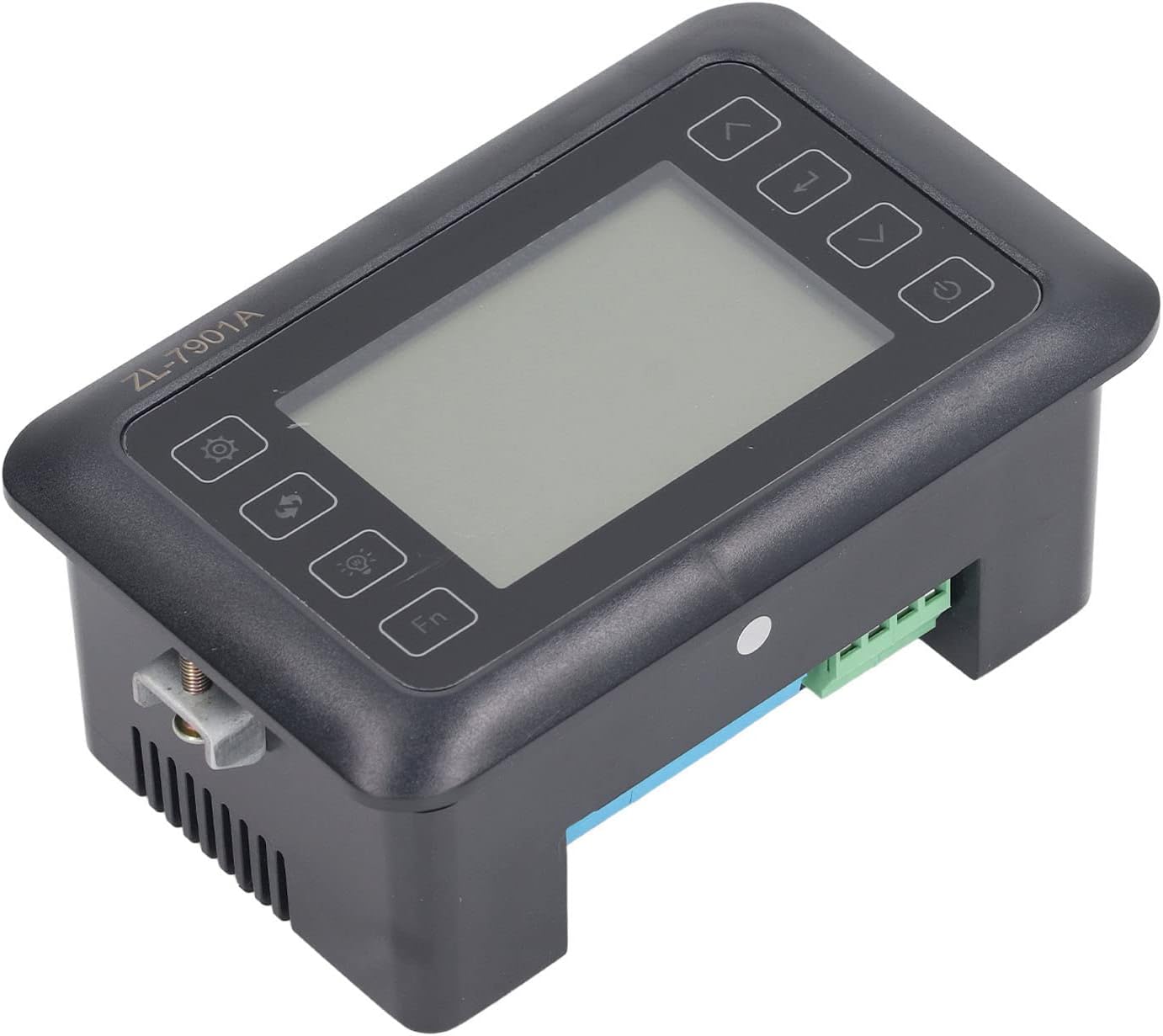
4.3-сурет: Бұрыштық view highlighting the various connection points on the controller's side.
After all connections are made, double-check them for correctness before applying power.
5. Пайдалану нұсқаулары
5.1 Қуатты қосу/өшіру
түймесін басыңыз Қуат түймесі to turn the controller on or off. The display will illuminate upon power-on. The power button is located on the right side of the controller's front panel.
5.2 Өшіруview
The main display shows the current temperature and humidity readings. Additional indicators may show the status of heating, humidifying, and turning functions.
5.3 Параметрлерді орнату
- түймесін басыңыз Параметрлер түймесі (gear icon) to enter the parameter setting mode. This button is on the left side of the controller's front panel.
- пайдаланыңыз Up (жоғары көрсеткі) және Төмен (down arrow) buttons to navigate through different parameters (e.g., target temperature, target humidity, egg turning interval). These buttons are on the right side of the controller's front panel.
- түймесін басыңыз Енгізу түймесі (return arrow icon) to select a parameter for editing. This button is on the right side of the controller's front panel.
- пайдаланыңыз Up және Төмен мәнді реттеу үшін түймелер.
- түймесін басыңыз Енгізу түймесі жаңа мәнді растау үшін қайта басыңыз.
- Repeat for all desired parameters.
- Exit the setting mode by pressing the Параметрлер түймесі again or waiting for a timeout.
Ескерту: Consult the full product manual (if provided separately) for a complete list of parameters and their functions.
5.4 Функционалды түймелер
- Жарық түймесі (light bulb icon): Controls the internal light of the incubator (if connected). This button is on the left side of the controller's front panel.
- Fn түймесі: Activates special functions or enters advanced settings. Refer to the detailed manual for specific Fn button operations. This button is on the left side of the controller's front panel.
6. Техникалық қызмет көрсету
6.1 Тазалау
- Ensure the controller is powered off and disconnected from the power source before cleaning.
- Басқару құралының сыртын жұмсақ, құрғақ шүберекпен сүртіңіз.
- Абразивті тазартқыштарды, еріткіштерді пайдаланбаңыз немесе құрылғыны суға батырмаңыз.
- Keep the sensor probes clean and free from debris to ensure accurate readings.
6.2 Сенсорлық күтім
Handle the temperature and humidity sensors with care. Avoid bending or damaging the cables. If readings appear inaccurate, gently clean the sensor tips. Do not attempt to disassemble the sensors.
7. Ақаулықтарды жою
| Мәселе | Ықтимал себебі | Шешім |
|---|---|---|
| Контроллер қосылмайды. | Қуат көзі жоқ; бос байланыс; ақаулы қуат кабелі. | Check power outlet; ensure all connections are secure; test power cable. |
| Температура/ылғалдылық көрсеткіштері дұрыс емес. | Sensor dirty or damaged; sensor not properly placed; calibration needed. | Clean sensor; reposition sensor away from direct airflow/heat; refer to advanced settings for calibration (if available). |
| Heater/Humidifier not activating. | Output device not connected; setpoint not reached; faulty output device. | Verify wiring connections; check setpoint values; test heater/humidifier independently. |
| Дисплей қате кодын көрсетеді. | Датчиктің ақаулығы; ішкі қате. | Note the error code and consult the full product manual or contact support. |
8. Техникалық сипаттамалар
| Ерекшелік | Мәлімет |
|---|---|
| Үлгі | ZL-7901A |
| Бренд | Fydun |
| Кіріс көлеміtage | 100В-240В айнымалы ток |
| Басқару түрі | Fully Automatic Digital Temperature and Humidity Control |
| Дәлдік | High precision for both temperature and humidity |
| Қолданба | Incubators for various poultry and bird eggs |
| Монтаждау | Панельді бекіту |
9. Кепілдік және қолдау
Fydun is committed to providing quality products and excellent customer service. If you encounter any issues or have questions regarding your ZL-7901A Incubator Controller, please contact our customer service team.
For support, please refer to the contact information provided with your purchase or visit the official Fydun store on Amazon: Fydun Amazon Store.
Our professional customer service team is ready to assist you promptly.