
1. Кіріспе
The Nonstop NSO2-BK is a versatile hotel alarm clock designed for convenience and functionality. It features a clear digital display, multiple charging options including USB-C, and an intuitive interface for setting time and alarms. This manual provides detailed instructions for setting up and operating your alarm clock.
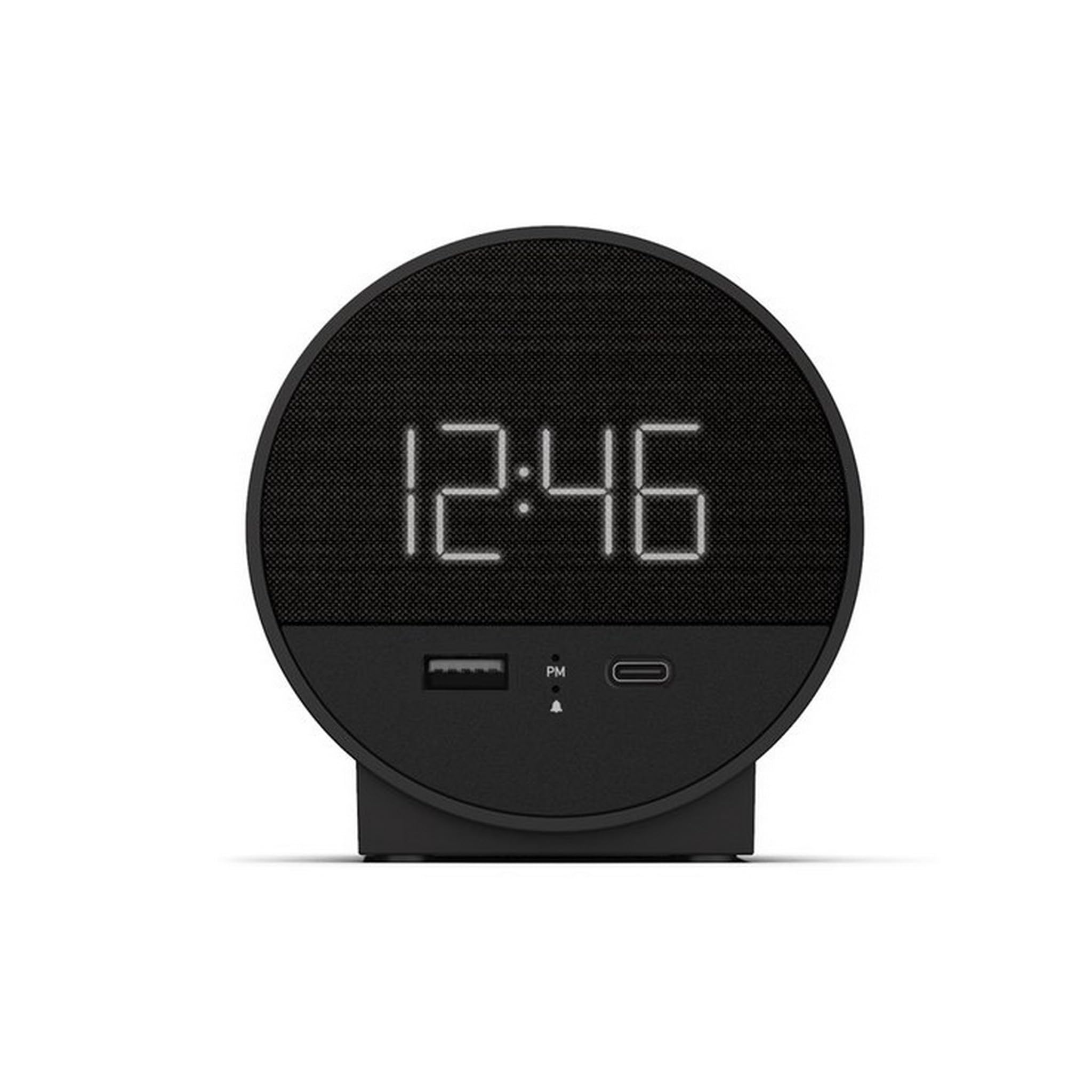
1-сурет: Алдыңғы view of the Nonstop NSO2-BK USB-C Hotel Alarm Clock.
2. Өнімнің ерекшеліктері
- Digital Time Display: Clear and easy-to-read time.
- Dual Alarm Function: Set two independent alarms.
- Snooze Function: Temporarily silence the alarm.
- Display Dimmer: Adjust screen brightness for comfort.
- USB-C Charging Port: Modern charging for compatible devices.
- USB-A Charging Port: Standard USB charging for various devices.
- Bluetooth Speaker: Connect your smartphone or other devices to play audio.
- Relaxation Sounds: Built-in sound machine for sleep or relaxation.

Figure 2: Close-up of the USB-A and USB-C charging ports on the alarm clock.
3. Орнату
3.1 Қуат қосылымы
- Оятқышты және барлық керек-жарақтарды қаптамадан шығарыңыз.
- Қуат адаптерін оятқыштың артындағы тұрақты ток кіріс портына қосыңыз.
- Plug the power adapter into a standard electrical outlet. The display will light up.
3.2 Backup Battery (Not included)
Қуат беру кезінде үздіксіз уақытты есепке алу үшін utages, insert 2 AAA batteries (not included) into the battery compartment on the bottom of the unit. The backup battery maintains time settings but does not power the display or alarm functions.
4. Пайдалану нұсқаулары
4.1 Уақытты орнату
- түймесін басып тұрыңыз УАҚЫТ ОРНАТЫЛДЫ button (often labeled 'M' or a clock icon) for 3 seconds until the hour digits flash.
- пайдаланыңыз HR (Сағат) және MIN Уақытты реттеуге арналған (минут) түймелері.
- түймесін басыңыз УАҚЫТ ОРНАТЫЛДЫ растау және уақытты орнату режимінен шығу үшін қайтадан басыңыз.
4.2 Дабылды орнату
The NSO2-BK supports two independent alarms (Alarm 1 and Alarm 2).
- түймесін басып тұрыңыз 1-дабыл or 2-дабыл button (bell icon) for 3 seconds until the hour digits flash.
- пайдаланыңыз HR және MIN қажетті оятқыш уақытын орнату үшін түймелер.
- Тиісті басыңыз Дабыл оятқыш уақытын растау үшін түймесін қайта басыңыз.
- To activate/deactivate an alarm, short press the corresponding Дабыл button. An indicator light will appear/disappear on the display.
4.3 Кідірту функциясы
Дабыл естілгенде, үлкен түймесін басыңыз ҰЙЫҚТАУ button on top of the unit to temporarily silence the alarm for 9 minutes. The alarm will sound again after the snooze period.
4.4 Display Brightness Control
түймесін басыңыз Ұйқыға қою / өлшеуіш button (or a dedicated dimmer button if available) repeatedly to cycle through different brightness levels for the display. Select the level that is most comfortable for you.
4.5 Зарядтау құрылғылары
The NSO2-BK provides convenient charging for your electronic devices:
- USB-C порты: Located on the front, plug in your USB-C compatible device for fast charging.
- USB-A порты: Located on the front, plug in your standard USB-A compatible device for charging.
4.6 Bluetooth динамигі
To use the alarm clock as a Bluetooth speaker:
- түймесін басыңыз РЕЖИМ button (labeled 'M') until 'BT' appears on the display.
- Мобильді құрылғыда Bluetooth қосыңыз және қолжетімді құрылғыларды іздеңіз.
- Select 'A21-B' (or similar model name) from the list to pair.
- Once paired, you can play audio from your device through the alarm clock's speaker.
Video 1: Demonstrates various functions including time setting, alarm setting, snooze, brightness, and charging on a similar multifunctional alarm clock. Note: Specific button labels may vary slightly from your model.
5. Техникалық қызмет көрсету
- Құрылғыны жұмсақ, құрғақ шүберекпен тазалаңыз. Сұйық тазалағыштарды немесе абразивті материалдарды пайдаланбаңыз.
- Құрылғыны тікелей күн сәулесінен, жылу көздерінен және ылғалдан алыс ұстаңыз.
- Құрылғыны өз бетіңізше бөлшектеуге немесе жөндеуге әрекеттенбеңіз. Көмек алу үшін тұтынушыларды қолдау қызметіне хабарласыңыз.
6. Ақаулықтарды жою
- Қуат жоқ/дисплей өшірулі: Ensure the power adapter is securely plugged into both the alarm clock and a working electrical outlet. Check if the power outlet is functional.
- Дабыл естілмейді: Verify that the alarm is activated (indicator light on) and the alarm time is correctly set. Check the alarm volume settings.
- Зарядтау жұмыс істемейді: Ensure your device is compatible with USB-C or USB-A charging. Check the charging cable for damage.
- Bluetooth жұптастыру мәселелері: Ensure the alarm clock is in Bluetooth pairing mode ('BT' displayed). Turn off and on Bluetooth on your mobile device and try pairing again.
7. Техникалық сипаттамалар
| Техникалық сипаттама | Мәлімет |
|---|---|
| Үлгі | NSO2-BK |
| Элемент салмағы | 2 фунт |
| ASIN | B0CKCNX688 |
| Бірінші қол жетімді күн | 29 жылғы 2024 шілде |
8. Кепілдік және қолдау
This Nonstop NSO2-BK USB-C Hotel Alarm Clock comes with a 365-Day Warranty from the date of purchase. For any product-related inquiries, technical support, or warranty claims, please contact our customer service team.
- ТАУАРДЫ ҚАЙТАРУ ШАРТТАРЫ: 30-day refund/replacement period.
- Кепілдік мерзімі: Сатып алған күннен бастап 365 күн.
- Қолдау электрондық поштасы: Andoservice@outlook.com