
NIIMBOT D11
NIIMBOT D11 Label Maker User Manual
Model: D11 | Brand: NIIMBOT
1. Кіріспе
This manual provides detailed instructions for the setup, operation, and maintenance of your NIIMBOT D11 Portable Bluetooth Thermal Label Printer. Please read this manual thoroughly before using the device to ensure proper function and longevity.

Image: The NIIMBOT D11 Label Maker, a compact and portable thermal printer.
2. Пакет мазмұны
Барлық элементтер пакетте бар екенін тексеріңіз:
- 1 × NIIMBOT D11 Label Maker
- 1 × USB кабелі
- 1 × Roll of 0.6×1.6 inch (160 pcs) label tape (pre-installed inside the machine)
- 1 × Пайдаланушы нұсқаулығы
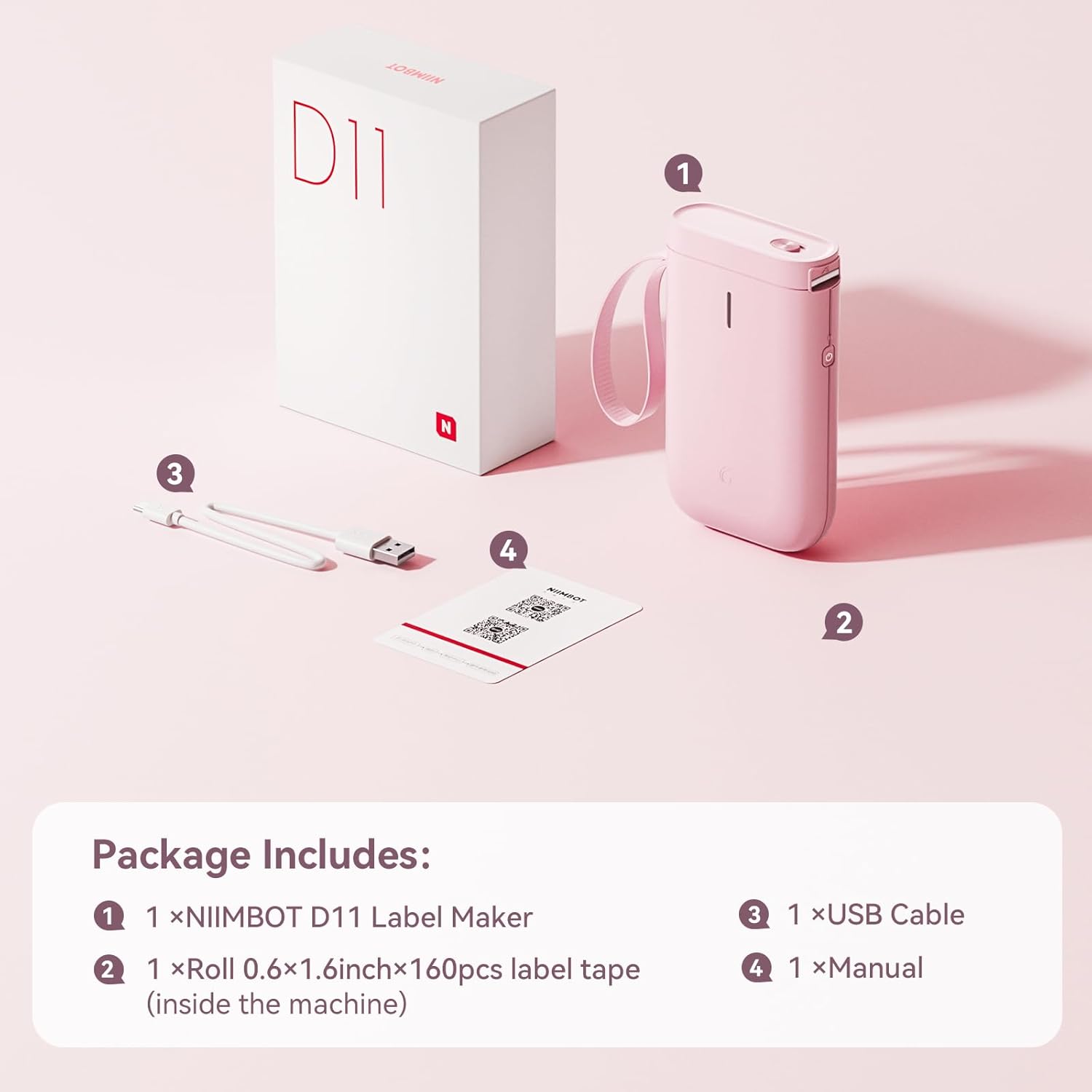
Image: Visual representation of the NIIMBOT D11 Label Maker package contents, including the device, USB cable, label roll, and manual.
3. Орнату
3.1 Құрылғыны зарядтау
Before first use, fully charge the NIIMBOT D11 Label Maker using the provided USB cable. Connect the USB cable to the charging port on the device and a compatible USB power source. The LED indicator will show charging status. A full charge may take several hours.
3.2 Жапсырма қағазын салу
- Locate the paper cover switch on the top of the device.
- Slide the switch to open the paper cover.
- Ensure the label roll is inserted correctly. The tip of the label tape should face towards the power button.
- Қағаз қақпағын мықтап жабыңыз.
- Press and hold the power button for 0.5 seconds to allow the machine to automatically align the label paper.
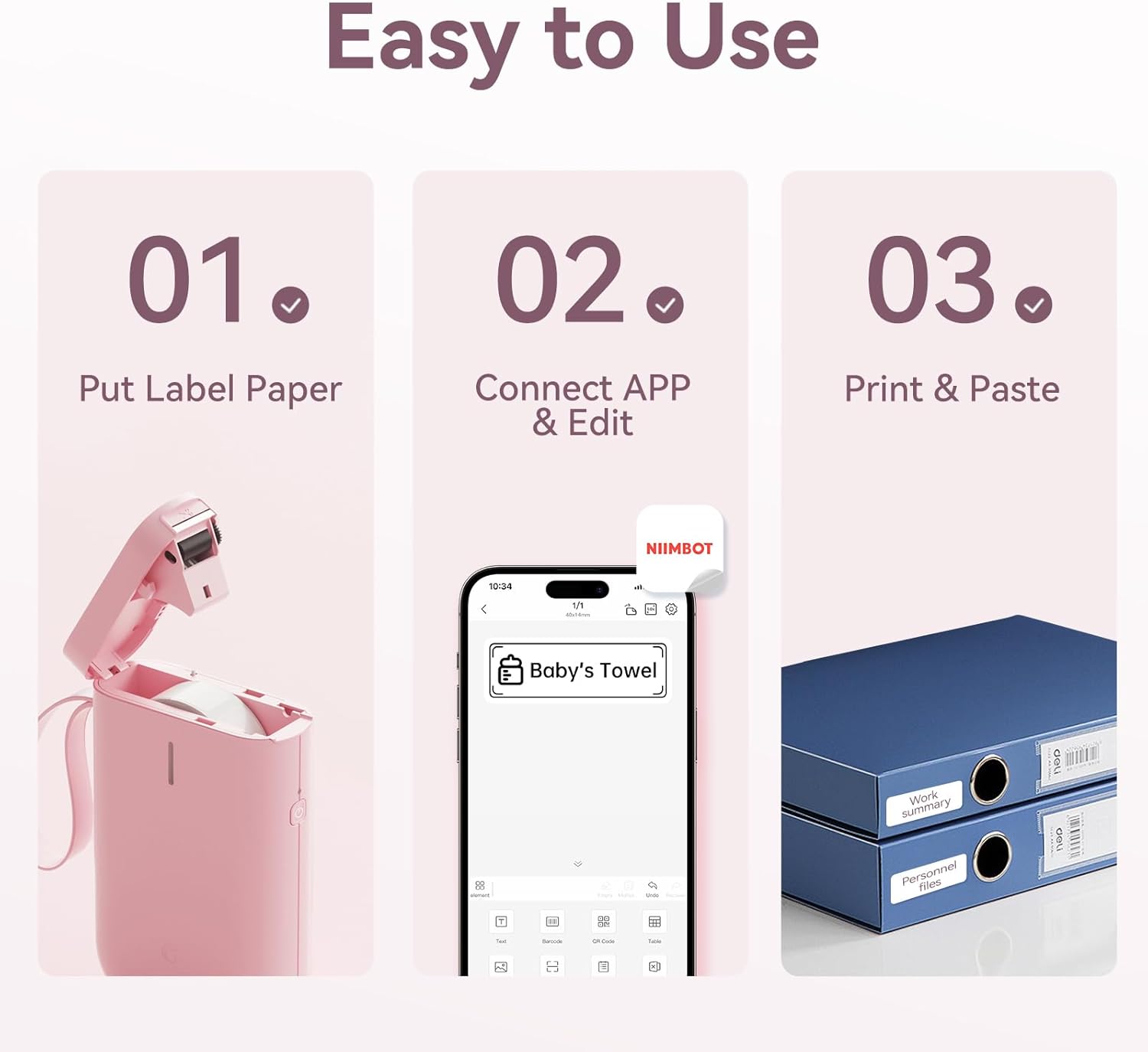
Image: Visual guide showing the three steps to load label paper, connect to the app, and print/paste labels.
Video: Detailed operation guide for the D11 Label Maker, including paper loading and basic functions.
3.3 Қолданбаны жүктеп алу және орнату
The NIIMBOT D11 operates via the NIIMBOT mobile application. Download the app from your device's app store:
- For iOS devices: Search "NIIMBOT" in the Apple App Store.
- For Android devices: Search "NIIMBOT" in the Google Play Store.
Қолданбаны смартфонға орнатыңыз.
3.4 Pairing with Your Mobile Device
- Turn on the NIIMBOT D11 Label Maker by pressing the power button for 3 seconds. The blue light will flash.
- Мобильді құрылғыда Bluetooth қосыңыз.
- NIIMBOT қолданбасын ашыңыз.
- In the app, search for nearby devices and select "D11" from the list to connect.
- Once connected, the app will automatically identify the label paper template.
4. Пайдалану нұсқаулары
4.1 Белгілерді жасау
The NIIMBOT app offers various features for label creation:
- Мәтін: Enter custom text, adjust font, size, and style.
- Белгішелер: Choose from a library of icons to enhance your labels.
- Штрих-кодтар/QR кодтары: Generate and print barcodes or QR codes for product identification or information.
- Үлгілер: Utilize pre-designed templates for common labeling needs (e.g., home organization, price tags).
- Суреттер: Қарапайым суреттерді белгілеріңізге салыңыз.
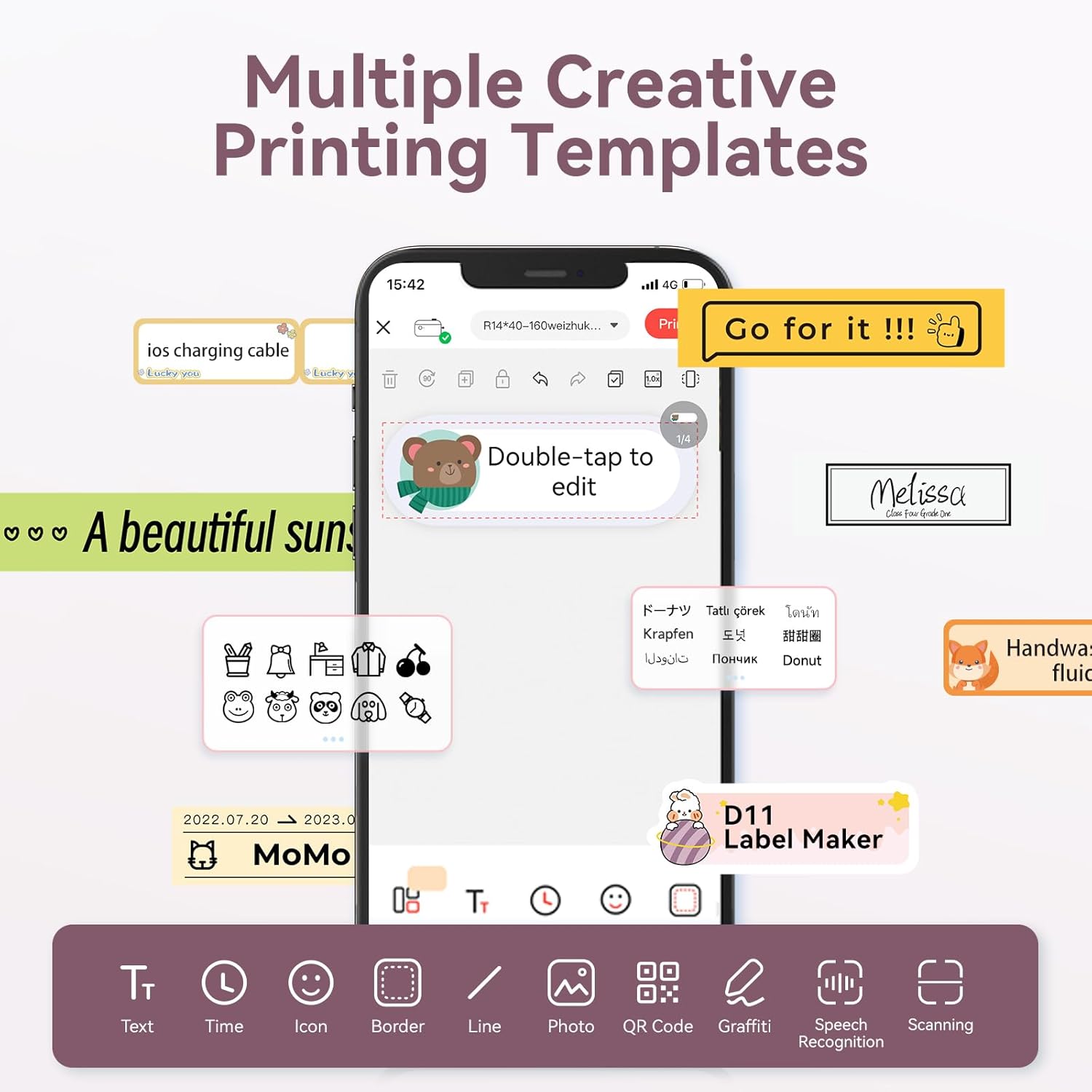
Image: The NIIMBOT app interface displaying various creative templates and editing options for labels.
4.2 Басып шығару жапсырмалары
Қолданбада жапсырмаңызды жасағаннан кейін:
- Review жапсырма алдындаview қолданбада.
- Adjust the number of copies and print density as needed.
- Click the "Print" button in the app. The label maker will print the labels.
- Gently tear off the printed labels from the machine.
Video: A demonstration of the D11 Label Maker in various scene applications, showcasing пайдаланудың қарапайымдылығы мен әмбебаптығы.
Бейне: біттіview of the D Series Label Maker with tape, highlighting its features and applications.
5. Қолданбалар
The NIIMBOT D11 Label Maker is versatile and suitable for various labeling needs:
- Үйді ұйымдастыру: Labeling containers, storage bins, pantry items, and personal belongings.
- Кеңсе және мектеп: Ұйымдастыру files, documents, stationery, and school supplies.
- Шағын бизнес: Creating price tags, product labels, and inventory identification.
- Арнайы белгілер: Cable identification, jewelry tags, and food date marking.

Image: Collage showing labels used for home organization (medicine box), office files, business products (sweater with barcode), and school items (notebook).

Сурет: Мысamples of labels demonstrating features like waterproof properties, food date marking, data cable organization, and personal item identification.
6. Техникалық қызмет көрсету
6.1 Тазалау
To maintain optimal printing quality, regularly clean the print head. Use a soft, lint-free cloth lightly dampened with isopropyl alcohol. Gently wipe the print head. Ensure the device is powered off before cleaning.
6.2 Сақтау
Жапсырма жасағышты салқын, құрғақ жерде, тікелей күн сәулесінен және жоғары температурадан алыс сақтаңыз. Ұзақ уақыт сақтаған кезде кез келген жапсырма орамдарын алып тастаңыз.
7. Ақаулықтарды жою
| Мәселе | Ықтимал себебі | Шешім |
|---|---|---|
| Құрылғы қосылмайды | Батарея төмен | Құрылғыны толығымен зарядтаңыз. |
| Bluetooth арқылы қосылу мүмкін емес | Bluetooth is off on phone; device not discoverable | Ensure phone's Bluetooth is on. Restart both device and phone. Re-pair in the app. |
| Нашар басып шығару сапасы | Dirty print head; incorrect label roll insertion; low print density setting | Clean the print head. Re-insert label roll correctly. Increase print density in app. |
| Жапсырмалар дұрыс берілмейді | Label roll jammed or incorrectly inserted | Open cover, check for jams, re-insert label roll, and perform auto-alignment. |
8. Техникалық сипаттамалар
- Модель атауы: D11
- Баспа технологиясы: Жылулық
- Қосылу мүмкіндігі: Блютез
- Максималды басып шығару жылдамдығы (монохромды): 20 бет/мин
- Ең көп қара және ақ басып шығару ажыратымдылығы: 203 нүкте/дюйм
- Батарея: 1 литий-ионды батарея (1200 мАч)
- Өнім өлшемдері: 4.2 x 2.9 x 1.2 дюйм
- Элемент салмағы: 12.6 унция
- Үйлесімді құрылғылар: Smartphones (iPhone, iOS & Android)
- Бақылау әдісі: Қолданба
- Арнайы мүмкіндіктер: Portable, Easy to Use, Clear Printing, Rechargeable
- Максималды медиа өлшемі: A3 өлшемінен кіші
- Sheet Size Options: 0.47''X1.57'', 0.55''x1.18'', 0.55''X1.57'', 0.47''X1.18'', 0.59''X1.18'' Inches
9. Кепілдік және қолдау
For warranty information and customer support, please refer to the official NIIMBOT website or contact their customer service directly. The user manual included in your package may also contain specific warranty details and contact information.
Қосымша ресурстар мен өнім туралы ақпарат алу үшін мына сайтқа кіріңіз Amazon сайтындағы NIIMBOT дүкені.