
Кіріспе
Thank you for choosing the Coby Pro Fitness True Wireless Earbuds. These earbuds are designed to provide a high-quality audio experience with features tailored for an active lifestyle. They offer a secure fit, sweat resistance, noise isolation, HD audio, and seamless connectivity with Bluetooth 5.3. This manual will guide you through the setup, operation, and maintenance of your new earbuds.
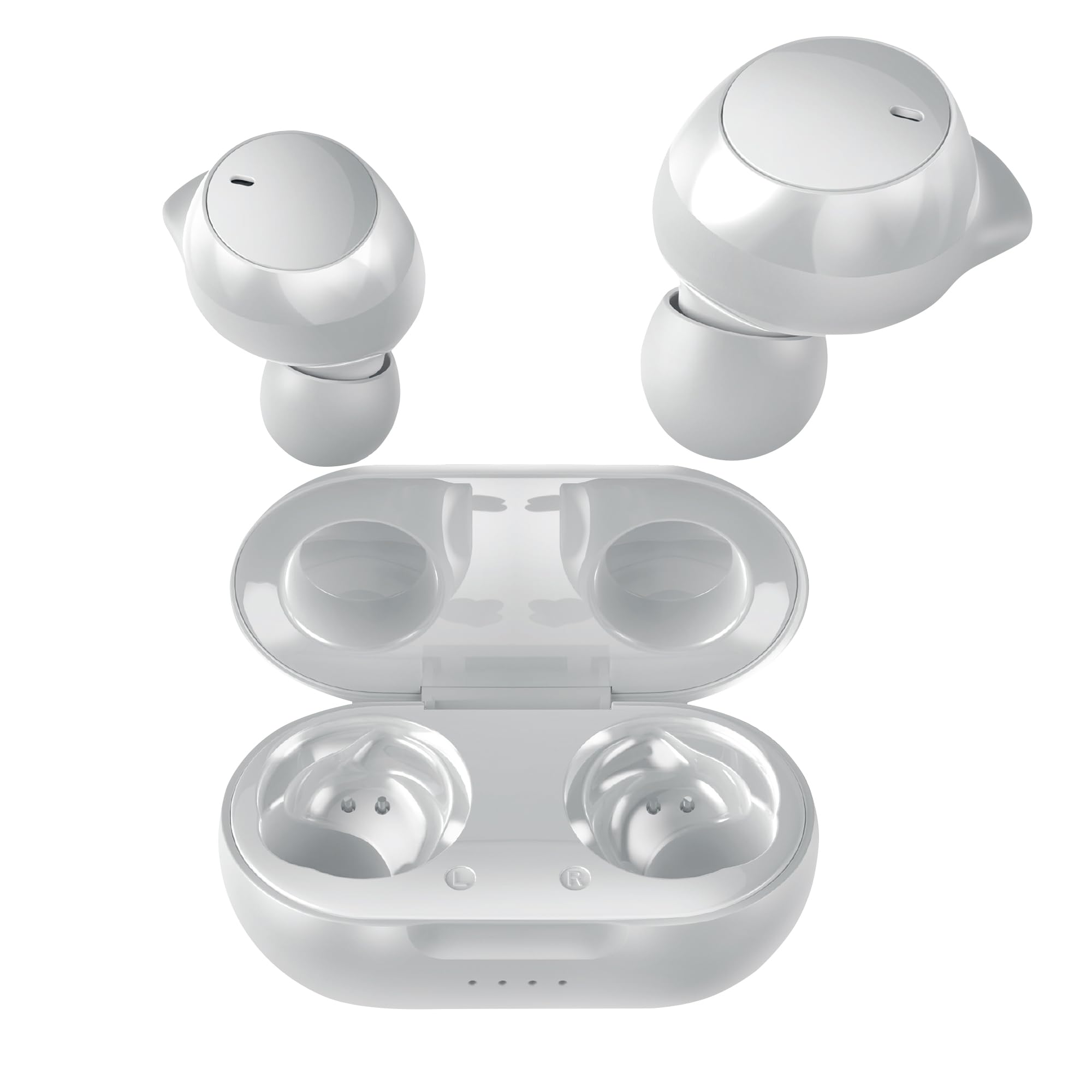
Image: Coby Pro Fitness True Wireless Earbuds and their charging case.
Орнату
Пакет мазмұны
- Coby Pro Fitness True Wireless Earbuds (Left and Right)
- Зарядтау қорабы
- USB зарядтау кабелі
- Силикон құлақ ұштарының бірнеше өлшемдері
- Пайдаланушы нұсқаулығы
Құлақаспаптар мен қорапты зарядтау
- Құлаққаптарды зарядтау қорабына салып, олардың тиісті ұяшықтарына дұрыс орнатылғанына көз жеткізіңіз.
- USB зарядтау кабелін корпустағы зарядтау портына жалғаңыз, ал екінші ұшын USB қуат көзіне (мысалы, қабырға адаптері, компьютердің USB порты) қосыңыз.
- The indicator lights on the charging case will illuminate to show charging status. A full charge typically takes approximately 1-2 hours for the earbuds and 2-3 hours for the case.
- Once fully charged, the indicator lights will change or turn off. Disconnect the charging cable.
Бастапқы жұптастыру
Follow these steps to pair your earbuds with your device for the first time:
- Ensure the earbuds are charged. Open the charging case. The earbuds will automatically enter pairing mode, indicated by a flashing LED light on one or both earbuds.
- Смартфонда, планшетте немесе басқа Bluetooth қосылған құрылғыда Bluetooth параметрлеріне өтіңіз.
- Іздеу available devices. You should see "Coby CETW553" or a similar name appear in the list.
- Select "Coby CETW553" to connect. Once connected, you will hear an audio prompt, and the earbud LED lights will stop flashing.

Image: Illustration of earbuds automatically pairing with a smartphone.
Құлаққаптарды тағу
For optimal sound quality and a secure fit, choose the correct size ear tips and insert the earbuds properly:
- Experiment with the different sizes of silicone ear tips provided to find the pair that creates a comfortable and snug seal in your ear canal. A good seal is crucial for noise isolation and bass response.
- Gently insert each earbud into your ear, twisting slightly until it feels secure and comfortable. The earbuds are ergonomically designed to stay in place during physical activity.

Image: A woman demonstrating the snug and secure fit of the ear tips.
Құлақаспаптарды пайдалану
Қуатты қосу/өшіру
- Қуат қосулы: Зарядтау қапшығын ашыңыз, сонда құлаққаптар автоматты түрде қосылады. Немесе екі құлаққаптағы сенсорлық басқару аймағын 3 секунд басып тұрыңыз.
- Қуат көзін өшіру: Place the earbuds back into the charging case and close the lid. They will automatically power off. Alternatively, press and hold the touch control area on both earbuds for 5 seconds.
Музыканы ойнату
- Ойнату/кідірту: Құлақаспаптағы сенсорлық басқару аймағын бір рет түртіңіз.
- Келесі трек: Оң жақ құлаққаптағы сенсорлық басқару аймағын екі рет түртіңіз.
- Алдыңғы трек: Сол жақ құлақаспаптағы сенсорлық басқару аймағын екі рет түртіңіз.
- Дыбыс деңгейі: Оң жақ құлаққаптағы сенсорлық басқару аймағын үш рет түртіңіз.
- Дыбыстың төмендеуі: Сол жақ құлаққаптағы сенсорлық басқару аймағын үш рет түртіңіз.
Қоңырауларды басқару
- Қоңырауға жауап беру/аяқтау: Құлақаспаптағы сенсорлық басқару аймағын бір рет түртіңіз.
- Қоңырауды қабылдамау: Құлақаспаптағы сенсорлық басқару аймағын 2 секунд басып тұрыңыз.
Дауыстық көмекші
The earbuds are compatible with Siri and Google Assistant. To activate your device's voice assistant:
- Дауыстық көмекшіні іске қосыңыз: Қоңырауда болмаған кезде кез келген құлаққаптағы сенсорлық басқару аймағын 2 секунд басып тұрыңыз.

Image: Earbuds shown with compatibility logos for Siri and Google Assistant.
Техникалық қызмет көрсету
Тазалау
- Оңтайлы жұмыс істеу және гигиенаны қамтамасыз ету үшін құлаққаптар мен зарядтау қорабын үнемі тазалап отырыңыз.
- Use a soft, dry, lint-free cloth to wipe the exterior surfaces of the earbuds and case.
- For ear tips, remove them from the earbuds and wash with mild soap and water. Rinse thoroughly and allow them to dry completely before reattaching.
- Gently remove any earwax or debris from the earbud mesh using a clean, dry cotton swab or a small, soft brush. Avoid using sharp objects.
Сақтау
- When not in use, always store the earbuds in their charging case to protect them from damage and keep them charged.
- Store the charging case and earbuds in a cool, dry place, away from extreme temperatures, humidity, and direct sunlight.
Ақаулықтарды жою
| Мәселе | Шешім |
|---|---|
| Құлақаспаптар құрылғымен жұптаспайды |
|
| Тек бір құлаққап жұмыс істейді |
|
| Дыбыс жоқ немесе дыбыс деңгейі төмен |
|
| Зарядтау қорабы зарядталмайды |
|
Техникалық сипаттамалар
| Ерекшелік | Мәлімет |
|---|---|
| Үлгі нөмірі | COBY-CETW553 |
| Қосылу технологиясы | Сымсыз (Bluetooth) |
| Bluetooth нұсқасы | 5.3 |
| Құлақтың орналасуы | Құлақта |
| Шуды бақылау | Дыбыс оқшаулау |
| Суға төзімділік деңгейі | Су өткізбейтін (тер өткізбейтін) |
| Battery Average Life (Earbuds) | 5 сағат (бір заряд) |
| Жиілік диапазоны | 20 Гц - 20 000 Гц |
| Аудио драйвер түрі | Динамикалық драйвер |
| Бақылау әдісі | Дауыс, түрту |
| Үйлесімді құрылғылар | Smartphones, Tablets, Smart Speakers, Laptops, Desktops |
| Материал | Силикон (құлақ ұштары) |
| Элемент салмағы | 1.4 унция |
Кепілдік туралы ақпарат
The Coby Pro Fitness True Wireless Earbuds (Model CETW553) come with a 90 күндік өндірушінің кепілдігі. This warranty covers defects in materials and workmanship under normal use. Please retain your proof of purchase for warranty claims. For specific terms and conditions, or to initiate a warranty claim, please refer to the official Coby webсайтқа немесе тұтынушыларға қолдау көрсетуге хабарласыңыз.
Қолдау
If you encounter any issues not covered in this manual or require further assistance, please visit the official Coby website for FAQs, support resources, and contact information. You can typically find support details on the product page or in the 'Support' section of the Coby brand webсайт.