
1. Кіріспе
This manual provides essential information for the safe and effective operation of your MOKA SFX CO2 Jet Machine. This device is designed to produce dramatic CO2 fog effects for various events such as nightclubs, parties, and stage shows. Please read this manual thoroughly before setup, operation, or maintenance to ensure proper usage and prevent potential hazards.
2. Қауіпсіздік туралы маңызды ақпарат
- CO2 Gas Handling: Always use CO2 cylinders with appropriate pressure ratings and ensure secure connections. CO2 is an asphyxiant; use only in well-ventilated areas.
- Жеке қорғаныс құралдары: Wear appropriate eye and hand protection when handling CO2 cylinders and connecting hoses.
- Орналастыру: Position the machine on a stable, level surface. Ensure the jet is directed away from people, animals, and sensitive equipment. Maintain a safe distance from the jet output.
- Электр қауіпсіздігі: Connect the machine to a grounded power outlet. Do not operate with damaged cables or if the machine shows signs of malfunction.
- Температура: Do not expose the machine to extreme temperatures or direct sunlight.
- Балалар және рұқсат етілмеген персонал: Keep the machine out of reach of children and ensure only trained personnel operate the device.
- Төтенше жағдайлар тәртібі: In case of a CO2 leak, immediately ventilate the area and shut off the CO2 supply. Seek medical attention if symptoms of CO2 exposure occur (dizziness, shortness of breath).
3. Пакет мазмұны
Қаптаманы ашқаннан кейін төменде көрсетілген барлық заттардың бар екенін және зақымдалмағанын тексеріңіз:
- 1x MOKA SFX CO2 Jet Machine
- 1x 6-meter Gas Hose
- 1x қуат кабелі
- 1x Пайдаланушы нұсқаулығы
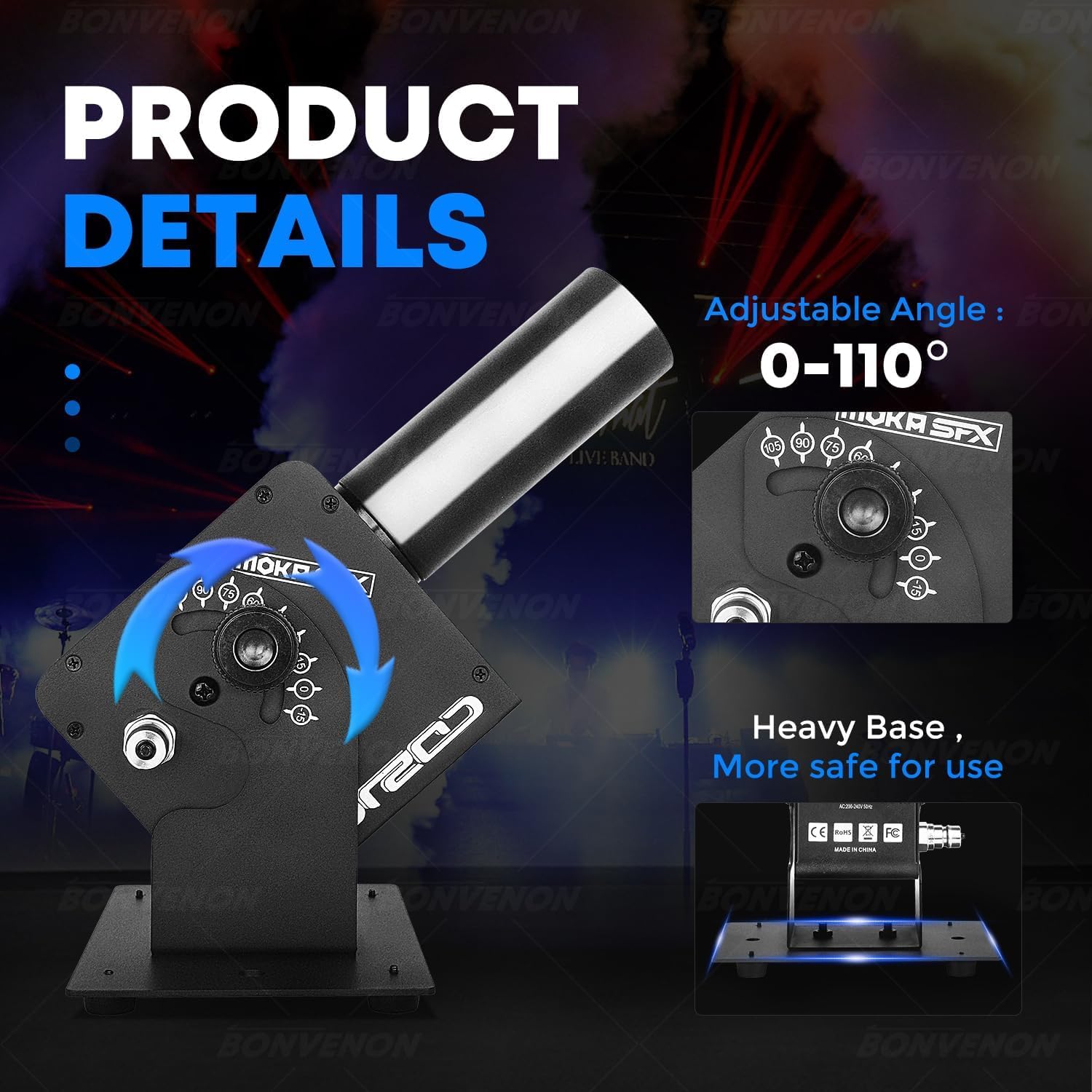
Image: Package contents including the CO2 jet machine, gas hose, power cable, and manual.
4. Техникалық шарттар
| Ерекшелік | Мәлімет |
|---|---|
| Бренд | MOKA SFX |
| Модель атауы | CO2 Jet Machine |
| Үлгі нөмірі | BV0429 |
| Түс | Қара |
| Материал | Металл, пластик |
| Операциялық томtage | Айнымалы ток 100-240В, 50/60Гц |
| Өнімнің қуаты | 25 Вт |
| Jet Height | 8-10 метр |
| Реттелетін бұрыш | 0-110 градус |
| Electric Valve Pressure | 1400Psi |
| Жұмыс режимі | Электрмен басқару |
| Элемент өлшемдері (L x W x H) | 10 x 2 x 2.72 дюйм (шамамен 25.4 x 5.08 x 6.9 см) |
| Салмағы | 6 кг (шамамен 13.2 фунт) |
| Қосқыш түрі | Жылдам қосқыш |

Image: Visual representation of product parameters and dimensions.
5. Орнату нұсқаулары
- Орналастыру: Place the CO2 Jet Machine on a stable, flat surface. The heavy base ensures stability during operation. Ensure there is sufficient clear space above and in front of the nozzle for the CO2 jet.
- Газ түтігін жалғау: Connect one end of the provided 6-meter gas hose to the CO2 Jet Machine's quick connector. Securely attach the other end to your CO2 gas cylinder. Ensure all connections are tight to prevent leaks.
- Қуат қосылымы: Connect the power cable to the machine's power input and then to a suitable grounded electrical outlet (AC100-240V, 50/60Hz).
- Бұрышты реттеу: The jet direction can be adjusted within a 0-110 degree range. Loosen the adjustment knob, set the desired angle, and tighten the knob to secure the position.
- DMX қосылымы (қосымша): For advanced control, connect a DMX controller to the DMX IN port. You can daisy-chain multiple units using the DMX OUT port.
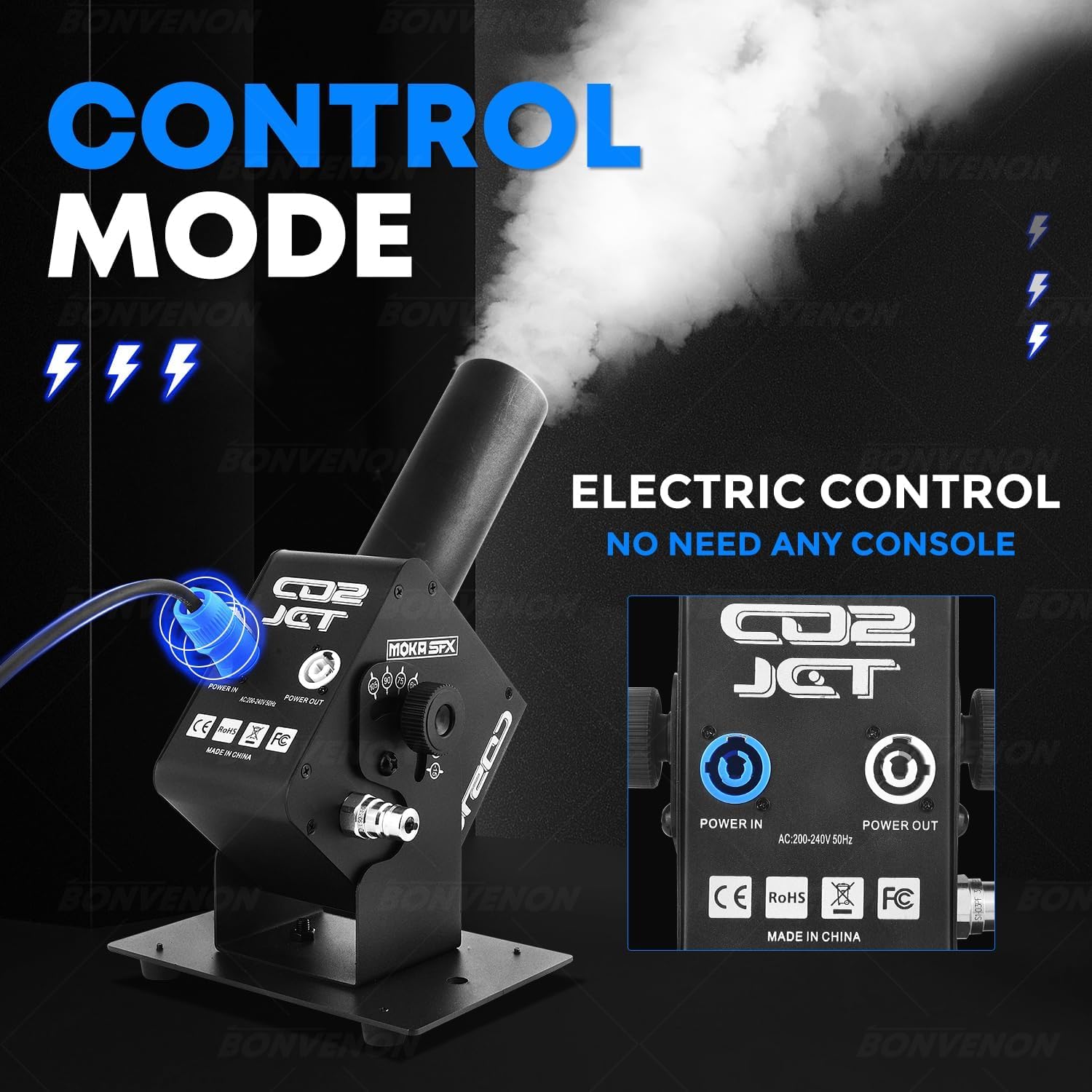
Сурет: артқы view of the CO2 Jet Machine showing power input/output and control panel.

Image: Close-up of the adjustable angle mechanism on the CO2 Jet Machine.
6. Пайдалану нұсқаулары
- Қуат қосулы: Turn on the main power switch on the machine. The display will illuminate.
- Open CO2 Cylinder Valve: Slowly open the valve on the CO2 gas cylinder. You may hear a hiss as the gas fills the hose.
- Спрейді бастау: The machine supports electronic control. Once powered and connected to the gas cylinder, it is ready to spray. Depending on the model, this can be triggered via a button on the unit, a remote control (if included), or a DMX controller.
- Adjusting LED Effects: If your model includes LED lights, use the control panel buttons (MENU, UP, DOWN, ENTER) to select desired color modes or effects.
- DMX басқару: If using DMX, ensure your DMX controller is properly configured to the machine's DMX channels. Refer to the DMX channel chart in the full manual for detailed programming.
- Операцияны тоқтату: To stop the CO2 jet, release the trigger or deactivate the DMX channel. To completely shut down, close the CO2 cylinder valve first, allow any remaining gas in the hose to dissipate, then turn off the machine's power switch.
Video: Demonstration of the CO2 jet machine in operation, showing the powerful fog effect.
Video: A Super LED CO2 Jet Machine in action, showcasing various LED color effects combined with CO2 output.
7. Техникалық қызмет көрсету
- Тазалау: Regularly wipe down the exterior of the machine with a soft, dry cloth. Do not use abrasive cleaners or solvents.
- Қосылымды тексеру: Before each use, inspect the gas hose and all connections for any signs of wear, damage, or leaks. Replace damaged components immediately.
- Сақтау орны: Store the machine in a cool, dry place away from direct sunlight and extreme temperatures. Disconnect the CO2 cylinder and power when not in use.
8. Ақаулықтарды жою
| Мәселе | Ықтимал себебі | Шешім |
|---|---|---|
| No CO2 jet when triggered | CO2 cylinder valve closed; empty cylinder; hose kinked or disconnected; power issue. | Open CO2 valve; replace cylinder; check hose for obstructions/connections; verify power supply. |
| Weak CO2 jet | Low CO2 pressure; partially closed valve; hose obstruction. | Check cylinder pressure; fully open valve; inspect hose. |
| Жарықдиодты шамдар жұмыс істемейді | Power issue; DMX signal problem (if applicable); internal fault. | Check power connection; verify DMX settings; contact support if problem persists. |
| Газдың ағуы анықталды | Loose connections; damaged hose/seal. | Immediately close CO2 valve. Tighten all connections. Inspect hose and seals for damage and replace if necessary. |
9. Кепілдік және қолдау
For warranty information and technical support, please refer to the official MOKA SFX webсайтына өтіңіз немесе тұтынушыларға тікелей хабарласыңыз. Сатып алуды растау ретінде сатып алу түбіртегіңізді сақтаңыз.
Қосымша қорғаныс жоспарларын бөлек сатып алуға болады.