
1. Кіріспе
This manual provides detailed instructions for the installation, operation, and maintenance of your Tiandy TC-C32XN 2MP Fixed IP Dome Turret Camera. Please read this manual thoroughly before using the product to ensure correct usage and optimal performance. Keep this manual for future reference.
2. Қауіпсіздік туралы ақпарат
- Ensure the power supply matches the camera's requirements to prevent damage.
- Камераны шамадан тыс температураға, ылғалдылыққа немесе коррозиялық ортаға ұшыратпаңыз.
- Камераны ұзақ уақыт бойы күшті жарық көздеріне тікелей бағыттамаңыз, себебі бұл кескін сенсорын зақымдауы мүмкін.
- Handle the camera with care. Do not drop or subject it to strong vibrations.
- All installation and service should be performed by qualified personnel.
- Тазалау немесе техникалық қызмет көрсету алдында электр қуатын ажыратыңыз.
3. Пакет мазмұны
Пакетте барлық элементтердің бар екенін тексеріңіз:
- Tiandy TC-C32XN 2MP Fixed IP Dome Turret Camera
- Адаптер
- Бекіту бұрандалары мен қабырға тығындары
- Жылдам бастау нұсқаулығы (бар болса)
4. Өнім аяқталдыview
The Tiandy TC-C32XN is a 2MP Fixed IP Dome Turret Camera designed for reliable surveillance. It features Smart IR for clear night vision up to 30 meters, a built-in microphone, and an SD card slot for local storage.

4.1-сурет: Алдыңғы view of the Tiandy TC-C32XN camera, showing the lens and IR illuminators.
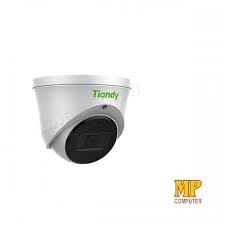
4.2-сурет: жағы view of the Tiandy TC-C32XN camera, highlighting its dome turret form factor.
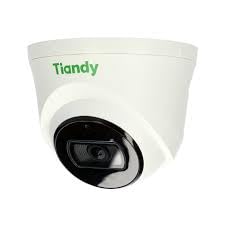
4.3-сурет: Бұрыштық view of the Tiandy TC-C32XN camera, showcasing оның ықшам дизайны.
5. Орнату және орнату
5.1 Монтаждау
- Орынды таңдаңыз: Choose a suitable outdoor or indoor location (IP67 rated for outdoor use) that provides the desired viewing angle and is within reach of power and network connections. The camera is designed for protruding mounting.
- Бұрғылау саңылаулары: Use the provided mounting template (if applicable) to mark and drill holes for the mounting screws.
- Камераны қорғаңыз: Attach the camera base securely to the mounting surface using the provided screws and wall plugs.
5.2 Электр желілері
- Қуат қосылымы: Connect the provided adapter to the camera's power input and then to a power outlet. The camera operates on corded electric power.
- Желілік байланыс: Connect an Ethernet cable from your network router or PoE switch to the camera's Ethernet port. This camera supports Ethernet connectivity for data transmission.
5.3 Бастапқы конфигурация
- Қуат қосулы: Once wired, power on the camera.
- Network Discovery: Use the Tiandy client software or a network scanner tool to discover the camera's IP address on your local network.
- Камераға кіру: ашу а web шолғышты ашыңыз және оған кіру үшін камераның IP мекенжайын енгізіңіз web interface. Log in using the default credentials (refer to the quick start guide for default username/password).
- Әдепкі құпия сөзді өзгерту: Қауіпсіздік үшін, бірінші рет кірген кезде әдепкі құпия сөзді дереу өзгертіңіз.
- NVR интеграциясы: If using with an NVR, add the camera to your NVR system following the NVR's instructions. This camera is compatible with all brand NVRs.
- Мобильді қолданбаны орнату: Download the official Tiandy mobile application (available for Android and iOS) and follow the in-app instructions to add your camera for remote viewенгізу және бақылау.
6. Пайдалану нұсқаулары
6.1 Тікелей View және Жазу
Камераның тікелей эфиріне қол жеткізіңіз view арқылы web interface, NVR, or mobile app. Configure recording schedules and methods (continuous, motion-triggered) via the camera's settings.
6.2 Smart IR and Night Vision
The camera features Smart IR technology, which automatically adjusts the intensity of its infrared LEDs to prevent overexposure of objects close to the camera, ensuring clear images in low-light conditions up to 30 meters. It also supports 'Night Color' low light technology for enhanced visibility.
6.3 Қозғалысты анықтау және ескертулер
Configure motion detection zones and sensitivity in the camera settings. The camera supports 'Motion Only' alert types. When motion is detected, the camera can trigger recordings, send notifications to your mobile device, or activate other configured actions. It also supports advanced features like tripwire and perimeter intrusion detection.
6.4 Аудио функциясы
The built-in microphone allows for audio monitoring of the surveillance area. Audio settings can be adjusted in the camera's web интерфейс немесе NVR.
6.5 SD Card Storage
Insert a compatible SD card into the camera's SD card slot for local storage of recordings. Ensure the card is formatted correctly via the camera's settings. The camera supports SD flash memory type.
6.6 Қалпына келтіру түймесі
A reset button is included for restoring the camera to its factory default settings. Consult the quick start guide for the exact location and procedure for your model.
7. Техникалық қызмет көрсету
- Тазалау: Камера объективі мен корпусын жұмсақ, құрғақ шүберекпен ақырын сүртіңіз. Қатты химиялық заттарды немесе абразивті тазартқыштарды қолданбаңыз.
- Микробағдарламаны жаңарту: Regularly check the Tiandy official website for firmware updates. Keeping your camera's firmware up-to-date ensures optimal performance and security.
- Кабельді тексеру: Periodically inspect all cables for signs of wear or damage, especially for outdoor installations.
8. Ақаулықтарды жою
- Қуат жоқ: Қуат адаптерінің мықтап жалғанғанына және розетканың жұмыс істеп тұрғанына көз жеткізіңіз.
- Бейне жоқ: Check network cable connections. Verify the camera's IP address and network settings. Ensure the camera is properly added to your NVR or viewбағдарламалық қамтамасыз ету.
- Төмен кескін сапасы: Clean the camera lens. Adjust focus if applicable. Check lighting conditions and camera placement.
- Желіге қосылу мәселелері: Verify router and network cable functionality. Restart the camera and network devices.
- Қол жеткізу мүмкін емес Web Интерфейс: Ensure your computer is on the same network segment as the camera. Verify the camera's IP address. Try resetting the camera to factory defaults if necessary (this will erase all settings).
9. Техникалық сипаттамалар
| Ерекшелік | Техникалық сипаттама |
|---|---|
| Үлгі | TC-C32XN |
| Тиімді тұрақты ажыратымдылық | 2 МП (1920x1080) |
| Кадр жиілігі | Секундына 30 кадр |
| Фото сенсор технологиясы | CMOS (1/2.8") |
| Түнгі көру диапазоны | 30 Metres (Smart IR) |
| Төмен жарық технологиясы | Түнгі түс |
| Оптикалық масштабтау | 3 x |
| Кірістірілген микрофон | Иә |
| SD картасы ұясы | Yes (Flash Memory Type: SD) |
| Ескерту түрі | Motion Only (supports tripwire and perimeter) |
| Қосылу технологиясы | Wireless (IR), Ethernet |
| Қуат көзі | Сымды электр |
| Халықаралық қорғау рейтингі | IP67 |
| Форма факторы | Dome Turret |
| Монтаждау түрі | Шығу |
| Операциялық жүйенің үйлесімділігі | Android, iOS |
| Өнім өлшемдері (L x W x H) | 50 x 50 x 70 Миллиметр |
| Элемент салмағы | 20 грамм |
| Қосылған құрамдас бөліктер | Адаптер |
| Түс | Ақ |
10. Кепілдік және қолдау
For warranty information and technical support, please refer to the warranty card included with your product or visit the official Tiandy website. Contact the seller or manufacturer directly for assistance with product issues or inquiries.


