
Кіріспе
The Coby Sports True Wireless Earbuds (Model CETW534) are designed to provide a high-quality audio experience for users with an active lifestyle. Featuring advanced Bluetooth 5.3 technology, secure-fit ear tips, and sweat resistance, these earbuds are built for comfort, stability, and reliable performance during workouts and daily activities. This manual provides comprehensive instructions for setting up, operating, maintaining, and troubleshooting your earbuds to ensure optimal use.
Пакет мазмұны
Пакетте барлық элементтердің бар екенін тексеріңіз:
- Coby Sports True Wireless Earbuds
- Зарядтау қорабы
- USB-C зарядтау кабелі
- Пайдаланушы нұсқаулығы
Өнім аяқталдыview
The Coby Sports True Wireless Earbuds are engineered for both sound quality and durability. They feature a compact design with secure-fit ear tips for stability during movement and noise-isolating technology for an immersive audio experience.

Image: Coby Sports True Wireless Earbuds shown with their open charging case.

Image: The earbuds are securely placed within their charging case.

Сурет: жарылған view diagram illustrating the internal components responsible for noise-isolating sound technology.
Орнату
1. Құлақаспаптар мен қорапты зарядтау
Before first use, fully charge the earbuds and the charging case. The case provides additional charges for extended playtime.
- Құлақаспаптарды зарядтау корпусына салыңыз. Олардың дұрыс орнатылғанына көз жеткізіңіз.
- USB-C зарядтау кабелін корпустағы зарядтау портына жалғап, екінші ұшын USB қуат көзіне қосыңыз.
- Корпустағы индикатор шамы зарядтау күйін көрсетеді. Толық зарядтау әдетте шамамен 1.5-2 сағатты алады.

Image: The Coby charging case connected via a USB Type-C cable for charging.

Image: Earbuds and their case being charged using a USB power adapter.
2. Bluetooth құрылғысымен жұптастыру
The earbuds feature one-step pairing for quick and easy connection.
- Зарядтау қорабын ашыңыз. Құлақаспаптар жұптау режиміне автоматты түрде кіреді.
- Смартфонда немесе Bluetooth қосылған құрылғыда Bluetooth параметрлеріне өтіңіз.
- Іздеу available devices and select "CETW534" from the list.
- Once connected, you will hear an audio prompt, and the device will show "Connected."

Image: A smartphone screen showing successful Bluetooth pairing with the 'CETW534' earbuds.
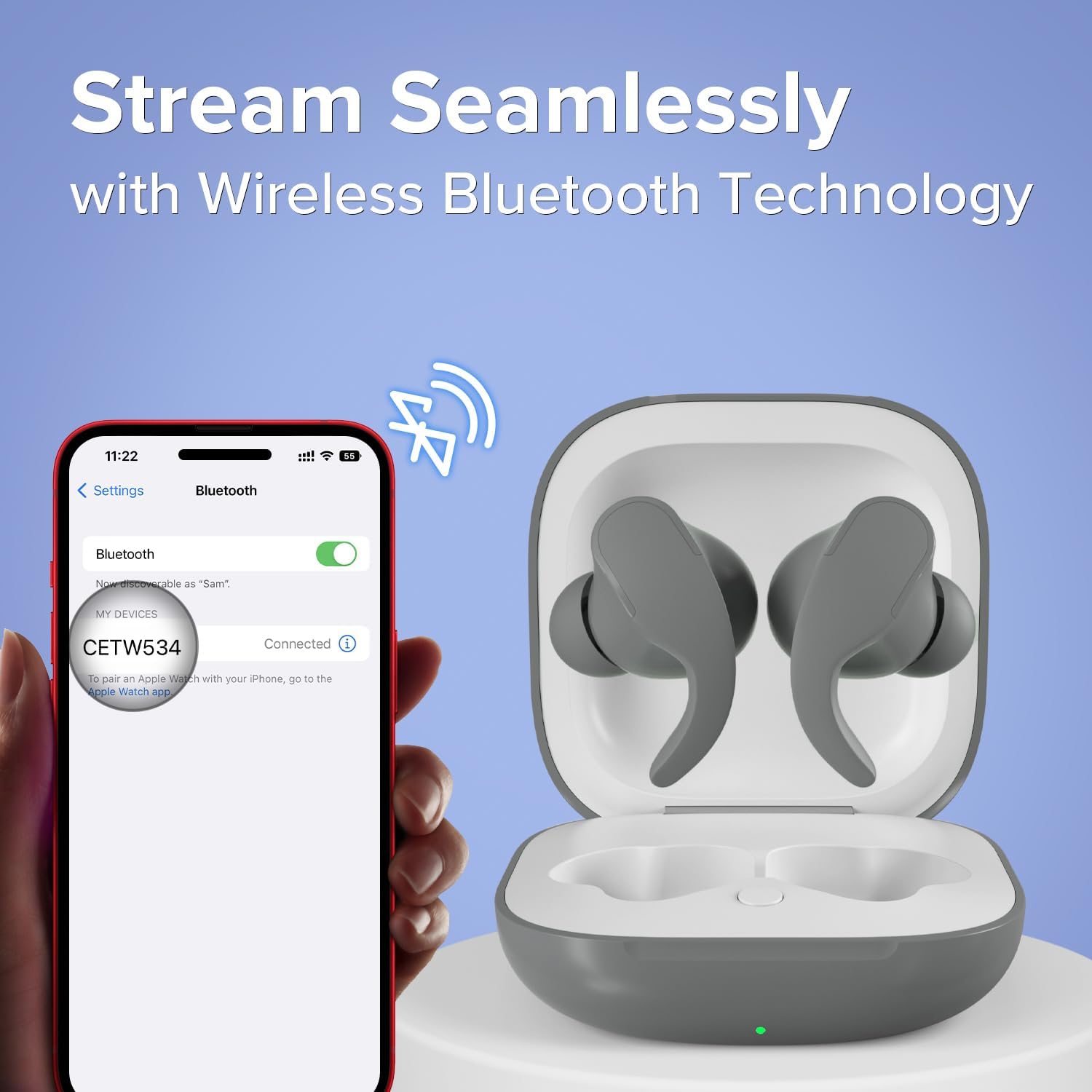
Image: A smartphone connected to the 'CETW534' earbuds via Bluetooth, with the earbuds in their open charging case.
Пайдалану нұсқаулары
1. Құлаққаптарды тағу
For optimal sound and secure fit, choose the ear tips that best suit your ears. Insert the earbuds gently into your ear canal and twist slightly to secure them. The secure-fit design ensures they stay in place during active movement.

Image: A person wearing the Coby Sports True Wireless Earbuds during a physical activity.

Image: An illustration of an earbud securely fitted in an ear, alongside an image of two individuals running, emphasizing the sweat-resistant and secure-fit design.
2. Басқару элементтерін түртіңіз
Құлаққаптарда дыбысты ойнату мен қоңырауларды басқаруға арналған интуитивті сенсорлық басқару элементтері бар.

Image: A person wearing the earbuds, with a separate depiction of the earbuds, illustrating the on-ear touch controls.
| Әрекет | Функция |
|---|---|
| Бір рет түрту (сол/оң) | Музыканы ойнату/кідірту, Қоңырауға жауап беру/аяқтау |
| Екі рет түрту (оң) | Келесі трек |
| Екі рет түрту (сол жақ) | Алдыңғы трек |
| Үш рет түрту (сол/оң) | Voice Assistant қолданбасын іске қосыңыз |
| Ұзақ басыңыз (2 секунд) | Қоңырауды қабылдамау |
3. Қуатты қосу/өшіру
- Қуат қосулы: Зарядтау қапшығын ашыңыз, сонда құлаққаптар автоматты түрде қосылып, соңғы жұптастырылған құрылғыға қосылуға әрекет жасайды.
- Қуат көзін өшіру: Құлақаспаптарды қайтадан зарядтау корпусына салып, қақпақты жабыңыз. Олар автоматты түрде өшіп, зарядтауды бастайды.
4. Музыканы ойнату
Once paired, you can control your music directly from the earbuds or your connected device. Enjoy crystal-clear, high-definition sound for an immersive listening experience.
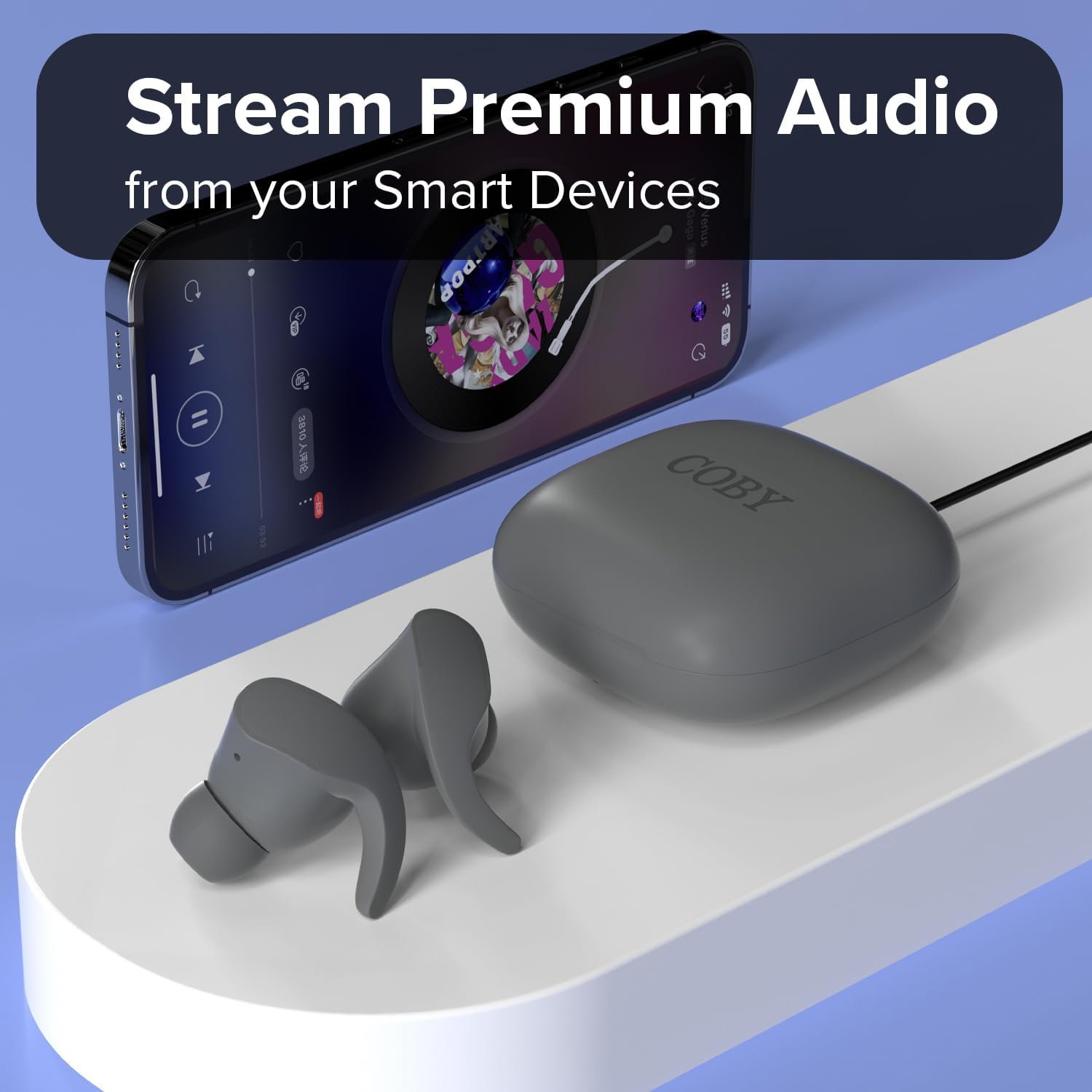
Image: The Coby earbuds and their charging case positioned near a smartphone displaying a music playback interface.

Image: A man wearing one earbud, illustrating the experience of crystal-clear, high-definition sound.

Image: A man wearing an earbud, highlighting the product's 12-hour uninterrupted talk and playtime capability.

Image: A woman wearing an earbud, conveying the message of enjoying music on your own terms, wherever you go.
5. Қоңырауларды басқару
Use the touch controls to manage incoming and outgoing calls as described in the 'Touch Controls' table.
Техникалық қызмет көрсету
1. Тазалау
- Regularly clean the ear tips and charging contacts with a soft, dry, lint-free cloth.
- Абразивті материалдарды немесе қатты химиялық заттарды пайдаланбаңыз.
- Зарядтау портына немесе динамик торларына ылғалдың кірмейтініне көз жеткізіңіз.
2. Сақтау
Қолданбаған кезде, құлаққаптарды шаңнан және зақымданудан қорғау және зарядталған күйде ұстау үшін оларды зарядтау қорабында сақтаңыз.
3. Sweat Resistance
The earbuds are sweat-resistant, making them suitable for workouts. However, they are not waterproof. Avoid submerging them in water or exposing them to heavy rain.
Ақаулықтарды жою
If you encounter issues with your Coby Sports True Wireless Earbuds, refer to the following common solutions:
| Мәселе | Шешім |
|---|---|
| Құлақаспаптар жұптаспайды | Ensure earbuds are charged. Place them back in the case, close, then reopen. On your device, forget the 'CETW534' connection and try pairing again. |
| Бір құлаққаптан дыбыс шықпайды | Check if both earbuds are charged. Try resetting the earbuds by placing them in the case and then taking them out. Re-pair if necessary. |
| Зарядтау қорабы зарядталмайды | Verify the USB-C cable is securely connected to both the case and the power source. Try a different cable or power adapter. |
| Аудио сапасы нашар | Ensure earbuds are clean and properly seated in your ears. Move closer to your connected device to avoid interference. |
Техникалық сипаттамалар
| Ерекшелік | Мәлімет |
|---|---|
| Бренд | Коби |
| Үлгі нөмірі | CETW534 |
| Түс | Сұр |
| Құлақтың орналасуы | Құлақта |
| Форма факторы | Құлақта |
| Шуды бақылау | Дыбыс оқшаулау |
| Bluetooth нұсқасы | 5.3 |
| Bluetooth диапазоны | 10 метр |
| Батареяның орташа қызмет ету мерзімі | 12 Hours (total playtime with charging case) |
| Суға төзімділік деңгейі | Water Resistant (Sweat-resistant) |
| Бақылау әдісі | түртіңіз |
| Элемент салмағы | 1.76 унция |
| UPC | 810071493706 |
Кепілдік туралы ақпарат
Бұл өнім а 90 күндік өндірушінің кепілдігі сатып алған күннен бастап. Бұл кепілдік қалыпты пайдалану кезіндегі материалдар мен жұмыс ақауларын қамтиды. Ол дұрыс пайдаланбаудан, жазатайым оқиғалардан, рұқсат етілмеген өзгертулерден немесе қалыпты тозудан туындаған зиянды қамтымайды. Кепілдік шағымдары үшін сатып алуды растайтын құжатты сақтаңыз.
Қолдау
For further assistance, technical support, or warranty inquiries, please contact Coby customer support. Refer to the contact information provided on the product packaging or the official Coby webсайт.