
Кіріспе
Welcome to your VTech VT680 Cordless Phone. This manual provides essential information for setting up, operating, and maintaining your new phone. The VTech VT680 is a DECT 6.0 cordless phone designed for reliable fixed-line communication.
Key features include Caller ID, a log of the last 10 received calls, a reminder alarm, and a 20-contact phonebook.

Image: VTech VT680 Cordless Phone handset and base unit positioned on a desk in a home office environment, alongside office supplies.
Пакет мазмұны
Пакетіңізде келесі элементтер бар екенін тексеріңіз:
- VTech VT680 Cordless Handset
- Зарядтау негізі
- Қуат адаптері
- Телефон сымы
- 2 AAA Rechargeable Batteries
- Пайдаланушы нұсқаулығы (бұл құжат)
Орнату
1. Батареяны орнату
1-қадам: Телефон тұтқасының артындағы батарея бөлімін табыңыз.
2-қадам: Бөлімнің ішінде көрсетілгендей дұрыс полярлықты (+ және -) сақтай отырып, екі AAA қайта зарядталатын батареяны салыңыз.
3-қадам: Батарея бөлігінің қақпағын мықтап жабыңыз.

Сурет: артқы view of the VTech VT680 cordless phone handset, showing the battery compartment area.
2. Негізгі блок қосылымы
1-қадам: Connect one end of the telephone line cord to the TEL LINE jack on the back of the charging base.
2-қадам: Телефон сымының екінші ұшын қабырғадағы телефон ұясына қосыңыз.
3-қадам: Connect the small end of the power adapter to the POWER jack on the back of the charging base.
4-қадам: Қуат адаптерінің үлкен ұшын стандартты электр розеткасына қосыңыз.

Сурет: Side profile of the VTech VT680 cordless phone handset docked in its charging base, illustrating its compact design.
3. Бастапқы зарядтау
Place the handset on the charging base. The handset display will show a charging indicator. Allow the handset to charge for at least 12 hours before initial use to ensure optimal battery performance and longevity.

Сурет: алдыңғы view of the VTech VT680 cordless phone handset docked in its charging base, displaying the screen and keypad.
Пайдалану нұсқаулары
Қоңырау шалу
- Тұтқаны алыңыз немесе түймесін басыңыз ТЕЛЕФОН түймесі.
- Пернетақта арқылы қажетті телефон нөмірін теріңіз.
- түймесін басыңыз ТЕЛЕФОН қоңырауды аяқтау үшін тағы бір рет басыңыз.
Қоңырауға жауап беру
Телефон шырылдаған кезде тұтқаны алыңыз немесе түймесін басыңыз ТЕЛЕФОН түймесі.
Using Caller ID
When a call comes in, the caller's name and number will appear on the handset display (requires subscription to Caller ID service from your telephone provider).
Қайтаview the call log, press the ҚОҢЫРАУ КІРУ түймесі. пайдаланыңыз UP және ТӨМЕН arrow buttons to scroll through the last 10 received calls.
Телефон кітапшасы
Телефон кітапшасы 20 контактіні сақтай алады.
Контакт қосу
- түймесін басыңыз МӘЗІР түймесі.
- Navigate to "Phonebook" and select "Add New Entry".
- Enter the contact's name and phone number using the keypad.
- түймесін басыңыз САҚТАУ жазбаны сақтау үшін.
Making a Call from Phonebook
- түймесін басыңыз ТЕЛЕФОН КІТАПШАСЫ түймесі.
- пайдаланыңыз UP және ТӨМЕН arrow buttons to find the desired contact.
- түймесін басыңыз ТЕЛЕФОН button to dial the contact.
Setting a Reminder Alarm
- түймесін басыңыз МӘЗІР түймесі.
- Navigate to "Alarm" or "Reminders" in the menu.
- Set the desired time and activate the alarm function.
- түймесін басыңыз САҚТАУ растау үшін.
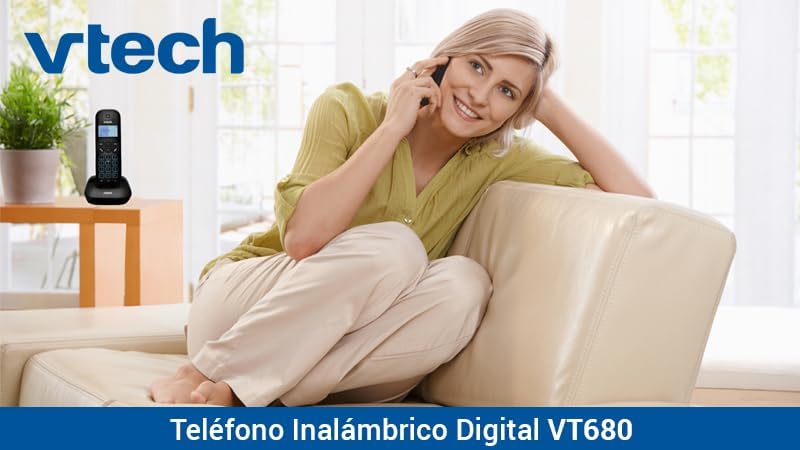
Image: A woman comfortably seated on a couch, engaged in a phone conversation using the VTech VT680 cordless phone.
Техникалық қызмет көрсету
Тазалау
Телефон тұтқасын және негізгі блокты жұмсақ, аздап сүртіңіз damp cloth. Do not use harsh cleaning agents, abrasive materials, or excessive liquid, as these can damage the device.
Батареяға күтім жасау
Use only the specified AAA rechargeable batteries. Replace batteries when they no longer hold a charge effectively or if you notice a significant decrease in talk time.
Ақаулықтарды жою
If you encounter any issues with your VTech VT680 Cordless Phone, please refer to the table below for common problems and their solutions.
| Мәселе | Шешім |
|---|---|
| Теру дыбысы жоқ | Ensure the telephone line cord is securely connected to both the base unit and the telephone wall jack. Verify the power adapter is properly connected to the base unit and a working electrical outlet. |
| Телефон тұтқасы зарядталмай жатыр | Ensure the handset is correctly seated in the charging cradle. Verify the power adapter is plugged in. Clean the charging contacts on both the handset and base unit with a dry cloth. |
| Қоңырау сапасы нашар немесе статикалық | Move closer to the base unit. Check for interference from other electronic devices (e.g., Wi-Fi routers, microwaves). Try relocating the base unit. |
| Caller ID not working | Ensure you are subscribed to Caller ID service from your telephone service provider. Contact your provider to confirm the service is active. |
Техникалық сипаттамалар
Техникалық сипаттамалар
- Бренд: VTech
- Үлгі: VT680
- Телефон түрі: Cordless, DECT 6.0 Technology
- Түсі: Қара
- Материал: Пластмасса
- Қуат көзі: Battery operated (2 AAA rechargeable batteries included)
- Dimensions (Handset on Base): Шамамен 16.8 x 7.8 x 15.8 см
- Салмағы: Шамамен 680 г
- Ерекше өзгешеліктері: Caller ID, 10-call log, Reminder Alarm, 20-contact Phonebook
- Желілік операция: Single-line operation
Кепілдік және қолдау
For detailed warranty information, technical support, or to register your product, please visit the official VTech website or contact VTech customer service. Specific warranty terms and support options may vary by region.