
Makeid L1
Makeid L1 Label Maker Machine User Manual
Model: L1 | Brand: Makeid
Кіріспе
This manual provides detailed instructions for the setup, operation, maintenance, and troubleshooting of your Makeid L1 Portable Wireless Sticker Label Maker Machine. Please read this manual thoroughly before using the device to ensure proper function and longevity.
Қорапта не бар
Барлық компоненттер пакетте бар екеніне көз жеткізіңіз:
- Makeid L1 Label Maker Machine
- 4-meter roll of label tape
- USB зарядтау кабелі
- Пайдаланушы нұсқаулығы (бұл құжат)
Өнім аяқталдыview
Familiarize yourself with the key components of your Makeid L1 Label Maker.

Сурет: Біттіview of the Makeid L1 Label Maker, highlighting the power button, the lid for tape replacement, and the integrated cutter for crisp labels.
- Қуат түймесі: Бүйірінде орналасқан, құрылғыны қосу/өшіру үшін қолданылады.
- Қақпақ: Opens to access the tape compartment for loading and replacing label rolls.
- Кірістірілген кескіш: Ensures clean and precise cuts of printed labels.
- Белгі шығару ұяшығы: Баспа жапсырмалары пайда болатын жер.
- Зарядтау порты: USB port for recharging the device.
Орнату
1. Құрылғыны зарядтау
Before first use, ensure the label maker is fully charged. Connect the provided USB charging cable to the device's charging port and a compatible USB power source (e.g., computer USB port, USB wall adapter). The indicator light will show charging status (refer to device specific light indicators for full/charging status).
2. Жапсырма таспасын салу
The Makeid L1 supports various label tape widths (9mm, 12mm, 16mm) and types (continuous, die-cut, transparent, white, colored, pattern). Ensure the tape is correctly oriented.
- Open the lid of the label maker.
- Insert the label roll into the compartment, ensuring the tape feeds out from the bottom and through the output slot.
- Қақпақты мықтап жабыңыз.
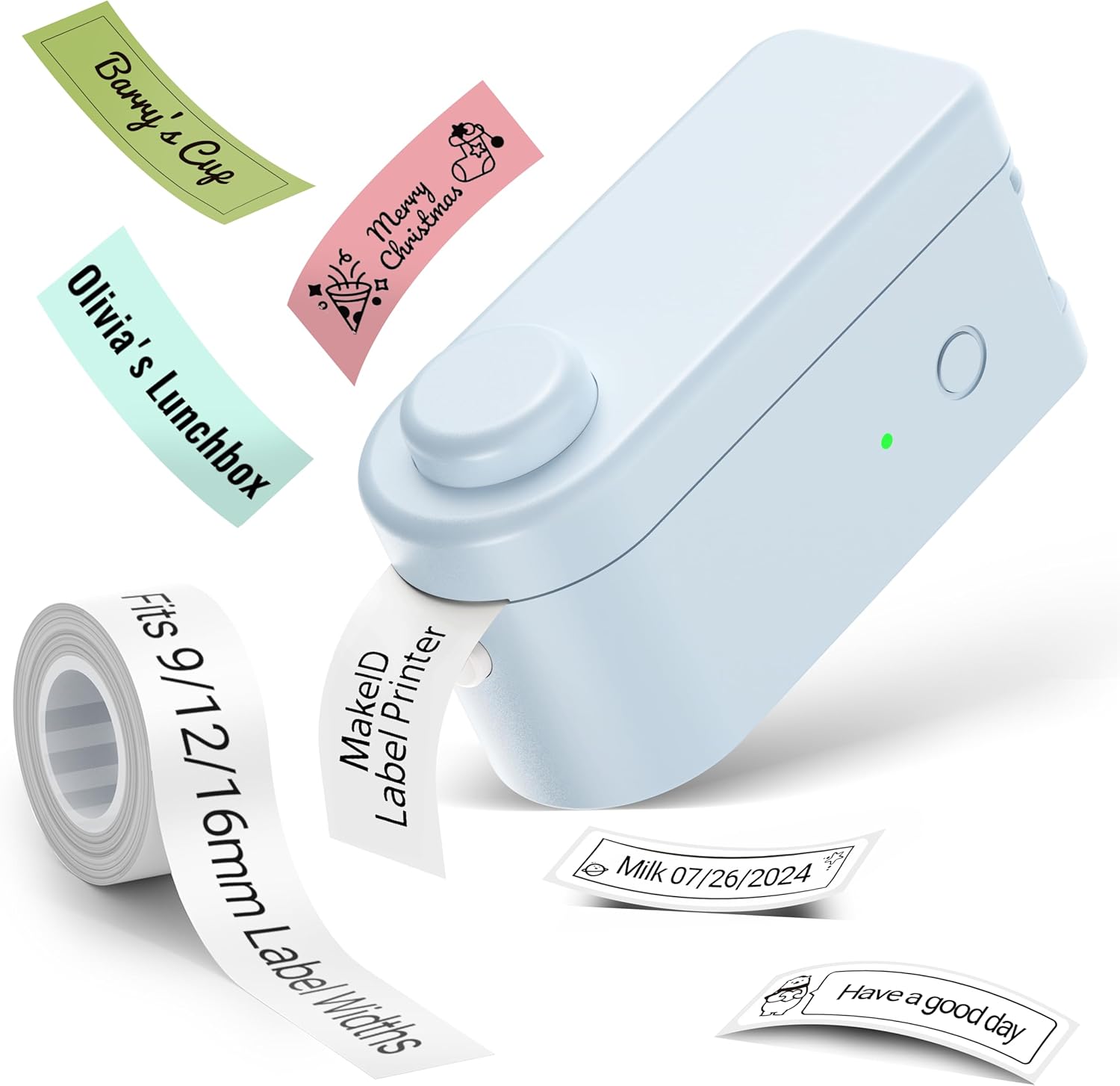
Сурет: The Makeid L1 Label Maker demonstrating the label tape roll and examples of printed labels, including continuous and die-cut types.
3. Қолданбаны жүктеу және орнату
The Makeid L1 operates via a dedicated mobile application. Іздеу "MakeID-Life" on your device's app store.

Сурет: Screenshots showing the "Get it on Google Play" and "Download on the App Store" buttons, indicating where to find the MakeID-Life application.
4. Bluetooth жұптастыру
The label maker connects to your smartphone via Bluetooth.
- Смартфонда Bluetooth қосылғанына көз жеткізіңіз.
- Turn on the Makeid L1 Label Maker by pressing the power button. The indicator light will flash, indicating it's ready for pairing.
- Open the "MakeID-Life" app. The app will automatically search for nearby devices.
- Select "L1" from the list of available devices to connect. Once connected, the indicator light on the label maker will become solid.

Сурет: A visual guide demonstrating the three steps for Bluetooth connection: turning on Bluetooth, selecting the L1 model within the app, and confirming the device connection.
Пайдалану нұсқаулары
1. Белгілеуді жобалау
The "MakeID-Life" app offers extensive customization options:
- Мәтін енгізу: Қалаған мәтініңізді теріңіз.
- Қаріптер: Choose from 88 different font styles.
- Белгішелер мен таңбалар: Access over 600 icons and various symbols.
- Үлгілер: Utilize over 400 pre-designed templates for various purposes (e.g., kitchen, office, school).
- Borders & Frames: Add decorative borders.
- Басқа функциялар: Create barcodes, QR codes, tables, dates, and patterns.
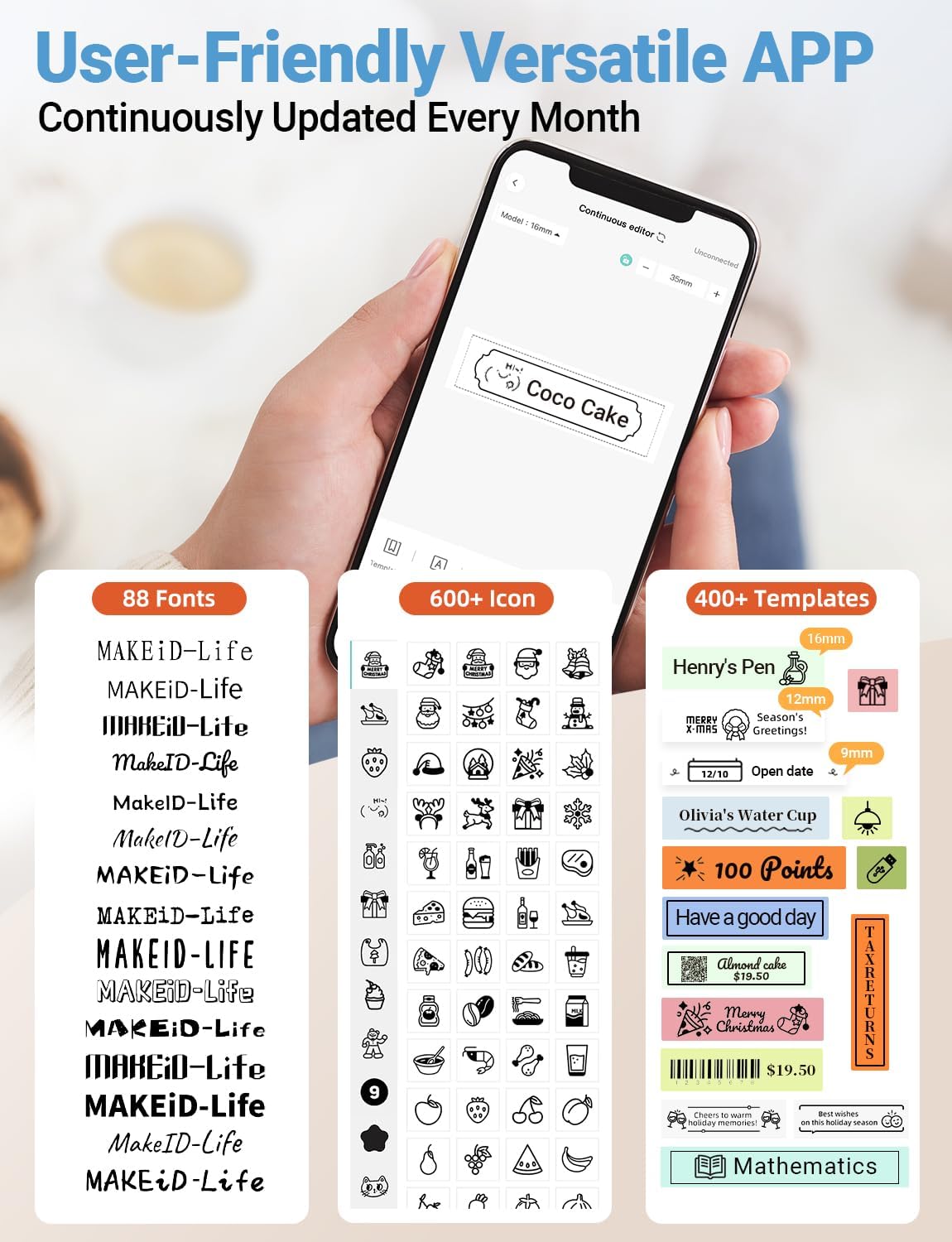
Сурет: Егжей-тегжейлі view of the MakeID-Life app interface, showcasing the wide selection of 88 fonts, over 600 icons, and more than 400 templates available for label customization.
2. Жапсырмаларды басып шығару
Once your design is complete in the app:
- Review қолданба экранындағы жапсырма дизайныңыз.
- Tap the "Print" button within the app.
- The label will be thermally printed and emerge from the output slot.
3. Кесу жапсырмалары
The Makeid L1 features a built-in cutter for clean edges.
- After printing, gently pull the label forward slightly.
- Press the cutting button (refer to the Product Overview image for location) to cleanly cut the label.

Сурет: Illustration of the Makeid L1's built-in cutter, demonstrating how it provides professional and safe cutting of labels, eliminating messy torn edges.
4. Types of Label Printing
The L1 supports two primary types of label printing:
- Continuous Labels: Ideal for custom lengths, allowing you to print text of any length and cut it precisely.
- Die-Cut Labels: Pre-sized labels with specific shapes, perfect for consistent labeling of items like jars or files.

Сурет: Visual representation of continuous labels, which can be cut to any length, and die-cut labels, which are pre-shaped for specific applications.
Техникалық қызмет көрсету
Басып шығару механизмін тазалау
To ensure optimal print quality, periodically clean the thermal print head.
- Turn off the label maker and disconnect it from the power source.
- Open the lid and remove the label tape.
- Gently wipe the print head with a soft, lint-free cloth dampизопропил спиртімен өңделген. Суды немесе абразивті тазартқыштарды пайдаланбаңыз.
- Allow the print head to dry completely before reinserting the tape and closing the lid.
Сақтау
Store the label maker in a cool, dry place away from direct sunlight and extreme temperatures. Remove the label tape if storing for extended periods.
Ақаулықтарды жою
Жалпы мәселелер және олардың шешімдері үшін төмендегі кестені қараңыз.
| Мәселе | Ықтимал себебі | Шешім |
|---|---|---|
| Құрылғы қосылмайды. | Батарея төмен. | Құрылғыны берілген USB кабелі арқылы зарядтаңыз. |
| Bluetooth арқылы қосылу мүмкін емес. | Bluetooth is off on phone; device not in pairing mode; app issue. | Ensure Bluetooth is enabled on your phone. Turn the label maker off and on again to re-enter pairing mode. Restart the "MakeID-Life" app. |
| Poor print quality / Faded prints. | Баспа басы кір; дұрыс емес жапсырма таспасы; батарея заряды аз. | Clean the print head. Ensure you are using Makeid compatible thermal label tape. Charge the device. |
| Label tape not feeding. | Tape incorrectly loaded; tape jammed. | Open the lid and re-insert the label tape correctly, ensuring it's not jammed. |
| Labels are not cutting cleanly. | Cutter blade dull or obstructed. | Ensure no debris is obstructing the cutter. If issues persist, contact customer support. |
Техникалық сипаттамалар
Detailed technical specifications for the Makeid L1 Label Maker Machine:
| Ерекшелік | Мәлімет |
|---|---|
| Бренд | Makeid |
| Модель атауы | L1 |
| Қосылу технологиясы | Блютез |
| Баспа технологиясы | Жылулық |
| Принтердің шығысы | Монохромды |
| Ажыратымдылық | 203 x 203 DPI (also 300 x 300 DPI for other variants) |
| Ең үлкен медиа өлшемі | 0.63 дюйм (16 мм) |
| Үйлесімді құрылғылар | Смартфондар (Android және iOS) |
| Бақылау әдісі | Қолданба |
| Аппараттық интерфейс | USB |
| Қуат көзі | 1 литий-иондық батарея (жинаққа кіреді) |
| Өнім өлшемдері | 3.93"D x 1.6"W x 1.96"H (10 x 4.06 x 4.98 см) |
| Элемент салмағы | 4.4 унция (126 грамм) |
| Арнайы мүмкіндіктер | Continuous & Pre-cut Label Tapes, Waterproof, Oil-proof, Friction Resistant, Light Resistant, No Fading, Rich Font Icon Pattern, Portable, Inkless, Wireless, Rechargeable, Creative Print Functions (Barcode, Text, Picture, QR 2D Code, Table, Date, Border, Icon, Shape, Pattern, Template) |
Кепілдік және қолдау
The Makeid L1 Label Maker comes with a Өмір бойы кепілдік. For technical support, warranty claims, or further assistance, please contact Makeid customer service through the official Makeid webсайтында немесе өнім қаптамасында берілген байланыс ақпаратында.
Қосымша ресурстар мен жиі қойылатын сұрақтар үшін мына сайтқа кіріңіз Makeid Store on Amazon.
Қауіпсіздік туралы ақпарат
- Құрылғыны өзіңіз бөлшектемеңіз немесе жөндеуге әрекет жасамаңыз.
- Құрылғыны судан және жоғары ылғалдылықтан алыс ұстаңыз.
- Use only original or certified compatible label tapes and charging cables.
- Балалардың қолы жетпейтін жерде сақтаңыз.
- Құрылғыны шектен тыс температураға немесе тікелей күн сәулесінің әсеріне ұшыратпаңыз.