
1. Кіріспе
This manual provides comprehensive instructions for the installation, operation, and maintenance of your BAANOOL BN-311B/C 2G GPS Tracker. This device is designed for real-time tracking of vehicles, motorcycles, and fuel cars, offering features such as anti-theft capabilities and location services without monthly subscription fees. Please read this manual thoroughly before using the device to ensure proper functionality and safety.
2. Пакет мазмұны
Төменде тізімделген барлық элементтер пакетіңізге қосылғанын тексеріңіз. Егер қандай да бір элемент жоқ немесе зақымдалған болса, тұтынушыларды қолдау қызметіне хабарласыңыз.

Image: Contents of the BAANOOL BN-311C package, including the GPS unit, remote controller, relay, harness, gift box, and user manual.
- 1 x GPS Unit (BAANOOL-311C)
- 1 x Remote Controller (for 311C model)
- 1 x реле
- 1 x Harness
- 1 x Пайдаланушы нұсқаулығы
- 1 x Сыйлық қорабы
According to product specifications, the package also includes a Battery, Charger, and USB Cable, which are essential for device operation and charging.
3. Техникалық сипаттамалар
Detailed technical specifications for the BAANOOL BN-311C GPS Tracker:
| Ерекшелік | Сипаттама |
|---|---|
| Өнім атауы | Сымсыз деректер терминалы |
| Үлгі | 311 |
| Өлшемдері (L×W×H) | 6.0 × 3.5 × 1.8 см |
| Салмағы | 50 г |
| Желі | GSM/GPRS (2G) |
| Топ | 850/900/1800/1900 МГц |
| GPS сезімталдығы | -165дБм |
| GPS дәлдігі | 5m |
| Алғашқы емдеу уақыты (суық тию) | 45 с |
| Алғашқы жөндеу уақыты (жылы) | 35 с |
| Алғашқы жөндеу уақыты (қатты) | 1s |
| Тtage Power | 12В-24В |
| Батарея | Зарядталатын 3.7 В 180 мАч литий-ионды батарея |
| Сақтау температурасы | -40°C - +85°C |
| Жұмыс температурасы | -20°C - +65°C |
| Ылғалдылық | 5%--95% non-condensing |
| Су өткізбейтін деңгей | IP67 |
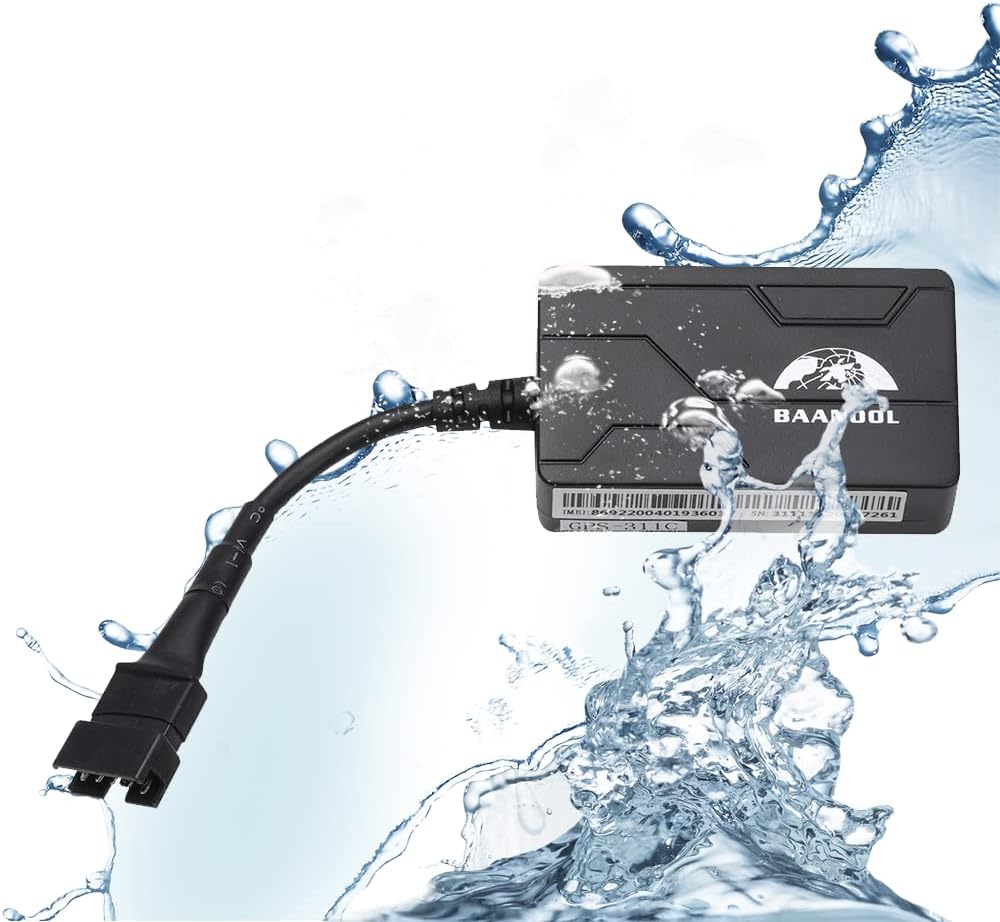
Image: Physical dimensions of the BAANOOL GPS-311C tracker, showing a length of 60mm, width of 35mm, and thickness of 18mm.

Image: The BAANOOL GPS tracker being splashed with water, illustrating its IP67 waterproof rating.
4. Орнату және орнату
The TK311 B/C GPS tracker requires installation to the on-board power supply of your vehicle. It supports 2G network connectivity. A SIM card (not included) is required for operation.
4.1 SIM картасын орнату
- SIM картасын салмас бұрын құрылғының өшірілгеніне көз жеткізіңіз.
- Құрылғыдағы SIM картасының ұясын табыңыз.
- Insert a valid 2G GSM SIM card into the slot. Ensure the SIM card has sufficient balance for GPRS data and SMS services.
- Су өткізбейтін тұтастығын сақтау үшін SIM картасы ұясының қақпағын мықтап жабыңыз.
4.2 Wiring Diagram and Connection
Connect the tracker to your vehicle's power supply using the provided harness. The device operates on 12V-24V DC power.

Image: The BAANOOL GPS tracker connected to a vehicle's battery terminals, demonstrating the power supply connection.
- Connect the red wire of the harness to the positive (+) terminal of the vehicle's battery.
- Connect the black wire of the harness to the negative (-) terminal of the vehicle's battery or chassis ground.
- Connect the orange wire to the ACC (Accessory) wire of the vehicle's ignition. This allows the device to detect ignition status.
- For the engine cut-off function, connect the relay as per the detailed wiring instructions provided in the full manual.
Ensure all connections are secure and insulated to prevent short circuits and damage.
5. Операция
The BAANOOL GPS tracker can be controlled and monitored via SMS commands, a dedicated mobile application, or a web платформа.
5.1 Мобильді қосымша және Web Платформа
Download the BAANOOL APP from the Apple App Store or Google Play Store. The web platform is accessible via a standard web browser. Both are provided free of charge, with no monthly fees.

Image: A smartphone screen showing the BAANOOL tracking application interface, displaying a map with device location and status information.

Image: A smartphone and a laptop screen both displaying the BAANOOL tracking platform, illustrating multi-device access.
5.2 Негізгі функциялар
- Нақты уақыттағы позициялау: Track the exact location of your vehicle in real-time.
- Тарихи қайталау: Review past routes and locations of the device.
- Жоғары жылдамдықтағы дабыл: Receive alerts if the vehicle exceeds a predefined speed limit.
- GEO-қоршау: Set up virtual boundaries and receive alerts when the vehicle enters or exits these areas.
- Қозғалтқышты өшіру: Remotely disable the vehicle's engine (for 311C model).
- Қозғалыс дабылы: Get notified if the vehicle moves unexpectedly.
- Қашықтан басқару пульті: Control certain functions using the included remote (for 311C model).
- Төмен батарея дабылы: Receive alerts when the device's internal battery is low.
- Power Disconnection Alarm: Get notified if the main power supply to the tracker is cut.
- Соқыр аймақ дабылы: Құрылғы GPS сигналы жоқ аймаққа кіргенде немесе шыққанда ескертеді.
- SOS дабылы: (for 311C model)

Image: Illustration of the Geo-fence feature, showing a vehicle within a safe area and an alarm triggered when another vehicle moves outside a defined boundary.

Image: A city street scene with multiple vehicles, overlaid with tracking icons and a smartphone displaying the tracking app, demonstrating fleet management capabilities and overspeed alerts.
6. Техникалық қызмет көрсету
- Keep the device clean and dry. Avoid exposure to extreme temperatures or direct sunlight for prolonged periods.
- Қауіпсіздігіне және коррозияға ұшырамайтынына көз жеткізу үшін барлық сым қосылымдарын жүйелі түрде тексеріңіз.
- Ensure the SIM card is properly inserted and has an active plan with data and SMS capabilities.
- Periodically check the device's battery status via the app or platform to ensure continuous operation.
7. Ақаулықтарды жою
If you encounter issues with your BAANOOL GPS tracker, refer to the following common problems and solutions:
| Мәселе | Ықтимал себебі | Шешім |
|---|---|---|
| Device offline on platform/app | No SIM card, SIM card not active, no GPRS data, poor 2G network signal, incorrect APN settings, device not powered. |
|
| Inaccurate location or no GPS signal | Device in an area with poor GPS signal (e.g., indoors, underground), GPS antenna obstructed, device not facing sky. |
|
| Қашықтан басқару пульті жұмыс істемейді | Battery in remote control is low, remote control out of range, device not receiving signals. |
|
For issues not covered here, please refer to the comprehensive troubleshooting section in the full user manual or contact BAANOOL customer support.
8. Кепілдік және қолдау
BAANOOL GPS trackers come with a 15-month warranty from the date of purchase. As an original manufacturer, BAANOOL provides complete after-sales service.
- Кепілдікпен қамту: Қалыпты пайдалану кезіндегі материалдар мен өңдеу ақауларын жабады.
- Ерекшеліктер: Does not cover damage caused by misuse, accidents, unauthorized modifications, or natural disasters.
- Тұтынушыларды қолдау: If you experience any problems with your device, please contact BAANOOL customer service for assistance. Provide your product model and purchase details when contacting support.

Image: A customer support representative wearing a headset, symbolizing the availability of lifetime customer support for BAANOOL products.