
1. Қауіпсіздік туралы маңызды ақпарат
Please read all safety instructions carefully before using the BYINTEK P70 Smart WiFi Projector. Keep this manual for future reference.
- Қуат көзі: Тек берілген қуат адаптерін пайдаланыңыз.tage проектордың талаптарына сәйкес келеді.
- Батарея қауіпсіздігі: The projector contains a built-in lithium-ion battery. Do not expose to extreme temperatures, puncture, or disassemble.
- Желдету: Проектордың қызып кетуіне жол бермеу үшін оның айналасындағы желдетуді дұрыс қамтамасыз етіңіз. Желдету саңылауларын жаппаңыз.
- Жылу: The projector may become warm during operation. This is normal. Avoid touching the lens or vents immediately after use.
- Жарық экспозициясы: l болғанда проектор объективіне тікелей қарамаңызamp қосулы, себебі жарқын жарық көздің шаршауына немесе зақымдануына әкелуі мүмкін.
- Су және ылғал: Keep the projector away from water, rain, and excessive humidity. Do not operate with wet hands.
- Тазалау: Тазалау алдында электр қуатын ажыратыңыз. Жұмсақ, құрғақ шүберекті пайдаланыңыз. Сұйық немесе аэрозольді тазартқыштарды қолданбаңыз.
- Балалар: Проекторды және оның керек-жарақтарын балалардың қолы жетпейтін жерде сақтаңыз.
2. Өнім аяқталдыview
The BYINTEK P70 is a portable smart DLP projector designed for versatile entertainment and presentation needs. It features an 8000mAh built-in battery, Android 9.0 operating system, auto-focus, and 3D support.
2.1 Пакет мазмұны
- BYINTEK P70 Projector x 1
- Қашықтан басқару пульті x 1
- Қуат адаптері x 1
- Шағын штатив x 1
- Сақ дорбасы x 1
- Пайдаланушы нұсқаулығы x 1
2.2 Негізгі мүмкіндіктер
- Портативті дизайн: Жеңіл тасымалдау үшін ықшам және жеңіл.
- Кірістірілген батарея: 8000mAh battery provides 1.5 to 3 hours of playback.
- Smart Android OS: Android 9.0 for app downloads, online streaming, and gaming.
- Автофокус: Automatic focus adjustment for clear images.
- 6D негізгі тасты түзету: Advanced keystone correction for flexible placement.
- 3D қолдауы: Enjoy immersive 3D content.
- Сымсыз байланыс: Supports wireless screen mirroring from Android, iOS, and PC devices.
- Сымды байланыс: USB data cable sync for iOS and select Android devices.
- Үлкен проекция өлшемі: Up to 200 inches.
- 4K Playback: Supports up to 4K video input.
- Ұзын жарықдиодты Lamp Өмір: 30,000 сағат.
- Қос стерео үндеткіштер: Integrated 2x5W speakers for clear audio.

Image: Infographic detailing the BYINTEK P70's features including 4K support, DLP display, 6D keystone, 8000mAh battery, 3D, Type-C charge, 2G+32G memory, Android OS, and stereo speakers.
3. Орнату
3.1 Charging the Projector
Before first use, fully charge the projector. Connect the provided power adapter to the projector's Type-C port and plug it into a power outlet. The charging indicator will show the charging status.

Image: The BYINTEK P70 projector connected to a power bank via a Type-C cable, illustrating its portable charging capability.
3.2 Алғашқы орналастыру
Проекторды тұрақты, тегіс бетке қойыңыз. Оңтайлы үшін viewing, position it directly in front of your projection screen or wall. The included mini tripod can be used for angle adjustments.
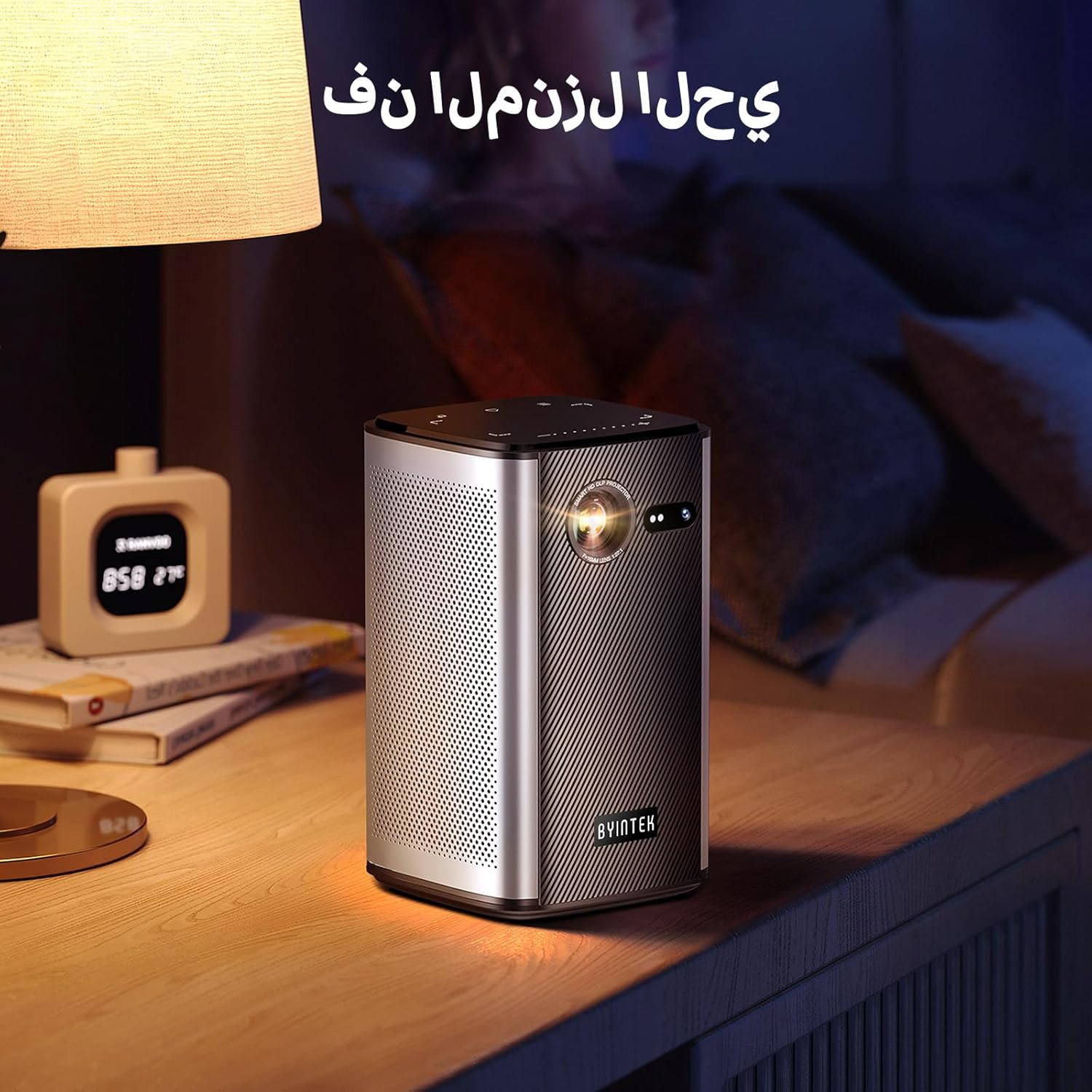
Image: The BYINTEK P70 projector placed on a bedside table, ready for indoor use.
3.3 Қуатты қосу/өшіру
Press and hold the power button on the projector or remote control to turn the device on or off.
3.4 Фокус пен негізгі тасты түзету
The BYINTEK P70 features automatic focus. For keystone correction, navigate to the settings menu using the remote control. The 6D keystone correction allows for precise image adjustment, even with side projection.

Image: A visual representation of the projector's auto-focus feature, showing a clear image projected onto a wall.
4. Пайдалану нұсқаулары
4.1 Android операциялық жүйесінде шарлау
Use the remote control to navigate the Android 9.0 interface. The home screen provides access to pre-installed apps and settings. You can download additional applications from the app store.

Image: The projector displaying its Android operating system interface with various application icons like Miracast, Settings, AirPlay, Market, File Explorer, YouTube, and Netflix.
4.2 Сымсыз экран айнасы
The projector supports wireless screen mirroring for Android, iOS, and PC devices. Access the 'Miracast' or 'AirPlay' app on the projector's home screen and follow the on-screen instructions to connect your device.
4.3 Сымды экран айнасы
For iOS devices and some Android devices, you can use a USB data cable for wired screen synchronization. Connect your device to the projector's USB port using its original data cable.
4.4 3D ойнату
The BYINTEK P70 supports 3D content. To enjoy 3D movies, ensure your media file is in a compatible 3D format (e.g., Blu-ray 3D, SBS, TNB) and use active shutter 3D glasses (sold separately).

Image: A family wearing 3D glasses, enjoying a 3D movie projected by the BYINTEK P70, showcasing its 3D capability.
4.5 Сандық ұлғайту
Adjust the image size from 50% to 100% using the digital zoom function on the remote control. This allows you to fit the image perfectly to your screen without moving the projector.
5. Техникалық қызмет көрсету
5.1 Объективті тазалау
Проектор линзасын ақырын сүрту үшін арнайы оптикалық линзалар үшін жасалған жұмсақ, түксіз матаны пайдаланыңыз. Абразивті материалдарды немесе қатты химиялық заттарды пайдаланбаңыз.
5.2 Сыртын тазалау
Wipe the exterior of the projector with a soft, dry cloth. Do not use liquid cleaners or sprays directly on the device.
5.3 Сақтау
When not in use, store the projector in a cool, dry place, away from direct sunlight and extreme temperatures. Use the provided storage bag to protect it from dust and scratches.
5.4 Батареяға күтім жасау
Батареяның қызмет ету мерзімін ұзарту үшін батареяны жиі толық зарядсыздандырудан аулақ болыңыз. Ұзақ уақыт сақтасаңыз, батареяны шамамен 50%-ға дейін зарядтап, бірнеше ай сайын қайта зарядтаңыз.
6. Ақаулықтарды жою
| Мәселе | Ықтимал себебі | Шешім |
|---|---|---|
| Кескін проекцияланбады | Projector not powered on; input source not selected; cable not connected. | Ensure projector is on. Select correct input source (HDMI, USB, Wireless). Check cable connections. |
| Сурет бұлыңғыр | Out of focus; projector too close/far from screen; lens dirty. | Allow auto-focus to adjust. Adjust projector distance. Clean the lens. |
| Қашықтан басқару пульті жұмыс істемейді | Batteries low/dead; remote not paired; obstruction. | Replace remote batteries. Ensure line of sight to projector's IR receiver. Re-pair remote if necessary (refer to specific pairing instructions in the full manual). |
| Дыбыс жоқ | Volume too low; external audio device connected; audio format not supported. | Increase projector volume. Disconnect external audio devices. Check audio format compatibility. |
| Сымсыз көшірме жасау мәселелері | Poor Wi-Fi signal; device compatibility; firewall settings. | Ensure strong Wi-Fi signal. Check device compatibility with Miracast/AirPlay. Disable firewalls temporarily for testing. |
| Проектор қызып кетті | Blocked ventilation; prolonged use in hot environment. | Ensure vents are clear. Operate in a well-ventilated area. Allow projector to cool down. |
7. Техникалық сипаттамалар
| Ерекшелік | Техникалық сипаттама |
|---|---|
| Бренд | BYINTEK |
| Үлгі нөмірі | P70 |
| Өнім өлшемдері | 8.2 x 8.2 x 14.2 см |
| Элемент салмағы | 1.58 келі |
| Батарея | 1 Lithium Ion battery (included), 8000mAh, 29.6 Wh |
| Операциялық жүйе | Android |
| Дисплей ажыратымдылығы | 960 x 540 |
| Максималды дисплей ажыратымдылығы | 4K Ultra HD Megapixel |
| Қосылу технологиясы | Сымсыз дәлдiк |
| Арнайы мүмкіндіктер | Auto-focus, 3D Ready, Built-in Wi-Fi Receiver |
| Ұсынылатын пайдаланулар | Үй кинотеатры |
| Дисплей түрі | DLP |
| Форма факторы | Портативті |
| Монтаждау түрі | Штатив орнату |
| USB 3.0 порттары | 1 |
| HDMI порттары | 1 |
| Тtage | 12 вольт |
| Ватtage | 25 Вт |
| Қуат көзі | Айнымалы ток және батарея |
8. Кепілдік және қолдау
The BYINTEK P70 Smart WiFi Projector comes with a standard manufacturer's warranty. For specific warranty details, please refer to the warranty card included in your product packaging or contact BYINTEK customer support.
If you encounter any issues or have questions regarding your projector, please contact BYINTEK customer support through their official website or the contact information provided in your product documentation. Please have your model number (P70) and purchase details ready when contacting support.


