
Кіріспе
This manual provides essential information for the installation, operation, and maintenance of your ASETEK Forte Formula Gaming Steering Wheel. Designed for PC sim racing, this steering wheel features a durable construction, customizable controls, and seamless integration with sim racing setups. Please read this manual thoroughly before using the product to ensure optimal performance and longevity.
Қорапта не бар
Төменде тізімделген барлық компоненттер пакетіңізде бар екенін тексеріңіз:
- Forte Formula Steering Wheel (with Orange accents)
- Shifter Paddles (pre-installed)
- Пинцет
- Gray Handle Cushions
- Түйме стикерлері
- Forte Stickers

Image: Contents of the ASETEK Forte Formula Steering Wheel package, including the wheel, paddles, tweezers, handle cushions, and stickers.
Орнату
1. Физикалық орнату
The Forte Formula Steering Wheel utilizes the Asetek SimSports Quick Release system for secure attachment to a compatible wheelbase. Align the steering wheel with the wheelbase's quick release mechanism and push firmly until it clicks into place. Ensure the connection is secure before use.
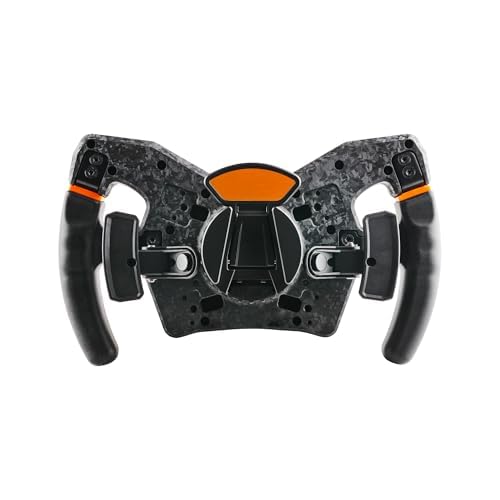
Сурет: төменгі view of the steering wheel, showing the Asetek SimSports Quick Release mechanism.
2. Software Installation (RaceHub)
To unlock the full potential of your steering wheel, download and install the Asetek RaceHub software from the official Asetek SimSports website. RaceHub allows for firmware updates, button mapping, LED customization, and other advanced settings.

Image: Screenshot of the Asetek RaceHub software interface.
3. Бастапқы конфигурация
After installing RaceHub and connecting your steering wheel, launch the software. Follow the on-screen prompts for initial calibration. This typically involves turning the wheel to its full lock left and right, and pressing the pedals (if connected) to their full range. Ensure all buttons and rotaries are recognized and functioning correctly within the software.
Operating the Steering Wheel
Басқаруларview
The Forte Formula Steering Wheel features 27 programmable buttons, tactile paddle shifters, and multiple rotaries for comprehensive control during sim racing. The layout is designed for intuitive access to critical functions.

Image: Close-up of the steering wheel's central panel, showing buttons and rotaries.
Баптау
The steering wheel offers extensive customization options:
- Түймелерді салыстыру: Use RaceHub to assign specific functions to each of the 27 buttons according to your preference and the requirements of your racing simulator.
- LED функциясы: Adjust the aRGB LED lighting and patterns via RaceHub for visual feedback and personalization.
- Removable Handles: The handles are designed to be removable, allowing for future adaptability and potential upgrades.
- Қалақша ауыстырғыштары: The integrated tactile paddle shifters provide precise gear changes. The system is upgradable to optional dual-clutch paddles for advanced control.
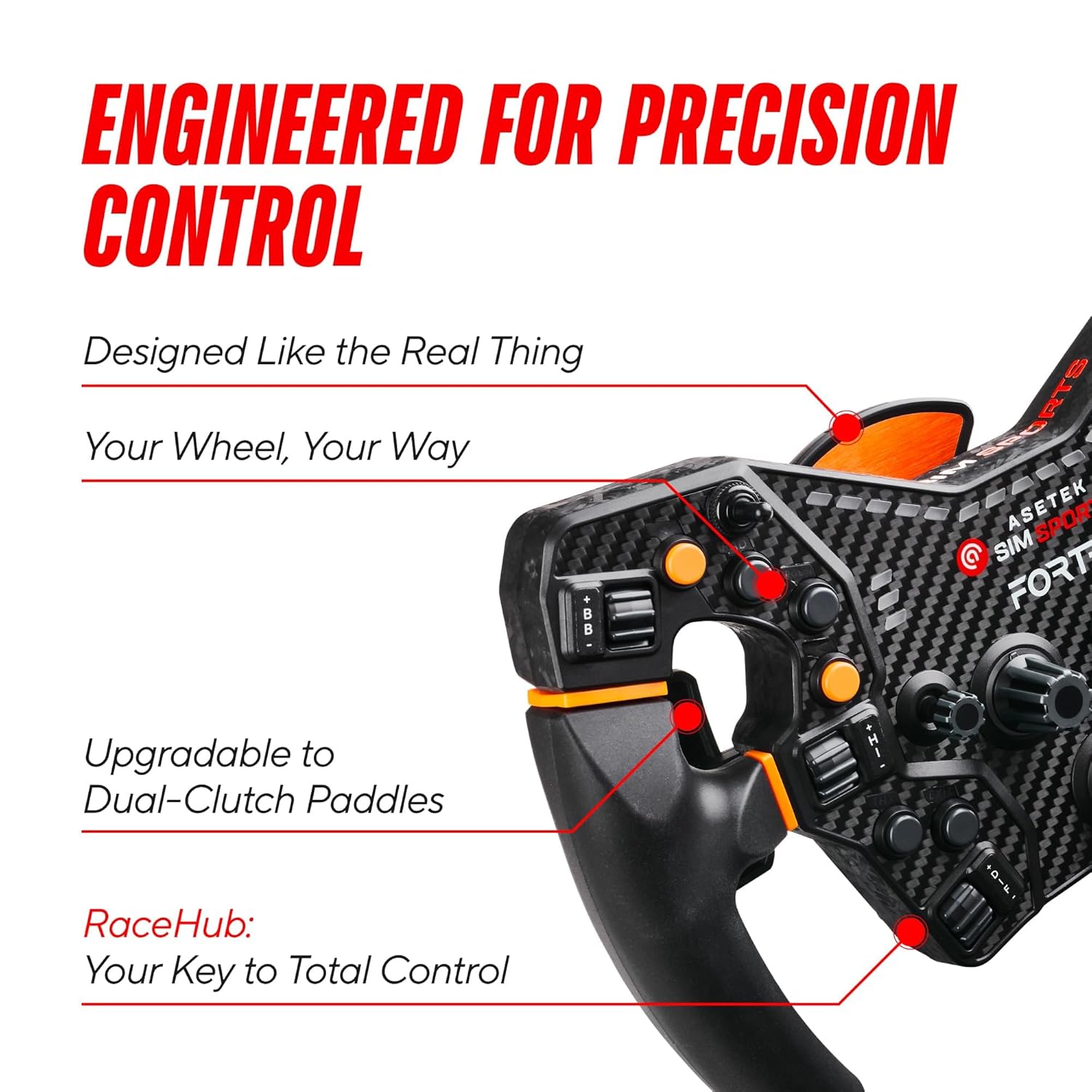
Сурет: жағы view of the steering wheel, showing the paddle shifters.
Жүргізу тәжірибесі
The rigid metal spider interface and carbon, glass, and plastic composite construction ensure a stable, anti-flex design. This contributes to precise handling and a realistic driving experience, allowing you to feel detailed feedback from the track.
Техникалық қызмет көрсету
- Тазалау: Use a soft, dry cloth to clean the steering wheel. Avoid abrasive cleaners or solvents, as these can damage the materials and finish.
- Сақтау орны: When not in use, store the steering wheel in a clean, dry environment away from direct sunlight and extreme temperatures.
- Қосылымды тексеру: Periodically inspect the quick release mechanism and all cable connections to ensure they are secure and free from damage.
- Бағдарламалық құрал жаңартулары: Regularly check for and install firmware and software updates via RaceHub to ensure optimal performance and compatibility.
Ақаулықтарды жою
Жалпы мәселелер мен шешімдер:
- Доңғалақ анықталмады:
- Ensure the quick release is fully engaged and secure.
- Check the USB connection between your wheelbase and PC.
- Restart your PC and the RaceHub software.
- Buttons/Paddles Unresponsive:
- Verify button assignments in RaceHub.
- Ensure the steering wheel firmware is up to date.
- Test in a different sim racing title to rule out game-specific issues.
- Inaccurate Steering Input:
- Recalibrate the steering wheel in RaceHub.
- Check for any physical obstructions or damage to the wheel.
If you encounter issues not covered here, or if the problem persists, please refer to the support section for further assistance.
Техникалық сипаттамалар
| Үйлесімді құрылғылар | PC |
| Контроллер түрі | Руль |
| Қосылу технологиясы | Asetek SimSports Quick Release |
| Қосымша мүмкіндіктер | Customizable, Ergonomic |
| Түйме саны | 27 |
| Аппараттық платформа | PC |
| Қуат көзі | Asetek SimSports Quick Release |
| Элемент салмағы | 5.7 фунт |
| Бренд атауы | ӘСЕТЕК |
| Модель атауы | Forte Formula Steering Wheel |
| Өндіруші | Asetek SimSports |
| UPC | 850015843679 |
| ASIN | B0C2CF77S4 |
| Түс | Gray - Orange |
Кепілдік және қолдау
Кепілдік туралы ақпарат
The ASETEK Forte Formula Gaming Steering Wheel comes with a standard manufacturer's warranty. Please refer to the official Asetek SimSports webкепілдіктің нақты шарттары мен талаптарын, соның ішінде мерзімі мен қамту мәліметтерін сайтта немесе сатып алу құжаттамасында қараңыз.
Тұтынушыларды қолдау
For technical assistance, troubleshooting, or warranty claims, please visit the official Asetek SimSports support page. You can find FAQs, driver downloads, and contact information for their customer service team.
Official Asetek Store: Asetek Store on Amazon