
1. Өнім аяқталдыview
The TP-Link ER707-M2 is an Omada Multi-Gigabit VPN Router designed for high-performance networking environments. It features dual 2.5 Gigabit WAN ports, a Gigabit SFP WAN/LAN port, and multiple Gigabit RJ45 WAN/LAN ports, providing flexible connectivity and high-bandwidth aggregation. This router integrates seamlessly with the Omada SDN Controller for centralized management and offers robust security features including an SPI Firewall and various VPN protocols.
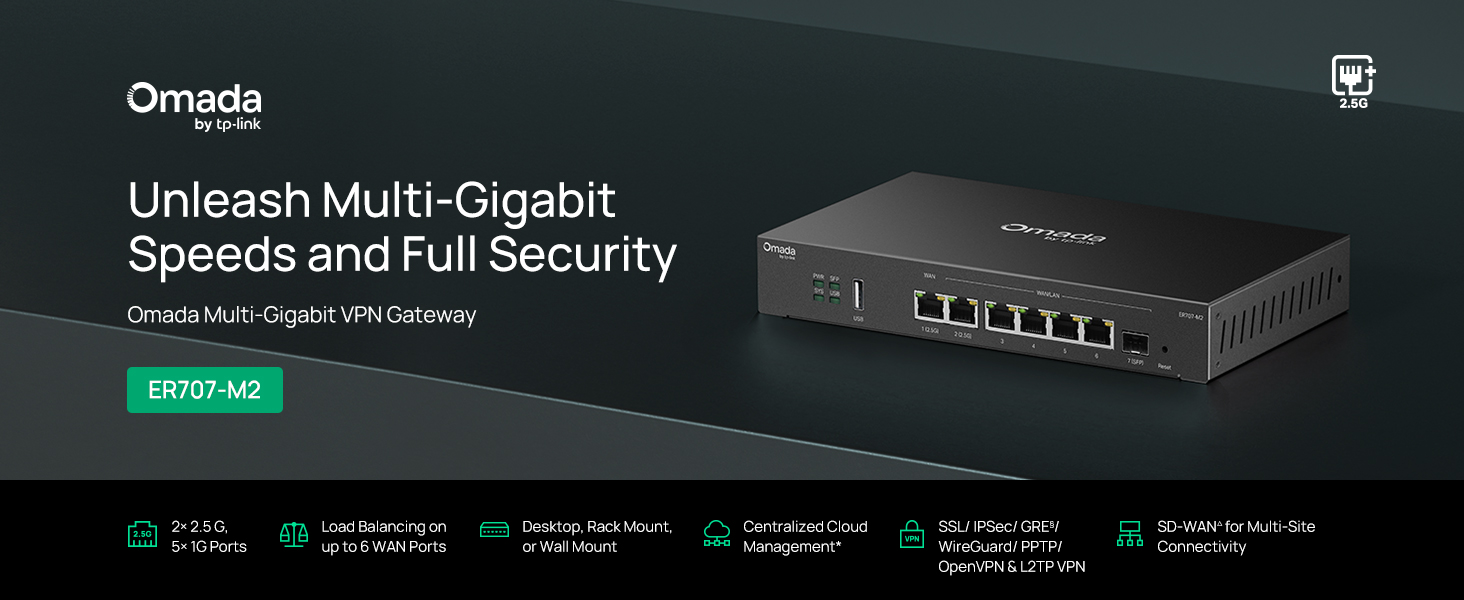
1-сурет: Алдыңғы view of the ER707-M2 router, highlighting its ports and indicators.
Негізгі ерекшеліктері:
- Икемді порт конфигурациясы: Includes 1x 2.5Gigabit WAN Port, 1x 2.5Gigabit WAN/LAN Port, 4x Gigabit WAN/LAN Ports, 1x Gigabit SFP WAN/LAN Port, and 1x USB 2.0 Port.
- High-Performance Network Capacity: Supports up to 500,000 concurrent sessions and over 1000 clients.
- Бұлтқа кіру: Centralized cloud management via Omada app and web интерфейс.
- Жоғары қауіпсіз VPN: 100 LAN-to-LAN IPsec, 66 OpenVPN, 60 L2TP және 60 PPTP VPN қосылымын қолдайды.
- Жетілдірілген қауіпсіздік: Features SPI Firewall, Policy-based Firewall, Static Routing, Policy Routing, Multi-net DHCP, Guest Portal, and VLAN support.
- Load Balance & Link Backup: Optimizes multi-line broadband efficiency and reliability.
- USB 2.0 порты: Supports USB storage and LTE backup with a compatible LTE dongle.
2. Пакет мазмұны
Пакетте келесі элементтер бар екенін тексеріңіз:
- TP-Link ER707-M2 Omada Multi-Gigabit VPN Router
- Қуат адаптері
- Жылдам орнату нұсқаулығы
If any item is missing or damaged, please contact your reseller or TP-Link support.
3. Орнату
3.1 Аппараттық құралдарды орнату
- Қуат қосылымы: Connect the provided power adapter to the router's power input and then to a power outlet.
- WAN қосылымы: Connect your modem or internet service provider's device to one of the WAN ports (e.g., WAN1 2.5G or WAN/LAN2 2.5G) using an Ethernet cable. For fiber connections, use the SFP port with a compatible SFP module.
- LAN қосылымы: Connect your local network devices (e.g., computers, switches, Omada Access Points) to the LAN ports (WAN/LAN2-6) using Ethernet cables.
- USB Device (Optional): If using a USB storage device or an LTE dongle for backup, insert it into the USB 2.0 port.
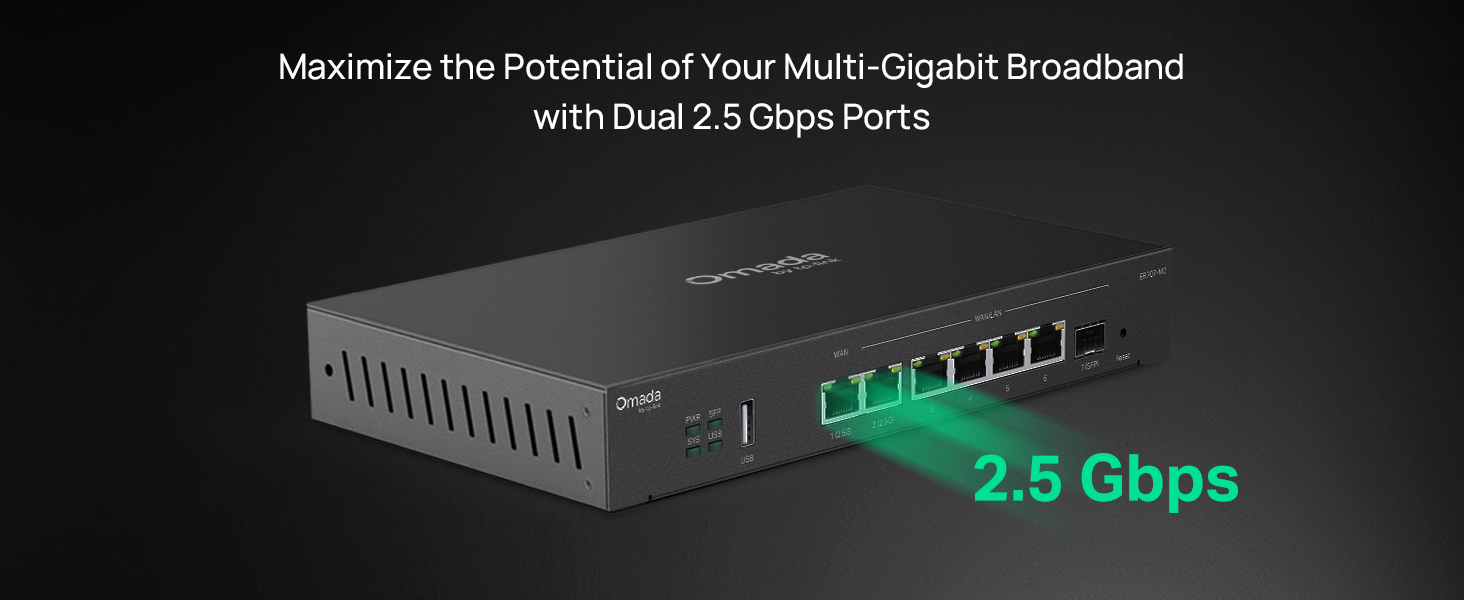
Figure 2: Illustration of the router's 2.5 Gbps ports for high-speed connectivity.
3.2 Бастапқы конфигурация
The ER707-M2 can be managed via the Omada SDN Controller or through its local web интерфейс.
- Маршрутизаторға қосылу: Компьютеріңіз маршрутизатордың LAN порттарының біріне қосылғанына көз жеткізіңіз.
- Қол жеткізу Web Интерфейс: ашу а web шолғышты таңдап, әдепкі IP мекенжайын енгізіңіз (әдетте
192.168.0.1or192.168.1.1) in the address bar. Refer to the Quick Installation Guide for the exact default IP and login credentials. - Орнату шеберін орындаңыз: The first time you log in, a setup wizard will guide you through basic internet connection settings, changing the default password, and configuring Wi-Fi (if applicable).
- Omada SDN Integration (Optional): For centralized management, adopt the router into your Omada SDN Controller. This allows for remote management and unified control of your network devices.
4. Пайдалану нұсқаулары
4.1 Желінің конфигурациясы
The router offers extensive configuration options for your network:
- WAN параметрлері: Configure WAN ports for different connection types (Dynamic IP, Static IP, PPPoE).
- LAN параметрлері: Manage IP addresses, DHCP server, and VLANs for your local network segments.
- Multi-WAN Load Balancing: Distribute internet traffic across multiple WAN connections to optimize bandwidth and provide redundancy.
- Link Backup: Configure a secondary WAN connection (e.g., via LTE dongle) to automatically take over if the primary connection fails.
4.2 VPN Functionality
The ER707-M2 supports various VPN protocols for secure remote access and site-to-site connectivity.
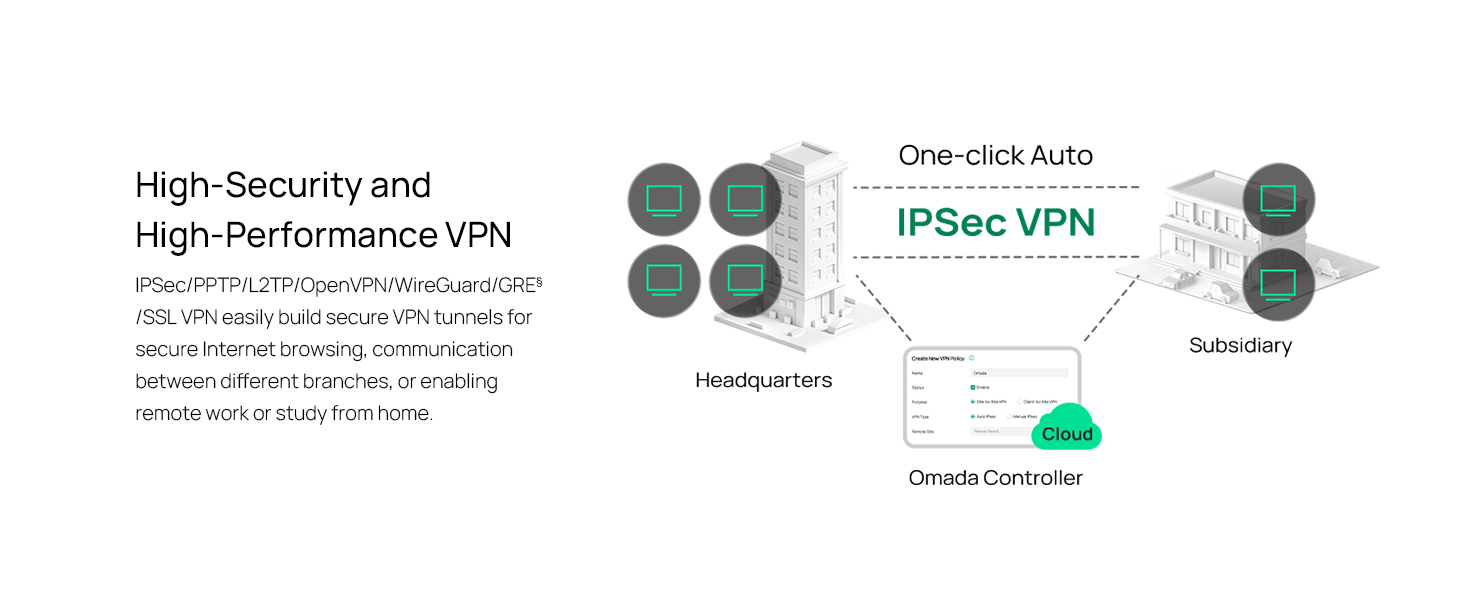
Figure 3: Visual representation of a secure VPN tunnel setup.
- IPsec VPN: Establish secure tunnels between networks (e.g., office to branch office).
- OpenVPN/SSL VPN: Provide secure remote access for individual users.
- PPTP/L2TP VPN: Legacy VPN protocols for various client connections.
4.3 Қауіпсіздік ерекшеліктері
The router includes advanced security measures to protect your network:
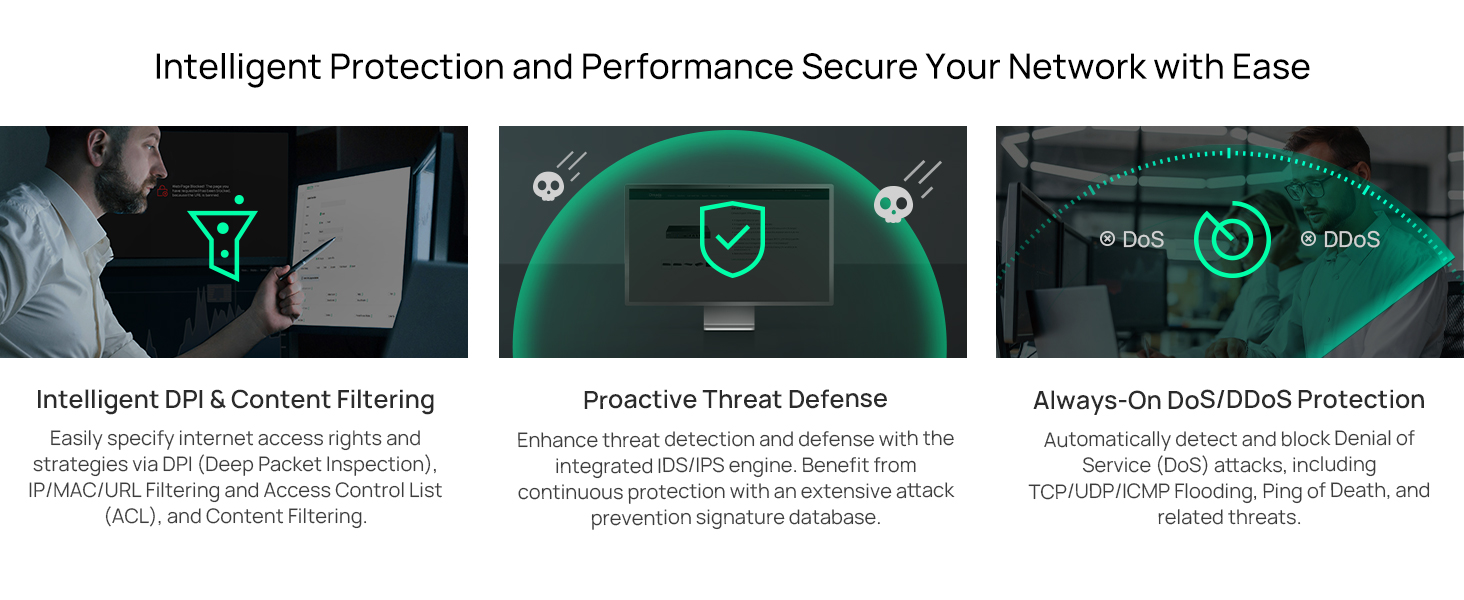
4 -сурет: Аяқталдыview of intelligent protection and performance features.
- SPI брандмауэрі: Stateful Packet Inspection firewall for network protection.
- Policy-based Firewall: Define rules to control network traffic based on specific criteria.
- DoS/DDoS Protection: Defend against Denial of Service and Distributed Denial of Service attacks.
- Қол жеткізуді басқару тізімі (ACL): Manage network access for specific devices or users.
4.4 Omada SDN интеграциясы
The ER707-M2 is part of the Omada Software-Defined Networking (SDN) solution, allowing for centralized management of your entire network.

Figure 5: How the ER707-M2 integrates into an Omada SDN network.
- Орталықтандырылған басқару: Manage the router, access points, and switches from a single interface via the Omada Controller (hardware or software).
- Қашықтан қол жеткізу: Access and manage your network from anywhere using the Omada app or cloud portal.
- Seamless Scalability: Easily expand your network by adding more Omada devices.
5. Техникалық қызмет көрсету
To ensure optimal performance and security of your ER707-M2 router, regular maintenance is recommended:
- Микробағдарламаны жаңарту: TP-Link қызметкерін мерзімді түрде тексеріп тұрыңыз website for the latest firmware versions. Updating firmware can improve performance, add new features, and fix security vulnerabilities.
- Конфигурацияның сақтық көшірмесі: Regularly back up your router's configuration settings. This allows for quick restoration in case of accidental changes or system issues.
- Физикалық тексеру: Ensure the router is placed in a well-ventilated area, free from dust and obstructions. Check cable connections for secure fit.
- Қауіпсіздік Review: Мерзімді түрде қайтаview your firewall rules, VPN settings, and access control lists to ensure they meet your current security requirements.
6. Ақаулықтарды жою
If you encounter issues with your ER707-M2 router, consider the following troubleshooting steps:
- Интернетке қосылу жоқ:
- Check all cable connections (WAN, LAN, Power).
- Verify your modem or ISP device is working correctly.
- Confirm WAN settings in the router's web интерфейс дұрыс.
- Restart the modem, then the router, and then your connected devices.
- Қол жеткізу мүмкін емес Web Басқару беті:
- Компьютеріңіздің маршрутизатордың LAN портына қосылғанына көз жеткізіңіз.
- Verify your computer's IP address is in the same subnet as the router (e.g., if router is 192.168.0.1, computer should be 192.168.0.x).
- Браузердің кэшін тазалап көріңіз немесе басқа браузерді пайдаланып көріңіз.
- If the issue persists, perform a factory reset (see below).
- Желі жылдамдығы баяу:
- Интернет провайдерінің жылдамдығын тексеріңіз.
- Ensure all cables are Cat5e or higher for Gigabit/2.5Gig connections.
- Monitor network usage to identify bandwidth-intensive applications or devices.
- Verify duplex settings on connected devices and router ports.
- Зауыттық параметрлерді қалпына келтіру: If all else fails, you can restore the router to its factory default settings. Locate the Reset button on the router (often a small pinhole button), press and hold it for about 5-10 seconds until the system LED blinks, then release. This will erase all custom configurations.
7. Техникалық сипаттамалар
| Ерекшелік | Мәлімет |
|---|---|
| Бренд | TP-Link |
| Модель атауы | ER707-M2 |
| Қосылу технологиясы | Ethernet |
| Порттардың саны | 6 (1x 2.5G WAN, 1x 2.5G WAN/LAN, 4x Gigabit WAN/LAN, 1x Gigabit SFP WAN/LAN, 1x USB 2.0) |
| LAN портының өткізу қабілеті | 10/100/1000/2500 Мбит / с |
| Деректерді тасымалдау жылдамдығы | Секундына 2500 мегабит |
| Деректерді берудің максималды жылдамдығы | Секундына 5000 мегабит |
| Қауіпсіздік хаттамасы | SSL, IPSec, GRE, SSH, IKEv1/v2, PPTP, L2TP, OpenVPN |
| Бақылау әдісі | Қолданба, Web Интерфейс |
| Операциялық жүйе | ZyNOS (TP-Link Omada) |
| Элемент салмағы | 1.1 келі |
| Элемент өлшемдері (L x W x H) | 12.9"L x 9.5"W x 3.1"H |
8. Кепілдік туралы ақпарат
The TP-Link ER707-M2 Omada Multi-Gigabit VPN Router is backed by an industry-leading 5 жылдық өндірушінің кепілдігі. Бұл кепілдік қалыпты пайдалану кезіндегі материалдар мен жұмыс ақауларын қамтиды. Кепілдік шағымдары үшін сатып алуды растайтын құжатты сақтаңыз.
9. Қолдау
For technical assistance, product information, or warranty inquiries, please contact TP-Link support:
- Телефонды қолдау: (866) 225-8139 (Available Monday to Friday, 6am to 6pm PST)
- Өнім Webсайт: myproducts.tp-link.com/us
- Электрондық поштаны қолдау: support.USA@tp-link.com