
1. Кіріспе
This manual provides comprehensive instructions for the installation, operation, and maintenance of your Podofo Android Car Stereo GPS system. Designed specifically for Peugeot 208 and 2008 models manufactured between 2012 and 2018, this unit features a 10-inch touchscreen, Android operating system, GPS navigation, Wi-Fi, Bluetooth, and FM RDS radio capabilities. Please read this manual thoroughly before installation and use to ensure proper functionality and safety.

Image 1.1: Before and After installation of the Podofo Android Car Stereo in a Peugeot 208/2008.
2. Пакет мазмұны
Төменде тізімделген заттардың барлығы пакетіңізге қосылғанын тексеріңіз:
- 1 x Car Stereo Unit
- 1 x CANBUS Decoder
- 1 x қуат кабелі
- 1 x GPS антеннасы
- 1 x Радио антеннасының кабелі
- 1 x Камера кіріс кабелі
- 1 x Audio/Video Cable
- 2 х USB кабелі
- 1 x Installation Tools Set
- 1 x Нұсқаулық

2.1-сурет: Егжей-тегжейлі view пакетке кіретін барлық компоненттерден.
3. Үйлесімділік және өлшемдер
This car stereo is compatible with Peugeot 208 and 2008 models from 2012 to 2018. Please ensure your vehicle's central console matches the shape and dimensions shown in the product images before installation.
Бірлік өлшемдері:
- Width (top): 270 mm
- Width (bottom): 280 mm
- Биіктігі: 160 мм
4. Орнату және орнату
Installation of this car stereo system requires technical knowledge. It is highly recommended to seek professional assistance for installation to avoid damage to the unit or your vehicle. If you choose to install it yourself, proceed with caution and follow these general guidelines:
- Дайындық: Кез келген электрлік жұмысты бастамас бұрын көліктің аккумуляторын ажыратыңыз.
- Бастапқы құрылғыны алып тастау: Carefully remove the existing car stereo and trim panels from your vehicle's dashboard. Refer to your vehicle's service manual for specific instructions.
- Сымдарды қосу: Connect the provided power cable, CANBUS decoder, GPS antenna, radio antenna cable, camera input cable, audio/video cable, and USB cables to the corresponding ports on the new car stereo and your vehicle's wiring harness. Ensure all connections are secure.
- Сынақ функционалдығы: Before fully reassembling the dashboard, temporarily connect the battery and test the basic functions of the stereo (power on/off, radio, display).
- Қауіпсіз блок: Mount the new car stereo securely into the dashboard opening using the provided installation tools and brackets.
- Қайта жинау: Reinstall all trim panels and reconnect the vehicle's battery.
The included CANBUS decoder ensures proper communication between the car stereo and your vehicle's systems, such as steering wheel controls.
5. Пайдалану нұсқаулары
5.1 Негізгі функциялар
- Қуатты қосу/өшіру: Press and hold the power button on the unit or use the vehicle's ignition.
- Сенсорлық экран: The 10-inch capacitive touchscreen allows for intuitive control of all functions. Tap, swipe, and pinch to navigate menus and applications.
- Android жүйесі: The unit runs on an Android operating system, providing access to various applications and customization options.
5.2 Қосылу мүмкіндігі
- Bluetooth 4.2: Pair your smartphone via Bluetooth for hands-free calling and audio streaming. Access the Bluetooth menu on the stereo to search for devices and connect. The built-in microphone ensures clear call quality.
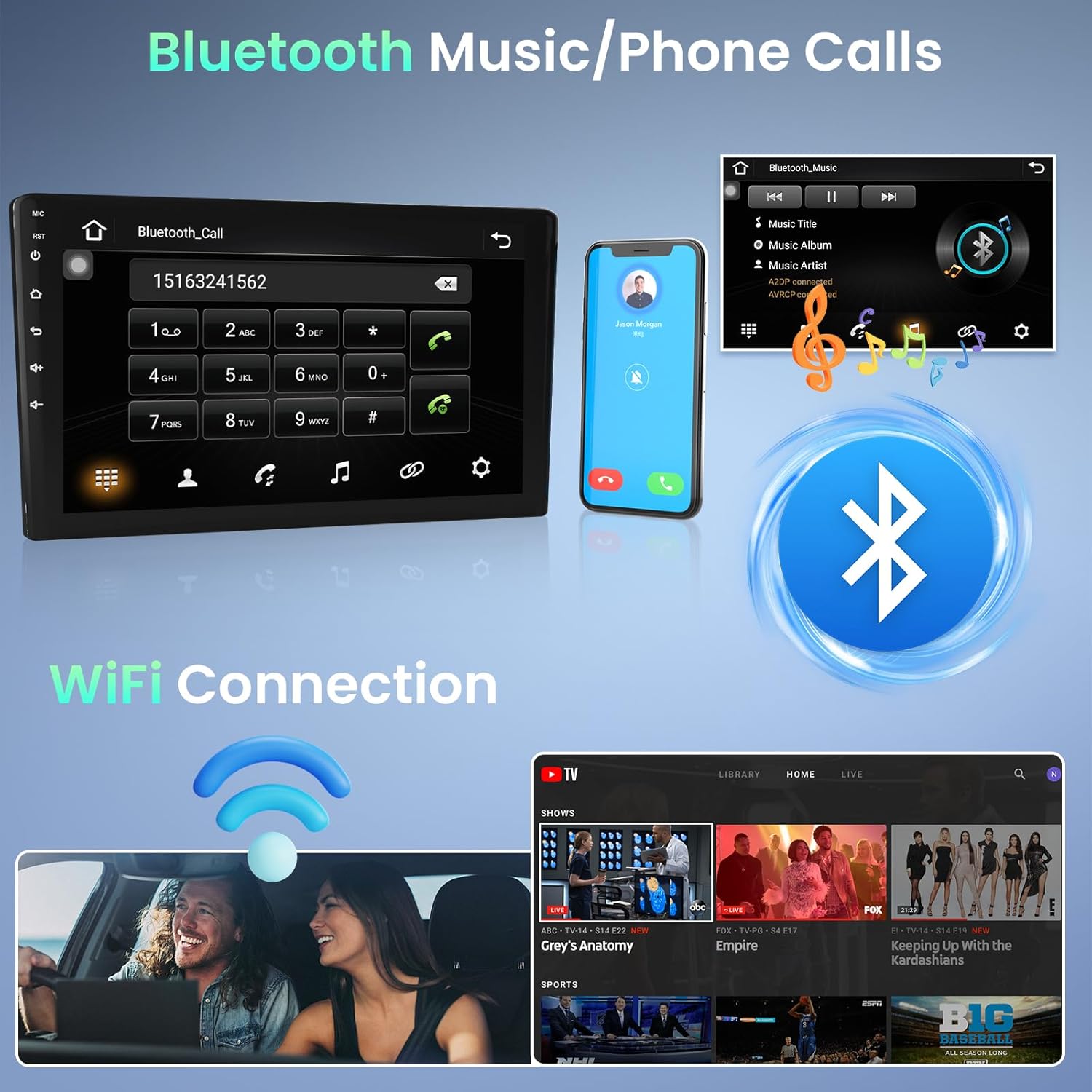
Image 5.1: Bluetooth for music and phone calls, and Wi-Fi connection.
- Сымсыз дәлдiк: Connect the unit to a Wi-Fi hotspot (e.g., from your smartphone) to access online features, download apps, and use online navigation. Go to Settings > Network & Internet > Wi-Fi to connect.
- Айна сілтемесі: This feature allows you to mirror your smartphone's screen onto the car stereo display. Connect your phone via a USB cable. iOS devices (under IOS 16.5) support one-way projection, while Android devices (8.0-13.0) support two-way connection.
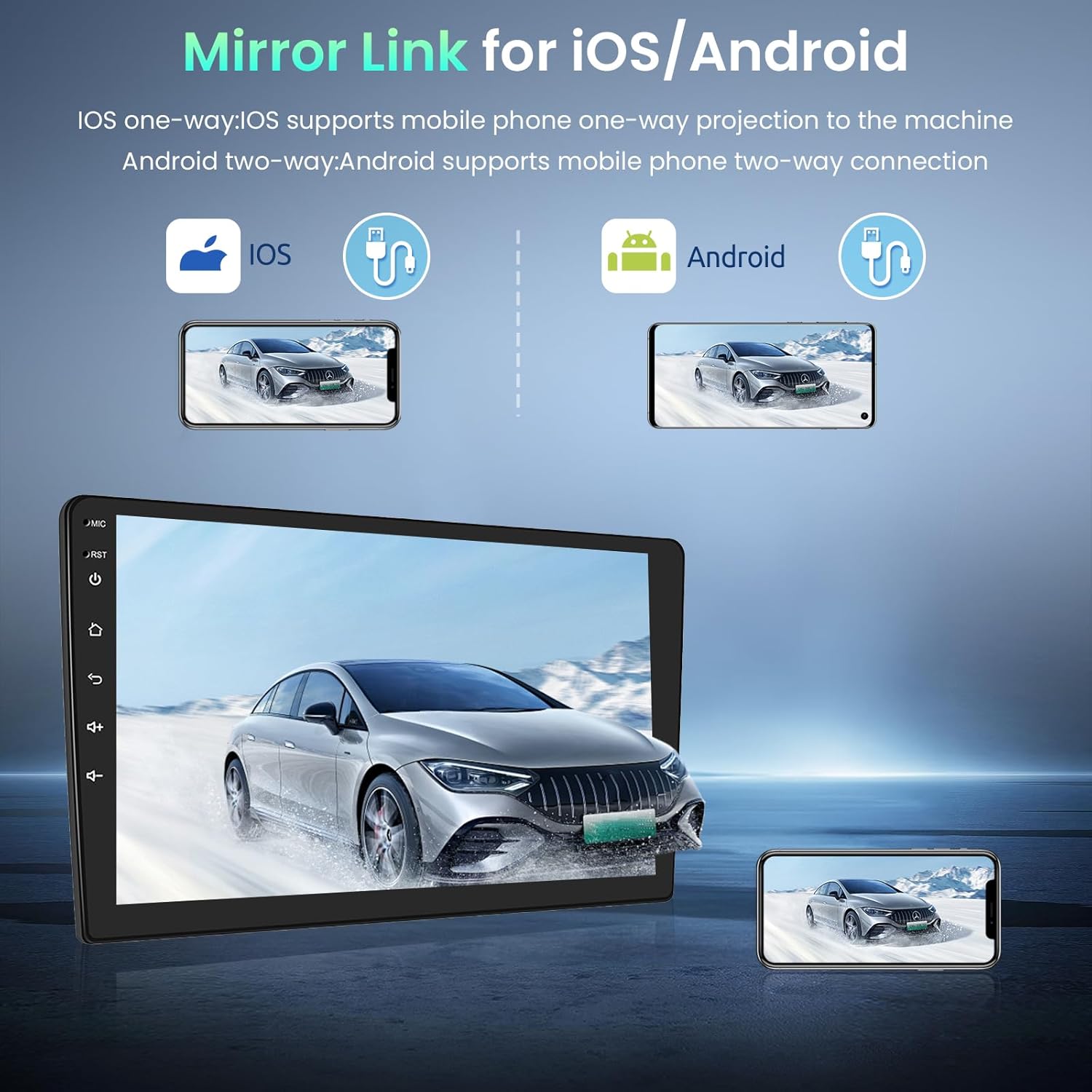
Image 5.2: Mirror Link for iOS and Android devices.
- USB: The unit features dual rear USB ports. Connect USB drives (4-32GB) to play media files.
5.3 Навигация
The integrated GPS module provides accurate navigation. The unit comes pre-installed with the Here WeGo app, allowing you to download offline maps for various countries. You can also use online navigation apps by connecting to Wi-Fi.
5.4 Мультимедиа
- FM RDS радиосы: Tune into your favorite radio stations. The RDS function displays station information where available.

Image 5.3: FM Radio and GPS Navigation interfaces.
5.5 Экранды бөлу функциясы
The split-screen function allows you to view two applications simultaneously. In the activity view, drag an application to the left or right side of the screen to activate split-screen mode. Note that not all applications support this feature.
5.6 Руль дөңгелегін басқару
The unit supports your vehicle's original steering wheel controls via the CANBUS connection. This allows you to control volume, track changes, and other functions without taking your hands off the wheel. Configuration may be required in the system settings.

Image 5.4: HD Rear Camera input and Steering Wheel Control settings.
5.7 Артқы камера кірісі
The car stereo supports an external rear camera (not included). Connect a compatible camera to the dedicated input for automatic display when reversing. The system supports wide-angle, night vision, and waterproof cameras.
5.8 External Device Support
The unit can be expanded with external USB dongles (not included) for additional functionalities such as DAB+ digital radio, DVR (Digital Video Recorder), OBDII diagnostics, and Carplay/Android Auto.

Image 5.5: Support for external OBD2 and DAB input devices.
6. Техникалық сипаттамалар
| Жүйе | Android |
| Жад | 1 ГБ жедел жады + 32 ГБ ROM |
| Нәр беруші | Тұрақты ток 12 В |
| Шығу қуаты | 4*45 W (max) |
| Қуат Ampкөтергіш чип | AC7388 |
| FM жиілік диапазоны | 87.5 ~ 108 МГц |
| Экран ажыратымдылығы | 1024*600 |
| Сенсорлы экран түрі | Сыйымдылық |
| Factory Settings Keyword | 8888 |
| Audio/Video Ports | 2 Video In, 1 Video Out, 2 Aux In, 2 Aux Out, 1 Subwoofer Out, 1 Mic In, 1 Camera In |
| Қолдау көрсетілетін тілдер | English, French, Italian, Spanish, German, etc. (up to 40 national languages) |
| Қосылу мүмкіндігі | Wi-Fi, Bluetooth, USB, FM RDS |
| Supported Navigation | GPS |
| Салмағы | 1.66 келі |
7. Техникалық қызмет көрсету
To ensure the longevity and optimal performance of your Podofo car stereo, follow these maintenance guidelines:
- Тазалау: Use a soft, dry cloth to clean the touchscreen and unit exterior. For stubborn smudges, slightly dampшүберекті сумен немесе экранға қауіпсіз тазалағышпен салыңыз. Абразивті материалдардан немесе қатты химиялық заттардан аулақ болыңыз.
- Бағдарламалық құрал жаңартулары: Жүйе параметрлері немесе өндірушінің нұсқаулығы арқылы бағдарламалық жасақтама жаңартуларын мезгіл-мезгіл тексеріп отырыңыз. website. Keeping the software updated can improve performance and add new features.
- Төтенше температурадан аулақ болыңыз: Құрылғыны ұзақ уақыт бойы қатты ыстыққа немесе суыққа ұшыратпаңыз, себебі бұл оның электрондық компоненттеріне әсер етуі мүмкін.
- Кабель қосылымдары: Барлық кабельдердің сенімді жалғанғанына көз жеткізіңіз. Бос қосылымдар үзіліссіз мәселелерге әкелуі мүмкін.
8. Ақаулықтарды жою
Автокөлік стереосына қатысты мәселелерге тап болсаңыз, келесі жалпы ақауларды жою қадамдарын қараңыз:
- Қуат жоқ: Check the power cable connection and the vehicle's fuse box. Ensure the unit is properly installed and receiving power.
- Дыбыс жоқ: Verify speaker connections. Check volume settings on the unit and ensure mute is not activated. Test different audio sources.
- Сенсорлық экран жауап бермейді: Try restarting the unit. If the issue persists, a factory reset might be necessary (note: this will erase personal data).
- GPS сигналы жоғалды: GPS антеннасының дұрыс орнатылғанына және таза екеніне көз жеткізіңіз view аспанның. Жүйедегі GPS параметрлерін тексеріңіз.
- Bluetooth қосылым мәселелері: Стерео жүйеде де, телефоныңызда да Bluetooth қосулы екеніне көз жеткізіңіз. Алдыңғы жұптастыруларды жойып, қайта қосылып көріңіз.
- Wi-Fi қосылымының ақаулары: Verify your Wi-Fi hotspot is active and providing internet access. Re-enter the Wi-Fi password if necessary.
- Баяу өнімділік: Close unnecessary background applications. Clear cache data if available in system settings. Consider a factory reset if performance remains poor.
Осы қадамдар арқылы шешілмеген мәселелер үшін тұтынушыларды қолдау қызметіне хабарласыңыз.
9. Кепілдік және қолдау
Your Podofo car stereo comes with a 24 айлық кепілдік. For any inquiries or technical assistance, online support is available with responses typically within 24 hours.
Қолдау қызметіне хабарласу:
If you purchased your product through Amazon, you can contact the seller directly:
- Amazon сайтындағы өнім бетіне өтіңіз.
- Click on the seller's name, typically listed as "Sold by Podofo".
- On the seller's page, look for a "Contact Seller" or "Ask a Question" option.

Image 9.1: Steps to contact the seller for support.
Alternatively, you may find direct support contact information on the official Podofo webсайт немесе берілген құжаттама арқылы.