
Кіріспе
This manual provides detailed instructions for the proper use and maintenance of your AlphaMed U80A Blood Pressure Monitor. Please read this manual thoroughly before using the device to ensure accurate measurements and safe operation. This device is designed for home use to measure blood pressure and pulse rate on the upper arm.
Қорапта не бар

1-сурет: Included components of the AlphaMed U80A Blood Pressure Monitor package.
- 1x AlphaMed Blood Pressure Monitor (Model: U80A)
- 1x Standard Upper Arm Cuff (fits arm circumference 9-17 inches)
- 1x Extra Large Upper Arm Cuff (fits arm circumference 13-21 inches)
- 4x AAA батареялары
- 1x нейлон сөмкесі
- 1x Жылдам пайдаланушы нұсқаулығы
- 1x Пайдаланушы нұсқаулығы (осы құжат)
Өнім аяқталдыview

2-сурет: The AlphaMed U80A Blood Pressure Monitor and its accompanying cuffs.
The AlphaMed U80A Blood Pressure Monitor features a large backlit LCD display for easy reading, oversized numbers, and simple operation. It is equipped with a high-accuracy algorithm for reliable measurements and adaptive pressure control technology for user comfort. The device supports two users with up to 500 memories each, totaling 1000 readings.
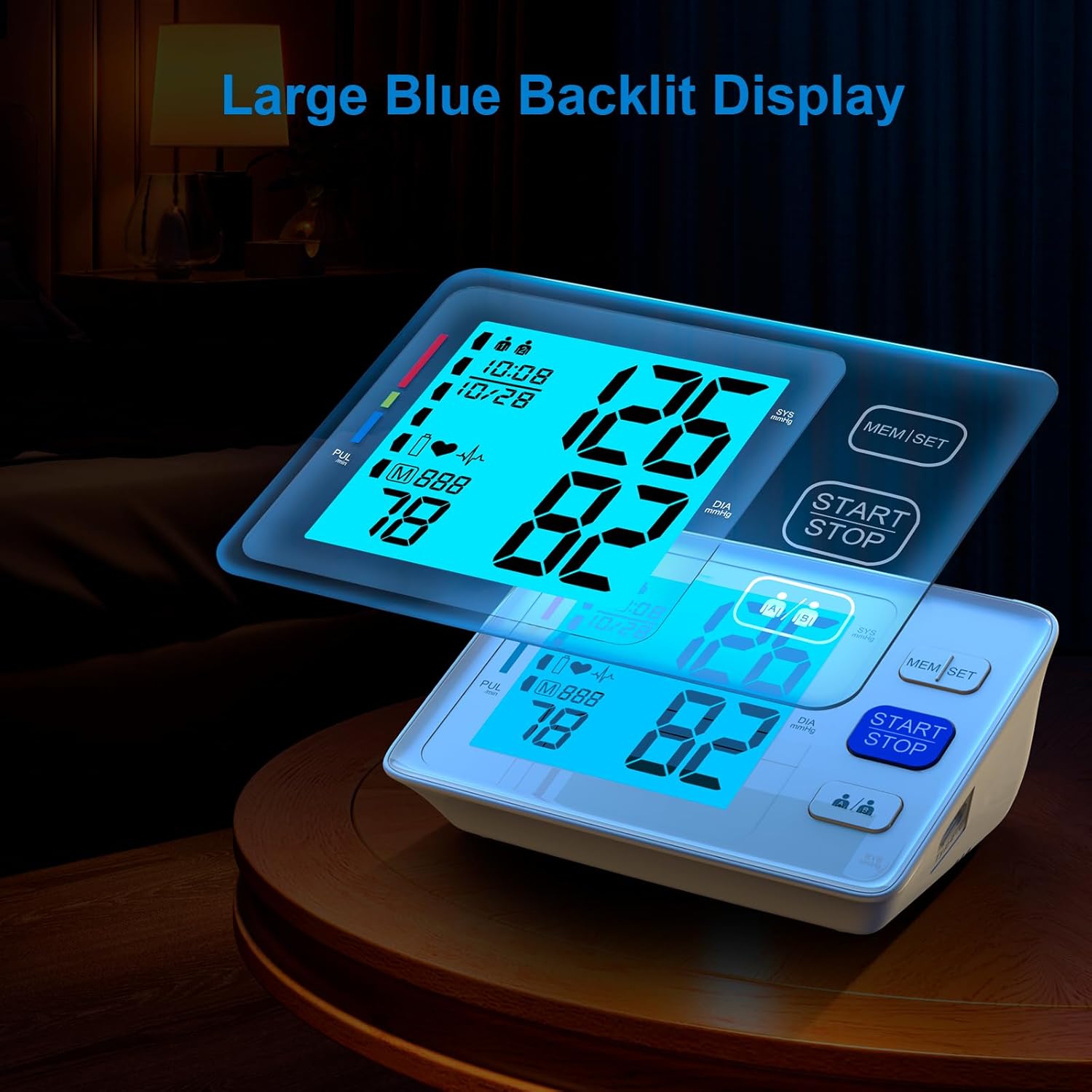
3-сурет: The large, easy-to-read backlit LCD display.
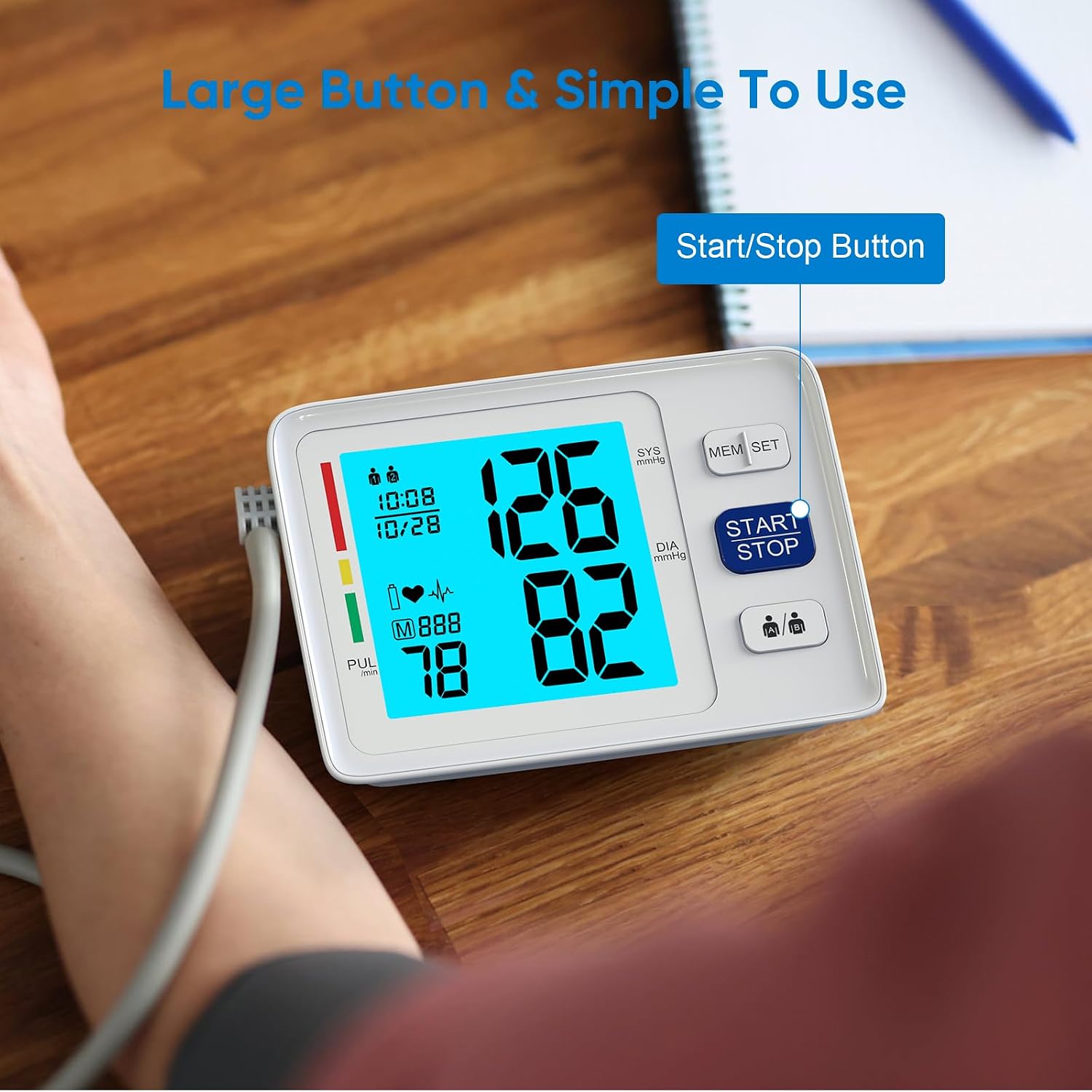
4-сурет: Simplified operation with large buttons, including the Start/Stop button.
Орнату
Қуат опциялары

5-сурет: The monitor supports both battery and USB power.
- Батарея қуаты: Open the battery compartment on the bottom of the device. Insert four (4) AAA batteries, ensuring correct polarity (+/-). Close the battery cover securely.
- USB қуаты: Connect a Micro USB cable (not included) to the USB port on the side of the monitor and plug the other end into a compatible USB power adapter (not included) or a computer USB port.
Note: Batteries are included for immediate use. The device features a low battery indicator and an auto shut-off function to conserve power.
Күн мен уақытты орнату
To ensure accurate record-keeping, set the current date and time:
- With the device off, press and hold the "MEM/SET" button for a few seconds until the year starts flashing on the display.
- Press the "MEM/SET" button repeatedly to adjust the year. Once the desired year is displayed, press the "START/STOP" button to confirm and move to the month setting.
- Repeat the process for setting the month, day, hour (in 24-hour format), and minutes.
- After setting the minutes, press "START/STOP" to save the settings and exit the setup mode.
Манжетканы бекіту
Select the appropriate cuff size (Standard 9-17'' or Extra Large 13-21'') for your upper arm circumference. Connect the air tube from the cuff securely into the air jack located on the side of the monitor.

6-сурет: Two adjustable cuff sizes are included to fit various arm circumferences.
Пайдалану нұсқаулары
Манжетті орналастыру
Дәл көрсеткіштер үшін манжеттің дұрыс орналасуы өте маңызды:
- Арқаңызды ұстап, аяғыңызды еденге тегіс қойып, ыңғайлы отырыңыз.
- Place the cuff on your bare upper arm, approximately 1-2 cm above the elbow joint. Ensure the air tube runs down the center of your arm.
- The bottom edge of the cuff should be about 1 inch (2-3 cm) above the elbow.
- Wrap the cuff snugly around your arm, but not too tightly. The index line on the cuff should fall within the range indicated on the cuff itself.
- Rest your arm on a table or flat surface with the palm facing upwards, ensuring the cuff is at heart level.
Өлшем алу
- Ensure the cuff is correctly attached to the monitor and properly placed on your arm.
- Press the large "START/STOP" button. The cuff will begin to inflate automatically.
- Өлшеу кезінде қозғалмай, үнсіз қалыңыз. Сөйлесуден немесе қозғалудан аулақ болыңыз.
- Өлшеу аяқталғаннан кейін манжет сөнеді де, экранда систолалық қысым, диастолалық қысым және импульс жиілігі көрсетіледі.
- The reading will automatically be stored in the selected user's memory.
Қос пайдаланушы режимі

7-сурет: The monitor supports two users, each with separate memory storage.
- Before taking a measurement, press the user selection button (usually indicated by two person icons) to toggle between User 1 and User 2.
- Ensure the correct user is selected before initiating a measurement to store readings in the appropriate profile.
Жад функциясы
Қайтаview өткен өлшемдер:
- Press the "MEM/SET" button when the device is off.
- Дисплейде соңғы үш өлшеудің орташа мәні көрсетіледі.
- Press the "MEM/SET" button again to scroll through individual past readings, from most recent to oldest.
- To exit memory mode, press the "START/STOP" button or wait for the device to automatically shut off.
Техникалық қызмет көрсету
- Тазалау: Монитор мен манжетаны жұмсақ, құрғақ шүберекпен сүртіңіз. Қажет болса, аздап ылғалдандырыңыз.amp жұмсақ сабынмен шүберекпен сүртіңіз, содан кейін құрғатып сүртіңіз. Абразивті тазартқыштарды пайдаланбаңыз немесе құрылғыны суға батырмаңыз.
- Сақтау орны: Құрылғыны тасымалдау сөмкесінде салқын, құрғақ жерде, тікелей күн сәулесінен және төтенше температурадан алыс жерде сақтаңыз.
- Батареяны ауыстыру: Replace all four AAA batteries when the low battery indicator appears on the display. Remove batteries if the device will not be used for an extended period.
- Манжетке күтім жасау: Ensure the cuff is clean and free from damage. Do not wash the cuff in a washing machine.
Ақаулықтарды жою
| Мәселе | Ықтимал себебі | Шешім |
|---|---|---|
| Дисплей қосылмайды. | Batteries are dead or incorrectly inserted; USB cable not connected. | Check battery polarity, replace batteries, or ensure USB connection is secure. |
| Error message during measurement. | Cuff not properly applied; movement or talking during measurement; irregular heartbeat detected. | Reapply cuff correctly, remain still and silent, consult a healthcare professional if irregular heartbeat persists. |
| Сәйкес келмейтін оқулар. | Improper cuff placement; not resting before measurement; taking multiple readings too quickly. | Ensure correct cuff placement, rest for 5 minutes before measurement, wait 3-5 minutes between readings. |
Техникалық сипаттамалар
- Модель нөмірі: U80A
- Бренд: AlphaMed
- Өнім өлшемдері: 1"Ұ x 1" Е x 1" мың
- Салмағы: 1.52 фунт
- Манжет өлшемдері: 9-17 inches (Standard), 13-21 inches (Extra Large)
- Қуат көзі: 4x AAA Batteries (included) or USB Powered (adapter not included)
- Дисплей түрі: Артқы жарығы бар СКД
- Жад: 2 users x 500 memories each
- Қосылатын компоненттер: Monitor, 2 Cuffs, 4 AAA Batteries, Carry Case, User Manual
- Өндіруші: Shenzhen Urion Technology Co., Ltd.
Кепілдік және қолдау
For warranty information, technical support, or service inquiries, please refer to the contact details provided on the product packaging or visit the official AlphaMed webсайт. Сатып алу түбіртегін кепілдік талаптары үшін сатып алудың дәлелі ретінде сақтаңыз.
Заңды жауапкершіліктен бас тарту: Диеталық қоспаларға қатысты мәлімдемелер FDA тарапынан бағаланбаған және кез келген ауруды немесе денсаулық жағдайын диагностикалауға, емдеуге, емдеуге немесе алдын алуға арналмаған.