
1. Кіріспе
This manual provides essential information for the safe installation, operation, and maintenance of your CREATE WIND CLEAR Ceiling Fan. Please read these instructions thoroughly before installation and retain them for future reference.
The CREATE WIND CLEAR Ceiling Fan is a quiet ceiling fan featuring a 40W DC brushless motor and a winter-summer reversal function. Its compact and versatile design includes retractable blades. It is suitable for small to medium-sized rooms and bedrooms, offering a built-in LED light with three adjustable color temperatures. The fan body is constructed from steel, and the blades are made of ABS. It provides 6 speed settings and a programmable timer up to 8 hours, all controllable via the included remote control and WiFi connectivity.
2. Қауіпсіздік нұсқаулары
- Орнату, техникалық қызмет көрсету немесе тазалау алдында әрқашан негізгі автоматты ажыратқыштағы қуатты ажыратыңыз.
- Орнатуды барлық жергілікті және ұлттық электр ережелеріне сәйкес білікті электрик орындауы керек.
- Ensure the mounting structure can support the weight of the fan (refer to specifications for weight).
- Желдеткіш қалақтарының жолына заттарды салмаңыз.
- Барлық қосылымдардың қауіпсіз және дұрыс оқшауланғанына көз жеткізіңіз.
- Бұл құрылғы физикалық, сенсорлық немесе ақыл-ой қабілеттері шектеулі немесе тәжірибесі мен білімі жоқ адамдардың (соның ішінде балалар) пайдалануына арналмаған, егер олардың қауіпсіздігіне жауапты адамның қадағалауынсыз немесе құрылғыны пайдалану туралы нұсқау болмаса.
3. Қосылған құрамдас бөліктер
Орнатуды бастамас бұрын барлық компоненттердің бар екенін тексеріңіз:
- CREATE WIND CLEAR Ceiling Fan Unit
- Қашықтан басқару құралы
- Қашықтан басқаруға арналған батарея
- Бекіту жабдықтары (бұрандалар, кронштейндер және т.б. - нақты элементтер әртүрлі болуы мүмкін)
- Нұсқаулық
For a visual reference of the product and its components, please see the image below:

4. Орнату және орнату
Professional installation is highly recommended for this ceiling fan. Ensure the power supply is disconnected before starting any installation work.
4.1 Физикалық орнату
- Бекіту кронштейні: Бекіту кронштейнін төбелік арқалыққа немесе желдеткішті тіреуге арналған сәйкес электрлік қосылыс қорабына мықтап бекітіңіз.
- Сымдар: Connect the fan's electrical wires to the household wiring according to the wiring diagram provided in the full installation guide (not included in this summary). Ensure proper grounding.
- Желдеткіш жинағы: Carefully lift and attach the fan motor assembly to the mounting bracket.
- Пышақты орнату: The fan features retractable blades that deploy automatically when the fan operates. No manual blade installation is typically required after the main unit is mounted.
- Жарық жинағы орнату: Attach the LED light kit to the fan housing as per the detailed instructions.
Refer to the following images for visual guidance on the fan's appearance and dimensions:


4.2 WiFi орнату
The fan supports WiFi connectivity for control via a smartphone application. Refer to the specific instructions provided with the fan for pairing the device with your home WiFi network and the CREATE smart home app.
5. Пайдалану нұсқаулары
Your CREATE WIND CLEAR Ceiling Fan can be operated using the included remote control or via the dedicated smartphone application.
5.1 Қашықтан басқару құралының функциялары
- Қуатты қосу/өшіру: Желдеткіш пен шамды қосу немесе өшіру үшін қуат түймесін басыңыз.
- Желдеткіш жылдамдығы: Adjust between 6 fan speeds using the designated speed buttons.
- Жарықты басқару: Turn the LED light on/off and cycle through three adjustable color temperatures (warm, neutral, cold).
- Таймер: Set the fan to turn off automatically after 1, 2, 4, or 8 hours.
- Қыс/жаз режимі: Switch between forward (summer) and reverse (winter) rotation modes.

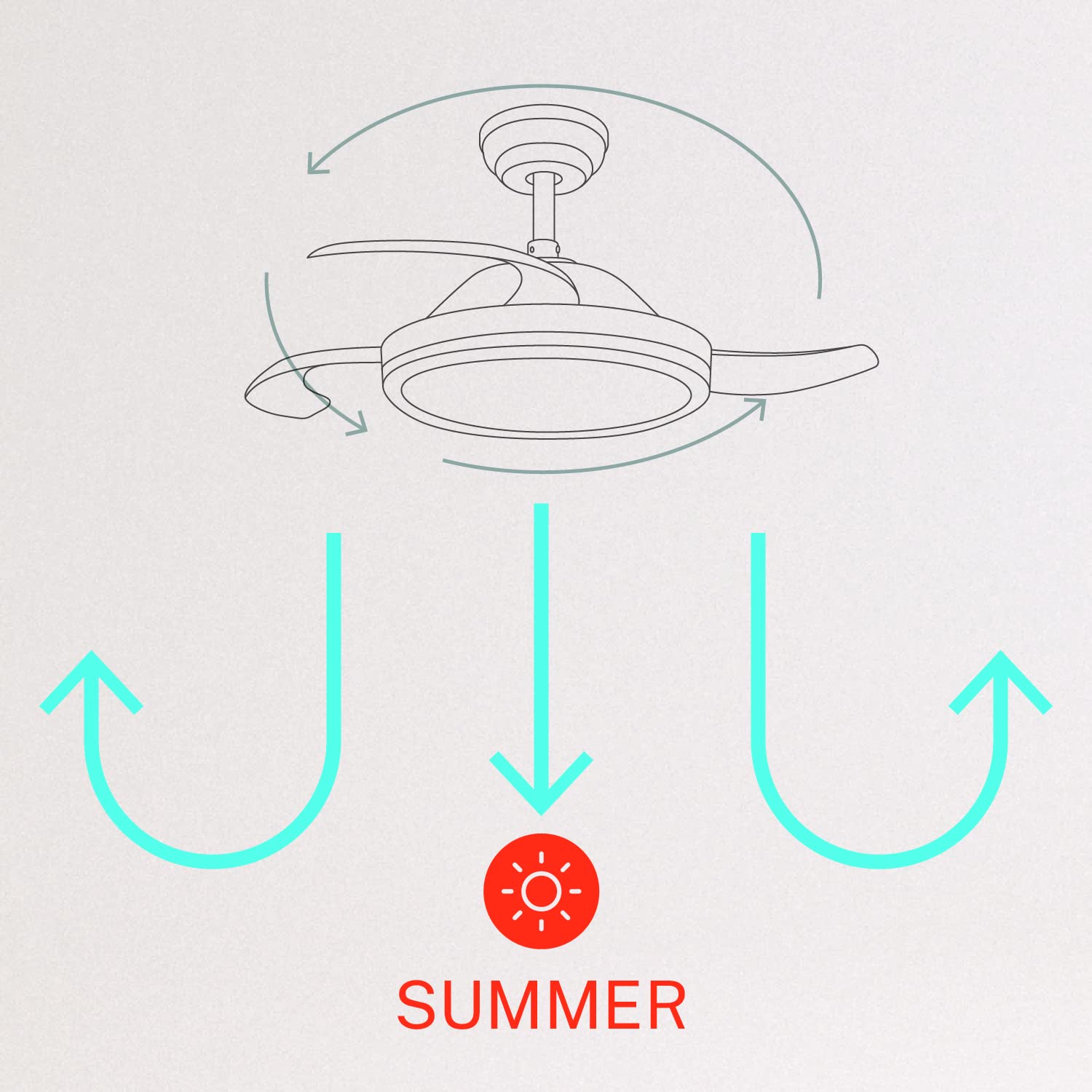
5.2 Winter and Summer Modes
The fan features a reversible motor to optimize air circulation for different seasons:
- Жазғы режим (сағат тіліне қарсы айналу): Желдеткіш қалақтары сағат тіліне қарсы бұрылып, салқындату желін жасау үшін ауаны төмен қарай итереді.
- Қысқы режим (сағат тілімен айналу): Желдеткіш қалақтары сағат тілімен бұрылып, төбеге жақын орналасқан жылы ауаны айналдыру үшін ауаны жоғары қарай тартып, жылуды біркелкі таратуға көмектеседі.

6. Техникалық қызмет көрсету
Тұрақты техникалық қызмет көрсету төбелік желдеткіштің оңтайлы өнімділігі мен ұзақ қызмет ету мерзімін қамтамасыз етеді.
- Тазалау: Желдеткіш қалақтары мен мотор корпусын мезгіл-мезгіл жұмсақ, damp мата. Абразивті тазартқыштарды немесе еріткіштерді қолданбаңыз. Тазалау алдында желдеткіштің өшірілгеніне және қуат ажыратылғанына көз жеткізіңіз.
- Бекіту бұрандалары: Check all mounting screws and blade attachment screws annually to ensure they are properly tightened.
- Жарық көзі: The LED light source is integrated. If it requires service, contact qualified personnel.
7. Ақаулықтарды жою
Желдеткішпен мәселелерге тап болсаңыз, келесі жалпы мәселелер мен шешімдерді қараңыз:
| Мәселе | Ықтимал себебі | Шешім |
|---|---|---|
| Желдеткіш іске қосылмайды | No power supply; Loose wiring; Remote control battery depleted | Check circuit breaker; Verify all wiring connections; Replace remote control battery. |
| Желдеткіш тербеледі | Loose mounting screws; Unbalanced blades | Ensure mounting bracket and fan assembly screws are tight; Check for any obstructions to blade movement. |
| Жарық жұмыс істемейді | Loose wiring; LED module fault | Check light kit wiring connections; Contact customer support if LED module is faulty. |
| Қашықтан басқару пульті жұмыс істемейді | Depleted battery; Remote not paired | Replace remote control battery; Refer to pairing instructions in the full manual. |
| WiFi control issues | Poor WiFi signal; Incorrect app setup | Ensure strong WiFi signal; Reconfigure WiFi connection in the app. |
8. Техникалық сипаттамалар
| Ерекшелік | Мәлімет |
|---|---|
| Бренд | ЖАСАУ |
| Үлгі нөмірі | 120760_254772 |
| Түс | Ақ |
| Электр желдеткішінің дизайны | Төбе желдеткіші |
| Қуат көзі | Сымды электр |
| Стиль | With WiFi |
| Өнім өлшемдері | 107D x 107W x 39H Сантиметр |
| Бөлме түрі | Жатын бөлме |
| Арнайы мүмкіндік | Таймер |
| Ұсынылатын пайдаланулар | Желдету |
| Ватtage | 40 Вт |
| Қосылған құрамдас бөліктер | Remote, Battery |
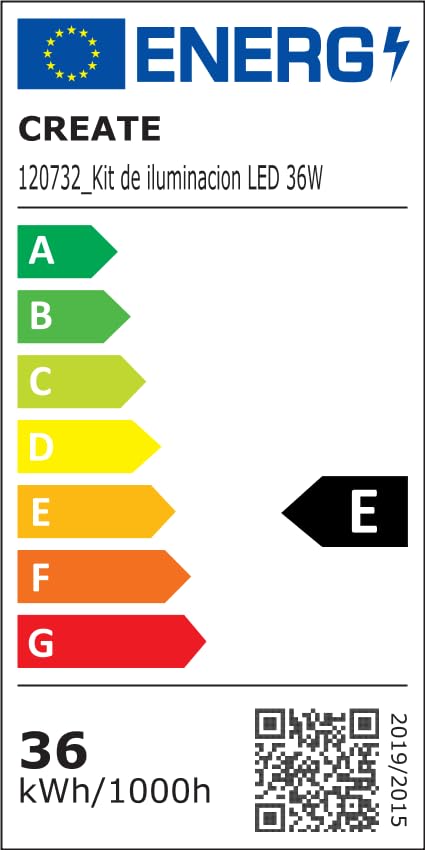
For detailed product data and energy efficiency information, please refer to the following documents:

9. Кепілдік және қолдау
For warranty information, technical support, or service inquiries, please contact CREATE customer service or refer to the official CREATE webсайт. Сатып алуды растау ретінде сатып алу түбіртегіңізді сақтаңыз.