
Кіріспе
Thank you for choosing the Dpofirs Portable MP3 Player. This device is designed to provide high-quality, lossless audio playback in a compact and durable form factor. This manual will guide you through the setup, operation, and maintenance of your new MP3 player.
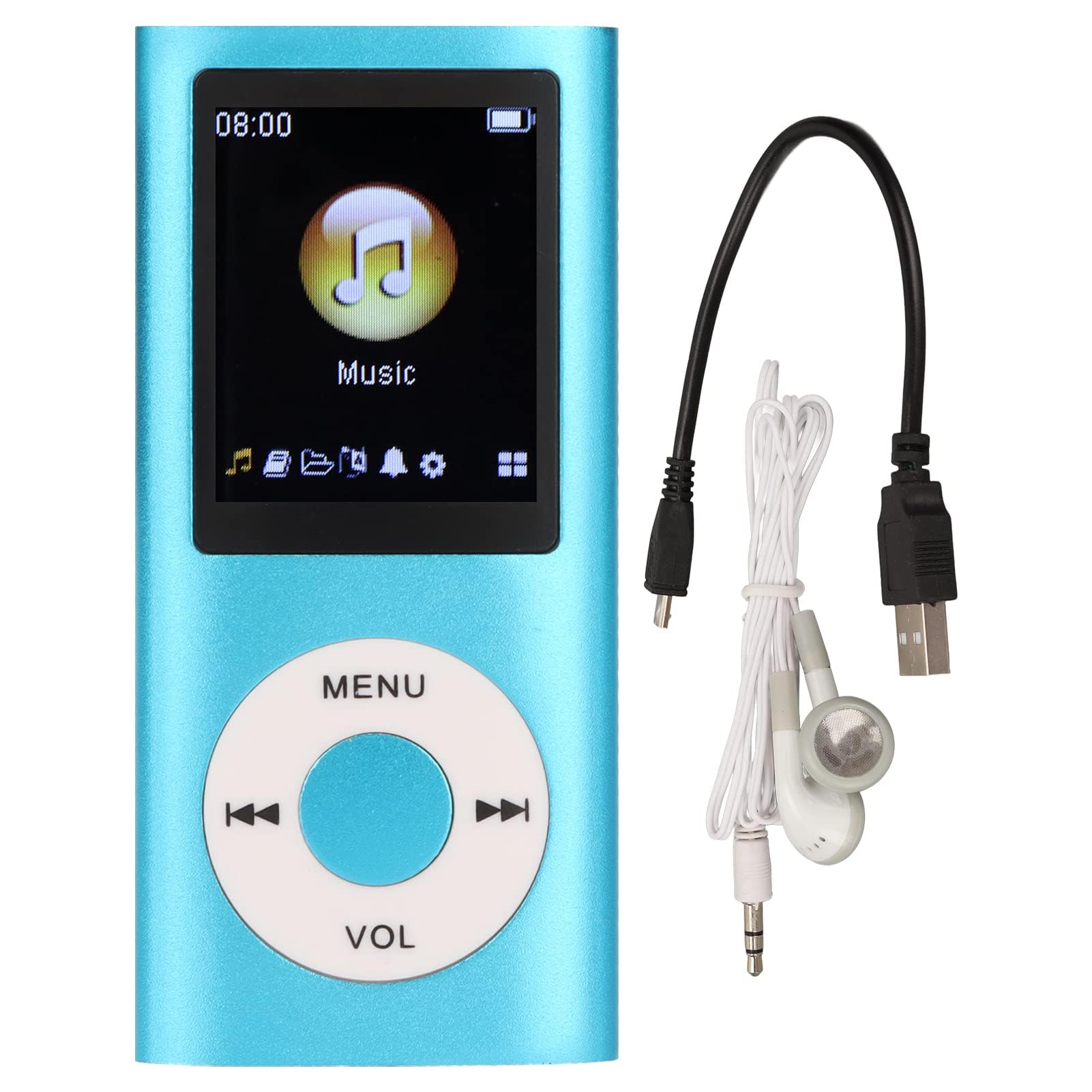
Image: The Dpofirs Portable MP3 Player, featuring a blue aluminum alloy casing and a circular control pad. A person is visible in the background, enjoying music with headphones.
Пакет мазмұны
Пакетте келесі элементтердің бар-жоғын тексеріңіз:
- 1 x Dpofirs MP3 Player
- 1 x зарядтау кабелі
- 1 x Құлаққап
Негізгі мүмкіндіктер
- Жоғалмайтын дыбыс сапасы: Supports MP3, WMA, FLAC, APE, AAC, OGG, and ACELP audio formats.
- Кеңейтілетін жад: Supports up to 64GB memory card (not included). MYMAHDI memory cards are recommended.
- Пайдаланушыға ыңғайлы интерфейс: Easy navigation for selecting songs, creating playlists, and managing playback.
- Батареяның ұзақ қызмет ету мерзімі: Толық зарядтағанда 8 сағатқа дейін үздіксіз ойнату.
- Тұрақты дизайн: Constructed from premium aluminum alloy for enhanced durability.
- Ойнату режимдері: Supports sequential and random playback, and sleep shutdown function.
Орнату
1. Құрылғыны зарядтау
Алғаш пайдалану алдында MP3 ойнатқышын толығымен зарядтаңыз.
- Connect the provided charging cable to the MP3 player's charging port.
- Кабельдің екінші ұшын USB қуат адаптеріне (жинаққа кірмейді) немесе компьютердің USB портына жалғаңыз.
- The device will indicate charging status. A full charge typically takes approximately 2 hours.
Маңызды: Ensure the charging cable is functioning correctly. If the device does not charge, try a different USB port or adapter.
2. Жад картасын салу
The MP3 player requires a memory card for storing music.
- Locate the memory card slot on the side of the MP3 player.
- Gently insert a microSD card (up to 64GB, not included) into the slot until it clicks into place.
- Алу үшін картаны серіппелі шыққанша сәл итеріңіз.
Ескерту: A memory card is not included with the player. MYMAHDI brand memory cards are recommended for optimal performance.
3. Құлаққаптарды қосу
Connect the provided earphones or your preferred 3.5mm audio headphones to the headphone jack on the MP3 player.
Пайдалану нұсқаулары
1. Қуатты қосу/өшіру
- To power on, press and hold the power button (usually the Play/Pause button or a dedicated power button) until the screen lights up.
- Қуатты өшіру үшін экран сөнгенше қуат түймесін қайтадан басып тұрыңыз.
2. Негізгі шарлау
The MP3 player features a circular control pad with several buttons:
- МЕНЮ: Access the main menu or go back to the previous screen.
- VOL (+/-): Дыбыс деңгейін реттеңіз.
- Ойнату/кідірту: Ойнатуды бастау немесе кідірту.
- Келесі/алдыңғы: Skip to the next track or go back to the previous track. Long press to fast forward/rewind.
3. Музыканы тасымалдау Files
To transfer music to your MP3 player:
- Connect the MP3 player to your computer using the charging cable.
- The player should appear as a removable disk drive on your computer.
- Музыканы сүйреп апарыңыз files (MP3, WMA, FLAC, APE, AAC, OGG, ACELP) into the player's memory card folder.
- Кабельді ажыратпас бұрын құрылғыны компьютерден қауіпсіз түрде ажыратыңыз.
4. Музыка ойнату
- From the main menu, navigate to the "Music" or "Audio" section.
- Музыкаңызды әртіс, альбом, жанр немесе барлық әндер бойынша шолыңыз.
- Select a song to begin playback.
- Use the Play/Pause, Next/Previous, and VOL buttons to control playback.
5. Playback Options
- Ойнату тізімдері: Create and manage custom playlists directly on the device.
- Араластыру/қайталау: Toggle between sequential playback, shuffle, and repeat modes.
- Ұйқы режимін өшіру: Set a timer for the device to automatically power off.
Техникалық қызмет көрсету
- Құрылғыны құрғақ ұстаңыз. Ылғал ішкі тізбектерді зақымдауы мүмкін.
- Төтенше температурадан аулақ болыңыз.
- Clean the device with a soft, dry cloth. Do not use harsh chemicals or cleaning agents.
- Protect the screen from scratches.
- Құрылғыны пайдаланбаған кезде қауіпсіз жерде сақтаңыз.
Ақаулықтарды жою
Құрылғы қосылмайды:
- Ensure the battery is charged. Connect the player to a power source and allow it to charge for at least 30 minutes.
- Қуат түймесін ұзақ уақыт (5-10 секунд) басып тұрып көріңіз.
Cannot hear any sound:
- Check if the earphones are properly connected to the headphone jack.
- VOL+ түймесін пайдаланып дыбыс деңгейін арттырыңыз.
- Test with a different pair of earphones to rule out faulty headphones.
- Дыбысты қамтамасыз етіңіз files бұзылмаған және қолдау көрсетілетін форматта.
Музыка files are not recognized:
- Ensure the memory card is properly inserted and recognized by the device.
- Музыка екенін тексеріңіз files are in one of the supported formats (MP3, WMA, FLAC, APE, AAC, OGG, ACELP).
- Try reformatting the memory card (this will erase all data) and re-transferring the music.
- Ensure the memory card is not full.
Құрылғы қатып қалады немесе жауап бермейді:
- Қайта іске қосу үшін қуат түймесін шамамен 10-15 секунд басып тұрыңыз.
- If available, use a small pin to press the reset button (if present on the device).
Техникалық сипаттамалар
| Бренд | Дпофирлер |
| Үлгі нөмірі | Dpofirs5yhtvp70d23123-13 |
| Материал | Алюминий қорытпасы |
| Батарея | Кірістірілген 200 мАч литий батареясы |
| Зарядтау уақыты | Шамамен 2 сағат |
| Ойнату уақыты | 8 сағатқа дейін (толық зарядталған) |
| Жад картасын қолдау | Up to 64GB (microSD, not included) |
| Қолдау көрсетілетін аудио пішімдері | MP3, WMA, FLAC, APE, AAC, OGG, ACELP |
| Қосылу технологиясы | Auxiliary, Bluetooth, Wi-Fi (Note: Bluetooth/Wi-Fi functionality not detailed in product description, focusing on core MP3 player features) |
| Түс | Көк |
| Шығу елі | Қытай |
Кепілдік және қолдау
Specific warranty information for this product is not provided in the available documentation. Please refer to the retailer's return policy or contact the seller directly for details regarding warranty coverage.
For technical support or further assistance, please contact Dpofirs customer service through the platform where you purchased the product.