
Кіріспе
Thank you for choosing the T'NB SHINY2 Bluetooth 5.1 TWS Wireless Earbuds. These earbuds are designed for comfort and high-quality audio, featuring Bluetooth 5.1 connectivity, up to 20 hours of listening time with the charging case, intuitive touch controls, and a built-in microphone for clear calls. This manual will guide you through the setup, operation, and maintenance of your new earbuds.

Сурет: жақыннан view of the T'NB SHINY2 wireless earbuds, highlighting their sleek design.
Орнату
1. Құлақаспаптар мен қорапты зарядтау
Before first use, fully charge the earbuds and the charging case. Connect the supplied USB-C cable to the charging port on the case and to a compatible USB power source. The LED indicator on the case will show the charging status and battery level.
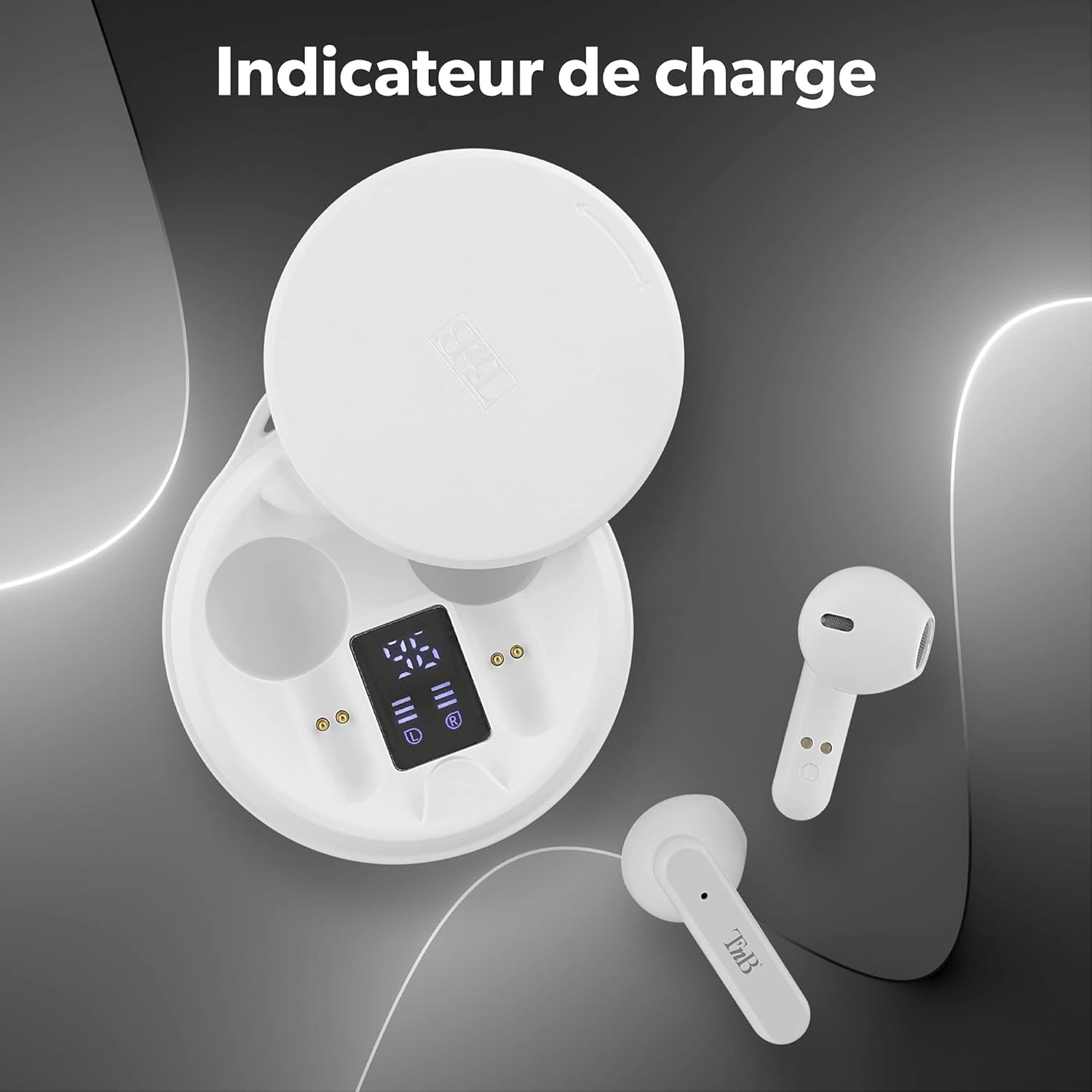
Image: The T'NB SHINY2 charging case open, displaying the LED battery level indicator for both the case and individual earbuds.
The earbuds will automatically charge when placed inside the charging case. A full charge provides up to 20 hours of total listening time with the case.

Image: Two T'NB SHINY2 earbuds shown with an icon indicating 20 hours of maximum playing time.
2. Құрылғымен жұптастыру
- Құлақаспаптардың зарядталғанына көз жеткізіңіз.
- Зарядтау қорабын ашыңыз. Құлақаспаптар жұптау режиміне автоматты түрде кіреді.
- Смартфоныңызда немесе Bluetooth қосылған құрылғыңызда Bluetooth параметрлеріне өтіп, қолжетімді құрылғыларды іздеңіз.
- Select "SHINY2" from the list. Once connected, you will hear a confirmation tone.
The earbuds feature Bluetooth 5.1 for a stable and efficient wireless connection.
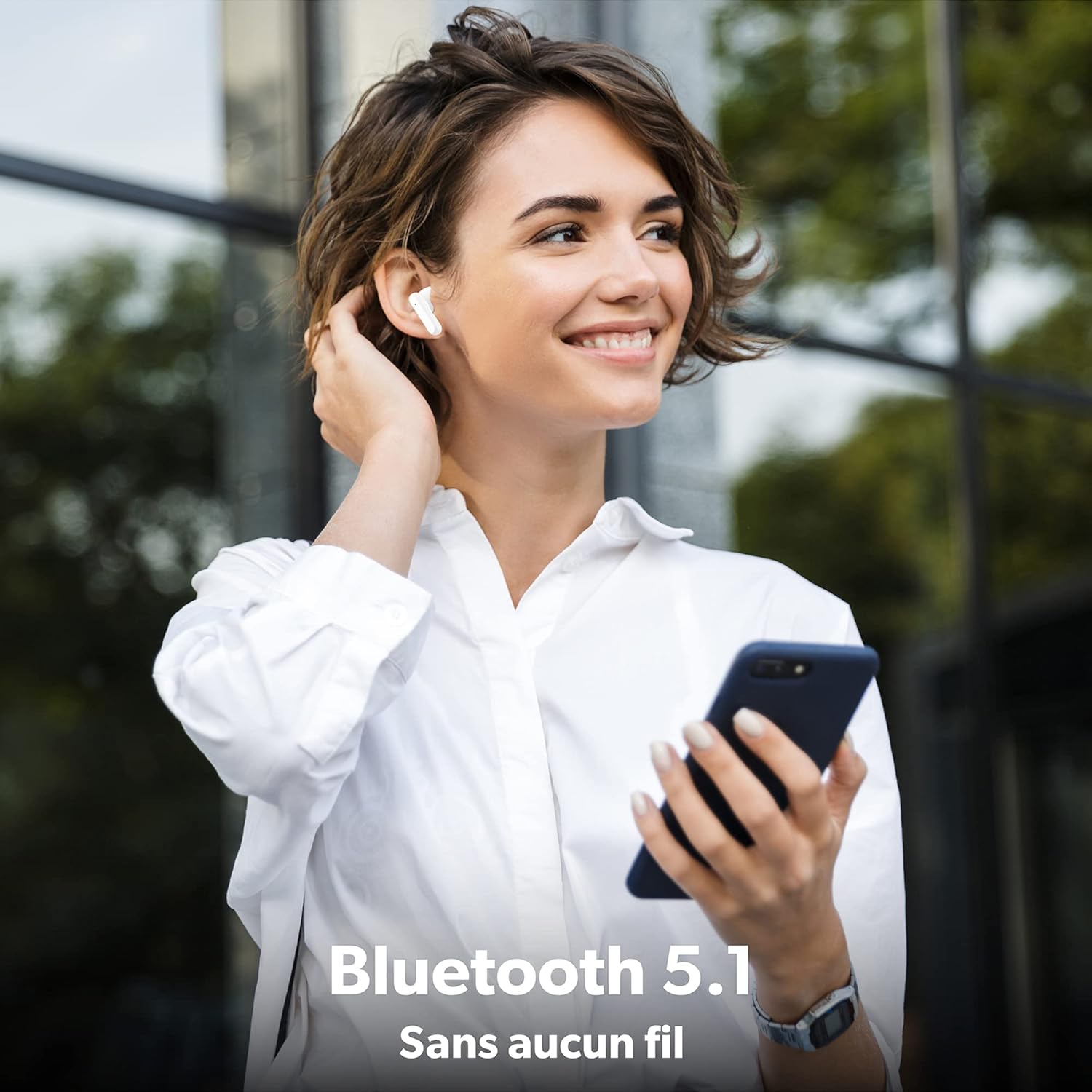
Image: A woman wearing a T'NB SHINY2 earbud, holding a smartphone, illustrating the wireless Bluetooth 5.1 connection.
After initial pairing, the earbuds will automatically connect to the last paired device when removed from the case.

Image: T'NB SHINY2 earbuds positioned next to a smartphone, symbolizing their automatic pairing capability.
Пайдалану нұсқаулары
Қуатты қосу/өшіру
- Қуат қосулы: The earbuds power on automatically when removed from the charging case.
- Қуат көзін өшіру: Place the earbuds back into the charging case to power them off and begin charging.
Басқару элементтерін түртіңіз
The SHINY2 earbuds feature intuitive touch controls on each earbud. Functions include:
- Ойнату/кідірту: Кез келген құлаққапты бір рет түртіңіз.
- Келесі трек: Оң жақ құлаққапты екі рет түртіңіз.
- Алдыңғы трек: Сол жақ құлаққапты екі рет түртіңіз.
- Дыбыс деңгейі: Оң жақ құлаққапты үш рет түртіңіз.
- Дыбыстың төмендеуі: Сол жақ құлаққапты үш рет түртіңіз.
- Қоңырауға жауап беру/аяқтау: Кіріс немесе белсенді қоңырау кезінде құлаққапты бір рет түртіңіз.
- Қоңырауды қабылдамау: Кіріс қоңырау кезінде құлаққапты 2 секунд басып тұрыңыз.
- Дауыстық көмекшіні іске қосыңыз: Құлақаспапты 3 секунд басып тұрыңыз.

Image: T'NB SHINY2 earbuds with graphical representations of touch controls for play, volume, and track selection.
Қоңырау шалу
The built-in omnidirectional microphone allows for clear hands-free communication. Use the touch controls to manage your calls.

Image: A woman smiling and waving while on a phone call, wearing T'NB SHINY2 earbuds, demonstrating the integrated microphone for clear calls.
Құлаққаптарды тағу
The SHINY2 earbuds feature a semi-in-ear ergonomic design for a comfortable and secure fit, suitable for various activities including sports and travel.

Image: A man wearing a T'NB SHINY2 earbud, highlighting the ergonomic semi-in-ear design for comfortable wear.
Техникалық қызмет көрсету
Тазалау
- Құлақаспаптар мен зарядтау қорабын жұмсақ, құрғақ, түксіз шүберекпен жүйелі түрде тазалаңыз.
- Абразивті тазартқыштарды, спиртті немесе химиялық еріткіштерді қолданбаңыз.
- Дұрыс зарядталуын қамтамасыз ету үшін құлаққаптардағы және қаптамадағы зарядтау контактілерін таза ұстаңыз.
Сақтау
- Қолданбаған кезде, құлаққаптарды қорғау және зарядталған күйде ұстау үшін оларды зарядтау қорабында сақтаңыз.
- Құлаққаптарды шамадан тыс температураға, ылғалдылыққа немесе шаңға ұшыратпаңыз.
Ақаулықтарды жою
- Құлақаспаптар жұптаспайды: Ensure both earbuds are charged. Place them back in the case, close it, then open it again to re-enter pairing mode. Check your device's Bluetooth settings and try re-pairing.
- Бір құлаққаптан дыбыс шықпайды: Ensure both earbuds are charged and properly paired. Try resetting the earbuds by placing them in the case and then taking them out again.
- Зарядтау мәселелері: Clean the charging contacts on both the earbuds and the case. Ensure the USB-C cable is securely connected to a working power source.
- Төмен дыбыс деңгейі: Қосылған құрылғыңызда да, құлаққаптың сенсорлық басқару элементтерін пайдаланып дыбыс деңгейін реттеңіз.
- Үзіліссіз қосылым: Құлаққаптар мен құрылғыңыз арасында 10 метрлік Bluetooth диапазонында екеніңізге және ешқандай кедергілер жоқ екеніне көз жеткізіңіз.
Техникалық сипаттамалар
| Ерекшелік | Мәлімет |
|---|---|
| Модель атауы | EBSHINYWH2 |
| Бренд | T'nB |
| Қосылу технологиясы | Сымсыз (Bluetooth 5.1) |
| Құлаққап пішін факторы | In-Ear (Semi-in-ear) |
| Микрофон пішімі | Built-in, Omnidirectional |
| Батареяның қызмет ету мерзімі | 20 сағатқа дейін (зарядтау қорабымен) |
| Құлаққаптың батарея сыйымдылығы | 25 мАч (литий-ион) |
| Батарея сыйымдылығы | 300 мАч (литий-ион) |
| Зарядтау интерфейсі | USB түрі C |
| Сымсыз Range | 10 метрге дейін |
| Кедергі | 32 Ом |
| Сезімталдық | 95 дБ |
| Материал | Silicone or Rubber |
| Түс | Ақ |
| Пакет өлшемдері | 14.6 x 7.8 x 3.8 см |
| Салмағы | 120 г |
Кепілдік және қолдау
For warranty information or technical support, please refer to the documentation included with your purchase or contact T'nB customer service. Keep your proof of purchase for warranty claims.