
Кіріспе
Thank you for choosing the Yenkee YMS 5030 Wireless Ergonomic Vertical Mouse. This manual provides detailed instructions for setting up, operating, and maintaining your new mouse. Designed for comfort and precision, this vertical mouse helps promote a natural wrist posture, reducing strain during extended use.
Өнімнің дұрыс жұмыс істеуі мен ұзақ қызмет етуін қамтамасыз ету үшін оны қолданар алдында осы нұсқаулықты мұқият оқып шығыңыз.
Пакет мазмұны
Барлық элементтер пакетте бар екенін тексеріңіз:
- 1 x Yenkee 1000/1600 DPI Wireless Ergonomic Vertical Mouse
- 1 x USB нано қабылдағыш
- 1 x Пайдаланушы нұсқаулығы (осы құжат)
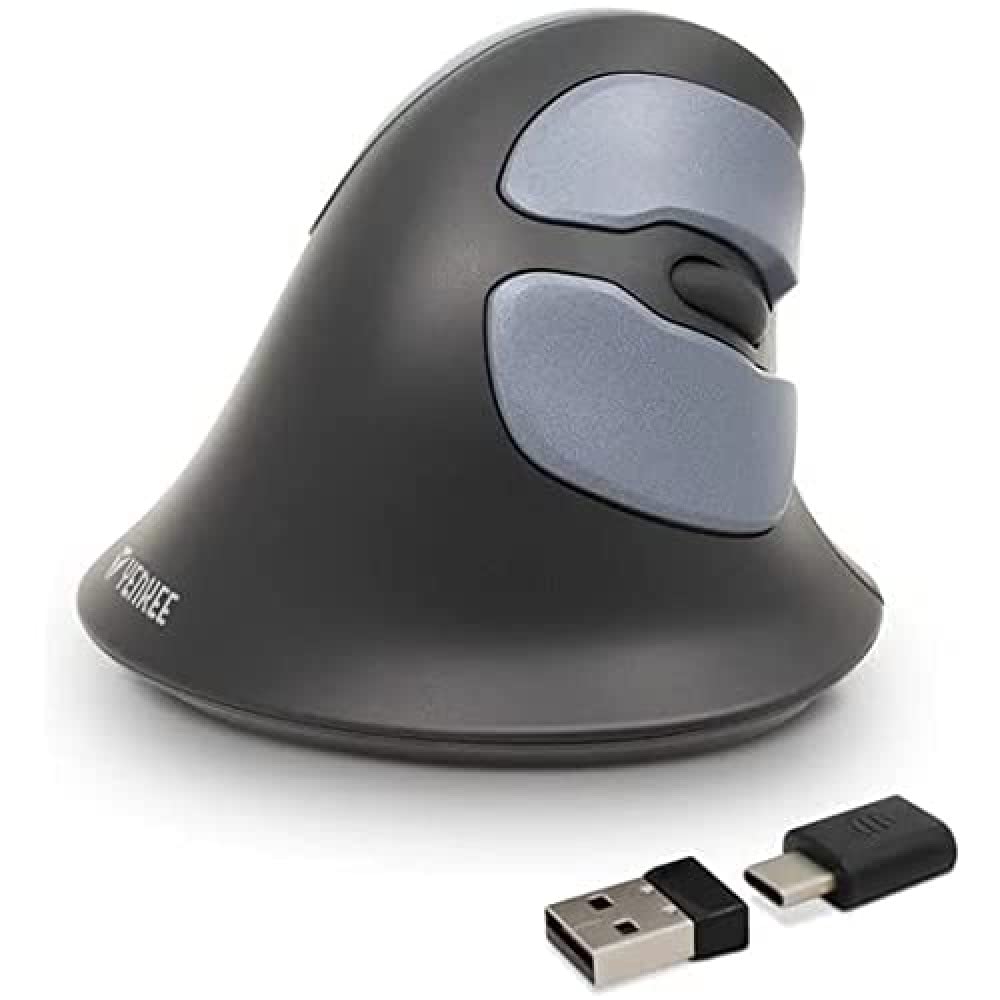
Image: Yenkee YMS 5030 Wireless Ergonomic Vertical Mouse with its USB nano receiver. The mouse is black, featuring a vertical design with multiple buttons.
Орнату
- Батареяларды орнатыңыз:
Locate the battery compartment on the underside of the mouse. Open the cover and insert the required batteries (not included), ensuring correct polarity (+/-). Close the battery compartment cover securely.
Сурет: астыңғы жағы view of the Yenkee YMS 5030 mouse, highlighting the battery compartment and the on/off switch.
- USB нано қабылдағышын қосыңыз:
Plug the USB nano receiver into an available USB port on your computer. Your operating system should automatically detect and install the necessary drivers. This process may take a few moments.
- Тінтуірді қосу:
Slide the ON/OFF switch, located on the underside of the mouse, to the "ON" position. The mouse should now be active and ready for use.
Пайдалану нұсқаулары
The Yenkee YMS 5030 mouse features 6 buttons and adjustable DPI settings for precise control.
- Сол жақ түймені басу: Стандартты бастапқы шерту функциясы.
- Тінтуірдің оң жақ түймешігі: Стандартты екінші рет басу функциясы.
- Айналдыру дөңгелегі: Құжаттар бойынша жоғары немесе төмен жылжыңыз және web беттер. Сондай-ақ, ортаңғы шерту функциясы үшін басуға болады.
- Алға/артқа түймелері: Бүйірінде орналасқан бұл түймелер жылдам шарлауға мүмкіндік береді web браузерлер немесе file зерттеушілер.
- DPI реттеу түймесі: Located near the scroll wheel, press this button to cycle between DPI settings (1000 DPI and 1600 DPI). Adjust the sensitivity to suit your preference and task.
Сурет: жоғарыдан төменге view of the Yenkee YMS 5030 mouse, indicating the positions of the left/right click, scroll wheel, forward/backward, and DPI adjustment buttons.
Эргономикалық дизайн
The vertical design of the YMS 5030 mouse positions your hand in a natural handshake posture, which can help alleviate wrist strain and discomfort often associated with traditional horizontal mice. This design is particularly beneficial for users seeking to reduce the risk of repetitive strain injuries like Carpal Tunnel Syndrome.
Техникалық қызмет көрсету
- Тазалау: Тінтуірдің бетін тазалау үшін жұмсақ, құрғақ шүберекті пайдаланыңыз. Қиын кірді аздап сүртіңіз.ampшүберекке су құйыңыз. Қатты химиялық заттарды немесе абразивті тазартқыштарды қолданбаңыз.
- Батареяны ауыстыру: When the mouse performance degrades or it stops responding, it's time to replace the batteries. Follow the "Install Batteries" steps in the Setup section. Dispose of old batteries responsibly according to local regulations.
- Сақтау орны: When not in use for extended periods, turn off the mouse using the ON/OFF switch to conserve battery life. Store the mouse and receiver in a dry, cool place.
Ақаулықтарды жою
| Мәселе | Ықтимал себебі | Шешім |
|---|---|---|
| Тінтуір жауап бермейді. |
|
|
| Меңзер қозғалысы тұрақсыз немесе секіргіш. |
|
|
| DPI setting does not change. | DPI button not pressed correctly or mouse not powered on. | Ensure the mouse is on and press the DPI button firmly. Observe if cursor speed changes. |
Техникалық сипаттамалар
| Ерекшелік | Мәлімет |
|---|---|
| Бренд | Yenkee |
| Үлгі нөмірі | YMS 5030 |
| Түс | Қара |
| Қосылу технологиясы | Сымсыз (Wi-Fi) |
| Қозғалысты анықтау технологиясы | Оптикалық |
| DPI параметрлері | 1000 DPI / 1600 DPI |
| Түймелердің саны | 6 |
| Жұмыс қашықтығы | 10 метрге дейін |
| Қуат көзі | Батареямен жұмыс істейді (батареялар кірмейді) |
| Аппараттық платформа | PC |
| Операциялық жүйенің үйлесімділігі | Windows 7, Windows 8, Windows Vista, Windows XP |
| Өнім өлшемдері | 14.1 x 7.8 x 23 см |
| Элемент салмағы | 125 г |
Кепілдік және қолдау
Yenkee products are manufactured to high-quality standards. For information regarding warranty terms and conditions, please refer to the warranty card included with your purchase or visit the official Yenkee website. For technical support or service inquiries, please contact your local retailer or the Yenkee customer support team.