
1. Кіріспе
The Saramonic Blink 100 B5 is an ultra-portable and easy-to-use 2.4GHz wireless microphone system designed to deliver broadcast-quality sound. This system is ideal for content creators using iPhone 15, Android smartphones and tablets, newer iPads, computers, and other devices equipped with a USB-C port. Its compact design and advanced features make it suitable for various applications, including video recording, streaming, and audio recording.

2. Қорапта не бар
- 1 x Blink 100 TX Transmitter
- 1 x Blink 100 RXUC USB-C Receiver
- 1 x Furry Windscreen for TX
- 1 x USB-C зарядтау кабелі
- 1 x Сөмке

3. Құрамдас бөліктерview
3.1. Blink 100 TX таратқышы
- Built-in Omnidirectional Microphone: Captures clear audio.
- Тері әйнек: Reduces wind noise for outdoor use.
- Қуат түймесі: Қуатты қосу/өшіру үшін басып тұрыңыз.
- Дыбысты өшіру түймесі: Микрофонның дыбысын өшіру/қосу үшін басыңыз.
- NR (Noise Reduction) Button: Press to activate/deactivate active noise cancellation.
- Gain Control (+/-) Buttons: Adjust microphone input level (12-step control).
- 3.5 мм TRS кірісі: For connecting external lavalier microphones or line-level audio sources.
- USB-C зарядтау порты: For charging the transmitter's internal battery.

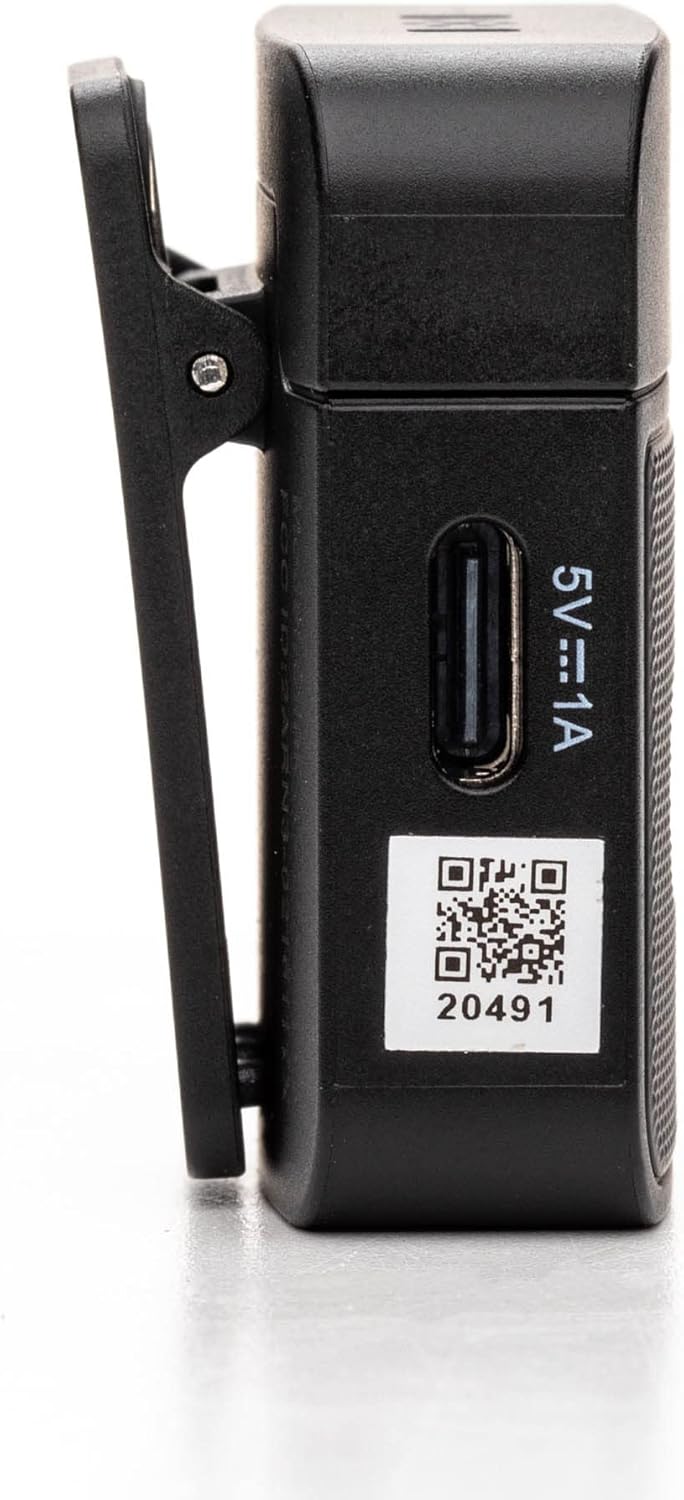
3.2. Blink 100 RXUC USB-C Receiver
- USB-C қосқышы: Plugs directly into your mobile device or computer.
- USB-C Pass-Through Charging Port: Allows simultaneous charging of your mobile device while the receiver is connected.
- Жұптастыру көрсеткіші: LED light indicates pairing status.

4. Орнату
4.1. Таратқышты зарядтау
- Connect the supplied USB-C charging cable to the transmitter's USB-C port.
- Кабельдің екінші ұшын USB қуат көзіне қосыңыз (мысалы, компьютер, қабырға адаптері).
- The indicator light will show charging status. A full charge provides up to 10 hours of operation.
4.2. Ресиверді қосу
- Blink 100 RXUC қабылдағышын смартфонның, планшеттің немесе компьютердің USB-C портына тікелей қосыңыз.
- The receiver is battery-free and draws power from your device.

4.3. Автоматты жұптастыру
The Blink 100 system features automatic pairing. Simply power on the transmitter and plug in the receiver. The units will automatically search for and connect to each other, indicated by a solid blue light on both units. The system also automatically switches channels to avoid static and dropouts.
5. Пайдалану нұсқаулары
5.1. Негізгі операция
- Қуатты қосу/өшіру: Press and hold the power button on the TX transmitter for 2 seconds.
- Таратқышты кию: Clip the TX transmitter to your shirt or clothing. For optimal sound, position the microphone approximately 6-8 inches from your mouth.

5.2. Басқаруды алу
пайдаланыңыз + және - buttons on the TX transmitter to adjust the microphone's input gain. There are 12 steps of gain control to achieve optimal audio levels for different recording environments and speaker volumes.
5.3. Белсенді шуды басу (NR)
түймесін басыңыз NR button on the TX transmitter to activate or deactivate the active noise cancellation feature. When activated, the system will reduce ambient background noise, providing clearer audio, especially in noisy environments.
5.4. Muting
түймесін басыңыз ДЫБЫС button on the TX transmitter to temporarily mute the microphone. Press it again to unmute.
5.5. Connecting External Audio Sources
The 3.5mm TRS input on the TX transmitter allows you to connect external lavalier microphones, headset microphones, or even line-level audio devices (e.g., music players, mixers) for wireless transmission. Ensure the input mode is correctly set on the transmitter if using a line-level source (refer to advanced settings if available, though the Blink 100 series typically auto-detects mic input).
5.6. Powering Your Mobile Device
The RXUC receiver features a USB-C pass-through charging port. This allows you to charge your mobile device simultaneously while the receiver is connected and in use, ensuring extended recording sessions without draining your device's battery.
5.7. Өнімнің ресми бейнесі
6. Техникалық сипаттамалар
| Ерекшелік | Техникалық сипаттама |
|---|---|
| Бренд | Сарамондық |
| Модель атауы | Wireless Audio Transmission Kit |
| Элемент үлгі нөмірі | Saramonic BLINK100 |
| Қосылу технологиясы | 2.4 ГГц |
| Қосқыш түрі | USB Type-C |
| Үйлесімді құрылғылар | Personal Computer, Smartphones, Tablets |
| Микрофон пішін факторы | Handheld (Clip-On) |
| Полярлық үлгі | Жан-жақты |
| Дыбыс сезімталдығы | 39 децибел |
| Сигналдардың шуылға қатынасы | 76 дБ |
| Жиілік реакциясы | 24 ГГц |
| Арналар саны | 2 |
| Арнайы мүмкіндіктер | Battery Indicator Light, Clip, Mute Function, Noise Reduction |
| Қуат көзі | Сымды электр (зарядтау үшін) |
| Батареялар | 1 литий полимерлі батарея қажет (жинаққа кіреді) |
| Элемент салмағы | 4.8 унция |
| Өнім өлшемдері (L x W x H) | 3.74 x 2.32 x 4.69 дюйм |
| Түс | Қара |
| Сымсыз Range | Көру қашықтығы 164 футқа (50 м) дейін |
| TX батареясының жұмыс уақыты | 10 сағатқа дейін |
7. Ақаулықтарды жою
7.1. No Sound or Low Audio Level
- Ensure both the transmitter (TX) and receiver (RXUC) are powered on and successfully paired (solid blue indicator light).
- Check the microphone gain level on the TX transmitter using the +/- buttons. Increase the gain if the audio is too low.
- Verify that the RXUC is securely plugged into your recording device's USB-C port.
- Confirm that your recording application or device settings are configured to use the external microphone input.
- If using an external lavalier, ensure it is properly connected to the TX's 3.5mm TRS input.
7.2. Poor Sound Quality / Interference
- Activate the Noise Reduction (NR) feature on the TX transmitter if recording in a noisy environment.
- Ensure there are no obstructions between the transmitter and receiver, and try to maintain line-of-sight within the 164-foot (50m) range.
- Avoid operating near other 2.4GHz wireless devices (Wi-Fi routers, other wireless mics) that might cause interference.
- Check the furry windscreen is properly installed on the TX's built-in mic when recording outdoors to minimize wind noise.
7.3. Жұптастыру мәселелері
- Power cycle both the TX transmitter and RXUC receiver.
- Ensure both units are within close proximity during initial pairing.
- The system is designed for automatic pairing. If issues persist, refer to the full Saramonic support documentation online.
7.4. Device Not Charging via RXUC Pass-Through
- Ensure the charging cable is securely connected to both the RXUC's pass-through port and a working power source.
- Verify that your mobile device supports charging via its USB-C port while an accessory is connected.
8. Техникалық қызмет көрсету
- Keep the devices clean using a soft, dry cloth.
- Құрылғыларды шектен тыс температураға, ылғалдылыққа немесе тікелей күн сәулесінің әсеріне ұшыратпаңыз.
- Store the system in the provided carrying pouch when not in use to protect it from dust and damage.
- Құрылғыны өзіңіз бөлшектеуге немесе жөндеуге әрекеттенбеңіз, себебі бұл кепілдікті жояды.
9. Кепілдік және қолдау
Saramonic products come with a manufacturer's warranty. For detailed warranty information, product registration, and technical support, please visit the official Saramonic webсайтына немесе тұтынушыларға қызмет көрсетуге хабарласыңыз. Сатып алу түбіртегін кепілдік талаптары үшін сатып алудың дәлелі ретінде сақтаңыз.
Қосымша көмек алу үшін мына сайтқа кіре аласыз Saramonic Store on Amazon.