
1. Кіріспе
Thank you for choosing the SHARP KCP70UW Smart Air Purifier with Humidifier Combo. This device is designed to improve your indoor air quality by combining advanced air purification with effective humidification. It features a triple filtration system, Plasmacluster Ion Technology, and smart home compatibility for convenient control.
Please read this manual thoroughly before operating the unit to ensure safe and optimal performance. Keep this manual for future reference.

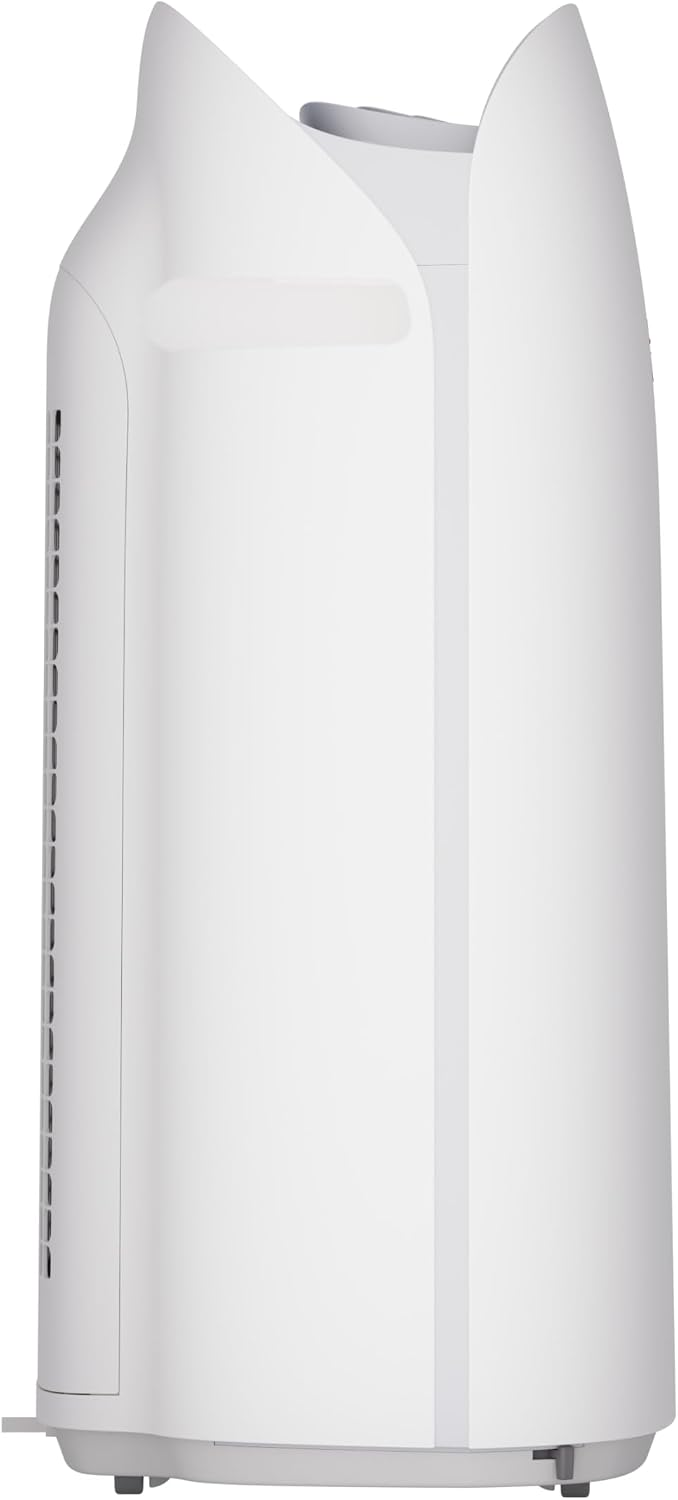
1-сурет: Алдыңғы view of the SHARP KCP70UW unit, illustrating its key features.
2. Қауіпсіздік туралы ақпарат
Өрт, электр тогының соғуы және адамдардың жарақат алу қаупін азайту үшін электр құрылғыларын пайдалану кезінде әрқашан негізгі қауіпсіздік шараларын орындаңыз.
- Ауа кіретін немесе шығатын жерлерді жауып тастамаңыз.
- Судың жанында немесе ылғалды ортада пайдаланбаңыз.
- Құрылғыны тазаламас бұрын немесе техникалық қызмет көрсетпес бұрын оны электр желісінен ажыратыңыз.
- Балалар мен үй жануарларының қолы жетпейтін жерде сақтаңыз.
- Көрсетілген томмен ғана пайдаланыңызtage.
3. Орнату
3.1 Unpacking and Filter Preparation
Before first use, it is crucial to remove all protective plastic bags from the air filters. Operating the unit with filters still in plastic bags will prevent proper air purification and may cause unusual noises.
- Carefully open the back panel of the air purifier.
- Remove the air filters from their compartments.
- Cut and remove all plastic packaging from both the True HEPA filter and the Activated Carbon deodorizing filter.
- Reinsert the filters into the unit, ensuring they are correctly oriented.
- Close the back panel securely.
Video 1: Instructions on how to properly set up the air purifier by removing plastic bags from filters.

Figure 2: The air purifier with its back panel open, showing the filters being removed for plastic bag removal.
3.2 Орналастыру
Place the air purifier on a flat, stable surface in the room where air purification is desired. Ensure there is adequate space around the unit for proper airflow. The KCP70UW is effective for rooms up to 1,913 sq. ft. at one air change per hour, or 396 sq. ft. with 4.8 air changes per hour (AHAM Suggested Room Size).

Figure 3: The air purifier positioned in a spacious living area, highlighting its capacity for large rooms.
3.3 Қуат қосылымы
Қуат сымын стандартты электр розеткасына қосыңыз. Құрылғы енді жұмысқа дайын.
4. Пайдалану нұсқаулары
4.1 Басқару тақтасы үстіндеview
The control panel is located on the top of the unit and features various buttons and indicators for easy operation.
4-сурет: Егжей-тегжейлі view of the control panel with its intuitive buttons and digital display.
4.2 Негізгі операция
- Қуатты қосу/өшіру: түймесін басыңыз ҚОСУ/ӨШІРУ құрылғыны қосу немесе өшіру үшін түймесін басыңыз.
- Желдеткіш жылдамдығы: Cycle through fan speeds (Low, Medium, Max) using the Желдеткіш түймесі.
- Авто режим: түймесін басыңыз АВТО button. In Auto mode, the unit automatically adjusts fan speed and humidification based on detected air quality and humidity levels.
4.3 Smart Features (SHARP AIR App, Alexa, Google Assistant)
The SHARP KCP70UW is compatible with the SHARP AIR App (available for Apple and Android devices), Amazon Alexa, and Google Assistant for enhanced control and monitoring.
- Қашықтан жұмыс: Use the SHARP AIR App to adjust settings, monitor air quality, and set schedules from your smartphone.
- Дауыспен басқару: Connect your unit to Amazon Alexa or Google Assistant-enabled devices (sold separately) to use voice commands for operation.
- Қосымша режимдер: Access modes like Sleep, Pollen, and Express Clean exclusively through the SHARP AIR App.

Figure 5: The SHARP AIR App provides comprehensive control and monitoring features for your air purifier.
2-бейне: аяқталдыview of the SHARP KCP70UW Smart Air Purifier with Humidifier, highlighting its smart features and filtration system.
5. Техникалық қызмет көрсету
5.1 Filter Care and Replacement
The KCP70UW features long-life filters designed to last up to 2 years, depending on the environment and usage. Regular cleaning and timely replacement are essential for maintaining optimal performance.
- Алдын-ала сүзгі: The washable microscreen pre-filter traps large particles. Clean it regularly by vacuuming or rinsing with water.
- Белсендірілген көміртекті дезодорант сүзгісі: Helps reduce common household odors. Replace every 2 years or as indicated by the filter replacement indicator.
- Нағыз HEPA сүзгісі: Captures 99.97% of particles 0.3 microns and larger. Replace every 2 years or as indicated by the filter replacement indicator.
- Ылғалдандыратын сүзгі: This filter is also designed for long life and can be cleaned. Refer to the app for replacement status.

6-сурет: жарылған view of the triple filtration system, showing each filter component.

Figure 7: The True HEPA filter, designed for extended use up to 2 years.
5.2 Ылғалдандырғышқа техникалық қызмет көрсету
The humidifier function requires regular attention to ensure clean and effective humidification.
- Су ыдысы: Refill the water tank with clean tap water as needed. Avoid using distilled water as the unit is designed for tap water.
- Humidifying Filter Cleaning: Periodically clean the humidifying filter to prevent mineral buildup. Refer to the full instruction manual for detailed cleaning steps.

Figure 8: The humidifying filter and its tray, easily accessible for maintenance.
6. Ақаулықтарды жою
If you encounter issues with your SHARP KCP70UW, refer to the following common problems and solutions:
| Мәселе | Ықтимал себебі | Шешім |
|---|---|---|
| Loud flapping sound / Poor air purification | Air filters still in plastic bags. | Remove all plastic packaging from filters before use (refer to Section 3.1). |
| Humidifier not increasing humidity | Water tank empty; Humidifying filter dirty or calcified. | Refill water tank; Clean or replace humidifying filter. |
| Unit not responding to app/voice commands | Wi-Fi connection issue; App not properly configured; Device not linked to Alexa/Google Assistant. | Check Wi-Fi connection; Reconfigure app settings; Ensure proper linking with smart assistant. |
| Auto mode not adjusting fan speed | Dust/odor sensors are obstructed or dirty. | Clean the dust and odor sensors. |
7. Техникалық сипаттамалар
Key technical specifications for the SHARP KCP70UW:
| Ерекшелік | Мәлімет |
|---|---|
| Үлгі нөмірі | KCP70UW |
| Түс | Ақ |
| Өнім өлшемдері (D x W x H) | 12.4" x 15.8" x 28.6" |
| Элемент салмағы | 22.3 фунт |
| Еден аймағын қамту | 1913 Square Feet (1x/hr air change) / 396 Square Feet (4.8x/hr AHAM) |
| Шу деңгейі | 21 Decibels (Low Fan Speed) |
| Сүзгі класы | HEPA және белсендірілген көмір |
| Бөлшектерді ұстау мөлшері | 0.3 Micrometer (True HEPA) |
| Контроллер түрі | Amazon Alexa, Android, Google Assistant |
| Арнайы мүмкіндік | Бағдарламаланатын |
| Сертификаттар | AHAM Certified, CARB Certified, Energy Star Certified |
| UPC | 074000701663 |

Figure 9: The unit's quiet operation makes it suitable for bedrooms.

Figure 10: AHAM Verifide CADR ratings for effective pollutant removal.

11-сурет: орналастыруды жоспарлауға арналған өнімнің өлшемдері.
8. Кепілдік және қолдау
Кепілдік туралы ақпарат және тұтынушыларды қолдау үшін өніміңізбен бірге берілген кепілдік картасын қараңыз немесе ресми Sharp дүкеніне кіріңіз. website. You can also contact Sharp customer service for assistance with product registration, troubleshooting, or replacement parts.
Онлайн ресурстар: For additional information, FAQs, and support, visit the Sharp website or the SHARP AIR App support section.