
1. Өнім аяқталдыview
The Oladance OWS1 Open Ear Headphones offer a unique open-ear design for comfort and situational awareness. These wireless Bluetooth 5.2 headphones feature dual 16.5mm drivers for high-quality sound and extended battery life, making them suitable for various activities.
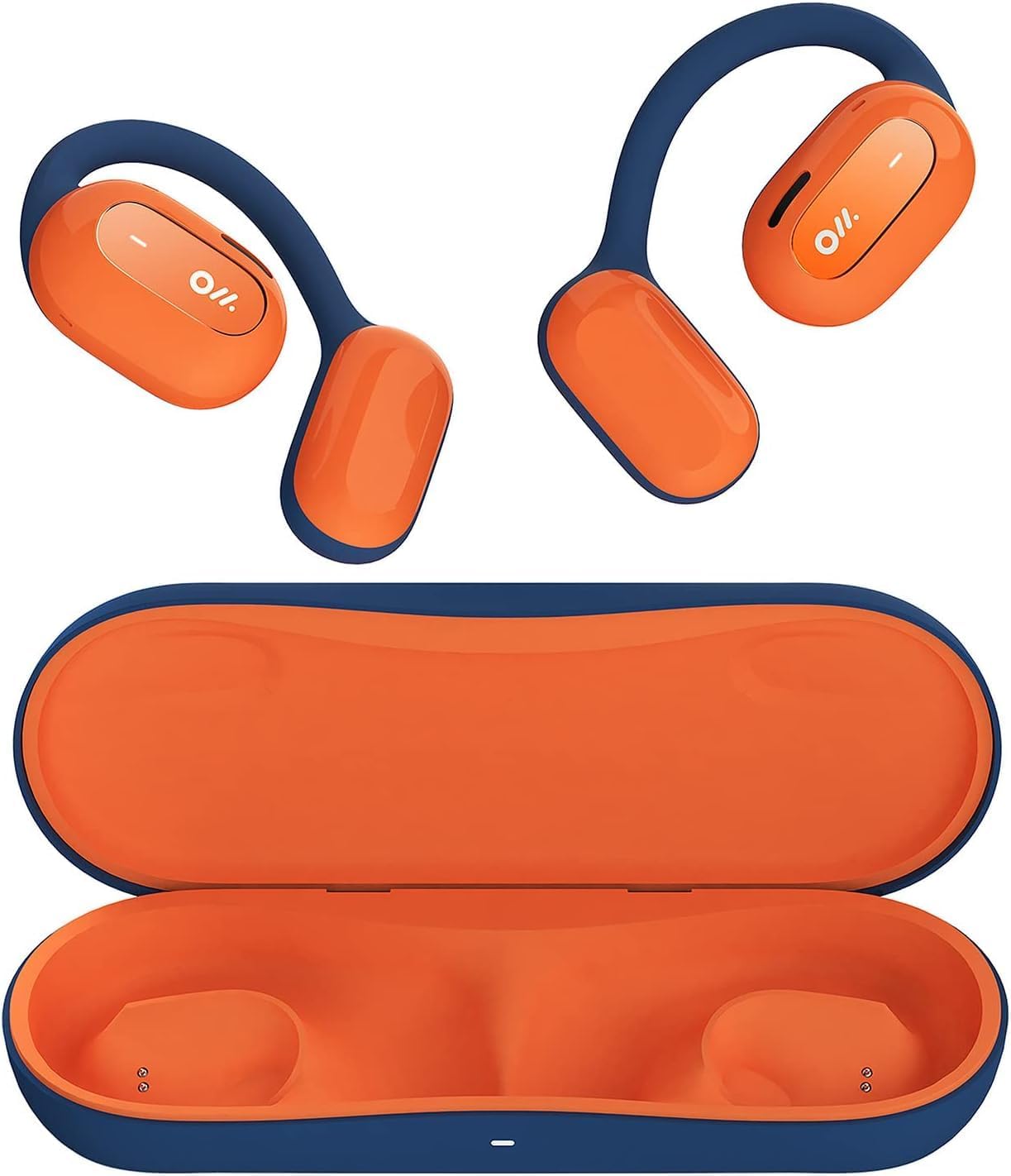
Image 1: Oladance OWS1 Open Ear Headphones and their carry case.
2. Қорапта не бар
- 1 × Oladance Wearable Stereo (Pair of Open Ear Headphones)
- 1 × Non-charging Carry Case
- 1 × Type-C кабелі
- 1 × Пайдаланушы нұсқаулығы
3. Негізгі мүмкіндіктер
- True Open Ear Design: Earbuds rest gently on top of the ear, avoiding insertion into the ear canal for enhanced comfort and situational awareness.
- 360° Superior Sound: Equipped with dual powerful 16.5mm dynamic drivers and bio-diaphragm technology for rich, clear audio across all volume levels.
- Anti-Hearing Loss Focus: Designed to prevent common health issues associated with traditional earbuds by not blocking the ear canal, reducing pressure and potential hearing damage.
- Extended 16-Hour Playtime: Features a built-in 160mAh battery and low-consumption algorithms, providing up to 16 hours of continuous playback on a single charge. Note: A separate charging case is required for extended playtime beyond the included carry case.
- Қауіпсіз және ыңғайлы орнату: Multi-point support system distributes weight evenly across the ear, ensuring a stable and comfortable fit for various activities.

Image 2: The Oladance OWS1 headphones are designed for a secure and comfortable fit, ideal for activities like yoga.
4. Орнату нұсқаулығы
4.1 Бастапқы зарядтау
Before first use, fully charge your Oladance OWS1 headphones. Connect the provided Type-C cable to the charging port on the headphones and a compatible USB power source. The LED indicator will show charging status.
4.2 Қуатты қосу/өшіру
- Қосу үшін: Press and hold the power button (location typically on one of the earbud units) for approximately 2-3 seconds until you hear an audible prompt or see an LED indicator light up.
- Қуатты өшіру үшін: Press and hold the power button for approximately 3-5 seconds until you hear an audible prompt or the LED indicator turns off.
4.3 Bluetooth жұптастыру
- Құлақаспаптардың өшірілгеніне көз жеткізіңіз.
- Press and hold the power button for approximately 5-7 seconds until the LED indicator flashes red and blue alternately. This indicates the headphones are in pairing mode.
- Құрылғыда (смартфон, планшет, компьютер) Bluetooth параметрлеріне өтіңіз.
- Іздеу "Oladance OWS1" in the list of available devices.
- Select "Oladance OWS1" to connect. Once connected, the LED indicator will typically flash blue slowly or turn off, and you will hear a confirmation tone.

Image 3: The Oladance OWS1 headphones are designed for an ergonomic and stable fit during various activities.
5. Пайдалану нұсқаулары
5.1 Негізгі басқару элементтері
| Функция | Әрекет |
|---|---|
| Музыканы ойнату/кідірту | Көп функциялы түймені бір рет басыңыз. |
| Келесі трек | Көп функциялы түймені екі рет басыңыз. |
| Алдыңғы трек | Көп функциялы түймені үш рет басыңыз. |
| Дыбыс деңгейін жоғарылату | Single press the Volume + button. |
| Дыбыс деңгейін төмендету | Single press the Volume - button. |
| Қоңырауға жауап беру/аяқтау | Single press the Multi-function button during an incoming call or active call. |
| Қоңырауды қабылдамау | Кіріс қоңырауы кезінде Көп функциялы түймені 2 секунд басып тұрыңыз. |
| Voice Assistant қолданбасын іске қосыңыз | Көп функциялы түймені 2 секунд басып тұрыңыз. |
5.2 Көп нүктелі қосылым
The Oladance OWS1 headphones support multi-point connection, allowing them to be connected to two Bluetooth devices simultaneously. This enables seamless switching between devices without re-pairing.
- Ensure the headphones are paired with the first device.
- Put the headphones into pairing mode again (usually by holding the power button until the LED flashes red and blue).
- On the second device, search for "Oladance OWS1" in the Bluetooth settings and connect.
- The headphones should now be connected to both devices. Audio will automatically switch to the device playing content or receiving a call.

Image 4: The open-ear design allows for comfortable extended wear, even during work or calls.
6. Күтім және техникалық қызмет көрсету
- Тазалау: Use a soft, dry cloth to wipe the headphones. Avoid using harsh chemicals or abrasive materials.
- Сақтау орны: Store the headphones in their provided non-charging carry case when not in use to protect them from dust and damage.
- Суға төзімділік: The headphones are water-resistant (IPX4 rated). Avoid submerging them in water or exposing them to high-pressure water jets. Dry thoroughly if they get wet.
- Температура: Құлақаспаптарды төтенше температураларға (ыстық немесе суық) немесе жоғары ылғалдылыққа ұшыратпаңыз.

Image 5: The included carry case protects your Oladance OWS1 headphones during transport and storage.
7. Ақаулықтарды жою
- Қосу мүмкін емес
- Ensure the headphones are fully charged. Connect them to a power source using the Type-C cable.
- Құрылғымен жұптастыру мүмкін емес
- Құлаққаптардың жұптастыру режимінде екеніне көз жеткізіңіз (жарық диоды қызыл және көк түспен жыпылықтайды).
- Құрылғының Bluetooth қызметін өшіріп, қосыңыз.
- Құрылғыдағы алдыңғы Bluetooth қосылымдарын өшіріңіз.
- Құлаққапты құрылғыға жақындатыңыз.
- Дыбыс жоқ немесе төмен дыбыс
- Құлаққаптардағы және қосылған құрылғыдағы дыбыс деңгейін тексеріңіз.
- Құлақаспаптардың құрылғыға дұрыс қосылғанына көз жеткізіңіз.
- Басқа қолданбадан немесе көзден дыбысты ойнатып көріңіз.
- Үзіліссіз қосылым
- Құлақаспаптар мен құрылғының арасында кедергілер жоқ екеніне көз жеткізіңіз.
- Күшті электромагниттік кедергілерден аулақ болыңыз.
- Keep the headphones within the effective Bluetooth range (typically 10 meters).
8. Өнімнің техникалық сипаттамалары
| Ерекшелік | Мәлімет |
|---|---|
| Үлгі нөмірі | OLA02 |
| Бренд | Одаданс |
| Қосылу технологиясы | Сымсыз (Bluetooth 5.2) |
| Құлақтың орналасуы | Ашық құлақ |
| Форма факторы | Ашық құлақ |
| Драйвер өлшемі | Dual 16.5mm Dynamic Drivers |
| Батареяның қызмет ету мерзімі (орташа) | 16 сағатқа дейін |
| Зарядтау уақыты | Шамамен 2 сағат |
| Суға төзімділік деңгейі | Суға төзімді (IPX4) |
| Микрофон пішімі | Кірістірілген |
| Басқару түрі | Media Control (Buttons) |
| Материал | Пластмасса |
| Өнім өлшемдері | 13 x 11 x 457.2 см |
| Элемент салмағы | 260 г |

Image 6: A close-up of the Oladance OWS1 headphones, highlighting their design and color.
9. Кепілдік және қолдау
Oladance products are covered by a limited warranty. For detailed warranty information, product support, or service inquiries, please refer to the official Oladance webсайтына өтіңіз немесе тұтынушыларға тікелей хабарласыңыз. Кепілдік талаптары үшін сатып алуды растайтын құжатты сақтаңыз.
Қосымша көмек алу үшін мына сайтқа кіріңіз: www.oladance.com


