
Кіріспе
Сатып алғаныңыз үшін рахметasing the SZELAM Digital Alarm Clock. This manual provides detailed instructions for setting up and operating your new alarm clock. Please read it thoroughly to ensure proper use and to maximize the features of your device.
Өнім аяқталдыview
Негізгі ерекшеліктері:
- Large 14cm LED Display: High-resolution display clearly shows time, date, and temperature. HD white LED digits ensure visibility from a distance.
- Реттелетін жарықтық: 6 levels of brightness (5% to 100%) to suit various lighting conditions.
- 8 Alarm Ringtones: Choose from 8 distinct alarm tones.
- Реттелетін дабыл дыбысы: 6 volume levels, ranging from 30 to 90 dB.
- Кейінге қалдыру функциясы: Provides an additional 9 minutes of sleep after the alarm sounds.
- 12/24 сағат пішімі: Switch between 12-hour (AM/PM) and 24-hour time displays.
- Date and Temperature Display: Shows current date and indoor temperature.
- USB Powered with Battery Backup: Operates via USB cable; 3 AAA batteries (not included) provide memory function for settings during power outages.
Пакет мазмұны:
- 1 x SZELAM Digital Alarm Clock
- 1 x USB зарядтау кабелі
- 1 x Пайдаланушы нұсқаулығы
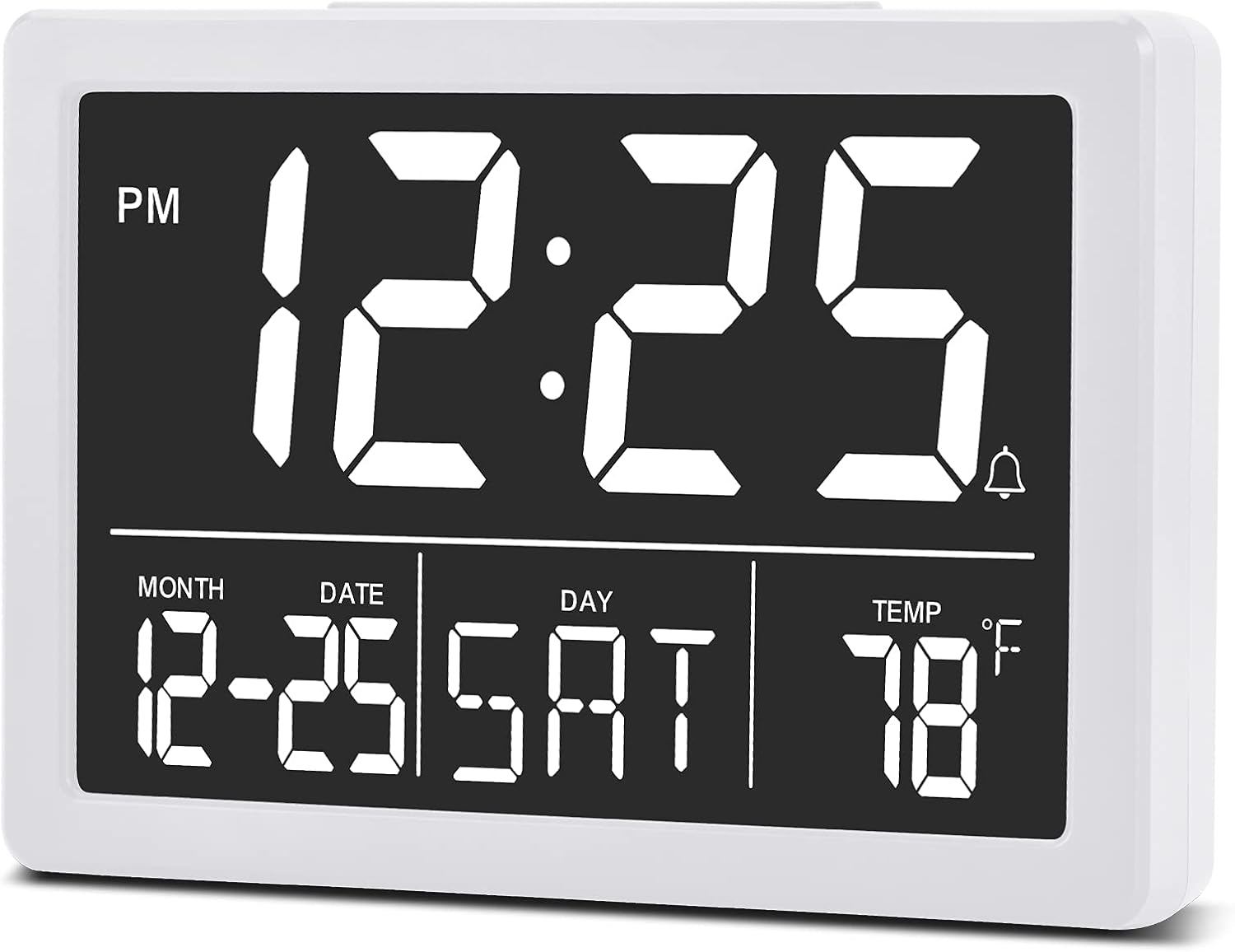
Сурет: Алдыңғы view of the SZELAM Digital Alarm Clock displaying time, date, and temperature.
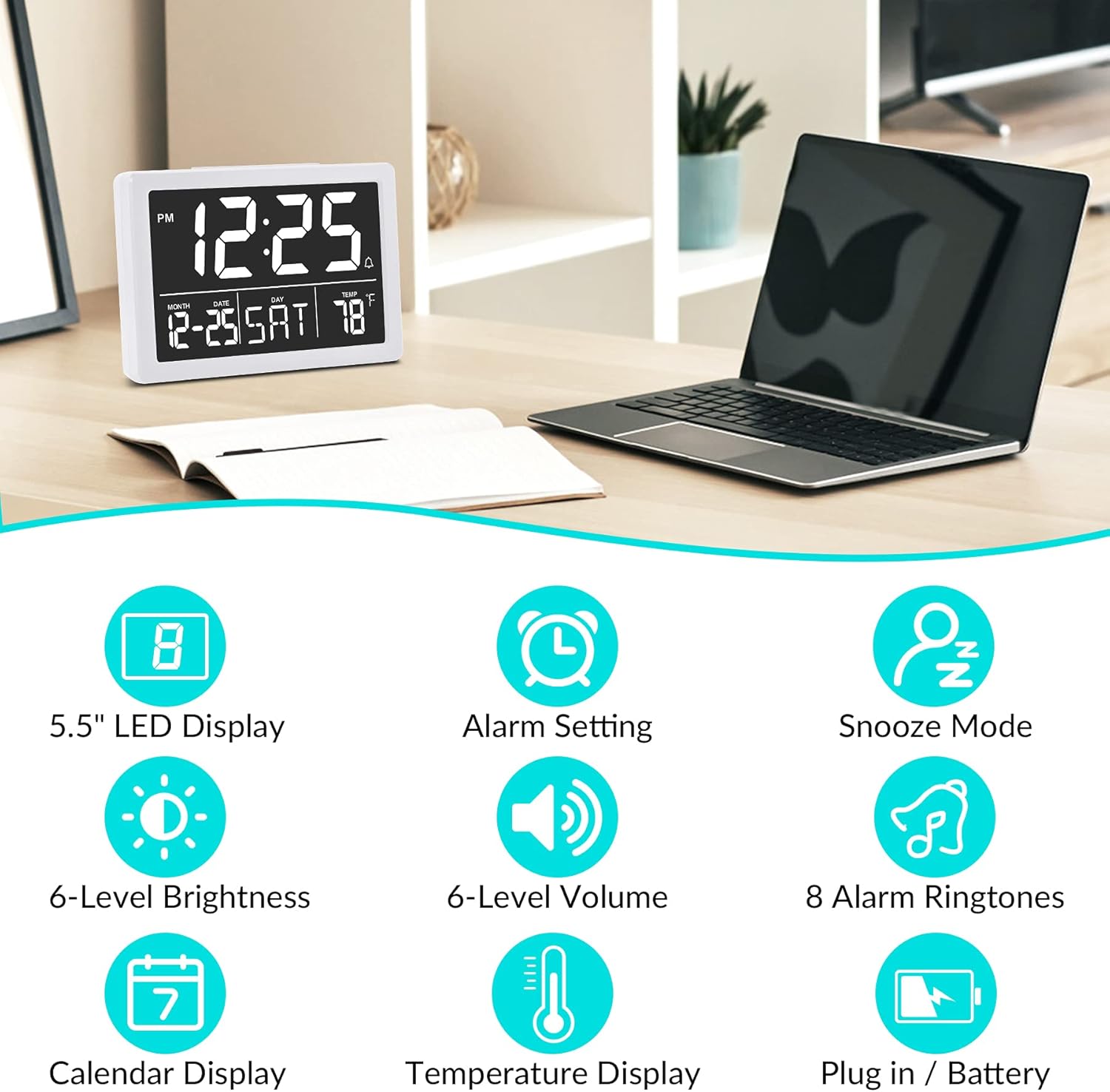
Сурет: Graphic illustrating key features: 5.5" LED Display, Alarm Setting, Snooze Mode, 6-Level Brightness, 6-Level Volume, 8 Alarm Ringtones, Calendar Display, Temperature Display, Plug in / Battery operation.
Орнату
Powering the Clock:
- USB қуатын қосу: Insert the provided USB cable into the clock's USB port and connect the other end to a USB power adapter (not included) or a powered USB port. The clock will power on and the display will illuminate.
- Резервтік батареяларды орнату (міндетті емес, бірақ ұсынылады): Open the battery compartment on the back of the clock. Insert 3 new AAA batteries (not included), ensuring correct polarity (+/-). These batteries will preserve your time and alarm settings in case of a power outage. Ескерту: The clock display will not remain continuously lit when operating solely on battery power. The display will turn off after 10 seconds to conserve energy; press any button to temporarily illuminate it. For continuous display, USB power is required.

Сурет: Illustration showing the alarm clock powered by a USB cable for continuous display and a note about battery backup for memory function only.
Пайдалану нұсқаулары
Refer to the back panel diagram for button locations.

Сурет: Артқы view of the alarm clock, highlighting the USB port, 6 Levels Volume switch, Alarm/Time Setting buttons, Alarm Sounds Switch, °C/°F switch, and 12/24H switch, and 6 Levels Brightness switch.
1. Уақыт пен күнді орнату:
- түймесін басып тұрыңыз "ОРНАТУ" button (located on the back) until the hour digits flash.
- пайдаланыңыз "ЖОҒАРЫ" or «ТӨМЕН» түймелері сағатты реттеуге арналған.
- түймесін басыңыз "ОРНАТУ" again to move to minute setting, then use "ЖОҒАРЫ" or «ТӨМЕН» минуттарды реттеу үшін.
- Басуды жалғастырыңыз "ОРНАТУ" әрқайсысын реттей отырып, жыл, ай және күн параметрлері бойынша айналдыру "ЖОҒАРЫ" or «ТӨМЕН».
- түймесін басыңыз "ОРНАТУ" one last time or wait a few seconds for the settings to save automatically.
2. Switching 12/24 Hour Format:
- орнын табыңыз "12/24H" сағаттың артқы жағын қосыңыз.
- Slide the switch to select either 12-hour (with AM/PM indicator) or 24-hour format.
3. Дабылды орнату:
- түймесін басыңыз "ALARM" button (located on the back) once. The alarm time will appear, and the hour digits will flash.
- пайдаланыңыз "ЖОҒАРЫ" or «ТӨМЕН» түймелері дабыл сағатын реттеуге арналған.
- түймесін басыңыз "ALARM" again to move to minute setting, then use "ЖОҒАРЫ" or «ТӨМЕН» дабыл минуттарын реттеу үшін.
- түймесін басыңыз "ALARM" one last time or wait a few seconds to save the alarm setting.
- Дабылды қосу/өшіру үшін түймесін басыңыз "ALARM" button briefly. An alarm icon (bell symbol) will appear on the display when the alarm is active.
4. Adjusting Alarm Volume:
- орнын табыңыз "6 Levels Volume" сағаттың артқы жағын қосыңыз.
- Slide the switch to your desired volume level (L1 to L6).

Сурет: A family enjoying the alarm clock, illustrating the 8 pleasant alarm bells feature and volume adjustment levels.
5. Selecting Alarm Ringtones:
- орнын табыңыз "Alarm Sounds Switch" on the back of the clock.
- Slide the switch to cycle through the 8 available alarm tones. Select your preferred tone.
6. Using the Snooze Function:
- Дабыл естілгенде, үлкен түймесін басыңыз "SNOOZE" button on the top of the clock.
- Оятқыш 9 минут үзіліс жасайды, содан кейін қайтадан дыбыс шығарады.
- To turn off the alarm completely, press any other button on the back of the clock.
7. Дисплей жарықтығын реттеу:
- орнын табыңыз "6 Levels Brightness" сағаттың артқы жағын қосыңыз.
- Slide the switch to cycle through the 6 brightness levels (from 5% to 100%).
- The clock also features an automatic dimming function between 6 PM and 7 AM. You can adjust the brightness during these hours, and the setting will be saved for the night mode.

Сурет: A series of six alarm clock displays showing the different brightness levels from dimmest to brightest.
8. Температура дисплейі:
- The clock displays the indoor temperature by default.
- To switch between Celsius (°C) and Fahrenheit (°F), locate the "°C/°F" switch on the back of the clock and slide it to your desired unit.
Техникалық қызмет көрсету
- Тазалау: Сағатты жұмсақ, құрғақ шүберекпен сүртіңіз. Абразивті тазартқыштарды немесе еріткіштерді қолданбаңыз.
- Батареяны ауыстыру: If using backup batteries, replace them annually or when the clock fails to retain settings during a power interruption. Ensure correct polarity when inserting new batteries.
- Сақтау орны: If storing the clock for an extended period, remove the AAA batteries to prevent leakage.
Ақаулықтарды жою
| Мәселе | Ықтимал себебі | Шешім |
|---|---|---|
| Display is off or flickering. | No USB power; loose USB connection; batteries depleted (if running on battery only). | Ensure USB cable is securely connected to a working power source. If using batteries, replace them. Remember, continuous display requires USB power. |
| Clock does not keep correct time. | Incorrect time setting; backup batteries depleted or not installed. | Re-set the time following the "Setting Time and Date" instructions. Ensure fresh AAA batteries are installed for backup. |
| Дабыл естілмейді. | Дабыл іске қосылмаған; дабыл дыбысы тым төмен; дабыл уақыты дұрыс орнатылмаған. | Verify the alarm icon is visible on the display. Adjust alarm volume using the switch. Check and re-set the alarm time. |
| Кейінге қалдыру функциясы жұмыс істемейді. | Snooze button not pressed correctly. | Ensure you press the large "SNOOZE" button on top when the alarm sounds. Pressing other buttons will turn off the alarm. |
| Дисплей тым ашық немесе тым күңгірт. | Жарықтық деңгейін реттеу қажет. | Adjust the "6 Levels Brightness" switch on the back of the clock to your preferred level. |
Техникалық сипаттамалар
| Бренд: | SZELAM |
| Үлгі: | Сандық оятқыш |
| Түсі: | Ақ |
| Дисплей түрі: | Сандық жарықдиодты |
| Өнім өлшемдері (L x W x H): | 13.31 x 3.81 x 9.3 см (5.24 x 1.5 x 3.66 дюйм) |
| Элемент салмағы: | 200 грамм |
| Қуат көзі: | USB Powered (for continuous display), 3x AAA Batteries (for memory backup only, not included) |
| Арнайы мүмкіндіктер: | Temperature Display, Alarm, Snooze, Adjustable Brightness, Adjustable Volume, 12/24H Format |

Сурет: Diagram showing the approximate visual dimensions of the SZELAM Digital Alarm Clock, including display size and overall width.
Кепілдік және қолдау
Your SZELAM Digital Alarm Clock comes with a 1 жылдық кепілдік сатып алған күннен бастап. Біз сондай-ақ ұсынамыз 30-day unconditional refund/exchange policy.
If you encounter any issues or have questions regarding your product, please contact our customer support team via email. We aim to provide solutions within 24 hours.
For further assistance, please refer to the contact information provided on the product packaging or the seller's page.