
MARKLIFE P50
MARKLIFE Label Maker Machine User Manual
Үлгі: P50 | Бренд: MARKLIFE
Өнім аяқталдыview
The MARKLIFE P50 Label Maker is a mini portable Bluetooth thermal label printer designed for various labeling needs in homes, offices, and small businesses. It utilizes thermal printing technology, eliminating the need for ink or toner, and supports black and white printing.
Негізгі мүмкіндіктер мыналарды қамтиды:
- Кең қолданбалы: Supports label widths from 0.59'' to 2.24'', suitable for address, clothing, price, cable, jewelry, and ingredient labels.
- Сымсыз және портативті: Lightweight design with Bluetooth 4.0 connectivity for convenient, smooth, and fast printing from smartphones (Android & iOS) within 33 feet.
- Smart Printing Features: Offers voice and image recognition, barcode generation from scans, PDF batch printing, and the ability to print photos on labels. USB connection and online software are available for Windows PC.
- Тұрақты жапсырмалар: Labels are designed to be tear-proof, watertight, and oil-proof, ensuring longevity.
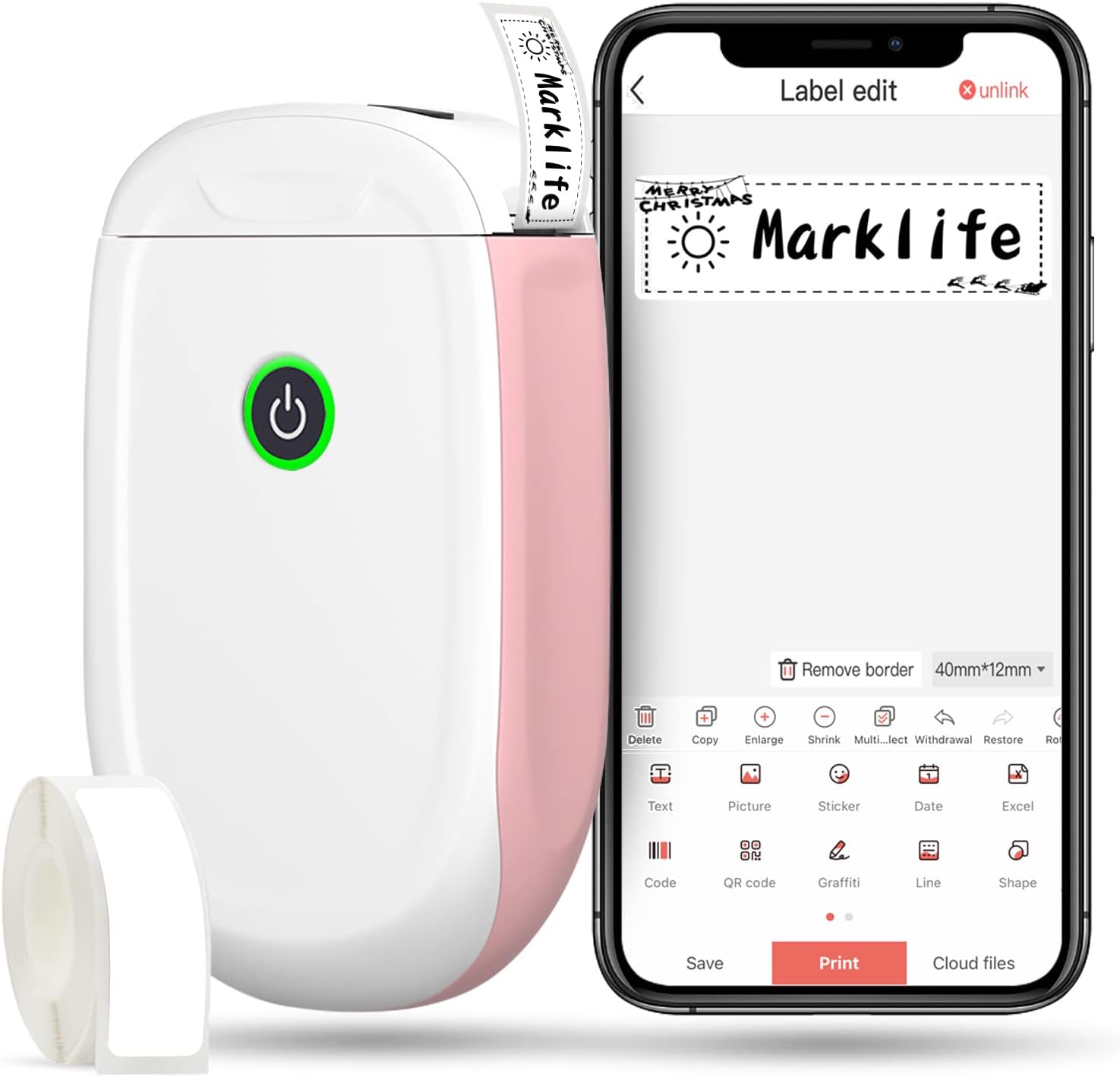
Figure 1: MARKLIFE P50 Label Maker and companion app.
Орнату нұсқаулығы
Follow these steps to set up your MARKLIFE P50 Label Maker:
- Жапсырма қағазын салыңыз: Open the cover and insert the label roll with the printing side facing up. Close the cover securely.
- Қолданбаны жүктеп алыңыз: Іздеу "Marklife" in your smartphone's app store (available for Android and iOS) and install it.
- Bluetooth қосу: Смартфонда Bluetooth қосыңыз.
- Құрылғыға қосылу: Open the Marklife app, turn on the labeler, and connect to the device via Bluetooth. The device name will typically start with "P11" or "P50".

Figure 2: Quick setup guide for the Marklife P50.
Video 1: Demonstrates the setup and basic usage of the Marklife P11 (similar to P50) label maker, including loading paper, connecting via Bluetooth, and printing a label.
Пайдалану нұсқаулары
Once connected, you can begin creating and printing labels:
- Choose a Template: In the Marklife app, select from various pre-designed templates or start a new blank label.
- Edit Label Content: Double-click on the label area to input text. You can customize font, size, alignment, and add elements like images, icons, dates, or barcodes.
- Алдын алаview және басып шығару: Басып шығару алдында, алдын алаview your label to ensure it looks as desired. Then, tap the "Print" button to send the design to the label maker.
- Қосымша мүмкіндіктер:
- Штрих-код/QR коды: Generate barcodes or QR codes directly from the app. Exampштрих-код: 46745875478655
- Image Recognition (OCR): Use your phone's camera as an OCR scanner within the app to convert text from images into editable label content.
- Пакеттік басып шығару: Print multiple labels from a PDF or a list for efficiency.
- Баптау: Access over 600 combinations of templates, 9 languages, 600+ symbols, 27+ frames, and 15+ fonts.

Figure 3: Customize your own labels with various design elements.

Figure 4: Many designing items available in the app.
Техникалық қызмет көрсету
To ensure the longevity and optimal performance of your MARKLIFE P50 Label Maker, follow these maintenance guidelines:
- Тазалау: Regularly wipe the exterior of the device with a soft, dry cloth. For the print head, use a cotton swab lightly dampened with rubbing alcohol, ensuring the device is off and disconnected from power. Allow it to dry completely before use.
- Сақтау орны: Жапсырма жасаушыны салқын, құрғақ жерде, тікелей күн сәулесінен және жоғары температурадан алыс сақтаңыз.
- Жапсырма орамына күтім жасау: Keep unused label rolls in their original packaging to protect them from dust and moisture.
- Батареяға күтім жасау: Батареяның қызмет ету мерзімін оңтайлы ету үшін, жиі пайдаланбасаңыз да, құрылғыны үнемі зарядтаңыз. Батареяның ұзақ уақыт бойы толығымен таусылуына жол бермеңіз.

Figure 5: Thermal printing technology requires no ink, simplifying maintenance.

Figure 6: Labels are designed for durability and resistance to water and oil.
Ақаулықтарды жою
If you encounter issues with your MARKLIFE P50 Label Maker, try the following solutions:
| Мәселе | Ықтимал себебі | Шешім |
|---|---|---|
| Құрылғы қосылмайды. | Батарея төмен. | Құрылғыны берілген USB кабелі арқылы зарядтаңыз. |
| Bluetooth арқылы қосылу мүмкін емес. | Bluetooth is off on phone/device, or device is out of range. | Ensure Bluetooth is enabled on your phone and the label maker is within 33 feet. Restart both devices. |
| Баспа сапасы нашар немесе бос жапсырмалар. | Incorrect label paper loading, dirty print head, or low battery. | Re-load label paper correctly. Clean the print head. Charge the device. |
| Қолданба істен шығады немесе қатып қалады. | Бағдарламалық жасақтаманың ақаулығы немесе қолданбаның ескірген нұсқасы. | Restart the app. Check for app updates in your app store. Reinstall the app if necessary. |
| Белгілер дұрыс берілмейді. | Paper jam or incorrect paper type. | Open the cover and clear any jammed paper. Ensure you are using compatible Marklife label rolls. |
Техникалық сипаттамалар
| Ерекшелік | Мәлімет |
|---|---|
| Модель атауы | P50 |
| Бренд | МАРКЛИФ |
| Баспа технологиясы | Жылулық |
| Қосылу технологиясы | Блютез |
| Принтердің шығысы | Monochrome (Black ink) |
| Максималды басып шығару жылдамдығы (монохромды) | 30 бет/мин |
| Максимум медиа өлшемі | 3 x 5 дюйм |
| Белгі енінің диапазоны | 0.59'' - 2.24'' |
| Элемент салмағы | 9.6 унция (272 грамм) |
| Өнім өлшемдері | 3.14 x 5.5 x 1.18 дюйм (шамамен 7.5 x 13.6 x 2.8 см) |
| Үйлесімді құрылғылар | Android & iOS mobile devices, Windows PC (via USB) |
| Қосылған құрамдас бөліктер | Label Maker, Label Tape |
Қолданбалар
The MARKLIFE P50 Label Maker is versatile and can be used in various scenarios:
- Үйді ұйымдастыру: Labeling spice jars, storage containers, baby items, and personal belongings.
- Кеңсе пайдалану: Ұйымдастыру files, marking cables, labeling office tools, and creating name tags. Мысалыampштрих-код: 6953124066961
- Шағын бизнес: Creating price tags, product labels, barcode labels, and shipping labels for retail, clothing, and jewelry.
- Жеке пайдалану: Labeling gifts, creating custom stickers, and marking food expiration dates.
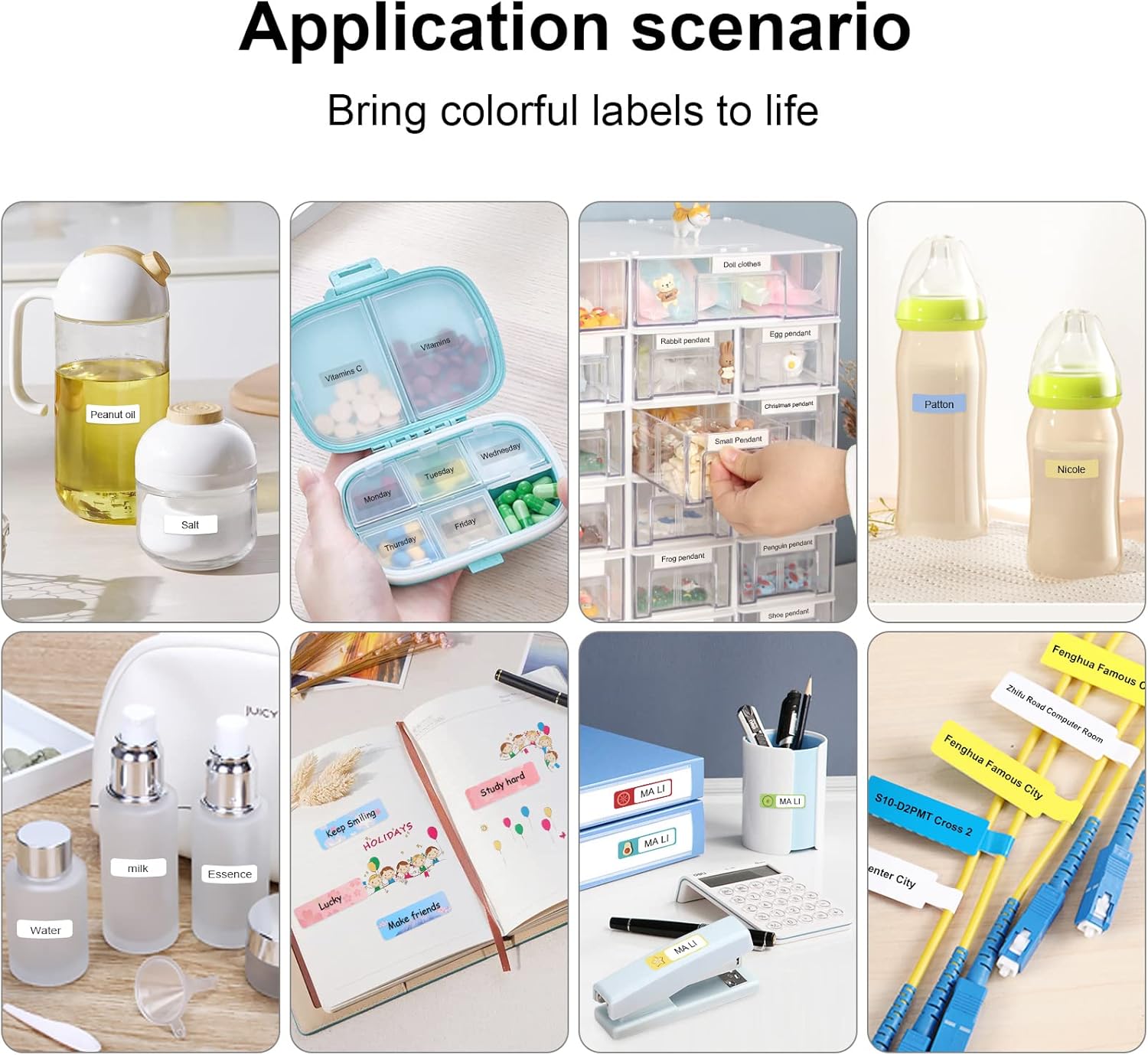
Figure 7: Diverse application scenarios for home and personal use.
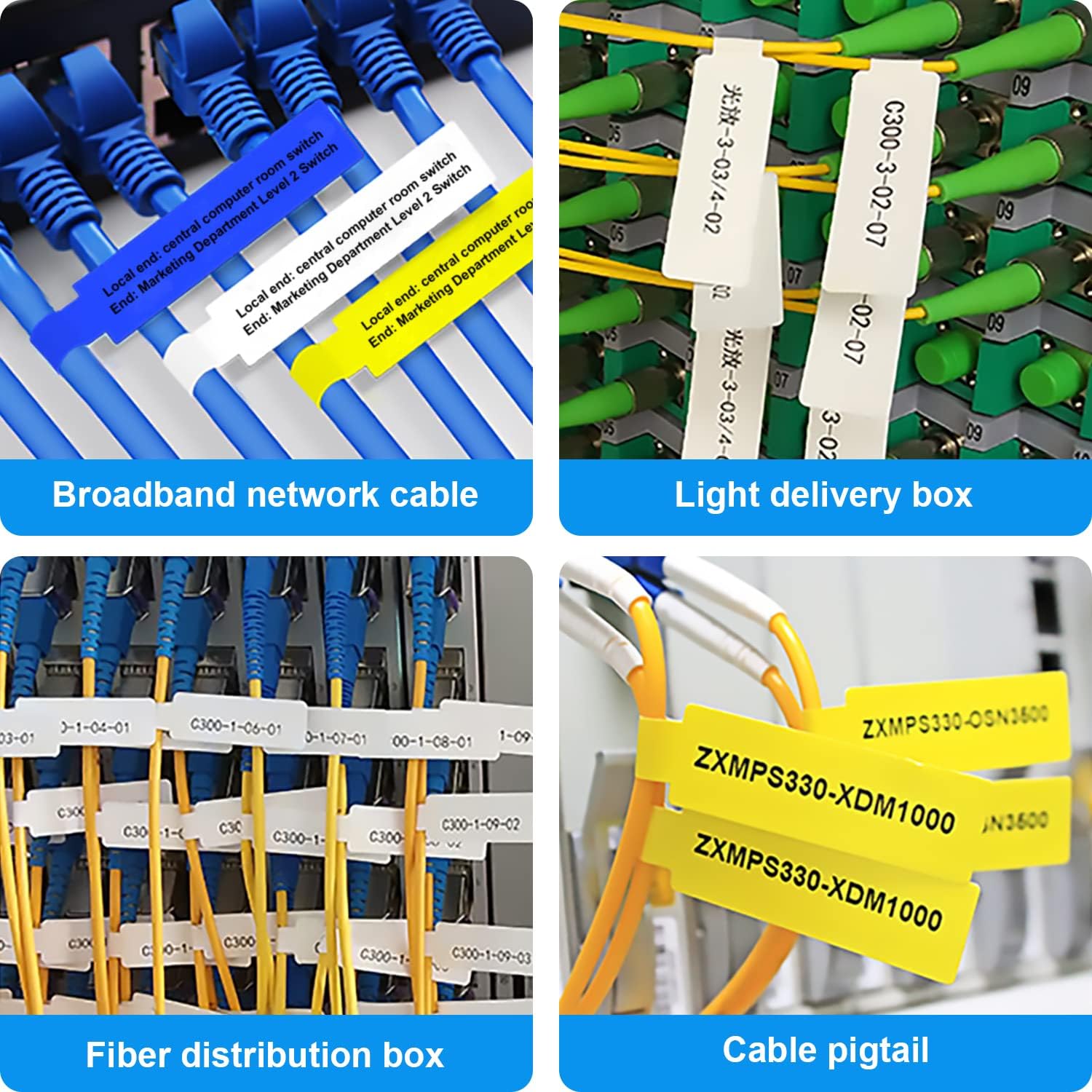
Figure 8: Labeling solutions for various types of cables and wiring.

Figure 9: Practical applications for office organization.

Figure 10: Creative uses for gift labeling.
Кепілдік және қолдау
MARKLIFE products are designed for reliability and performance. For specific warranty information and support, please refer to the warranty card included with your product or visit the official MARKLIFE website. For common inquiries, please consult the troubleshooting section of this manual or the FAQ section within the Marklife app.
You can also visit the official MARKLIFE store on Amazon for more information and product updates: MARKLIFE Store.