
1. Кіріспе
This manual provides essential information for the safe and efficient use of your HP Envy x360 13.3-inch 2-in-1 laptop. Please read this manual thoroughly before operating your device to ensure optimal performance and longevity. This device combines the functionality of a traditional laptop with the versatility of a tablet, featuring a responsive touchscreen and a 360-degree hinge.
2. Өнімнің ерекшеліктері
- 13.3-inch Full HD IPS Touch-Screen Display: Experience vibrant visuals and intuitive interaction with the responsive touch display.
- 11th Generation Intel Core i5-1135G7 Processor: Delivers efficient performance for multitasking, productivity, and entertainment.
- 8 ГБ DDR4 жедел жады: Provides substantial memory for smooth operation of multiple applications.
- 256GB PCIe NVMe SSD: Offers fast boot-up times and quick data access with solid-state storage.
- Артқы жарықтандырылған пернетақта: Enables comfortable typing in various lighting conditions.
- Саусақ ізін оқу құралы: Enhances security and provides quick, convenient login.
- Windows 10 Home Operating System: Pre-installed for a familiar and productive user experience.
- 360 градустық топса: Құрылғыға ноутбук, шатыр, тірек және планшет режимдері арасында түрлендіруге мүмкіндік береді.
- Intel Iris Xe Graphics: Integrated graphics for clear visuals and light creative tasks.
- Bang & Olufsen Audio with Three Speakers: Бай және терең дыбыс береді.
- HP Wide Vision HD Camera with Camera Shutter: For video calls and privacy.
3. Дене бітіміview
Familiarize yourself with the various components and ports of your HP Envy x360 laptop.

3.1-сурет: Бұрыштық view of the HP Envy x360 laptop in traditional laptop mode, displaying the keyboard and screen.
Порттар мен қосқыштар:
- USB 3.0 Type-A порттары (x2): USB дискілері, тышқандар немесе пернетақталар сияқты сыртқы құрылғыларды қосуға арналған.
- HDMI порты (x1): Сыртқы дисплейлерге немесе проекторларға қосу үшін.
- Micro SD Card Reader (x1): For reading and writing data to Micro SD cards.
- Құлаққап/микрофон комбо ұясы (x1): For connecting headphones or an external microphone.
- USB-C Port (x1): For data transfer, charging, and display output (Thunderbolt compatible).
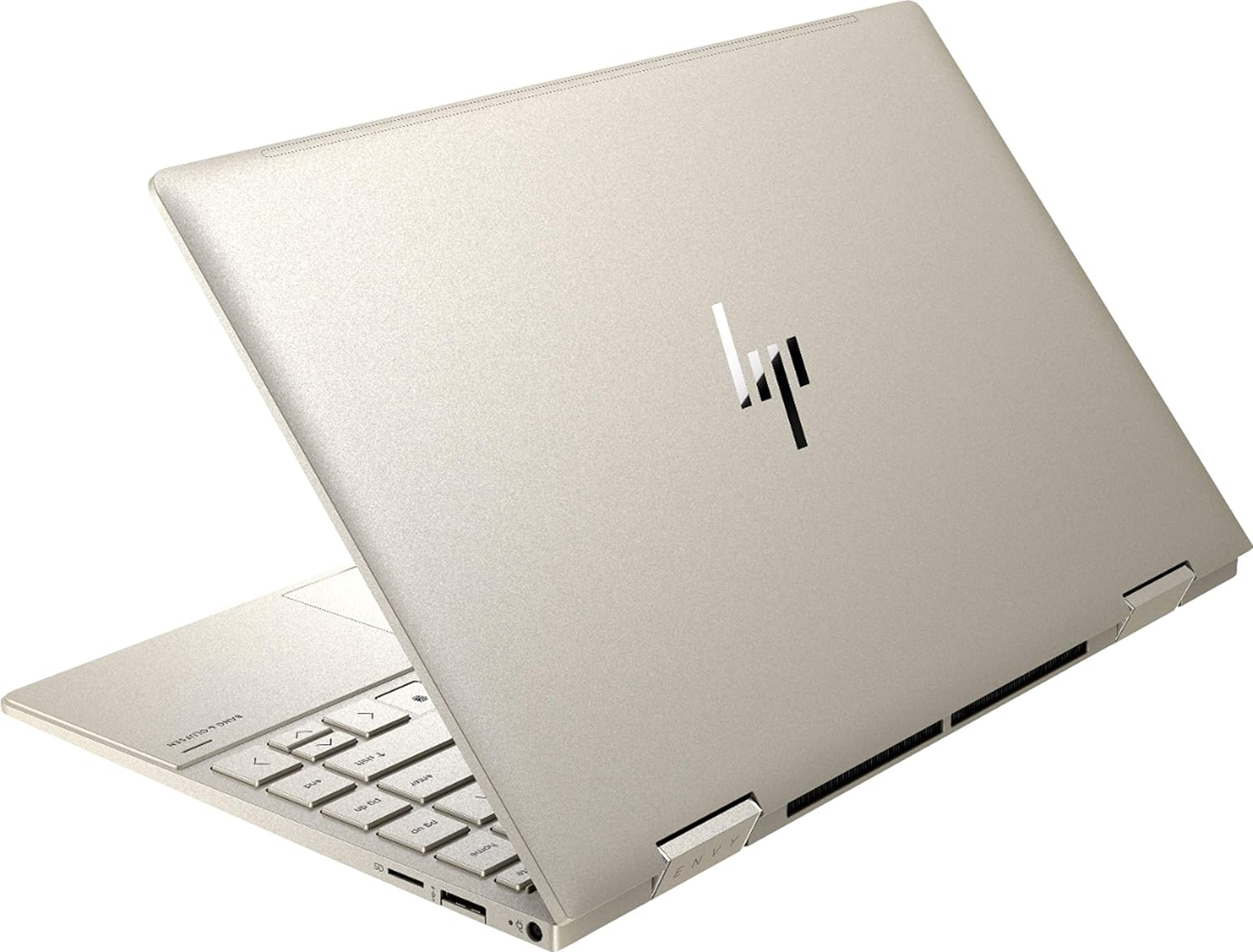
3.2-сурет: Артқы view of the HP Envy x360 laptop, highlighting the sleek design and port placement on the sides.
4. Орнату
4.1 Бастапқы қосу
- Unpack your HP Envy x360 laptop and included accessories.
- Қуат адаптерін ноутбуктің зарядтау портына, содан кейін розеткаға қосыңыз.
- Press the power button, typically located on the side or keyboard deck, to turn on the laptop.
- Windows 10 Home жүйесін орнатуды аяқтау үшін экрандағы нұсқауларды орындаңыз, соның ішінде тіл таңдау, желі қосылымы және пайдаланушы тіркелгісін жасау.
4.2 Перифериялық құрылғыларды қосу
Connect your mouse, external display, or other USB devices to the available ports as described in Section 3. For wireless devices, enable Bluetooth in Windows settings and pair your devices.
5. Пайдалану нұсқаулары
5.1 Using the 2-in-1 Modes
Your HP Envy x360 features a versatile 360-degree hinge, allowing for multiple usage modes:
- Ноутбук режимі: Traditional laptop orientation for typing and productivity.
- Шатыр режимі: Fold the screen back to form an inverted 'V' shape, ideal for watching videos or presentations in confined spaces.
- Тұру режимі: Fold the screen back further, resting the keyboard face down, to use the display for media consumption or touch-based applications.
- Планшет режимі: Fold the screen completely back against the base, transforming the device into a tablet for touch interaction.

Figure 5.1: The HP Envy x360 laptop configured in tent mode, suitable for media viewing.

Figure 5.2: The HP Envy x360 laptop fully folded into tablet mode, ready for touch input.
5.2 Сенсорлық экран мен пернетақтаны пайдалану
- Сенсорлық экран: Use gestures similar to a smartphone or tablet for navigation, zooming, and interaction with applications.
- Артқы жарықтандырылған пернетақта: Press the function key (Fn) and the appropriate F-key (usually F5 or F4, check keyboard icons) to toggle the keyboard backlight on/off or adjust brightness.
- Саусақ ізін оқу құралы: Enroll your fingerprint through Windows Hello settings for secure and fast login.
6. Техникалық қызмет көрсету
Regular maintenance helps prolong the life of your laptop.
- Тазалау: Use a soft, lint-free cloth to clean the screen and chassis. For stubborn smudges, dampшүберекті сумен немесе экранға қауіпсіз тазалағышпен салыңыз. Қатты химиялық заттардан аулақ болыңыз.
- Бағдарламалық құрал жаңартулары: Regularly update Windows and HP drivers to ensure optimal performance and security.
- Батареяға күтім жасау: Батареяны жиі толығымен зарядсыздандырудан аулақ болыңыз. Ұзақ мерзімді сақтау үшін батареяны шамамен 50-70%-ға дейін зарядтаңыз.
- Желдету: Ensure the laptop's vents are not obstructed to prevent overheating. Use on a hard, flat surface when possible.
7. Ақаулықтарды жою
Бұл бөлім сізде кездесетін жалпы мәселелерді қарастырады.
7.1 Қуат мәселелері
- Ноутбук қосылмайды: Ensure the power adapter is securely connected and the outlet is functional. Try a different outlet or power adapter if available.
- Батарея зарядталмай жатыр: Verify the power adapter connection. Check for any damage to the cable or port.
7.2 Дисплей мәселелері
- Экран бос: Мәселе ноутбуктың дисплейінде екенін тексеру үшін сыртқы мониторды қосыңыз. Ноутбукті қайта іске қосып көріңіз.
- Сенсорлық экран жауап бермейді: Restart the laptop. Ensure all drivers are up to date via Windows Update or HP Support Assistant.
7.3 Өнімділік мәселелері
- Баяу өнімділік: Close unnecessary applications. Check Task Manager for resource-intensive processes. Ensure sufficient free space on the SSD.
- Қызып кету: Clean vents. Ensure proper airflow. Reduce workload if consistently hot.
8. Техникалық сипаттамалар
| Ерекшелік | Мәлімет |
|---|---|
| Бренд | HP |
| Модель атауы | HP Envy x360 |
| Экран өлшемі | 13.3 дюйм |
| Дисплей ажыратымдылығы | 1920 x 1080 (Full HD) |
| Дисплей түрі | LED IPS Touch Screen |
| Процессор | 11th Generation Intel Core i5-1135G7 (2.4 GHz, up to 4.2 GHz with Turbo Boost) |
| ЖЖҚ жады | 8 ГБ DDR4 |
| Сақтау | 256 ГБ SSD |
| Операциялық жүйе | Windows 10 Home |
| Графика | Intel Iris Xe графикасы (біріктірілген) |
| Арнайы мүмкіндіктер | Артқы жарықтандырылған пернетақта, саусақ ізін оқу құрылғысы |
| Аудио | Bang & Olufsen Audio with Three speakers |
| Қосылу мүмкіндігі | Wireless-AX, Bluetooth, USB, HDMI |
| Порттар | 2x USB 3.0 Type-A, 1x HDMI, 1x Micro SD Card Reader, 1x Headphone/Microphone Combo, 1x USB-C |
| Өлшемдері (L x W x H) | 12.07" x 7.66" x 0.65" |
| Салмағы | 2.92 фунт |
| Түс | Бозғылт алтын |
9. Қорапта не бар
The following items are included with your HP Envy x360 laptop:
- HP Envy x360 13.3-inch 2-in-1 Laptop
- Қуат адаптері
- Тінтуір тақтасы

Figure 9.1: The HP Envy x360 laptop shown alongside the included mouse pad.
10. Кепілдік және қолдау
Your HP Envy x360 laptop comes with a standard manufacturer's warranty. For detailed warranty information, please refer to the warranty card included in your product packaging or visit the official HP support website. For technical assistance, driver downloads, or service requests, please contact HP Customer Support.
HP қолдауы Webсайт: support.hp.com