
Кіріспе
Сатып алғаныңыз үшін рахметasing the Acctim Model 15789 Alarm Clock. This compact and versatile alarm clock features an LCD display showing time, calendar, and indoor temperature. It is designed for ease of use and portability, making it an ideal travel companion. Please read this manual carefully to ensure proper setup and operation.
Қауіпсіздік туралы маңызды ақпарат
- Сағатты шектен тыс температураға, тікелей күн сәулесіне немесе жоғары ылғалдылыққа шығармаңыз.
- Сағатты түсіріп алудан немесе қатты соққыларға ұшыратудан сақ болыңыз.
- Ескі және жаңа батареяларды немесе батареялардың әртүрлі түрлерін араластырмаңыз.
- Сағат ұзақ уақыт пайдаланылмаса, ағып кетудің алдын алу үшін батареяларды алып тастаңыз.
- Балалардың қолы жетпейтін жерде сақтаңыз.
Пакет мазмұны
- Acctim Model 15789 Alarm Clock
- Пайдаланушы нұсқаулығы (бұл құжат)
Өнім ерекшеліктері
- Multi-function LCD display with time, calendar, and indoor temperature.
- Foldable travel case design for portability.
- Кідірту функциясы бар дабыл.
- Шағын өлшемдері: 71 x 63 x 63 мм.
Орнату
1. Батареяны орнату
The Acctim Model 15789 requires 2 x AAA batteries (not included).
- Сағаттың артқы жағында орналасқан батарея бөлімінің қақпағын ашыңыз.
- Бөлімнің ішінде көрсетілгендей полярлықты (+ және -) дұрыс сақтай отырып, екі жаңа AAA батареясын салыңыз.
- Батарея бөлігінің қақпағын мықтап жабыңыз.
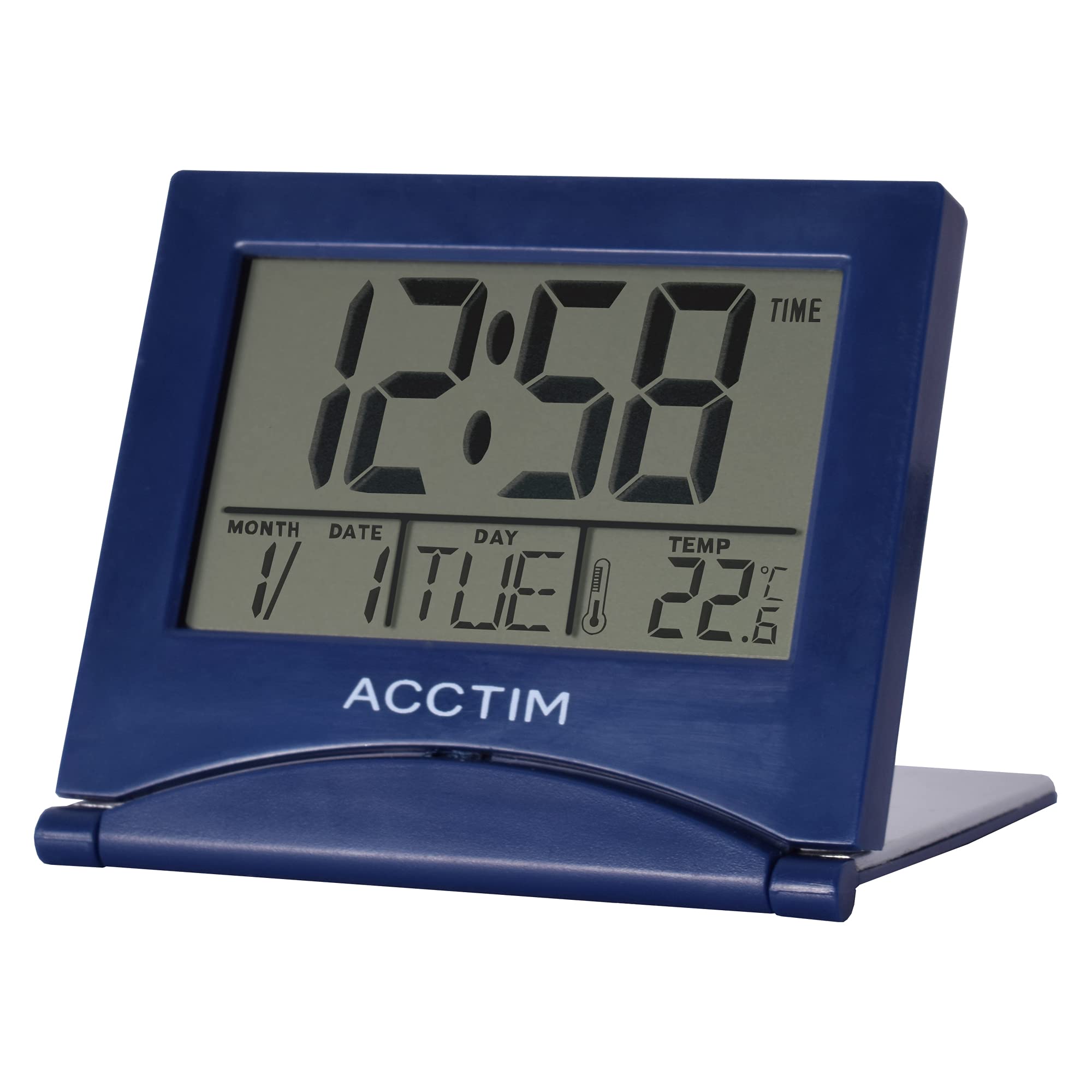
Сурет: алдыңғы view of the Acctim Model 15789 Alarm Clock, showing the LCD screen and compact design. This image illustrates the product's appearance for reference during setup and operation.
2. Бастапқы қуат қосулы
Upon inserting the batteries, the clock will power on and display default time and date settings. You will need to set the current time and date.
Пайдалану нұсқаулары
Familiarize yourself with the buttons on your alarm clock. Typically, these include MODE, SET, UP, DOWN, and SNOOZE/LIGHT.
1. Уақытты орнату
- түймесін басыңыз РЕЖИМ button repeatedly until the time display starts flashing or you enter time setting mode.
- пайдаланыңыз UP or ТӨМЕН түймелері сағатты реттеуге арналған.
- түймесін басыңыз ОРНАТУ (немесе РЕЖИМ again) to confirm the hour and move to setting the minutes.
- пайдаланыңыз UP or ТӨМЕН минуттарды реттеу үшін түймелер.
- түймесін басыңыз ОРНАТУ (немесе РЕЖИМ again) to confirm the minutes and exit time setting mode.
2. Дабылды орнату
- түймесін басыңыз РЕЖИМ button until the alarm time is displayed (often indicated by an alarm icon).
- түймесін басып тұрыңыз ОРНАТУ оятқыш сағаты жыпылықтай бастағанша түймесін басыңыз.
- пайдаланыңыз UP or ТӨМЕН түймелері дабыл сағатын реттеуге арналған.
- түймесін басыңыз ОРНАТУ to confirm the alarm hour and move to setting the alarm minutes.
- пайдаланыңыз UP or ТӨМЕН түймелері дабыл минуттарын реттеуге арналған.
- түймесін басыңыз ОРНАТУ to confirm the alarm minutes.
- Дабылды қосу немесе өшіру үшін түймесін басыңыз UP or ТӨМЕН button while the alarm time is displayed. An alarm icon will appear or disappear on the screen.
3. Кейінге қалдыру функциясы
Дабыл естілгенде, түймесін басыңыз ҰЙЫҚТЫРУ / ЖАРЫҚ button to temporarily silence the alarm. The alarm will sound again after a few minutes (typically 5-10 minutes, depending on the model). To turn off the alarm completely, press any other button.
4. Calendar and Temperature Display
The clock automatically displays the current date and indoor temperature. You can cycle through different display modes (e.g., time only, time and date, time and temperature) by pressing the РЕЖИМ button. To set the date, enter the time setting mode and continue pressing ОРНАТУ until the year, month, or day flashes, then adjust with UP/ТӨМЕН.
5. Артқы жарық
түймесін басыңыз ҰЙЫҚТЫРУ / ЖАРЫҚ button to activate the backlight for a few seconds, allowing you to read the display in low light conditions. Note that some models may emit a soft beep when this button is pressed.
Техникалық қызмет көрсету
- Сағатты жұмсақ, құрғақ шүберекпен тазалаңыз. Абразивті тазартқыштарды немесе еріткіштерді пайдаланбаңыз.
- Replace batteries promptly when the display dims or functions become erratic.
Ақаулықтарды жою
| Мәселе | Мүмкін шешім |
|---|---|
| Дисплей күңгірт немесе бос. | Replace the batteries with new AAA batteries. Ensure correct polarity. |
| Дабыл естілмейді. | Ensure the alarm is activated (alarm icon visible). Check if the alarm volume is set (if applicable) or if batteries are low. |
| Дұрыс емес уақыт немесе күн. | Follow the "Setting the Time" and "Calendar and Temperature Display" instructions to reset. |
| Түймешіктер жауап бермейді. | Remove and reinsert batteries to perform a soft reset. If the issue persists, replace batteries. |
Техникалық сипаттамалар
- Модель нөмірі: Acctim 15789
- Өлшемдері: 6.3 x 7.1 x 6.3 см (Ж x Е x D)
- Салмағы: 44 г
- Қуат көзі: 2 x AAA батареялары (жинаққа кірмейді)
- Дисплей түрі: СКД
- Арнайы мүмкіндіктер: Alarm, Temperature Indicator, Calendar Display, Foldable Design
- Материал: Пластмасса
Кепілдік және қолдау
This Acctim product comes with a 2 жылдық кепілдік from the date of purchase. This warranty covers manufacturing defects. It does not cover damage caused by misuse, accidents, unauthorized modifications, or normal wear and tear.
For technical support or warranty claims, please contact your retailer or visit the official Acctim website for customer service information. Please retain your proof of purchase for warranty validation.