
Groov-e GVBT750BK
Groov-e Ultra Wireless Bluetooth Headphones Instruction Manual GVBT750BK
Кіріспе
Сатып алғаныңыз үшін рахметasing the Groov-e Ultra Wireless Bluetooth Headphones. These headphones are designed to provide a superior audio experience with features such as wireless connectivity, extended battery life, and comfortable design. This manual will guide you through the setup, operation, and maintenance of your new headphones.
Пакет мазмұны
Please ensure all items are present in your Groov-e Ultra headphone package:
- Groov-e Ultra Wireless Bluetooth Headphones
- USB зарядтау кабелі
- 3.5 мм аудио кабель
- Пайдаланушы нұсқаулығы (бұл құжат)
Өнім аяқталдыview
Familiarize yourself with the various components of your Groov-e Ultra headphones.
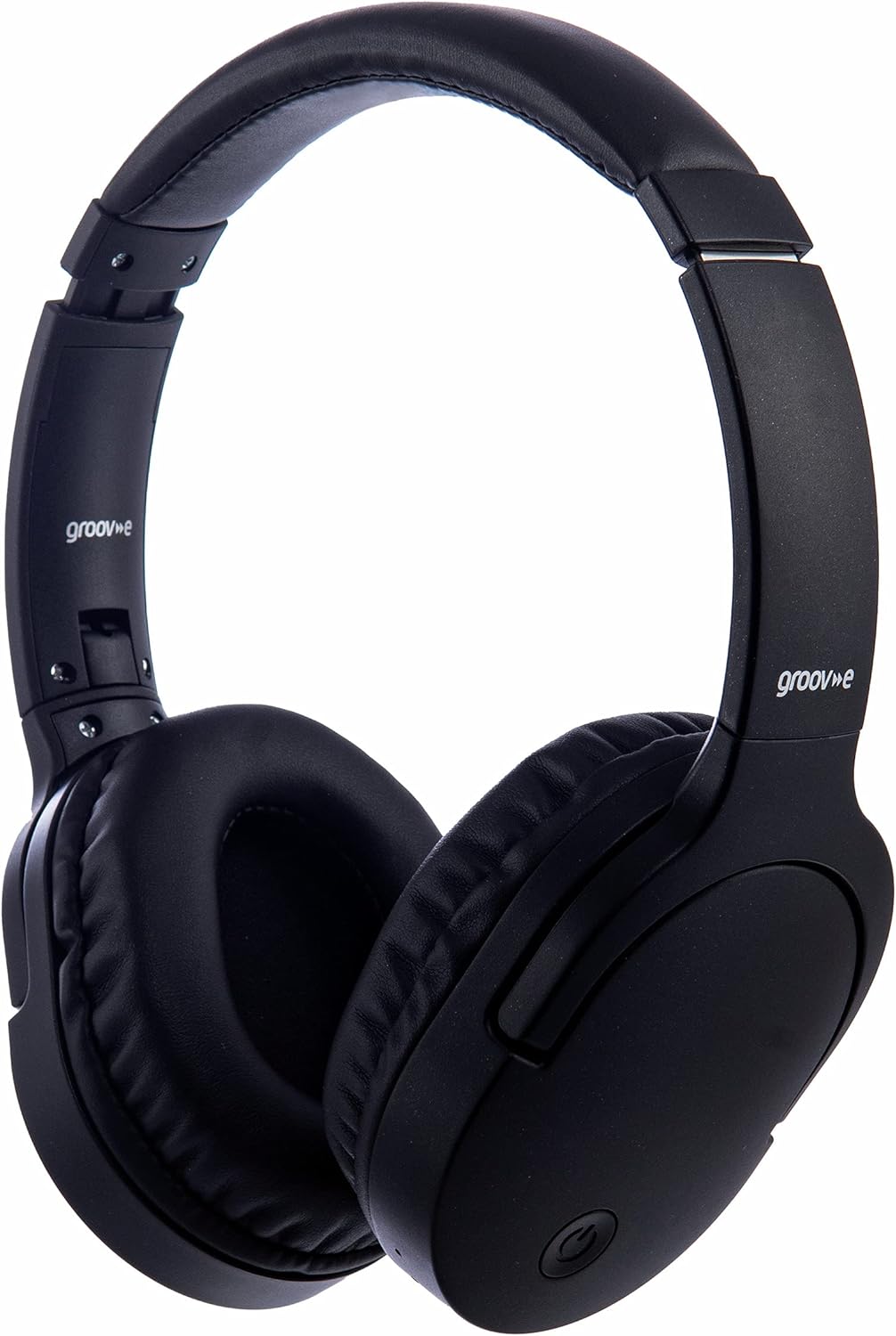
Сурет: алдыңғы view of the Groov-e Ultra Wireless Bluetooth Headphones in black.
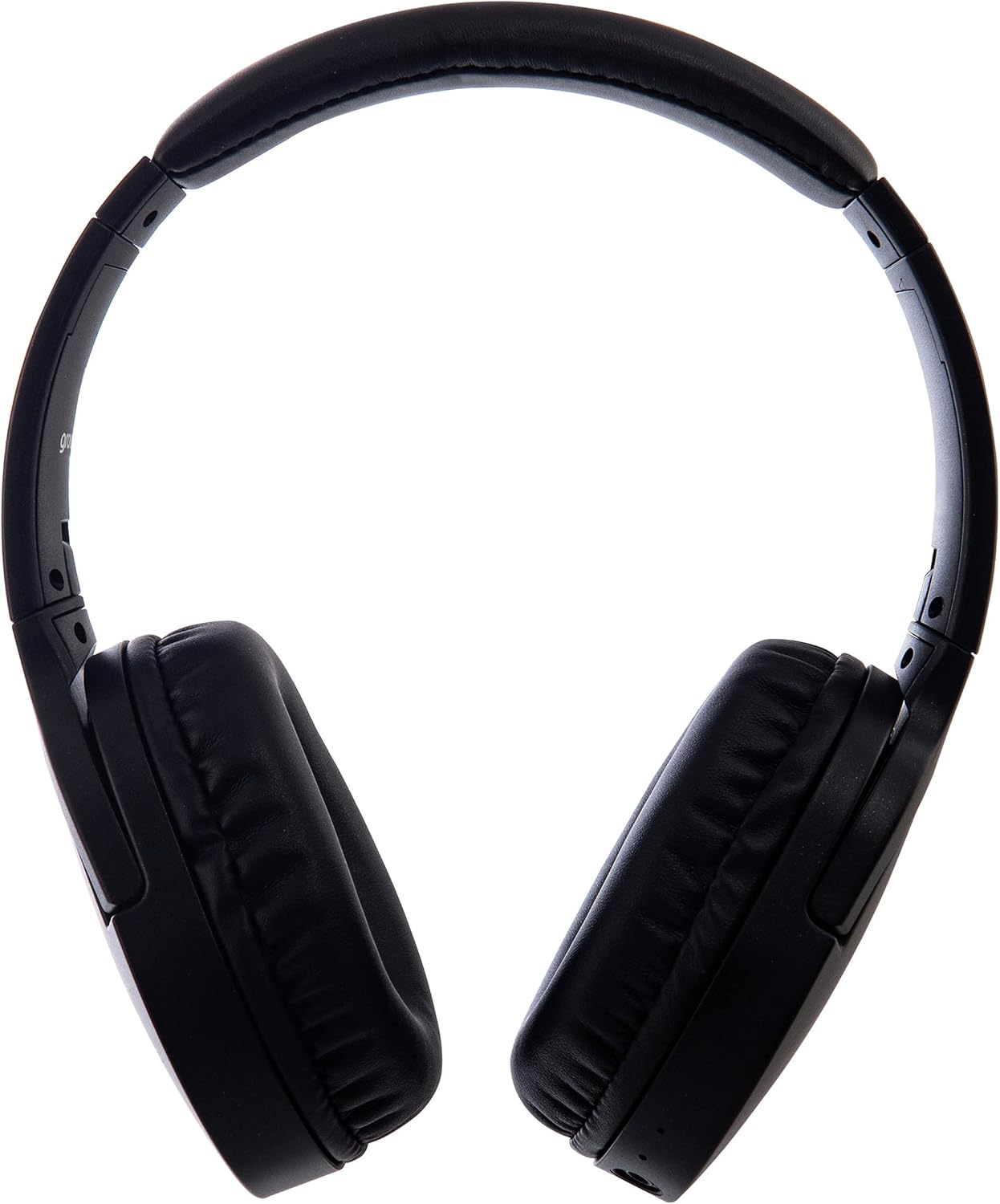
Сурет: жағы view of the Groov-e Ultra Wireless Bluetooth Headphones, showing the earcups and headband.
Key features and controls include:
- Қуат түймесі: Located on the earcup, used for powering on/off and initiating pairing mode.
- Дыбыс деңгейін басқару: Buttons for adjusting audio volume.
- Көп функциялы түйме: For play/pause, answer/end calls, and activating voice assistant.
- Микрофон: Қолды баспай қоңырау шалу үшін біріктірілген.
- 3.5 мм аудио ұясы: For wired connection to audio sources.
- USB зарядтау порты: For charging via the included USB cable.
- Сымсыз зарядтау аймағы: Located on the right earcup for compatible wireless charging pads.
- Жарық диодты индикатор: Displays power, charging, and Bluetooth pairing status.
Орнату
1. Бастапқы зарядтау
Before first use, fully charge your headphones. The Groov-e Ultra headphones support both wired and wireless charging.
Сымды зарядтау:
- Берілген USB зарядтау кабелін құлаққаптың зарядтау портына қосыңыз.
- USB кабелінің екінші ұшын үйлесімді USB қуат көзіне (мысалы, компьютердің USB порты, USB қабырға адаптері) қосыңыз.
- Жарықдиодты индикатор зарядтау кезінде жанады және толық зарядталған кезде өшеді немесе түсін өзгертеді.
Сымсыз зарядтау:
- Place the right earcup of the headphones onto a compatible Qi-certified wireless charging pad.
- Ensure the headphones are correctly positioned on the charging pad for optimal contact.
- Жарықдиодты индикатор зарядтау кезінде жанады және толық зарядталған кезде өшеді немесе түсін өзгертеді.
Толық заряд әдетте шамамен алады 2 сағат.
Image: Groov-e Ultra headphones charging wirelessly on a pad, with a laptop in the background.
Пайдалану нұсқаулары
1. Қуатты қосу/өшіру
- Қуат қосулы: Жарықдиодты индикатор жыпылықтағанша Қуат түймесін шамамен 3 секунд басып тұрыңыз.
- Қуат көзін өшіру: ЖШД индикаторы сөнгенше қуат түймесін шамамен 3-5 секунд басып тұрыңыз.
2. Bluetooth жұптастыру
- Құлақаспаптардың өшірілгеніне көз жеткізіңіз.
- Жұптастыру режимін көрсететін жарық диодты индикатор қызыл және көк түстермен кезектесіп жыпылықтағанша Қуат түймесін шамамен 5-7 секунд басып тұрыңыз.
- Құрылғыда (смартфон, планшет, ноутбук) Bluetooth қосыңыз және қолжетімді құрылғыларды іздеңіз.
- Select "Groov-e Ultra" from the list of found devices.
- Once paired, the LED indicator will flash blue slowly, and you may hear an audible confirmation.
- Құпия сөз сұралса, «0000» енгізіңіз.
Құлаққап қосылған кезде соңғы жұптастырылған құрылғыға автоматты түрде қайта қосылуға әрекет жасайды.
3. Сымды қосылым (3.5 мм аудио кабель)
For devices without Bluetooth or to conserve battery, you can use the supplied 3.5mm audio cable.
- 3.5 мм аудио кабельдің бір ұшын құлақаспаптағы аудио ұясына жалғаңыз.
- Екінші ұшын құрылғының 3.5 мм аудио шығысына қосыңыз.
- Құлаққаптар пассивті режимде жұмыс істейді және Bluetooth функциясы өшіріледі.
4. Музыканы ойнату
- Ойнату/кідірту: Көп функциялы батырманы бір рет басыңыз.
- Келесі трек: Дыбыс деңгейін арттыру түймесін басып тұрыңыз.
- Алдыңғы трек: Дыбыс деңгейін төмендету түймесін басып тұрыңыз.
- Дыбыс деңгейі: Дыбыс деңгейін көтеру түймесін қысқа уақыт басыңыз.
- Дыбыстың төмендеуі: Дыбыс деңгейін азайту түймесін қысқа уақыт басыңыз.
5. Қоңырауларды басқару
- Қоңырауға жауап беру/аяқтау: Көп функциялы батырманы бір рет басыңыз.
- Қоңырауды қабылдамау: Көп функциялы түймені 2 секунд басып тұрыңыз.
- Дауыстық көмекші: Double-press the Multi-function button to activate your device's voice assistant (e.g., Siri, Google Assistant).
Техникалық қызмет көрсету
To ensure the longevity and optimal performance of your Groov-e Ultra headphones, follow these maintenance guidelines:
- Тазалау: Құлаққаптар мен бас киімдерді тазалау үшін жұмсақ, құрғақ шүберекті пайдаланыңыз. Абразивті тазартқыштарды немесе еріткіштерді пайдаланбаңыз.
- Сақтау орны: Қолданбаған кезде құлаққаптарды салқын, құрғақ жерде, тікелей күн сәулесінен және төтенше температурадан алыс жерде сақтаңыз. Жиналмалы дизайн ықшам сақтауға мүмкіндік береді.
- Батареяға күтім жасау: Батареяның қызмет ету мерзімін сақтау үшін құлаққаптың зарядын жиі толығымен таусудан аулақ болыңыз. Үнемі пайдаланбасаңыз да, оларды үнемі зарядтап отырыңыз.
- Суға төзімділік: The headphones are rated as "waterproof" (as per specifications), but this typically refers to resistance against splashes or light rain. Avoid submerging them in water.
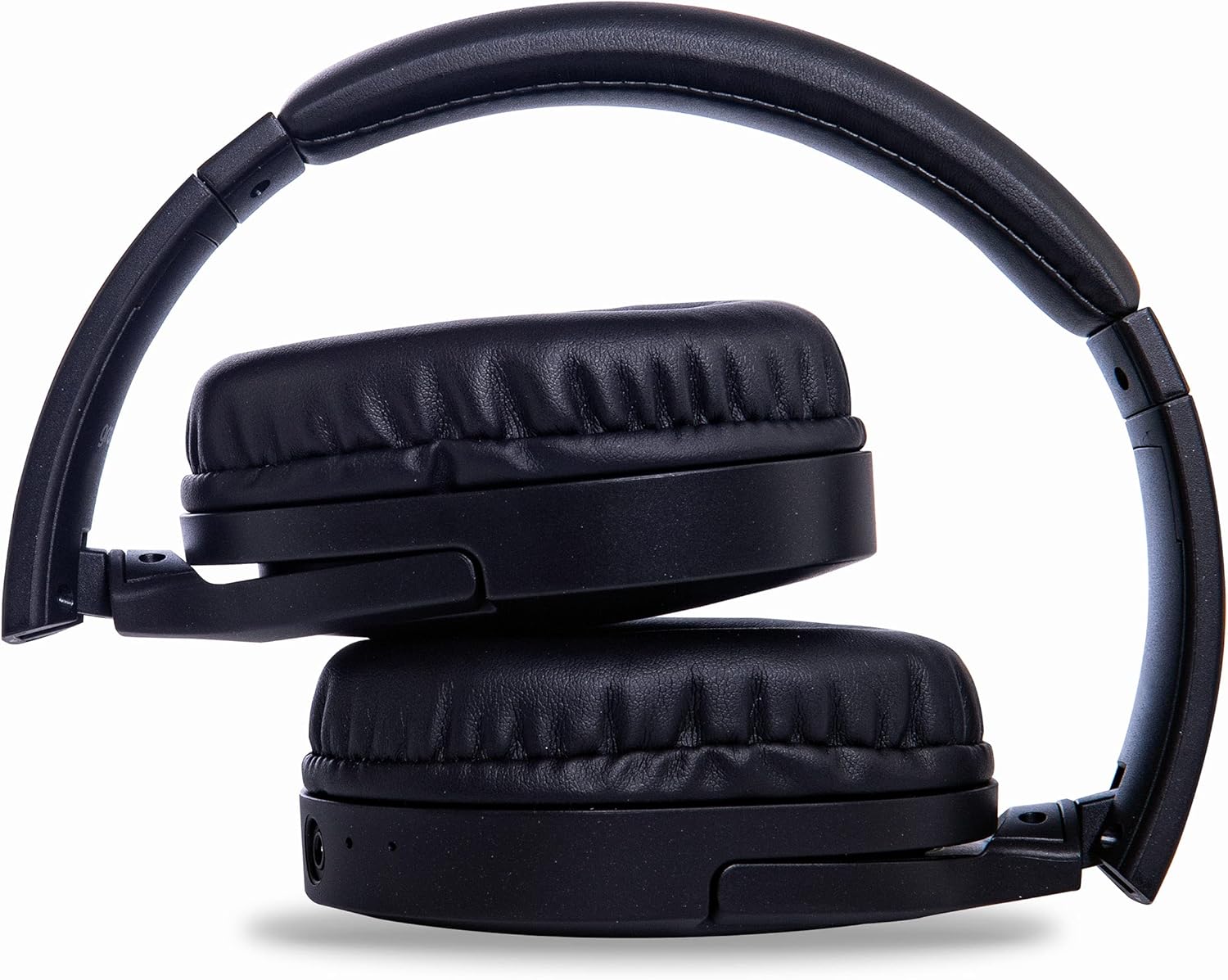
Image: Groov-e Ultra headphones folded, demonstrating their compact storage design.
Ақаулықтарды жою
Құлаққапқа қатысты мәселелерге тап болсаңыз, келесі жалпы шешімдерді қараңыз:
| Мәселе | Ықтимал себебі | Шешім |
|---|---|---|
| Құлаққап қосылмайды. | Батарея төмен. | Charge the headphones fully using either wired or wireless charging. |
| Bluetooth арқылы жұптау мүмкін емес. | Құлаққаптар жұптастыру режимінде емес; құрылғы Bluetooth өшірулі; кедергі. | Ensure headphones are in pairing mode (flashing red/blue). Turn Bluetooth off and on on your device. Move closer to the device. |
| Дыбыс жоқ немесе дыбыс сапасы нашар. | Volume too low; incorrect source; loose wired connection; Bluetooth interference. | Increase volume on headphones and device. Check if the correct audio output is selected. Ensure 3.5mm cable is fully inserted. Re-pair Bluetooth. |
| Сымсыз зарядтау жұмыс істемейді. | Headphones not positioned correctly; incompatible charging pad. | Adjust headphone position on the charging pad. Ensure the charging pad is Qi-certified and functioning. |
| Buzzing or too loud on Bluetooth. | Bluetooth signal issue; volume settings. | Try moving closer to the source device. Adjust volume levels on both the headphones and the connected device. |
| Cannot connect to Apple Mac Book Pro. | Compatibility issue or specific Bluetooth driver problem. | Ensure your Mac's Bluetooth drivers are up to date. Try resetting Bluetooth on your Mac. Consult Apple support or Groov-e support for specific compatibility advice. |
Техникалық сипаттамалар
| Ерекшелік | Мәлімет |
|---|---|
| Модель атауы | Ультра |
| Үлгі нөмірі | GVBT750BK |
| Бренд | Гров-е |
| Қосылу технологиясы | Сымсыз (Bluetooth) |
| Сымсыз байланыс технологиясы | Блютез |
| Форма факторы | Supra-Aural (Over-ear) |
| Құлақтың орналасуы | Supra-auriculaire |
| Шуды оқшаулау | Белсенді шуды басу |
| Құлаққап ұясы | 3.5 мм Джек |
| Арнайы мүмкіндіктер | Microphone included, Sweat resistant |
| Батареяның қызмет ету мерзімі | Up to 30 hours (wireless audio playback) |
| Зарядтау уақыты | Шамамен 2 сағат |
| Бақылау әдісі | Тактильді (сенсорлық) |
| Жиілік диапазоны | 20 Hz - 20,000 Hz (Possible) |
| Суға төзімділік деңгейі | Су өткізбейтін |
| Үйлесімді құрылғылар | Smartphones, laptops, tablets, car audio systems, music production equipment, televisions |
| Материал | Былғары |
Қауіпсіздік туралы ақпарат
Please read and follow these safety guidelines to prevent damage to your headphones or personal injury:
- Құлақаспаптарды төтенше температураға, ылғалдылыққа немесе коррозиялық орталарға шығармаңыз.
- Құлаққапты құлатып алудан немесе қатты әсер етуден аулақ болыңыз.
- Құлаққапты бөлшектеуге немесе өзгертуге тырыспаңыз. Бұл кепілдікті жарамсыз етеді.
- Балалар мен үй жануарларынан алыс ұстаңыз.
- Жоғары дыбыс деңгейінде ұзақ уақыт тыңдау есту қабілетінің бұзылуына әкелуі мүмкін. Дыбыс деңгейін қауіпсіз деңгейге реттеңіз.
- Exercise caution when using headphones in situations requiring awareness of your surroundings (e.g., driving, cycling, walking in traffic).
- Тек бекітілген зарядтау кабельдері мен қуат адаптерлерін пайдаланыңыз.
Кепілдік және қолдау
Groov-e products are designed and manufactured to the highest standards. For warranty information, please refer to the warranty card included with your purchase or visit the official Groov-e webсайт.
For technical support, troubleshooting assistance, or general inquiries, please contact Groov-e customer service through their official channels. Contact details can typically be found on the product packaging or the Groov-e webсайт.
Желідегі қолдау: www.groov-e.co.uk/support
Ask a question about this manual
Ask about setup, troubleshooting, compatibility, parts, safety, or missing instructions. Manuals+ will review the question and use this page’s manual context to help answer it.