
1. Кіріспе
This manual provides detailed instructions for the Movo VSM-5+MH100+ASM5 XLR Condenser Microphone Bundle. This bundle includes the VSM-5 XLR Condenser Microphone, MH-100 Studio Headphones, and ASM-5 Microphone Boom Arm with a pop filter and shock mount. It is designed for high-quality audio recording, podcasting, and live streaming on PC and Mac systems.

1.1-сурет: аяқталдыview of the Movo XLR Condenser Microphone Bundle, including the microphone, headphones, and boom arm.
Пакет мазмұны:
- VSM-5 XLR Condenser Microphone
- MH-100 Studio Headphones
- ASM-5 Microphone Boom Arm
- Қалқымалы сүзгі
- Соққы орнату
- XLR аудио кабелі
- Headphone Cables (3.5mm and 6.35mm adapters)
- Carrying Case (for microphone)
- Кепілдік картасы
2. Орнату нұсқаулары
2.1 Boom Arm Assembly and Mounting
- cl бекітіңізamp base of the ASM-5 boom arm to a sturdy desk or table edge. Tighten the clamp қауіпсіз.
- Insert the boom arm into the hole on the clamp base. Adjust the arm's position and tension using the knobs on the arm.

Image 2.1: The ASM-5 boom arm securely clamped to a desk, ready for microphone attachment.
2.2 Microphone and Shock Mount Installation
- Амортизаторды жебенің бұрандалы ұшына бұраңыз.
- Carefully insert the VSM-5 microphone into the shock mount. Ensure it is seated firmly within the elastic bands to minimize vibration transfer.

Image 2.2: The VSM-5 microphone secured in its anti-vibration shock mount, attached to the boom arm.
2.3 Pop Filter Attachment
- Attach the pop filter's clamp to the boom arm or a stable part of your desk.
- Position the pop filter approximately 2-3 inches in front of the microphone's capsule.

Image 2.3: The VSM-5 microphone with the pop filter positioned to reduce plosive sounds.
2.4 Микрофонды қосу
- Connect one end of the provided XLR cable to the XLR port at the bottom of the VSM-5 microphone.
- Connect the other end of the XLR cable to your audio interface, mixer, or compatible XLR input device. Ensure your device provides 48V phantom power, as the VSM-5 is a condenser microphone.
2.5 Құлаққаптарды қосу
- Plug the 3.5mm end of the headphone cable into the MH-100 Studio Headphones.
- Connect the other end (3.5mm or 6.35mm adapter) to your audio interface, computer, or monitoring device.
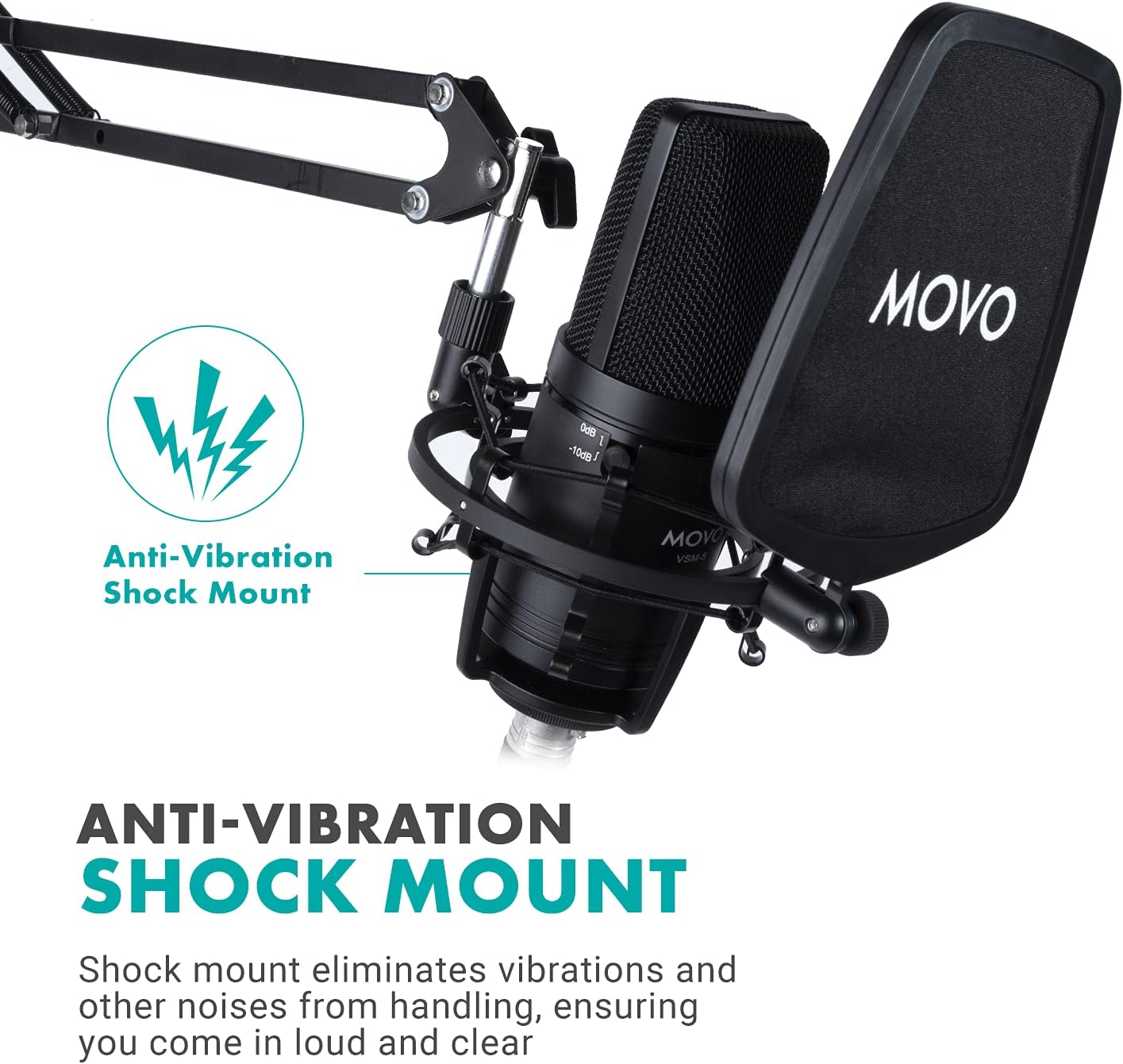
Image 2.4: The MH-100 Studio Headphones showing the 3.5mm and 6.35mm input ports.
3. Пайдалану нұсқаулары
3.1 VSM-5 Microphone Controls
The VSM-5 microphone features controls to optimize your audio capture:
- Pad Switch (0dB / -10dB): Use the 0dB setting for standard recording. If recording loud sound sources (e.g., loud vocals, instruments), switch to -10dB to prevent distortion.
- Жоғары өту сүзгісі: Activate this filter to reduce low-frequency noise such as rumble, air conditioning hum, or proximity effect.

Image 3.1: Close-up of the VSM-5 microphone, highlighting the Pad Switch and High-Pass Filter controls.
3.2 MH-100 Studio Headphones
- Ыңғайлы сәйкестік: Adjust the headband and earcups for a comfortable fit. The earcups feature 30-degree rotation for optimal positioning.
- Share Port Technology: The MH-100 headphones include both 3.5mm and 6.35mm input ports. You can connect another pair of headphones to the unused port to share audio output.

Image 3.2: Illustration of the MH-100 headphones' share port technology, allowing two headphones to connect.
3.3 Optimizing Your Recording Environment
- Микрофонды орналастыру: Position the microphone directly in front of the sound source, typically 6-12 inches away, for optimal sound capture.
- Қалқымалы сүзгіні пайдалану: Always use the pop filter to minimize plosive sounds (P's and B's) and protect the microphone capsule from moisture.
- Monitor with Headphones: Use the MH-100 headphones to monitor your audio in real-time, ensuring proper levels and sound quality.
4. Техникалық қызмет көрсету
Proper maintenance ensures the longevity and performance of your Movo microphone bundle.
- Тазалау: Use a soft, dry cloth to wipe down the microphone, headphones, and boom arm. Avoid using liquid cleaners or solvents. For the pop filter, a gentle wipe with a damp cloth (and ensuring it's dry before use) can remove dust.
- Сақтау орны: When not in use, store the microphone in its carrying case to protect it from dust and physical damage. Keep all components in a clean, dry environment.
- Кабельге күтім жасау: Avoid sharp bends or kinks in the XLR and headphone cables. Store them neatly to prevent tangling and damage.
5. Ақаулықтарды жою
5.1 No Sound from Microphone
- Қосылымдарды тексеру: Ensure the XLR cable is securely connected to both the microphone and your audio interface/mixer.
- Phantom қуаты: Verify that 48V phantom power is enabled on your audio interface or mixer. The VSM-5 requires phantom power to operate.
- Енгізу деңгейі: Check the input gain level on your audio interface/mixer and your computer's sound settings. Increase if too low.
- Бағдарламалық құрал параметрлері: Confirm that the correct microphone input device is selected in your recording software or operating system settings.
5.2 Бұрмаланған дыбыс
- Тақта ауыстырғышы: If recording loud sources, ensure the -10dB pad switch on the VSM-5 microphone is engaged.
- Кіріс кірісі: Reduce the input gain level on your audio interface/mixer. Overdriving the input can cause distortion.
- Жақындық: Ensure the microphone is not too close to the sound source, which can cause clipping.
5.3 Headphones Not Working
- Кабель қосылымы: Ensure the headphone cable is fully inserted into both the MH-100 headphones and your audio device.
- Дыбыс деңгейі: Check the volume control on your audio device and computer.
- Шығуды таңдау: Verify that the correct audio output device (your headphones) is selected in your computer's sound settings or recording software.
5.4 Excessive Background Noise
- Жоғары өту сүзгісі: Activate the high-pass filter on the VSM-5 microphone to reduce low-frequency rumble.
- Қоршаған орта: Record in a quiet environment. Minimize sources of ambient noise like fans, air conditioners, or street sounds.
- Cable Interference: Ensure XLR cables are not running parallel to power cables, which can introduce hum.
6. Техникалық сипаттамалар
| Ерекшелік | Техникалық сипаттама |
|---|---|
| Бренд | Movo |
| Үлгі нөмірі | VSM-5+MH100+ASM5 |
| Ұсынылатын пайдаланулар | Voice Recording, Streaming |
| Қосылу технологиясы | XLR |
| Қосқыш түрі | 3.5 мм ұяшық, XLR |
| Арнайы мүмкіндік | Stand (Boom Arm) |
| Үйлесімді құрылғылар | Headphone, Personal Computer |
| Полярлық үлгі | Бір бағытты (кардиоидты) |
| Дыбыс сезімталдығы | 10 децибел |
| Микрофон пішін факторы | Үлкен диафрагма |
| Қуат көзі | Corded Electric (requires 48V Phantom Power) |
| Сигналдардың шуылға қатынасы | 10 дБ |
| Аппараттық платформа | PC |
| Арналар саны | 1 |
| Дыбыстық шу | 10 децибел |
| Қоршау материалы | Nylon (Pop Filter) |
| UPC | 817711023828 |
7. Кепілдік және қолдау
7.1 Кепілдік туралы ақпарат
The Movo VSM-5+MH100+ASM5 XLR Condenser Microphone Bundle is covered by a 1 жылдық кепілдік from the date of purchase. This warranty covers manufacturing defects and ensures the product performs as intended under normal use. Please retain your proof of purchase for warranty claims.
7.2 Тұтынушыларды қолдау қызметі
For technical assistance, troubleshooting, or warranty inquiries, please contact Movo's US-Based support team. Refer to the warranty card included in your package or visit the official Movo webең соңғы байланыс ақпаратына арналған сайт.
Movo Webсайт: www.movophoto.com