
Кіріспе
This manual provides essential information for the safe and efficient use of your imuto 100W Portable Solar Panel, Model SOL-100. This foldable solar charger is designed to provide reliable power for various outdoor activities and emergency situations, featuring IP54 waterproof rating and high charging conversion efficiency.
Орнату нұсқаулары
- Күн панелін ашыңыз: Carefully unfold the imuto 100W Portable Solar Panel completely. Ensure all solar panels are exposed to direct sunlight for optimal performance.
- Орналастыру: Place the solar panel in an area with maximum direct sunlight. Adjust the angle to face the sun directly. The integrated eyelet hooks can be used with the provided carabiners to secure the panel to tents, RVs, or other structures.
- Құрылғыға қосылу: Locate the DC output cable from the integrated pocket on the panel. Connect the DC connector to your compatible solar generator or power station.

Figure 1: imuto 100W Portable Solar Panel unfolded and ready for use.
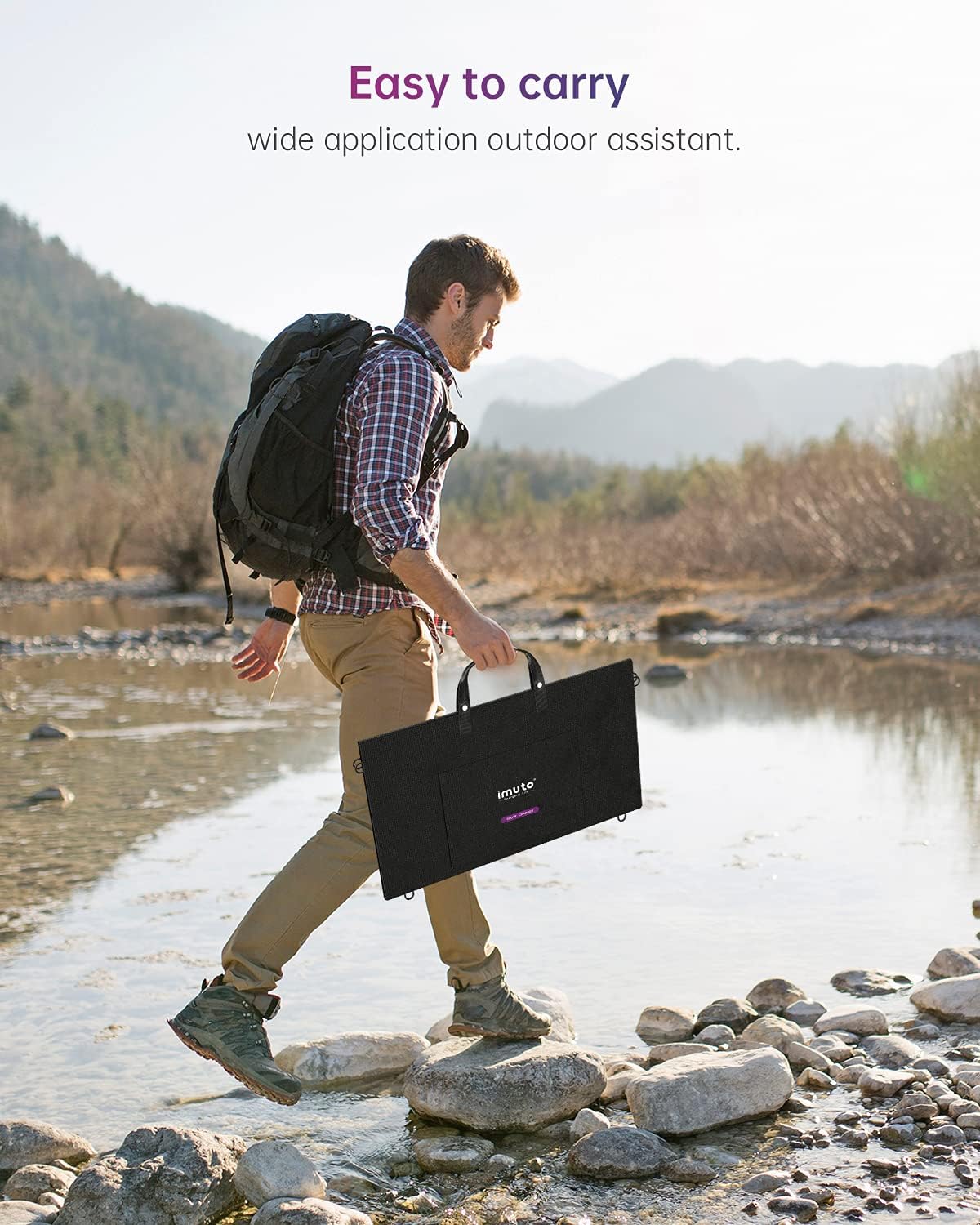
Figure 2: The imuto 100W Portable Solar Panel in its compact, folded state for transport.
Пайдалану нұсқаулары
Once the solar panel is unfolded and positioned in direct sunlight, connect the DC output cable to your compatible power station or device. The panel will automatically begin charging. The charging strength may vary depending on weather conditions (e.g., sunny, cloudy, rainy).

Figure 3: Connecting the solar panel to a power station for charging.
The panel features i-Solar Technology for intelligent identification charging, suitable for various DC interface devices with voltages below 18V. It utilizes multi-layer SUNPOWER panels for industry-leading efficiency and fast charging.

Figure 4: Illustration of SUNPOWER Technology for enhanced charging efficiency.
Техникалық қызмет көрсету
- Тазалау: Күн батареяларын жұмсақ, d шүберекпен ақырын сүртіңізamp cloth to remove dust or debris. Avoid using harsh chemicals or abrasive materials that could damage the panel surface.
- Сақтау орны: Пайдаланылмаған кезде, күн батареясын бүктеп, құрғақ, салқын жерде, тікелей күн сәулесінен және қатты температурадан алыс сақтаңыз.
- Суға төзімділік: The solar panel itself is IP54 water-resistant, protecting against splashes and light rain. However, the junction box located in the integrated pocket is not water-resistant. Ensure the junction box and its connections remain dry to prevent damage.

Figure 5: The solar panel's water-resistant surface.
Ақаулықтарды жою
- Зарядтау жоқ: Ensure the solar panel is in direct sunlight and fully unfolded. Check all cable connections for secure fit. Verify that your device is compatible with the panel's output specifications (DC 18V/5.5A).
- Connector Incompatibility: The imuto 100W Portable Solar Panel comes with a standard DC connector. If your power station or device requires a different size connector, a multi-connector adapter kit may be necessary. These kits typically include various DC connector sizes to ensure compatibility.

Figure 6: The standard DC connector for the solar panel.
Техникалық сипаттамалар
| Ерекшелік | Мәлімет |
|---|---|
| Бренд | имуто |
| Үлгі нөмірі | SOL-100 |
| Максималды қуат | 100 Вт |
| Максималды көлемtage | 18 вольт |
| Шығару | Тұрақты ток 18В/5.5А |
| Тиімділік | Жоғары тиімділік |
| Материал | ПВХ |
| Өнімнің өлшемдері (бүктелген) | 25.59"L x 13.78"W x 0.85"H |
| Элемент салмағы | 8.68 фунт |
Кепілдік және қолдау
For warranty information, product support, or to purchase compatible accessories, please visit the official imuto webсайтында www.imuto.com. Keep your purchase receipt for warranty claims.