
Кіріспе
The VOX VFS3 is a dedicated 3-button footswitch designed to enhance the functionality and control of your VOX Mini Go series amplifier. This footswitch allows for hands-free operation of various amplifier features, such as program switching, effect on/off, or looper control, depending on your specific Mini Go amplifier model. This manual provides essential information for the proper setup, operation, and maintenance of your VFS3 footswitch.
Қауіпсіздік туралы ақпарат
- Құрылғыны жаңбырға немесе ылғалға ұшыратпаңыз.
- Құрылғыны жылу көздеріне жақын немесе тікелей күн сәулесі түсетін жерге қоймаңыз.
- Құрылғыны бөлшектеуге немесе өзгертуге әрекет жасамаңыз. Барлық қызмет көрсетуді білікті мамандарға тапсырыңыз.
- Use only with compatible VOX Mini Go ampөмір сүрушілер.
- Балалардың қолы жетпейтін жерде сақтаңыз.
Пакет мазмұны
- VOX VFS3 3-Button Footswitch (with integrated cable)
- Пайдаланушы нұсқаулығы (бұл құжат)
Өнім аяқталдыview
The VFS3 footswitch features three robust buttons, each with an associated LED indicator, and an integrated cable for connection to your ampқұтқарушы.
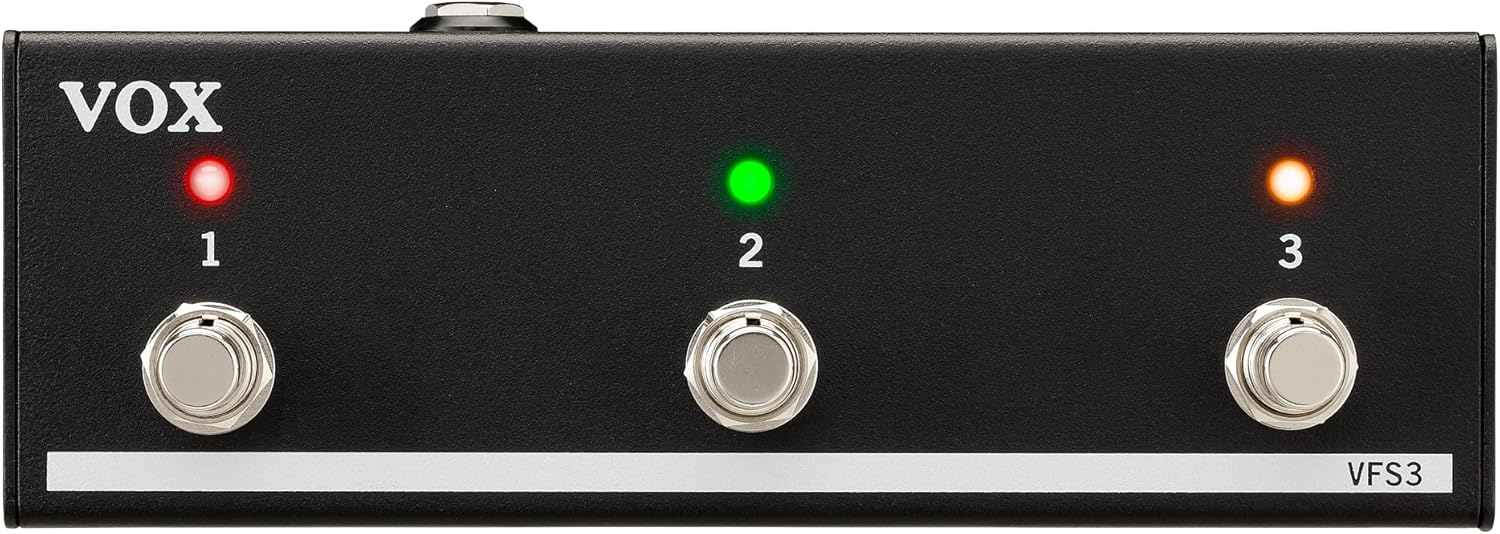
Алдыңғы view of the VOX VFS3 3-Button Footswitch. It features three silver footswitches labeled 1, 2, and 3, each with a corresponding LED indicator above it. The VOX logo is on the left, and 'VFS3' is on the bottom right.
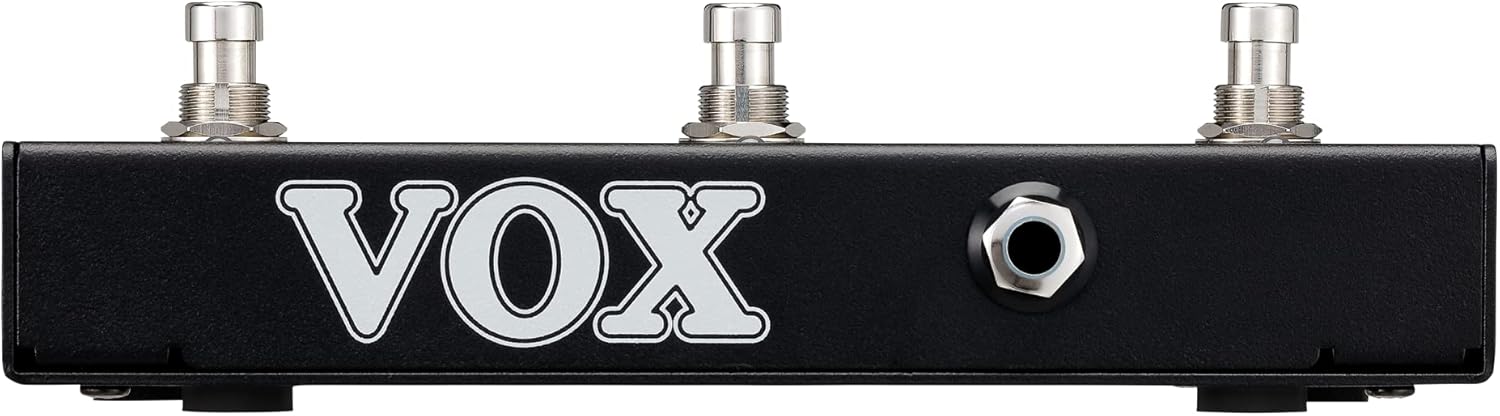
Бүйір view of the VOX VFS3 footswitch, highlighting its compact and durable metal casing.

Артқа view of the VOX VFS3 footswitch, displaying the integrated cable that connects to the amplifier. The VOX logo is prominently featured.
Орнату
- Connect the Footswitch: Locate the footswitch input jack on your VOX Mini Go amplifier. This is typically a 3.5mm (1/8-inch) stereo jack.
- Кабельді салыңыз: Firmly insert the integrated 3.5mm cable from the VFS3 footswitch into the footswitch input jack on your Mini Go ampқұтқарушы.
- Қуат қосулы: Turn on your VOX Mini Go amplifier. The footswitch is powered by the amplifier, so no external power supply is needed for the VFS3.
- Қосылымды тексеру: The amplifier should recognize the footswitch. Refer to your Mini Go amplifier's manual for specific indications or settings related to footswitch connection.

The VOX VFS3 footswitch connected to a VOX Mini Go amplifier, illustrating the proper connection of the cable to the amplifier's input jack.
Пайдалану нұсқаулары
The specific functions controlled by the VFS3 footswitch buttons (1, 2, and 3) are determined by the connected VOX Mini Go amplifier model and its current settings. Please consult the user manual for your specific VOX Mini Go amplifier for detailed information on footswitch assignments and configuration.
Common Functions (May Vary by Amplifier Model):
- Program/Preset Switching: Buttons may be assigned to switch between amplifier programs or presets (e.g., Clean, Overdrive, Distortion).
- Effect On/Off: Control individual effects (e.g., Reverb, Delay, Chorus) by toggling them on or off.
- Циклды басқару: For Mini Go models with a built-in looper, the buttons often control looper functions such as:
- 1-түйме: Жазу/ойнату
- 2-түйме: Тоқта
- 3-түйме: Clear/Undo
- Темпті түртіңіз: Кейбір amplifiers may allow one of the buttons to be used for tap tempo functionality for time-based effects.
The LEDs above each button indicate the status of the assigned function (e.g., effect on/off, selected program). Refer to your amplifier's manual for the meaning of specific LED colors or states.
Техникалық қызмет көрсету
- Тазалау: Құрылғыны жұмсақ, құрғақ шүберекпен сүртіңіз. Абразивті тазартқыштарды, балауызды немесе еріткіштерді пайдаланбаңыз.
- Сақтау орны: When not in use for extended periods, store the footswitch in a clean, dry environment away from extreme temperatures.
- Кабельге күтім жасау: Avoid sharp bends or kinks in the integrated cable to prevent damage.
Ақаулықтарды жою
| Мәселе | Ықтимал себебі | Шешім |
|---|---|---|
| Аяқ қосқышы жауап бермейді | Cable not fully inserted; Amplifier not powered on; Incorrect ampкөтергіш параметрлері. | Ensure the 3.5mm cable is securely connected to the amplifier. Verify the amplifier is powered on. Check your Mini Go amplifier's settings to ensure footswitch control is enabled and configured correctly. |
| Жарықдиодтар жанбайды | No power from amplifier; Faulty connection. | растаңыз amplifier is on and the cable is properly connected. The footswitch draws power from the ampқұтқарушы. |
| Buttons perform unexpected functions | Footswitch assignments are incorrect on the ampқұтқарушы. | Refer to your VOX Mini Go amplifier's manual to reconfigure the footswitch button assignments. |
Техникалық сипаттамалар
- Үлгі: VFS3
- Үйлесімді құрылғылар: VOX Mini Go Ampөмір сүрушілер
- Қосқыш түрі: 3.5mm Jack (integrated cable)
- Материал: Металл шасси
- Өлшемдері (L x W x H): Шамамен 7.9 x 3 x 2.5 дюйм (20.1 x 7.6 x 6.4 см)
- Салмағы: Шамамен 1.1 фунт (0.5 кг)
- Қуат көзі: Powered by connected ampқұтқарушы
Кепілдік және қолдау
For warranty information and technical support, please refer to the documentation provided with your VOX Mini Go amplifier or visit the official VOX webсайт. Сатып алуды растау ретінде сатып алу түбіртегіңізді сақтаңыз.