
mooas MC-RLEDW2R
Mooas Dual LED Moon Night Light Digital Alarm Clock User Manual
Model: MC-RLEDW2R
Кіріспе
This manual provides instructions for the setup, operation, and maintenance of your Mooas Dual LED Moon Night Light Digital Alarm Clock (Model: MC-RLEDW2R). Please read this manual thoroughly before using the product to ensure proper function and longevity.

Figure 1: Mooas Dual LED Moon Night Light Digital Alarm Clock
Қауіпсіздік туралы маңызды ақпарат
- Құрылғыны суға немесе шамадан тыс ылғалға ұшыратпаңыз.
- Құрылғыны жылу көздеріне жақын немесе тікелей күн сәулесі түсетін жерге қоймаңыз.
- Тек берілген қуат адаптері мен кабельдерді пайдаланыңыз.
- Балалардың қолы жетпейтін жерде сақтаңыз.
- Құрылғыны өзіңіз бөлшектеуге немесе жөндеуге әрекеттенбеңіз. Көмек алу үшін тұтынушыларды қолдау қызметіне хабарласыңыз.
Пакет мазмұны
Пакетте барлық элементтердің бар екенін тексеріңіз:
- Mooas Dual LED Moon Night Light Digital Alarm Clock
- Қашықтан басқару құралы
- Power Adapter (USB cable and wall adapter)
- Пайдаланушы нұсқаулығы (бұл құжат)
- CR2032 Battery (pre-installed for time memory)
Орнату
1. Қуат қосылымы
- Connect the provided USB cable to the clock's power input port.
- Plug the other end of the USB cable into the wall adapter.
- Insert the wall adapter into a standard electrical outlet.
- The clock display will illuminate.
Ескерту: A CR2032 battery is pre-installed to maintain time settings during power outages. Ensure any protective tab is removed from the battery compartment if the clock does not retain time after initial setup.
2. Қашықтан басқару құралын орнату
The remote control is used for all settings and operations. It may have a protective plastic tab that needs to be removed from the battery compartment before first use.

Figure 2: Remote Control for the Mooas Clock
The remote control can be magnetically attached to the base of the clock for convenient storage.
Пайдалану нұсқаулары
1. Уақыт пен күнді орнату
Use the remote control to adjust time and date settings.
- Уақытты орнату: Press the "Time Set" button on the remote. Use the arrow buttons to adjust hours and minutes. Press "Time Set" again to confirm.
- Күнді орнату: Press the "Date Set" button. Use arrow buttons to adjust year, month, and day. Press "Date Set" again to confirm.
- 12/24 сағат режимі: Press the "12/24H" button to switch between 12-hour and 24-hour display formats.
2. Дабыл функциясы
- Дабылды орнату: Press the "Alarm Set" button. Use arrow buttons to set the desired alarm time. Press "Alarm Set" again to confirm.
- Дабылды қосу/өшіру: Press the "Alarm ON/OFF" button to toggle the alarm. An alarm icon will appear on the display when active.
- Кейінге қалдыру: When the alarm sounds, press the "Snooze" button on the remote to temporarily silence it. The alarm will sound again after a set interval (typically 5-10 minutes).
- Дабылды тоқтату: To stop the alarm completely, press any other button on the remote or the "Alarm ON/OFF" button.
3. Adjusting Clock Display Brightness
The clock display has three brightness levels (High, Medium, Low).
- Press the "Clock Brightness" button on the remote control to cycle through the brightness levels.

Figure 3: Clock Display with White LED
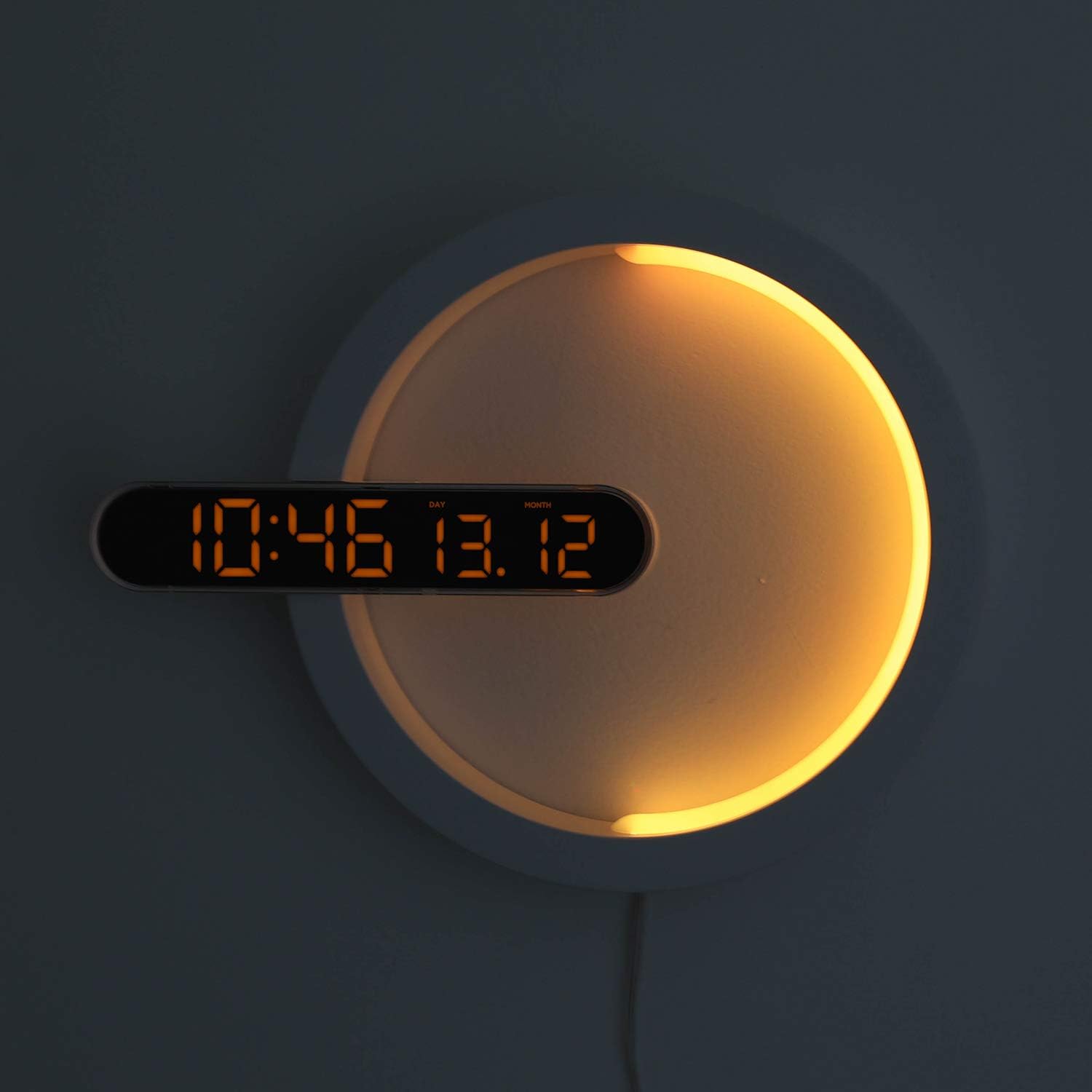
Figure 4: Clock Display with Orange LED
4. Түнгі жарық функциясы
The moon night light offers 7 distinct colors and an automatic color change mode.
- Түсті өзгерту: Press the "LED Color" button on the remote control to cycle through blue, sky blue, green, yellow, red, purple, white, and RGB auto change mode.
- Night Light Brightness: The night light brightness is not independently adjustable via remote.
- Automatic Dimming Mode: The clock features an automatic dimming mode where the night light's color and brightness will automatically adjust to a dimmer setting during a specified time period (default: 6:00 PM to 6:00 AM). This setting can be customized using the remote control. Refer to the remote control's specific buttons for "Auto Dim Set" or similar.
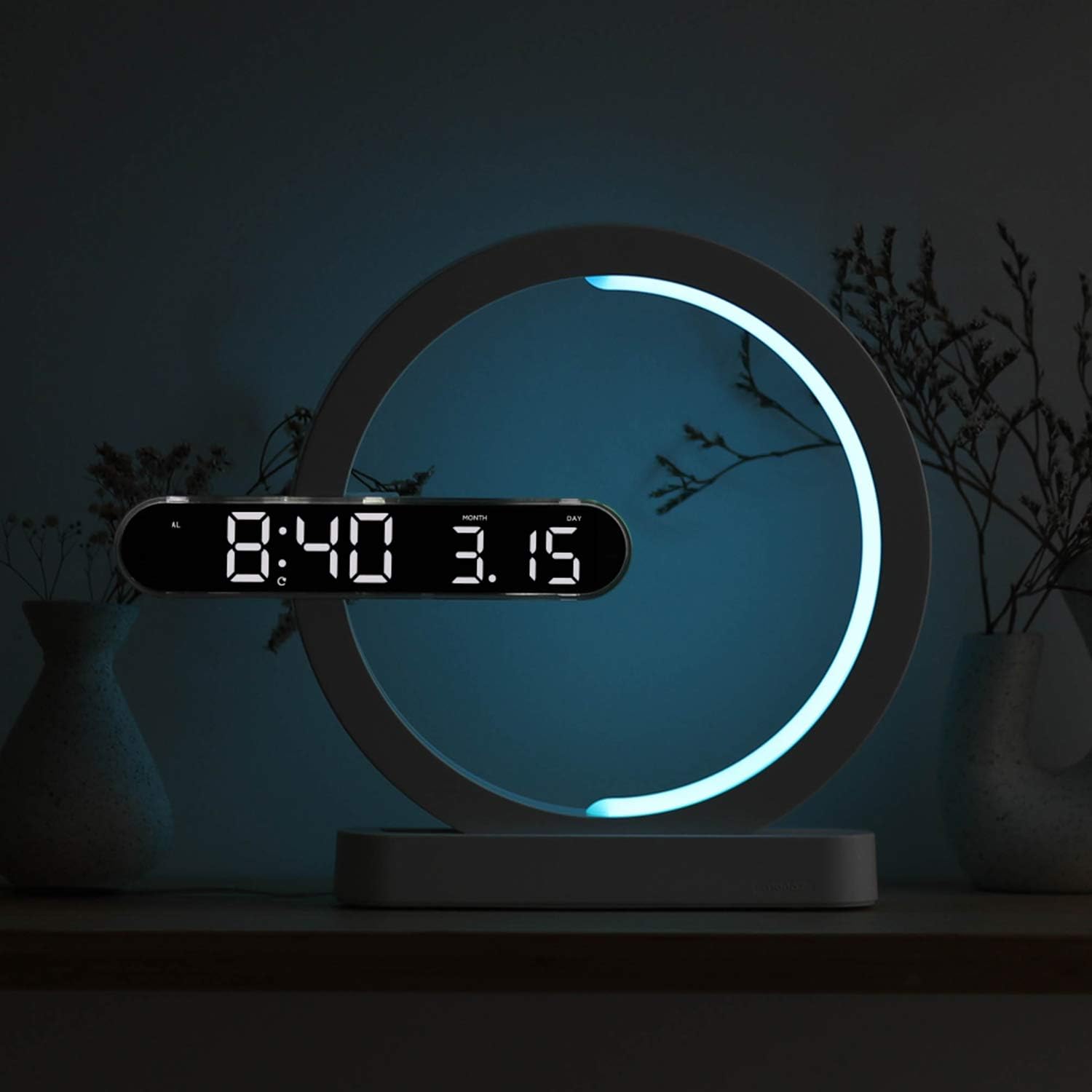
Figure 5: Available Night Light Colors
5. Қолдану режимдері
The device can be used in various configurations:
- Сағат режимі: Only the digital clock display is active.
- Түнгі жарық режимі: Only the moon night light is active.
- Clock + Night Light Mode: Both the digital clock and the moon night light are active simultaneously.
Specific buttons on the remote control allow switching between these modes. Consult the remote for labels such as "Mode" or dedicated ON/OFF buttons for clock and night light.

Figure 6: Wall-mounted usage example
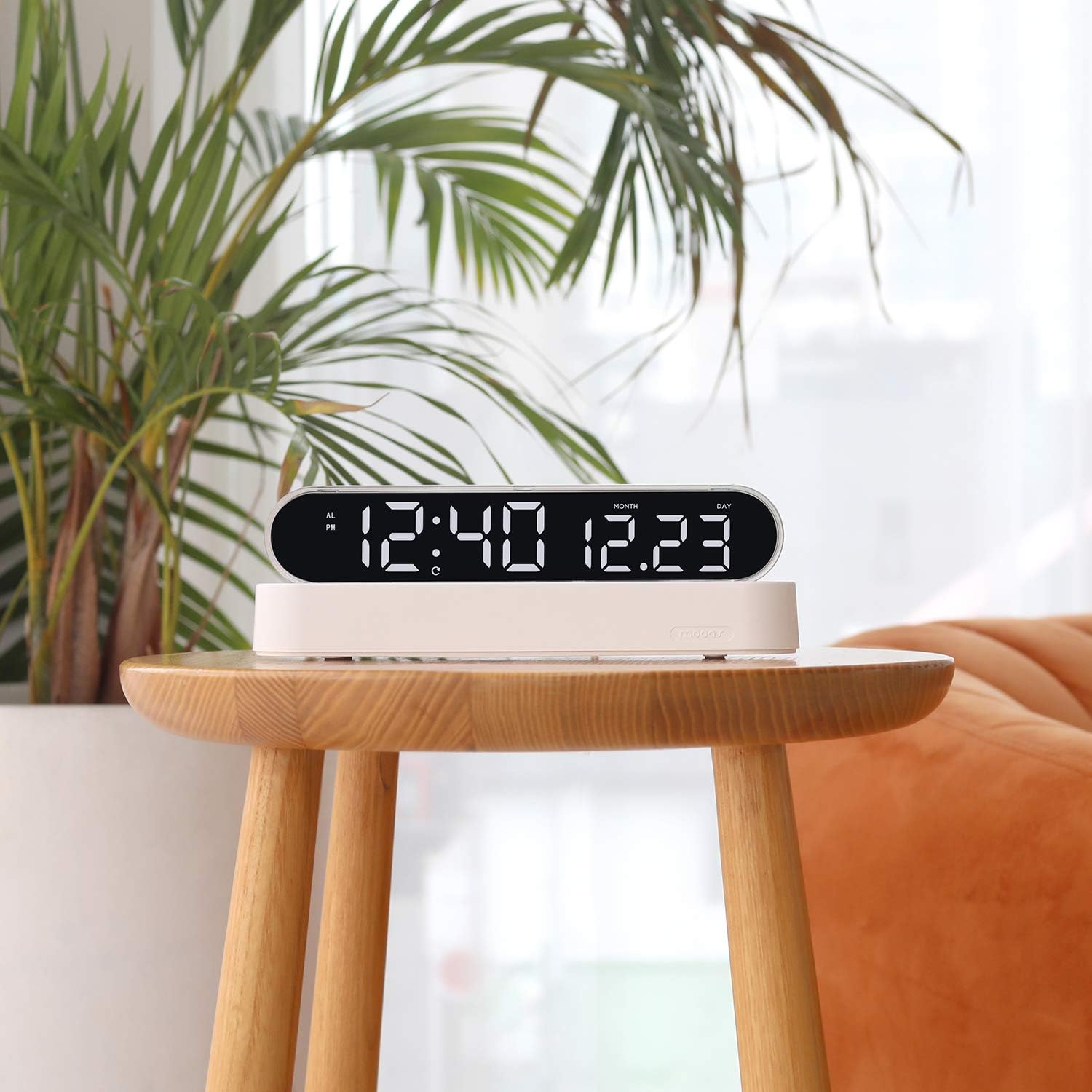
Figure 7: Desk clock usage example
Техникалық қызмет көрсету
- Тазалау: Құрылғыны жұмсақ, құрғақ шүберекпен сүртіңіз. Абразивті тазартқыштарды немесе еріткіштерді қолданбаңыз.
- Батареяны ауыстыру (қашықтан басқару құралы): If the remote control's functionality decreases, replace its battery (type not specified, usually CR2025 or CR2032).
- Time Memory Battery (CR2032): The CR2032 battery for time memory typically lasts several years. If the clock loses time settings after a power outage, replace this battery.
Ақаулықтарды жою
| Мәселе | Ықтимал себебі | Шешім |
|---|---|---|
| Clock display is off or not working. | Қуат жоқ, байланыс үзіліп қалған, қуат адаптерінде ақау бар. | Ensure power cable is securely connected. Check if the power adapter is plugged into a working outlet. Try a different USB port or adapter if available. |
| Қашықтан басқару пульті жауап бермейді. | Remote battery is dead or protective tab is still in place. | Remove the protective plastic tab from the remote's battery compartment. Replace the remote control battery if necessary. Ensure you are within range and pointing the remote at the clock. |
| Clock loses time settings after power outage. | CR2032 memory battery is dead or protective tab is still in place. | Ensure the protective tab is removed from the CR2032 battery compartment. Replace the CR2032 battery. |
| Түнгі жарық түстерін өзгертпейді. | Incorrect mode selected or remote issue. | Ensure the night light is active and not in a fixed color mode. Press the "LED Color" button repeatedly to cycle through colors. Check remote functionality. |
Техникалық сипаттамалар
| Бренд | муас |
| Үлгі нөмірі | MC-RLEDW2R |
| Түс | Ақ |
| Өлшемдері (L x W x H) | 30.71 x 25.17 x 5.36 см (12.09 x 9.91 x 2.11 дюйм) |
| Элемент салмағы | 508 г (1.12 фунт) |
| Материал | Acrylic, ABS Acrylic |
| Жарық көзі түрі | Жарық диодты индикатор |
| Clock Display Colors | White, Orange |
| Түнгі жарық түстері | Blue, Sky Blue, Green, Yellow, Red, Purple, White, RGB Auto Change |
| Қуат көзі | AC Powered (with CR2032 battery for time memory) |
| Арнайы мүмкіндіктер | Alarm, Adjustable Brightness (for clock display), Date Display, 12/24H Mode, Snooze, Remote Control |
Кепілдік туралы ақпарат
Mooas products are covered by a limited warranty against defects in materials and workmanship. The specific warranty period may vary by region and retailer. Please retain your proof of purchase for warranty claims. For detailed warranty terms and conditions, please refer to the documentation provided at the time of purchase or contact Mooas customer support.
Тұтынушыларды қолдау
If you encounter any issues or have questions regarding your Mooas Dual LED Moon Night Light Digital Alarm Clock that are not addressed in this manual, please contact Mooas customer support. Contact information can typically be found on the product packaging or the official Mooas webсайт.
Онлайн қолдау алу үшін мына сайтқа кіріңіз: www.mooas.com
Ask a question about this manual
Ask about setup, troubleshooting, compatibility, parts, safety, or missing instructions. Manuals+ will review the question and use this page’s manual context to help answer it.