
Кіріспе
This user manual provides detailed instructions for the setup, operation, maintenance, and troubleshooting of your iFFALCON 43K71 4K Ultra HD Smart Android LED TV. Please read this manual thoroughly before using the television and retain it for future reference.

Сурет: алдыңғы view of the iFFALCON 43K71 4K Ultra HD Smart Android LED TV, showcasing оның жұқа дизайны және жанды дисплейі.
Қауіпсіздік туралы ақпарат
Өрт, электр тогының соғуы немесе жарақаттануды болдырмау үшін әрқашан келесі қауіпсіздік шараларын сақтаңыз:
- Теледидарды жаңбырға немесе ылғалға ұшыратпаңыз.
- Тиісті желдетуді қамтамасыз етіңіз; желдету саңылауларын жаппаңыз.
- Тек теледидармен бірге берілген қуат сымын пайдаланыңыз.
- Теледидар корпусын ашпаңыз; барлық қызмет көрсетуді білікті мамандарға тапсырыңыз.
- Теледидарды тікелей күн сәулесінен, жылу көздерінен және күшті магнит өрісінен алыс ұстаңыз.
- Теледидарды тұрақты, тегіс жерге қойыңыз немесе қабырғаға мықтап бекітіңіз.
Қорапта не бар
Орамнан шығарған кезде барлық компоненттердің бар екенін тексеріңіз:
- 1 x iFFALCON 43K71 LED TV
- 1 x Remote Controller (with 2 AAA batteries)
- 2 x Table Stand components
- 1 x Пайдаланушы нұсқаулығы
- 1 x Кепілдік картасы
- 1 x аудио кабель
Орнату
1. Физикалық орнату
You can install your TV using the included table stands or by wall-mounting (wall mount bracket sold separately).
Үстел тұғырын орнату:
- Экранға зақым келтірмеу үшін теледидарды жұмсақ, тегіс бетке бетін төмен қаратып абайлап қойыңыз.
- Attach the two table stand components to the designated slots on the bottom of the TV using the provided screws. Ensure they are securely fastened.
- Теледидарды тұрақты, тегіс бетке абайлап тік күйге көтеріңіз.
Қабырғаға орнату:
For wall mounting, consult a professional installer. Ensure the wall mount bracket is compatible with the TV's VESA mounting pattern and can support the TV's weight (approximately 6.9 kg).

Сурет: жоғарғы view of the iFFALCON 43K71 TV, showing its slim profile және тіреуіштерді бекіту нүктелері.
2. Бастапқы қуат қосу және желіге қосылу
- Қуат сымын теледидарға, содан кейін розеткаға қосыңыз.
- Теледидарды қосу үшін теледидардағы немесе қашықтан басқару пультіндегі қуат түймесін басыңыз.
- Тілді таңдауды, елді және желі қосылымын (Wi-Fi немесе Ethernet) қоса, бастапқы орнатуды аяқтау үшін экрандағы нұсқауларды орындаңыз.
- Android TV мүмкіндіктеріне кіру және қолданбаларды жүктеп алу үшін Google есептік жазбасымен кіріңіз.
Теледидарды басқару
Қашықтан басқару құралы
The supplied remote control allows you to navigate the TV's interface and access various functions.
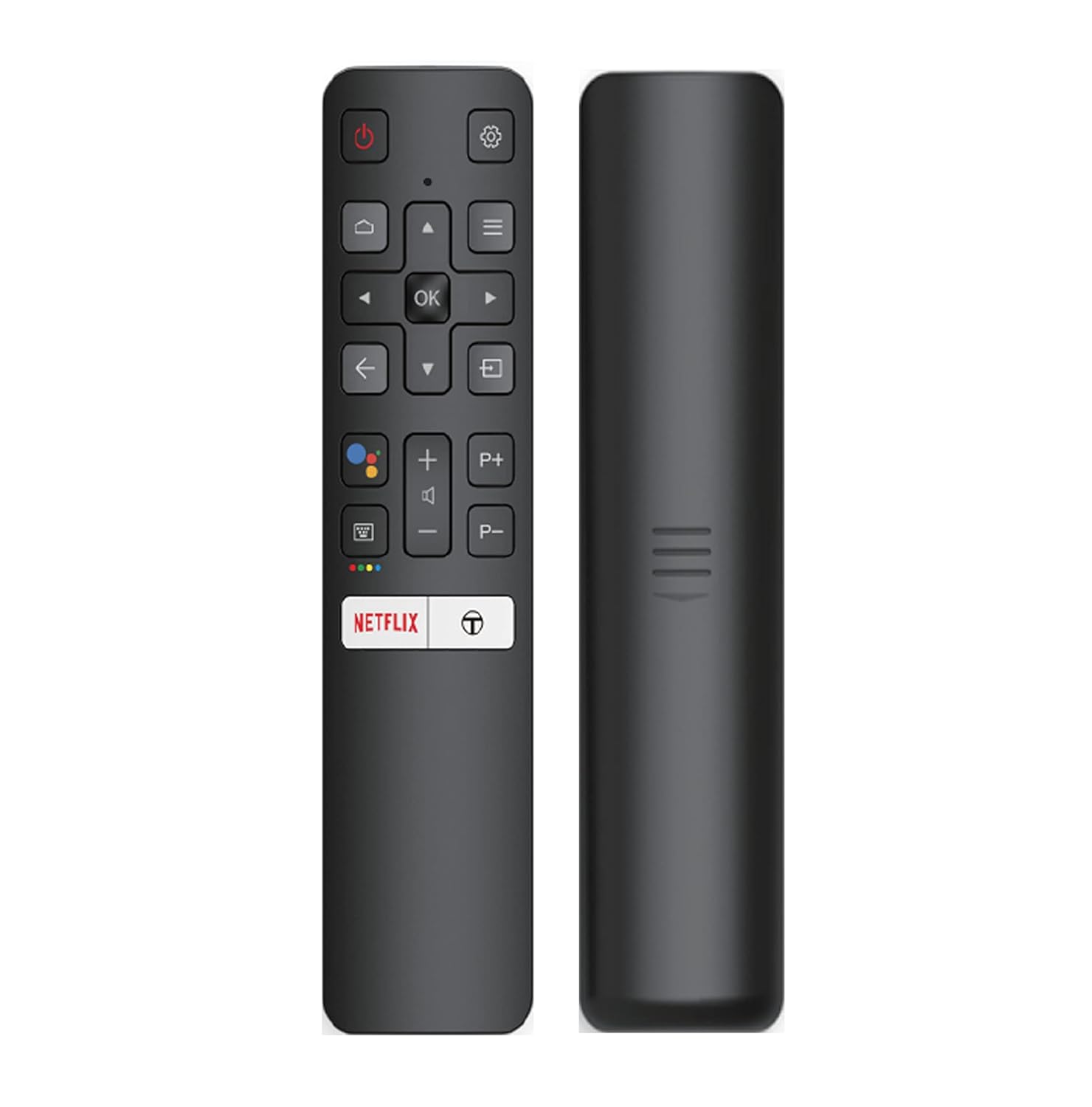
Image: The iFFALCON 43K71 remote control, featuring dedicated buttons for Netflix, Amazon Prime Video, Zee5, and Google Assistant.
Негізгі түймелерге мыналар кіреді:
- Қуат: Теледидарды қосады/өшіреді.
- Navigation (Up/Down/Left/Right/OK): Мәзірлерді шарлайды және таңдауларды растайды.
- Артқа: Алдыңғы экранға оралады.
- Үй: Android TV негізгі экранына кіреді.
- Көлем +/-: Дыбыс деңгейін реттейді.
- Channel P+/P-: Арналарды өзгертеді.
- Google Assistant: Дауыспен басқаруды іске қосады.
- Netflix, Prime Video, Zee5: Direct access buttons for streaming services.
Smart TV мүмкіндіктері (Android TV)
Your iFFALCON 43K71 TV runs on Android 9.0, providing access to a wide range of applications and smart functionalities.

Image: The Android TV home screen on the iFFALCON 43K71, displaying various streaming apps like Netflix, YouTube, and Prime Video.
- Қолданбалар: Download and install apps from the Google Play Store, including Netflix, YouTube, Prime Video, Disney+Hotstar, and more.
- Дауысты қолмен басқару: Use the built-in Google Assistant to control your TV, search for content, and manage smart home devices by speaking commands directly to the TV.
- Chromecast кірістірілген: Cast content from your smartphone, tablet, or computer directly to the TV screen.
- AI-IN: iFFALCON's AI-IN technology integrates with Google Assistant for enhanced smart home connectivity and personalized recommendations.
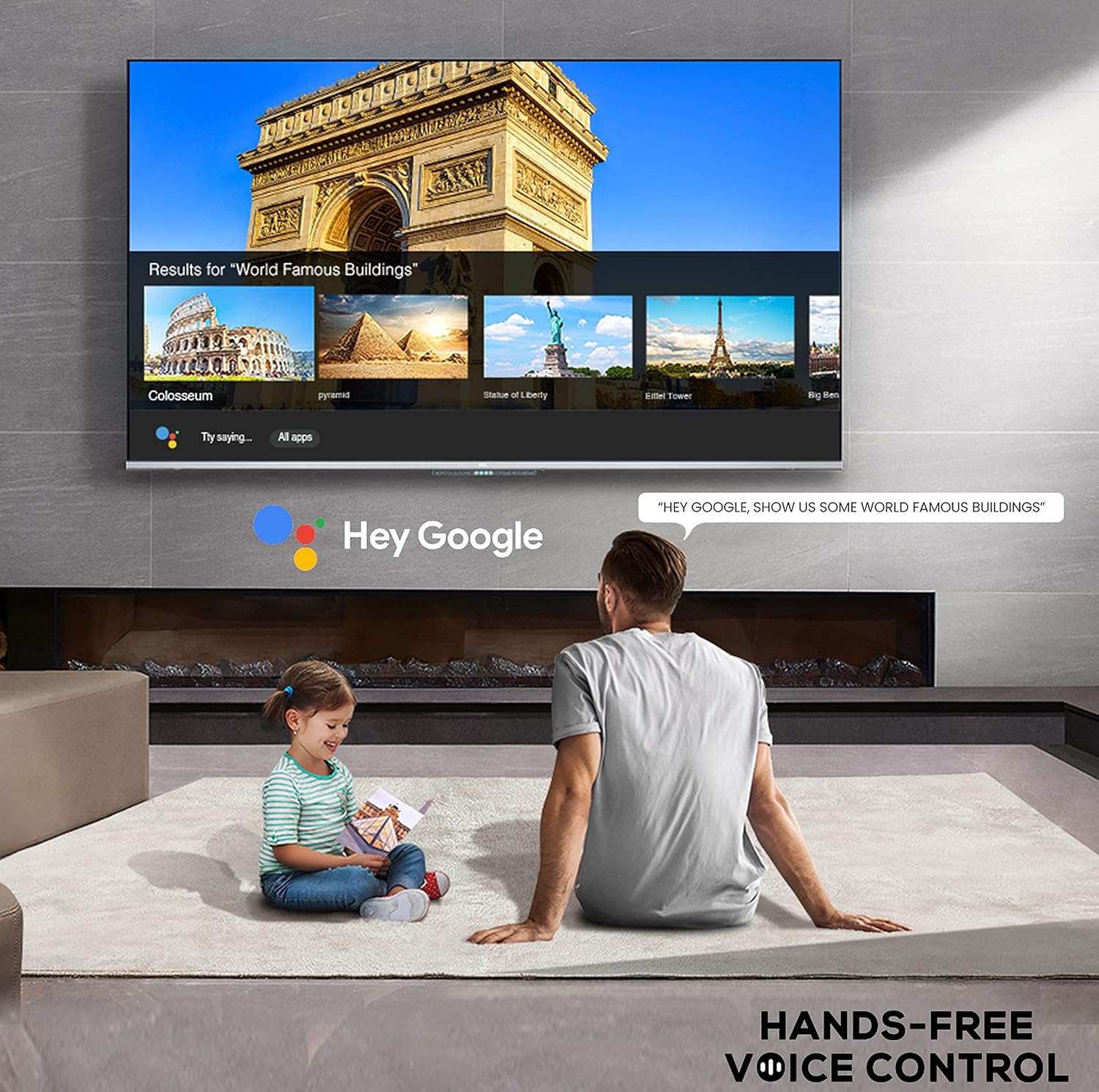
Image: A user interacting with the iFFALCON 43K71 using hands-free voice control, demonstrating the Google Assistant feature.
Қосылу мүмкіндігі
Теледидар сыртқы құрылғыларды қосу үшін әртүрлі порттарды ұсынады:
- HDMI порттары (2): Connect set-top boxes, Blu-ray players, gaming consoles, etc.
- USB порты (1): Connect hard drives, USB flash drives for media playback.
- Блютез: Connect wireless headphones, soundbars, or other Bluetooth-enabled accessories.
- Сымсыз дәлдiк: Интернетке кіру үшін үйдегі сымсыз желіге қосылыңыз.
- Аудио кабелі: For external audio connections.
Сурет және дыбыс параметрлері
Оңтайландыру үшін сурет пен дыбыс параметрлерін реттеңіз viewтәжірибесі.
- Сурет режимдері: Әр түрлі алдын ала орнатылған сурет режимдерінен таңдаңыз (мысалы, Стандартты, Динамикалық, Фильм, Спорт) немесе жарықтық, контраст, түс және айқындық сияқты параметрлерді реттеңіз.
- 4K Ultra HD & HDR 10: Experience stunning detail and vibrant colors with 4K resolution and High Dynamic Range (HDR 10) support.
- Микро күңгірттеу: Enhances contrast by analyzing video content in hundreds of separate zones and adjusting brightness and darkness independently.
- Дыбыс режимдері: Choose from preset sound modes (e.g., Standard, Music, Movie, Clear Voice) or adjust equalizer settings.
- Dolby Audio: Enjoy immersive audio with Dolby Audio processing, delivering rich, clear, and powerful sound from the 30 Watts speakers.
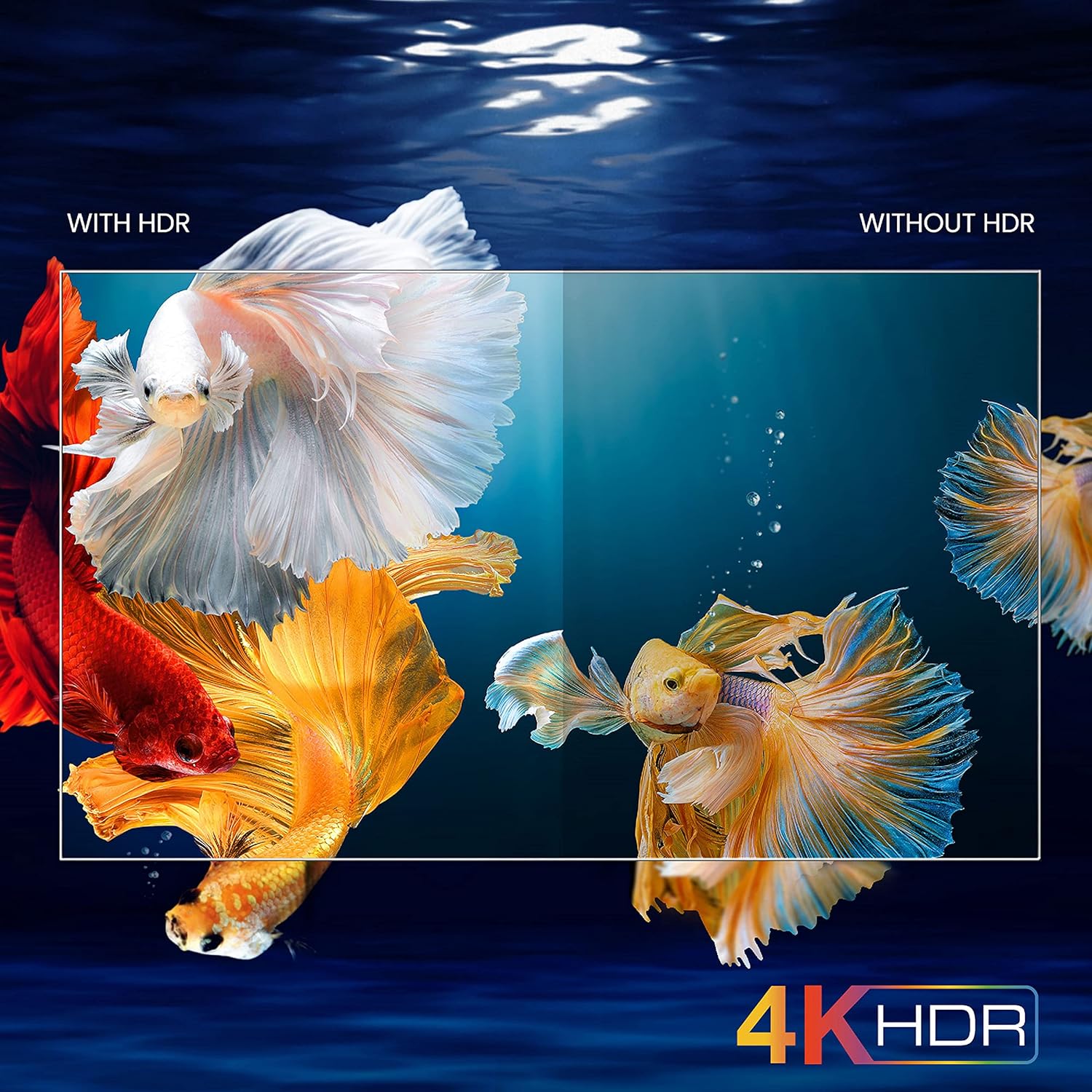
Image: A visual comparison demonstrating the enhanced color and contrast with 4K HDR enabled versus disabled on the iFFALCON 43K71 TV.
Техникалық қызмет көрсету
Тазалау
- Тазалау алдында теледидарды розеткадан ажыратыңыз.
- Экран мен шкафты сүрту үшін жұмсақ, құрғақ шүберекті пайдаланыңыз. Қыңыр белгілер үшін жеңіл dampшүберекті сумен немесе жұмсақ, абразивті емес экран тазалағышпен.
- Спирт, бензол, сұйылтқыштар немесе басқа ұшпа заттарды пайдаланбаңыз.
Бағдарламалық құрал жаңартулары
The TV may receive software updates periodically to improve performance and add new features. Ensure your TV is connected to the internet to receive these updates automatically or check for them manually in the settings menu.
Ақаулықтарды жою
If you encounter issues, refer to the following common solutions before contacting support:
| Мәселе | Мүмкін шешім |
|---|---|
| теледидар қосылмайды. | Check if the power cord is securely plugged into the TV and the power outlet. Ensure the power outlet is working. Try pressing the power button on the TV itself. |
| Сурет жоқ, бірақ дыбыс бар. | Кіріс көзін тексеріңіз. Сыртқы құрылғылардың дұрыс жалғанғанын және қосылғанын тексеріңіз. Теледидарды қайта қосып көріңіз. |
| No sound, but picture is present. | Check the volume level and ensure the TV is not muted. Verify audio output settings. If using external speakers, check their connections and power. |
| Қашықтан басқару пульті жұмыс істемейді. | Replace the batteries (2 AAA). Ensure there are no obstructions between the remote and the TV's IR sensor. |
| Wi-Fi желісіне қосылу мүмкін емес. | Check your router and modem. Restart them if necessary. Ensure you are entering the correct Wi-Fi password. Try moving the TV closer to the router or using an Ethernet cable. |
| Slow performance or app crashes. | Close unused applications. Clear cache for problematic apps. Restart the TV. Consider a factory reset as a last resort (this will erase all data and settings). |
Техникалық сипаттамалар
Key technical specifications for the iFFALCON 43K71 TV:
| Ерекшелік | Мәлімет |
|---|---|
| Үлгі | 43К71 |
| Экран өлшемі | 43 дюйм (108 см) |
| Ажыратымдылық | 4K Ultra HD (3840 x 2160 пиксел) |
| Жаңарту жылдамдығы | 60 Гц |
| Операциялық жүйе | Android 9.0 |
| Жедел Жадтау Құрылғысы | 2 ГБ |
| Сақтау | 16 ГБ |
| Дыбыс шығысы | 30 Watts (Dolby Audio Power Speakers) |
| HDMI порттары | 2 |
| USB порттары | 1 |
| Қосылу мүмкіндігі | Wi-Fi, Bluetooth |
| Өлшемдері (LxWxH) | 96 x 4.1 x 55.8 см (тұғырсыз) |
| Элемент салмағы | 6.9 кг |

Image: Diagram showing the physical dimensions of the iFFALCON 43K71 TV in centimeters and inches.
Кепілдік
The iFFALCON 43K71 TV comes with a 1 жылдық кепілдік provided by the manufacturer from the date of purchase. Please retain your purchase receipt for warranty claims. For detailed terms and conditions, refer to the included Warranty Card.
Қолдау
For further assistance, technical support, or service requests, please contact iFFALCON customer service. Contact details can typically be found on the manufacturer's official webсайтында немесе кепілдік талонында.
Өнім аяқталдыview Бейне
Бейне: қысқаша презентацияview бейне шоуcasing key features and visual enhancements of the iFFALCON 43K71 4K Ultra HD Smart Android LED TV, including 4K HDR, dynamic tone mapping, color enhancement, Android TV interface, and hands-free voice control.