
SUNMI TF700
SUNMI M2 MAX Industrial Tablet User Manual
Үлгі: TF700
Кіріспе
This manual provides comprehensive instructions for the safe and efficient use of your SUNMI M2 MAX Industrial Tablet, model TF700. Please read this manual thoroughly before operating the device and retain it for future reference.

1-сурет: Алдыңғы view of the SUNMI M2 MAX Industrial Tablet, showing its display with various application icons.
Орнату
1. Қораптан шығару және бастапқы тексеру
Қаптамадан барлық компоненттерді мұқият алып тастаңыз. Төменде көрсетілген барлық элементтердің бар екенін және зақымдалмағанын тексеріңіз:
- SUNMI M2 MAX Industrial Tablet (TF700)
- Қуат адаптері
- USB түрі-C кабелі
- Hand Strap (optional, if included with your model)
2. Құрылғыны зарядтау
Before first use, fully charge the tablet. Connect the USB Type-C cable to the tablet's charging port and the other end to the power adapter. Plug the power adapter into a wall outlet. The charging indicator will illuminate.
The tablet is equipped with an 8360mAh non-removable lithium polymer battery. A full charge can provide over 12 hours of continuous operation.
3. Installing SIM Card and MicroSD Card (Optional)
The device supports MicroSIM or NanoSIM cards (Config 1) and an eSIM (Config 2). It also supports MicroSD cards up to 128GB for expanded storage.
- Locate the SIM/MicroSD card slot on the side of the tablet.
- Use the provided SIM ejector tool (if applicable) or a small paperclip to open the tray.
- Carefully place the SIM card(s) and/or MicroSD card into the tray according to the diagram on the tray.
- Науаны орнына түскенше ұяшыққа ақырын итеріңіз.

2-сурет: Артқы view of the SUNMI M2 MAX, highlighting the camera, pogo pin charging interface, and the location of the SIM/MicroSD card slot.
4. Attaching the Hand Strap (Optional)
If your model includes a hand strap, attach it to the designated points on the back of the tablet for secure handling during mobile operations.
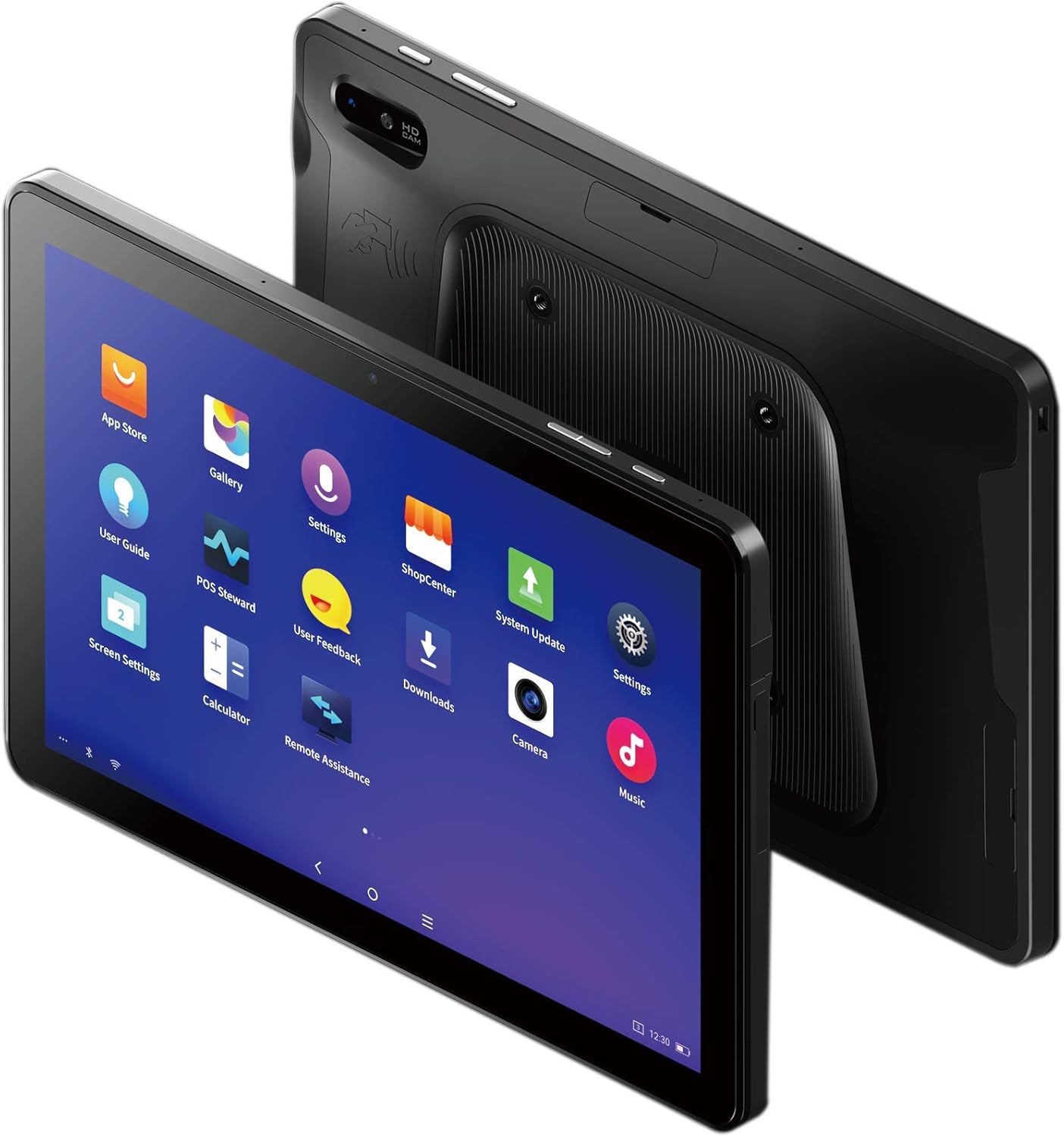
Figure 3: The SUNMI M2 MAX Industrial Tablet being held with an optional hand strap, demonstrating enhanced portability and secure grip.
Құрылғыны пайдалану
1. Қуатты қосу/өшіру
- Қуат қосулы: Press and hold the Power button (located on the side) until the SUNMI logo appears on the screen.
- Қуат көзін өшіру: Press and hold the Power button until a power-off menu appears. Select "Power Off" and confirm.
- Қайтадан қосу: From the power-off menu, select "Restart" to reboot the device.
2. Негізгі шарлау
The SUNMI M2 MAX runs on the Android operating system. Navigation is primarily touch-based:
- Түртіңіз: Элементті таңдау немесе қолданбаны ашу.
- Сырғыту: Тізімдер бойынша жылжу немесе экрандар арасында ауысу.
- Масштабтау үшін шымшу: Суреттерді үлкейту немесе кішірейту үшін немесе web беттер.
- Басты түймесі: Негізгі экранға оралады.
- Артқа түймесі: Алдыңғы экранға оралады.
- Соңғы қолданбалар түймесі: Жақында қолданылған қосымшаларды көрсетеді.
3. Желілерге қосылу
The tablet supports Wi-Fi (2.4GHz/5GHz, 802.11 a/b/g/n/ac) and cellular networks (2G, 3G, 4G).
- Сымсыз дәлдiк: өтіңіз Параметрлер > Желі және интернет > Wi-FiWi-Fi қосыңыз, қажетті желіні таңдаңыз және қажет болса, құпия сөзді енгізіңіз.
- Ұялы деректер: Ensure a valid SIM card is inserted. Go to Параметрлер > Желі және интернет > Ұялы желі to enable mobile data and configure APN settings if necessary.
- Блютез: өтіңіз Параметрлер > Қосылған құрылғылар > Bluetooth to pair with Bluetooth devices (supports Bluetooth 5.0).
4. Using NFC
The SUNMI M2 MAX is equipped with NFC (Near Field Communication) for contactless transactions and data exchange. To use NFC, ensure it is enabled in settings and hold the tablet near a compatible NFC reader or device.
5. Камера жұмысы
The tablet features a 13 MP rear camera with flash and autofocus, and a 5 MP front camera. Open the "Camera" application to capture photos or record videos.
Техникалық қызмет көрсету
1. Құрылғыны тазалау
Аздап жұмсақ, түксіз матаны пайдаланыңыз dampened with water or a screen cleaner to wipe the display and exterior. Avoid using harsh chemicals, abrasive cleaners, or excessive moisture.
2. Батареяны күту
- Avoid exposing the tablet to extreme temperatures (below -20°C or above 70°C).
- Батареяның жиі зарядсыздануына жол бермеңіз.
- Use only the original or certified compatible power adapter and cable.
3. Бағдарламалық құралды жаңарту
Оңтайлы өнімділік пен қауіпсіздікті қамтамасыз ету үшін жүйелік жаңартуларды тексеріңіз және орнатыңыз. өтіңіз Параметрлер > Жүйе > Жүйені жаңарту.
4. Қоршаған ортаны қорғау
The SUNMI M2 MAX is designed with IP68 protection and a 1m drop specification, making it suitable for demanding environments. However, avoid intentional drops or prolonged submersion in water.
Ақаулықтарды жою
| Мәселе | Ықтимал себебі | Шешім |
|---|---|---|
| Құрылғы қосылмайды. | Төмен батарея; бағдарламалық құралдың бұзылуы. | Құрылғыны кем дегенде 30 минут зарядтаңыз. Мәжбүрлеп қайта қосу үшін Қуат түймесін 10-15 секунд басып тұрыңыз. |
| Wi-Fi желісіне қосылу мүмкін емес. | Incorrect password; Wi-Fi disabled; router issue. | Verify password. Ensure Wi-Fi is enabled in settings. Restart router. Forget and reconnect to the network. |
| Сенсорлық экран жауап бермейді. | Уақытша бағдарламалық құрал ақауы. | Қуат түймесін басып тұру арқылы құрылғыны күштеп қайта іске қосыңыз. |
| Applications crashing. | Insufficient RAM; app bug. | Close background apps. Clear app cache/data (Settings > Apps). Update the app. |
Техникалық сипаттамалар
The following table outlines the key technical specifications of the SUNMI M2 MAX Industrial Tablet (Model: TF700).

Figure 4: Comprehensive technical specifications for the SUNMI M2 MAX Industrial Tablet.
- Үлгі: TF700
- Операциялық жүйе: Android 9.0 (SUNMI OS)
- Процессор: Kryo-260, Octa-core 2.2GHz (Qualcomm)
- Жад: 3GB RAM + 32GB ROM (eMMC)
- Көрсеткіш: 10.1-inch FHD, 1920x1200, Capacitive multitouch, Corning Gorilla Glass 3
- Камералар: Front: 5MP FF; Rear: 13MP AF + Flashlight, supports 1D/2D barcode recognition
- NFC: Type-A&B card, Mifare card, Felica card, ISO/IEC 14443 and ISO/IEC 15693 compliant
- Speaker/MIC: 1W Speaker, 2x MIC
- PSAM картасы ұясы: 1x PSAM
- SIM картасы ұясы: 1x MicroSD (TF), 1x MicroSIM or 1x NanoSIM (TF700 Config 1), eSIM (TF700 Config 2)
- Желі: 2G және 3G және 4G
- Сымсыз дәлдiк: 2.4GHz/5GHz, 802.11 a/b/g/n/ac
- Блютез: Supports Bluetooth 2.1/3.0/4.2/5.0 (BLE)
- GPS: Supports AGPS, GPS, GLONASS, Beidou (Config 2)
- Датчик: Gravity sensor, light sensor, compass, Hall
- Түймелері: 1x Power (lock screen), 2x Volume (+/-)
- Порттар: 1x Type-C (supports OTG), 1x Audio Jack, 1x MicroSD (up to 128GB expansion)
- Батарея: Non-removable Lithium Polymer battery, 8360mAh
- Қуат адаптері: Input: AC 100-240V, Output: DC 5V/2A
- Өлшемдері (LxWxH): 249.8 x 160 x 9.9 мм (0.39 x 6.3 x 9.84 дюйм)
- Жалпы салмағы: 673 г (1.48 фунт)
- Қорғау: IP68, 1m drop spec
- Жұмыс температурасы: -20°C - 55°C
- Сақтау температурасы: -40°C - 70°C
Кепілдік және қолдау
For warranty information and technical support, please refer to the documentation provided with your purchase or visit the official SUNMI webсайт. Кепілдік шағымдары үшін сатып алуды растайтын құжатты сақтаңыз.
SUNMI Official Webсайт: www.sunmi.com
Ask a question about this manual
Ask about setup, troubleshooting, compatibility, parts, safety, or missing instructions. Manuals+ will review the question and use this page’s manual context to help answer it.